How to Design a Business VoIP Network from Scratch in 2026
Designing a reliable business VoIP network requires more than connecting IP phones to an internet connection. Voice traffic shares infrastructure with computers, cloud applications, video meetings, wireless devices, security systems, and other network services. Every component—from the internet connection and router to the switches, cabling, firewall, IP PBX, SIP trunks, and backup power—can affect call quality and reliability.
A well-designed VoIP network should provide predictable call quality, appropriate security, sufficient bandwidth, reliable power, straightforward troubleshooting, and enough capacity for future expansion.
This guide walks through the complete process of designing a business VoIP network from scratch in 2026, including the infrastructure decisions businesses should make before purchasing phones or deploying an IP PBX.
Start with Business Requirements, Not Equipment
Before choosing phones, switches, routers, or an IP PBX, document what the business actually needs.
Begin by identifying:
Total number of employees
Number of desk phones
Remote and hybrid employees
Expected simultaneous calls
Conference rooms
Wireless phones and softphones
Branch locations
Analog devices such as fax machines, paging interfaces, and door phones
Call recording requirements
Contact-center or call-queue requirements
Emergency-calling requirements
Expected expansion over the next three to five years
The number of employees alone does not determine network size. A 100-person office may have only 20 simultaneous external calls, while a 50-agent contact center may approach 50 simultaneous calls during peak periods.
Design around peak operational requirements rather than average usage.
Step 1: Choose the Right Internet Connection
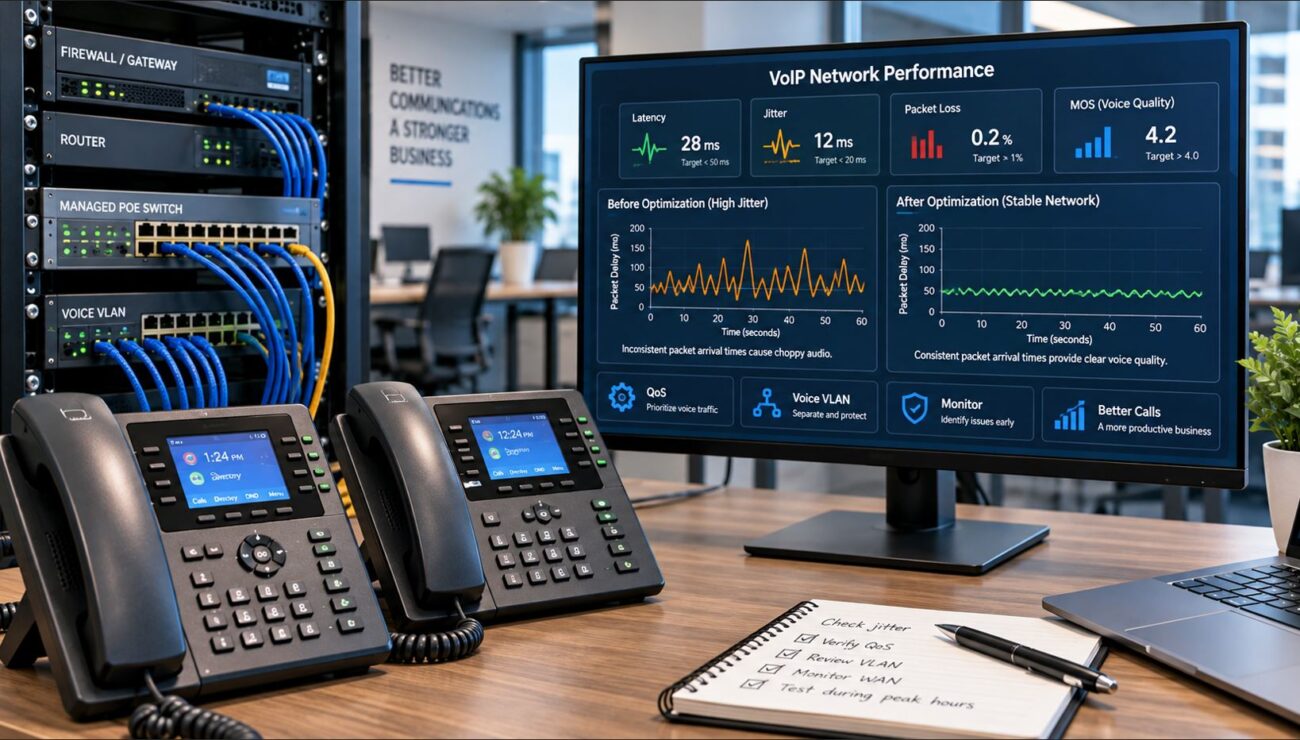
VoIP itself does not require enormous bandwidth, but it does require consistent network performance. Latency, jitter, packet loss, congestion, and outages can all affect voice quality.
When evaluating business internet service, consider:
Download speed
Upload speed
Symmetrical versus asymmetrical service
Latency
Packet loss
Service-level agreements
Static IP availability
Provider redundancy
Repair response times
Upload capacity deserves particular attention. Businesses often focus on download speed, yet outbound backups, security cameras, cloud synchronization, file transfers, and video meetings can congest an upload connection and interfere with outbound voice.
Do you need a dedicated internet circuit for VoIP?
Not necessarily. Voice and ordinary business data can share the same internet connection when sufficient bandwidth, Quality of Service, and appropriate network controls are available.
However, organizations with high call volumes or strict uptime requirements may benefit from dedicated connectivity, managed WAN services, or redundant internet providers.
Step 2: Calculate Concurrent Call Bandwidth
Do not calculate VoIP bandwidth using codec bitrate alone. Each call also includes IP, UDP, RTP, Ethernet, and possibly VPN or encryption overhead.
As a practical planning estimate, many G.711 deployments consume approximately 80 to 100 Kbps per active call in each direction after normal protocol overhead.
Concurrent Calls
Approximate Voice Bandwidth
Planning Allowance with Headroom
10
0.8–1.0 Mbps
1.5 Mbps or more
25
2.0–2.5 Mbps
3.5 Mbps or more
50
4.0–5.0 Mbps
7 Mbps or more
100
8–10 Mbps
15 Mbps or more
These are planning estimates rather than fixed requirements. Codec, packetization interval, encryption, VPN tunneling, and other factors affect actual usage.
Step 3: Select a Business Router
The router connects the business network to the internet and frequently becomes the most important device for WAN traffic management.
A business VoIP router should support:
Quality of Service
DSCP classification
Traffic shaping
VLAN routing
Flexible NAT
VPN connectivity
Dual-WAN or multi-WAN failover
Traffic monitoring
Reliable logging
SIP ALG control
Businesses should size the router using realistic performance with VPN, security, logging, and traffic-management services enabled rather than relying only on headline routing speed.
A growing business that requires multiple internet connections, VPN access, QoS, and WAN failover may consider the Grandstream GWN7003 Multi-WAN VPN Router. Before selecting any router, confirm that its throughput, interfaces, management features, and security capabilities match the complete network design.
Step 4: Design the Firewall Properly
The firewall protects the internal network while allowing legitimate SIP signaling, RTP media, VPN traffic, cloud applications, and other required services.
The firewall should support:
Stateful packet inspection
Granular access rules
VLAN segmentation
Intrusion prevention where required
VPN connectivity
Traffic logging
Rate limiting
Administrative multi-factor authentication
Flexible NAT
Configurable SIP inspection or SIP ALG
Do not simply expose broad SIP and RTP port ranges to the entire internet. Restrict inbound access to known providers, SBCs, VPN networks, or other trusted sources whenever the system architecture allows it.
Step 5: Decide Whether You Need a Session Border Controller
A Session Border Controller, or SBC, is not the same as a firewall. An SBC specializes in real-time communications and can control SIP signaling and media between different voice networks.
An SBC may provide:
SIP normalization
Topology hiding
NAT traversal
Media anchoring
Call admission control
Carrier interoperability
TLS and SRTP handling
Call-quality monitoring
Failover routing
A small business using a fully hosted VoIP platform may not need to operate an SBC because the provider may already perform these functions.
Businesses with on-premises IP PBXs, multiple SIP providers, contact centers, complex routing, or interoperability requirements should evaluate SBC deployment more carefully.
Step 6: Build the Wired Network with Structured Cabling
Reliable VoIP begins with reliable physical infrastructure. New installations should use standards-compliant structured Ethernet cabling rather than relying on improvised patch cables or aging wiring.
For most current office deployments, CAT6 provides a practical balance of cost, performance, and future capacity. CAT6A may be appropriate when 10 Gigabit Ethernet, longer high-speed runs, additional interference resistance, or longer infrastructure life is required.
The network should include:
Permanent structured cabling
Patch panels
Properly labeled wall jacks
Short rack patch cables
Cable-management hardware
Documented cable IDs
Certification or testing of new runs
Telecom-Store.com’s office CAT6 cabling guide provides additional planning information for structured business networks.
Step 7: Choose Managed PoE Switches
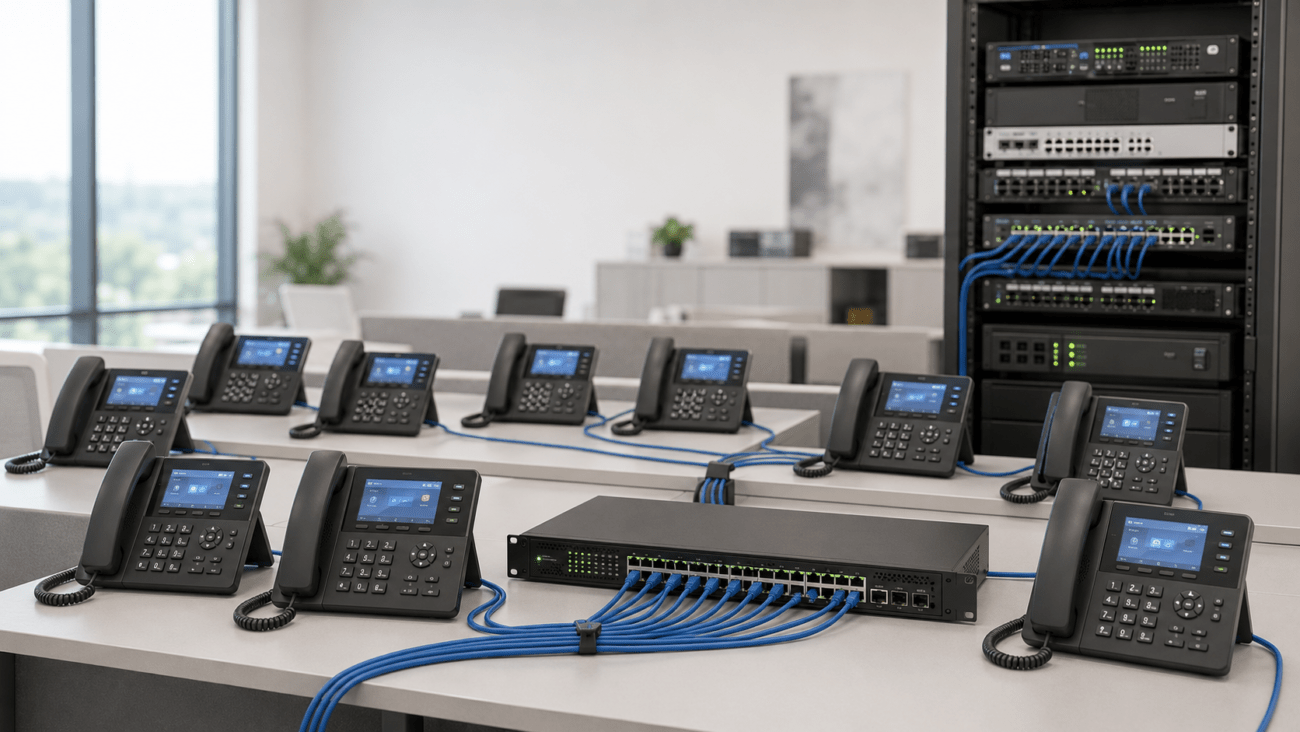
Power over Ethernet allows compatible switches to provide network connectivity and electrical power through the same Ethernet cable. This simplifies IP-phone deployment and allows phones to remain powered from a central UPS during outages.
When selecting a switch, calculate both port count and PoE power budget.
A business switch should provide enough capacity for:
IP phones
Wireless access points
Conference phones
Video conferencing equipment
SIP paging devices
Security cameras if they share the infrastructure
Future expansion
Managed vs. unmanaged switches
An unmanaged switch can work in a very small network, but growing VoIP installations usually benefit from managed switching.
Managed switches provide features such as:
802.1Q VLANs
QoS
DSCP trust and classification
LLDP and LLDP-MED
Port monitoring
Spanning Tree
Security controls
Remote administration
The PoE switch for VoIP phones guide explains how to calculate ports, power budget, management requirements, and expansion capacity.
For smaller managed deployments, the Grandstream GWN7801P 8-Port Gigabit PoE Switch provides managed switching, PoE, VLAN and QoS capabilities. Larger offices should size the switch according to total endpoint count, PoE demand, uplink capacity, and expected growth.
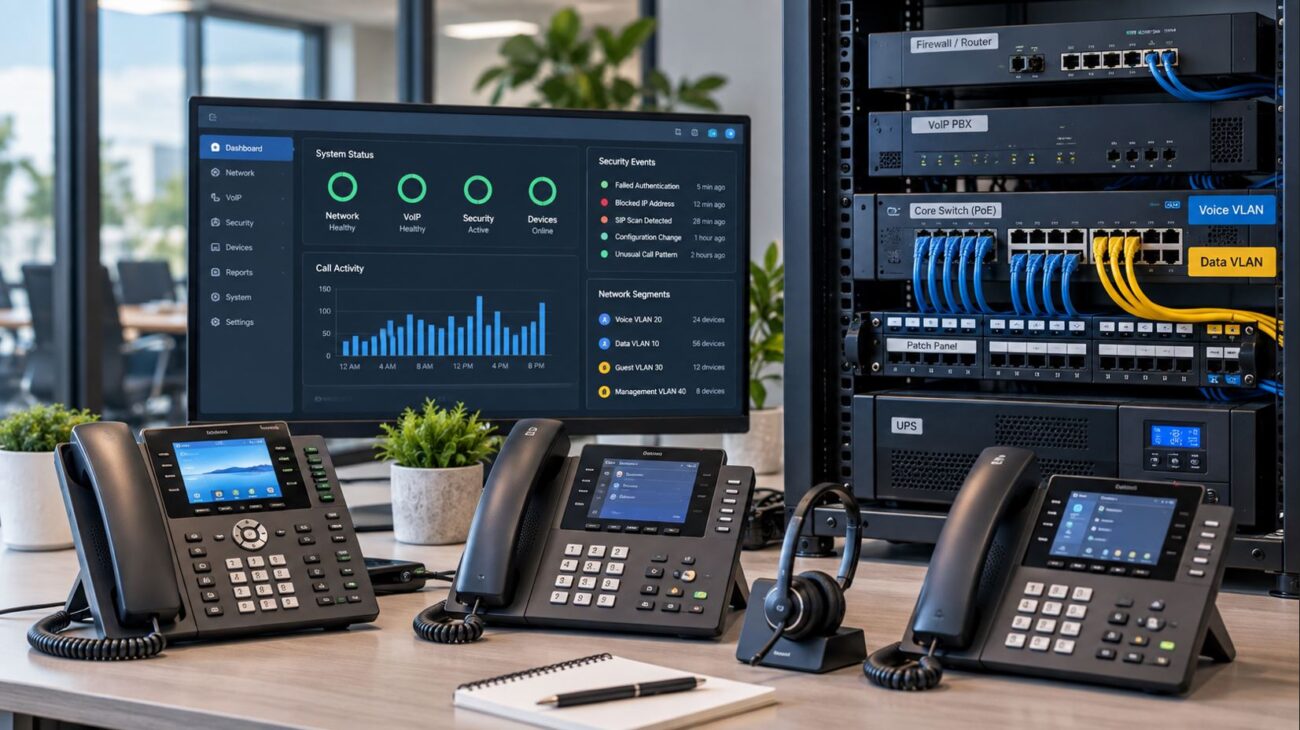
Step 8: Create a Voice VLAN
A voice VLAN separates phone traffic logically from computers, cameras, guest users, and other devices.
A typical network might use:
VLAN
Purpose
Example
VLAN 10
Business data
Computers and printers
VLAN 20
Voice
IP phones and PBX
VLAN 30
Guest Wi-Fi
Visitor devices
VLAN 40
Infrastructure
Network management
VLAN 50
IoT/security
Cameras and building systems
A dedicated voice VLAN is not mandatory for every small installation, but it can simplify security, QoS, troubleshooting, addressing, and access control as the network grows.
The switch, router, firewall, IP phones, DHCP configuration, and wireless network must all support the design.
Step 9: Configure Quality of Service
Quality of Service determines how traffic is handled when network resources become congested.
Voice traffic should receive predictable low-latency treatment. The IETF DiffServ guidelines identify the Expedited Forwarding service class for telephony traffic, commonly associated with DSCP EF 46. However, markings only matter when network devices are configured to recognize and act on them.
A complete QoS design may involve:
IP phones marking RTP
Switches establishing a trust boundary
Voice VLAN classification
Router or firewall priority queues
WAN traffic shaping
Wireless WMM mapping
VPN DSCP preservation
Do not configure every application as high priority. If everything is prioritized, nothing is effectively prioritized.
Step 10: Choose the IP PBX or Hosted VoIP Platform
The phone system determines how extensions register, how calls are routed, which features are available, and how outside telephone services connect to the business.
Businesses typically choose between:
Hosted VoIP
On-premises IP PBX
Virtual or cloud-hosted PBX
Hybrid architecture
Deployment
Advantages
Considerations
Hosted VoIP
Reduced onsite infrastructure and simplified management
Recurring service costs and provider dependency
On-premises IP PBX
Greater local control and customization
Requires administration, power protection, and hardware planning
Virtual PBX
Flexible deployment and centralized infrastructure
Requires server or cloud expertise
Hybrid
Can combine local control with cloud services
Greater architectural complexity
Do not size an IP PBX solely by extension count. Also consider concurrent calls, recording, voicemail storage, conferencing, queues, analog interfaces, SIP trunk capacity, remote users, and growth.
Step 11: Select the SIP Trunk Provider
An on-premises IP PBX normally requires a SIP trunk or another service to connect calls to the public telephone network.
Evaluate providers based on:
PBX compatibility
Concurrent-call capacity
Number portability
Emergency calling
Caller-ID support
TLS and SRTP availability
Fraud controls
Failover options
Technical support
Geographic coverage
Service-level commitments
Price per channel or minute should not be the only deciding factor. Reliability and technical support can have a much greater impact when communications are business-critical.
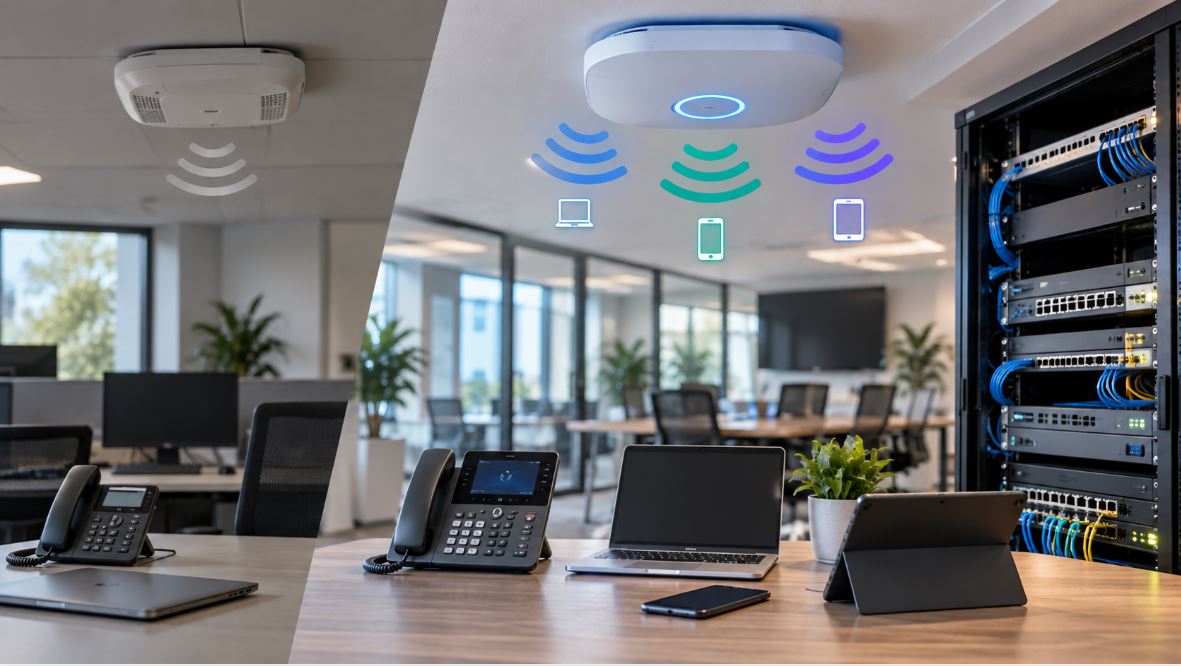
Do not assume one consumer wireless router can provide reliable coverage for an entire office.
A professional Wi-Fi deployment should consider:
Building dimensions
Wall construction
User density
RF interference
Channel planning
Roaming
PoE requirements
Voice SSIDs
Guest access
VLAN assignment
Centralized management
Wi-Fi 6 remains appropriate for many business environments in 2026. Wi-Fi 6E and Wi-Fi 7 may provide additional capacity where compatible devices and supporting network infrastructure are available.
A VoIP system depends on electrical power. Unlike traditional analog telephone service, an IP phone generally stops working when the network switch loses power.
At minimum, consider UPS protection for:
ISP modem or ONT
Router
Firewall
Session Border Controller
Managed PoE switches
IP PBX
Network controllers
Critical wireless access points
Calculate both the total wattage and the desired runtime. A UPS designed to provide five minutes of shutdown time is very different from one intended to maintain communications during a one-hour outage.
If the business uses a generator, determine how long the UPS must operate before generator power becomes available.
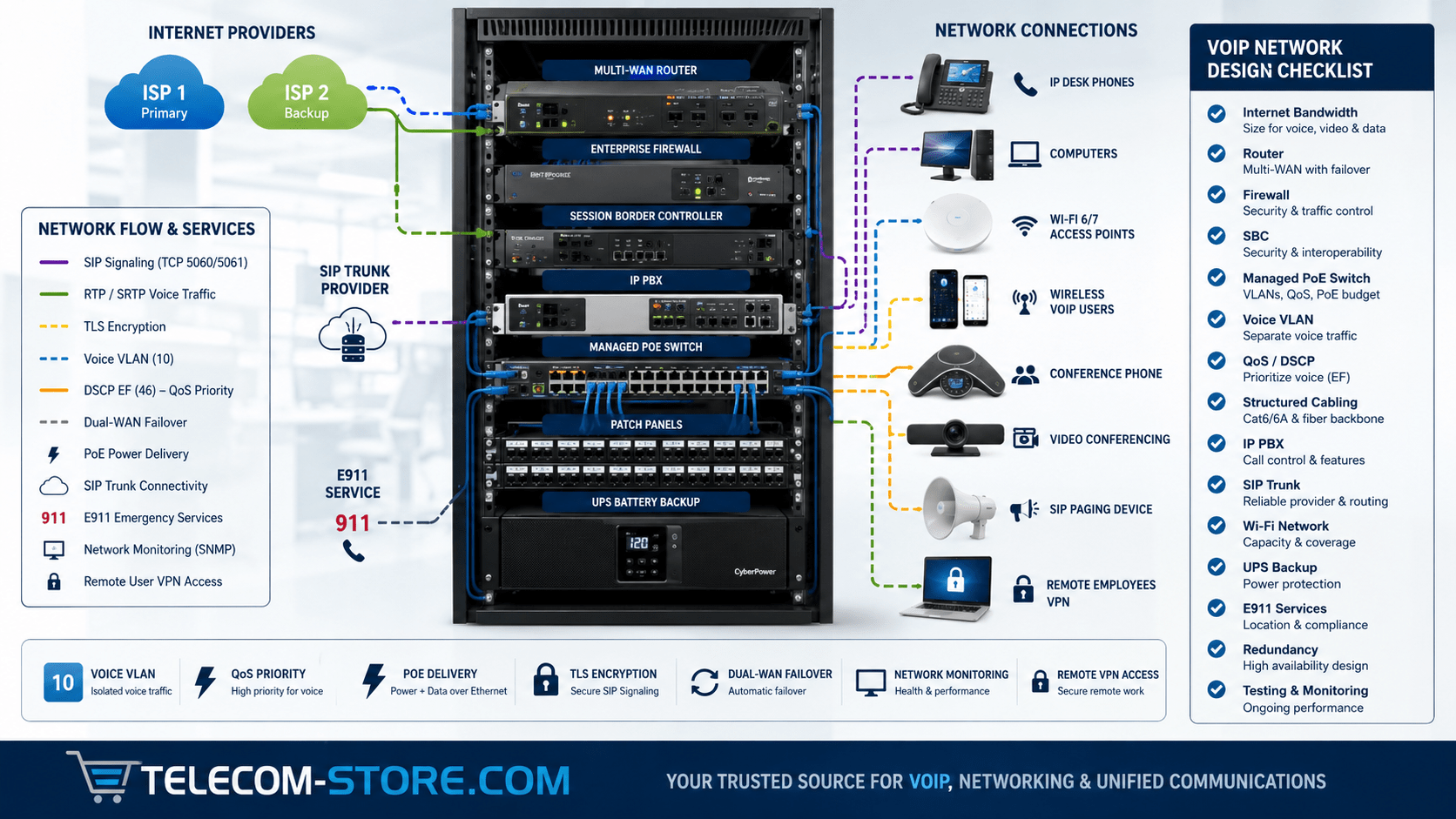
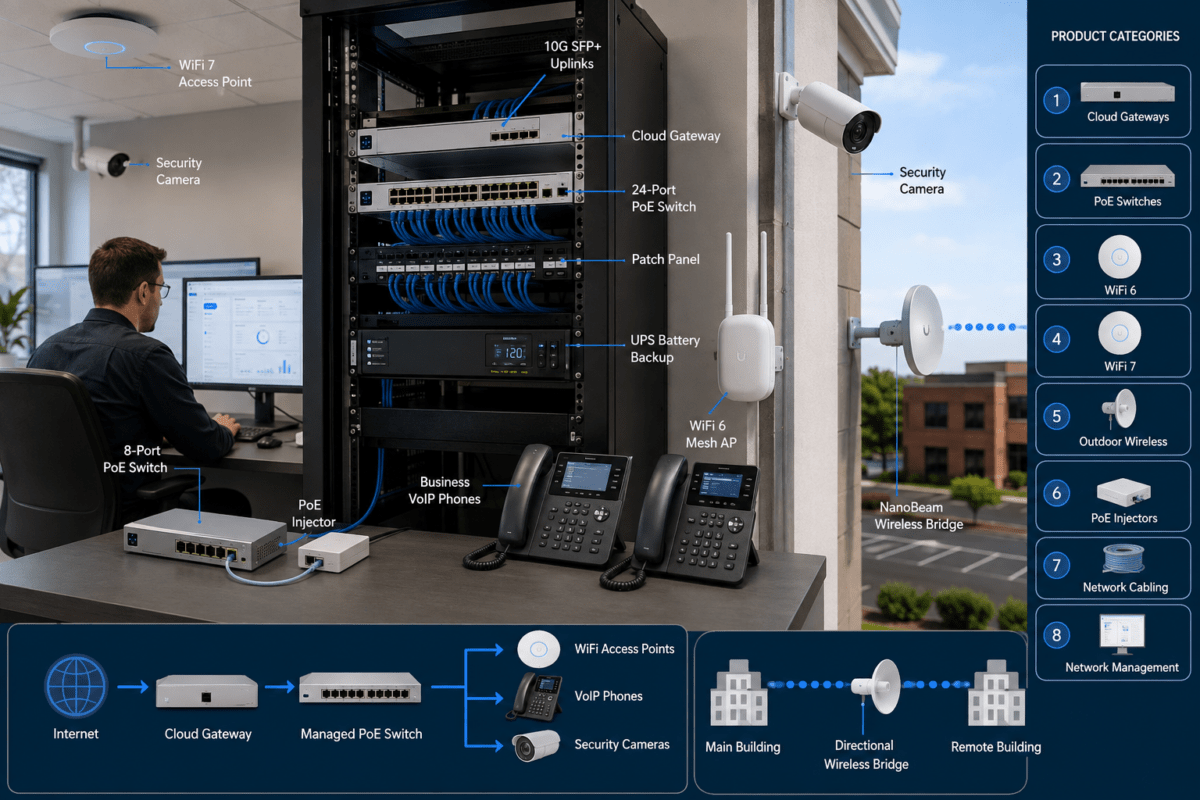
A typical on-premises architecture may look like this:
Internet Provider 1 --------\
                              \
                               Business Router
                              /
Internet Provider 2 --------/
                                   |
                               Firewall
                                   |
                         Session Border Controller
                                   |
                              Core Network
                                   |
                      Managed PoE Network Switch
                     /        |        |         \
                IP Phones   IP PBX    Wi-Fi     Other VLANs
                             |
                         SIP Trunk
The exact architecture can vary substantially. Some businesses combine the router and firewall. Others place the SBC in a different security zone or use a cloud-hosted PBX that eliminates several onsite components.
Business VoIP Network Design Checklist
Document all users, devices, locations, and growth plans.
Calculate maximum simultaneous calls.
Measure actual internet performance.
Provide sufficient upload bandwidth.
Select a router with suitable QoS and failover capabilities.
Deploy an appropriately sized firewall.
Determine whether an SBC is required.
Install structured CAT6 or CAT6A cabling where appropriate.
Select managed PoE switches with adequate power budget.
Create a voice VLAN where appropriate.
Configure end-to-end QoS.
Choose the correct PBX architecture.
Select a compatible SIP provider.
Design Wi-Fi based on RF requirements.
Provide UPS protection.
Plan E911 and dispatchable locations.
Document IP addresses, VLANs, switch ports, and credentials securely.
Test the network under load before production deployment.
Common Business VoIP Network Design Mistakes
Buying phones before designing the network
Phones are endpoints. They cannot compensate for inadequate switches, poor Wi-Fi, insufficient bandwidth, incorrect VLANs, or an overloaded router.
Using unmanaged switches for a growing network
An unmanaged switch may work initially but provides little visibility or control when VLAN, QoS, security, or troubleshooting requirements increase.
Ignoring the PoE budget
A switch may have enough physical ports but insufficient electrical capacity to power all connected devices simultaneously.
Using one flat VLAN for everything
Voice, guests, cameras, servers, and employee computers do not necessarily need unrestricted access to one another.
Assuming faster internet eliminates QoS
More bandwidth reduces congestion probability but does not eliminate traffic bursts or bottlenecks.
Ignoring redundancy
A high-quality PBX is of little value if a single ISP, router, switch, or power supply can take the entire phone system offline.
Never testing failover
A secondary ISP or backup route is only useful if the complete phone system actually recovers when the primary path fails.
Failing to document the network
Keep records of VLAN IDs, DHCP scopes, switch ports, IP addresses, QoS policies, firewall rules, SIP trunks, DNS entries, and equipment locations.
How to Test the Network Before Going Live
Do not judge a VoIP network only by making one call while the office is empty.
Test:
Internal calls
Inbound PSTN calls
Outbound calls
Transfers
Voicemail
Conference calls
Caller ID
DTMF
Emergency calling
Remote phones
Wi-Fi phones
Call queues
Internet failover
Power failure behavior
Then deliberately load the internet connection while placing calls.
Monitor:
Latency
Jitter
Packet loss
Interface utilization
QoS queues
Firewall sessions
SIP registration
PBX resources
Frequently Asked Questions
What equipment is required for a business VoIP network?
A typical deployment may require an internet connection, router, firewall, managed PoE switch, structured Ethernet cabling, IP PBX or hosted service, SIP provider, IP phones, UPS battery backup, and wireless access points. Some environments also require a Session Border Controller or analog gateways.
Do VoIP phones need their own network?
Not necessarily. Phones can share physical switches and cabling with computers while using a separate logical voice VLAN. Very small installations may operate without a voice VLAN, while larger businesses often benefit from segmentation.
Do I need a managed PoE switch?
It is strongly recommended when the business requires VLANs, QoS, remote troubleshooting, traffic monitoring, security controls, or future expansion.
Can VoIP and computers share the same internet connection?
Yes. Proper bandwidth planning and QoS allow voice and data to share the same connection successfully in many business environments.
Should business VoIP use Wi-Fi?
Wi-Fi can support mobile phones and softphones when the wireless network is professionally designed. Fixed desk phones are often easier to make predictable over wired Ethernet.
Does a business need two internet providers?
Not every business does, but dual-provider connectivity is valuable when phone availability is important. Organizations should compare the cost of redundancy with the operational impact of an internet outage.
How much spare capacity should a network have?
Avoid sizing ports, PoE power, bandwidth, PBX capacity, or UPS capacity at their absolute maximum. Leave practical headroom for traffic bursts, maintenance, new employees, additional devices, and future expansion.
Key Takeaways
Design the network before buying endpoints.
Plan around simultaneous calls rather than extension count alone.
Treat upload bandwidth, latency, jitter, and packet loss as important VoIP metrics.
Use managed PoE switching for business-critical voice networks.
Separate voice traffic logically when VLANs improve security and management.
Apply QoS at real congestion points, especially the WAN edge.
Coordinate the router, firewall, SBC, PBX, SIP provider, and switches as one system.
Provide redundant connectivity and power when downtime matters.
Document the network and test it under realistic load before deployment.
Practical Next Steps
Begin by creating a written inventory of users, phones, simultaneous calls, remote workers, branch locations, internet services, conference rooms, wireless requirements, and future expansion. Then design the network from the WAN inward rather than purchasing individual devices without an overall architecture.
To provide the best experiences, we use technologies like cookies to store and/or access device information. Consenting to these technologies will allow us to process data such as browsing behavior or unique IDs on this site. Not consenting or withdrawing consent, may adversely affect certain features and functions.
Functional
Always active
The technical storage or access is strictly necessary for the legitimate purpose of enabling the use of a specific service explicitly requested by the subscriber or user, or for the sole purpose of carrying out the transmission of a communication over an electronic communications network.
Preferences
The technical storage or access is necessary for the legitimate purpose of storing preferences that are not requested by the subscriber or user.
Statistics
The technical storage or access that is used exclusively for statistical purposes.The technical storage or access that is used exclusively for anonymous statistical purposes. Without a subpoena, voluntary compliance on the part of your Internet Service Provider, or additional records from a third party, information stored or retrieved for this purpose alone cannot usually be used to identify you.
Marketing
The technical storage or access is required to create user profiles to send advertising, or to track the user on a website or across several websites for similar marketing purposes.