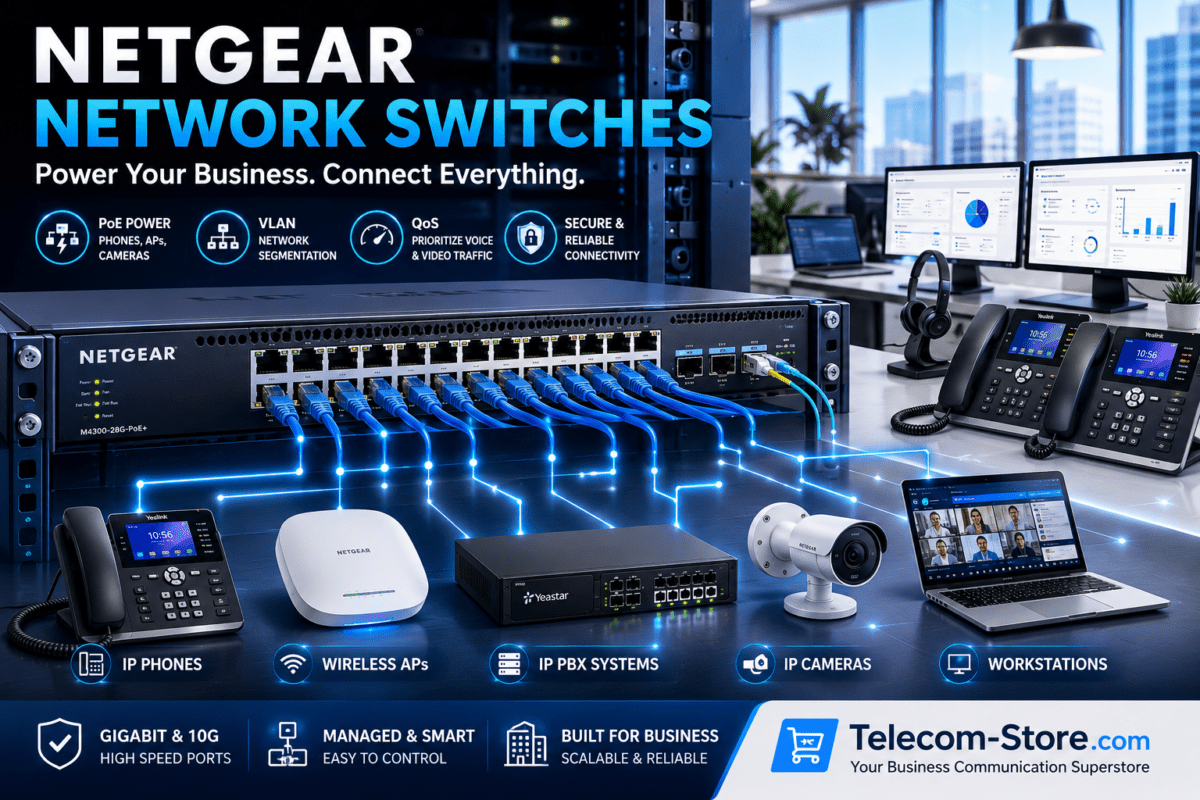
A dependable business phone system begins with more than choosing quality IP phones. The network infrastructure behind those phones must provide reliable power, organized cabling, sufficient bandwidth, traffic management, security, and room for future expansion. Understanding the most important business network rack essentials can help a company build a cleaner, easier-to-maintain, and more dependable VoIP installation.
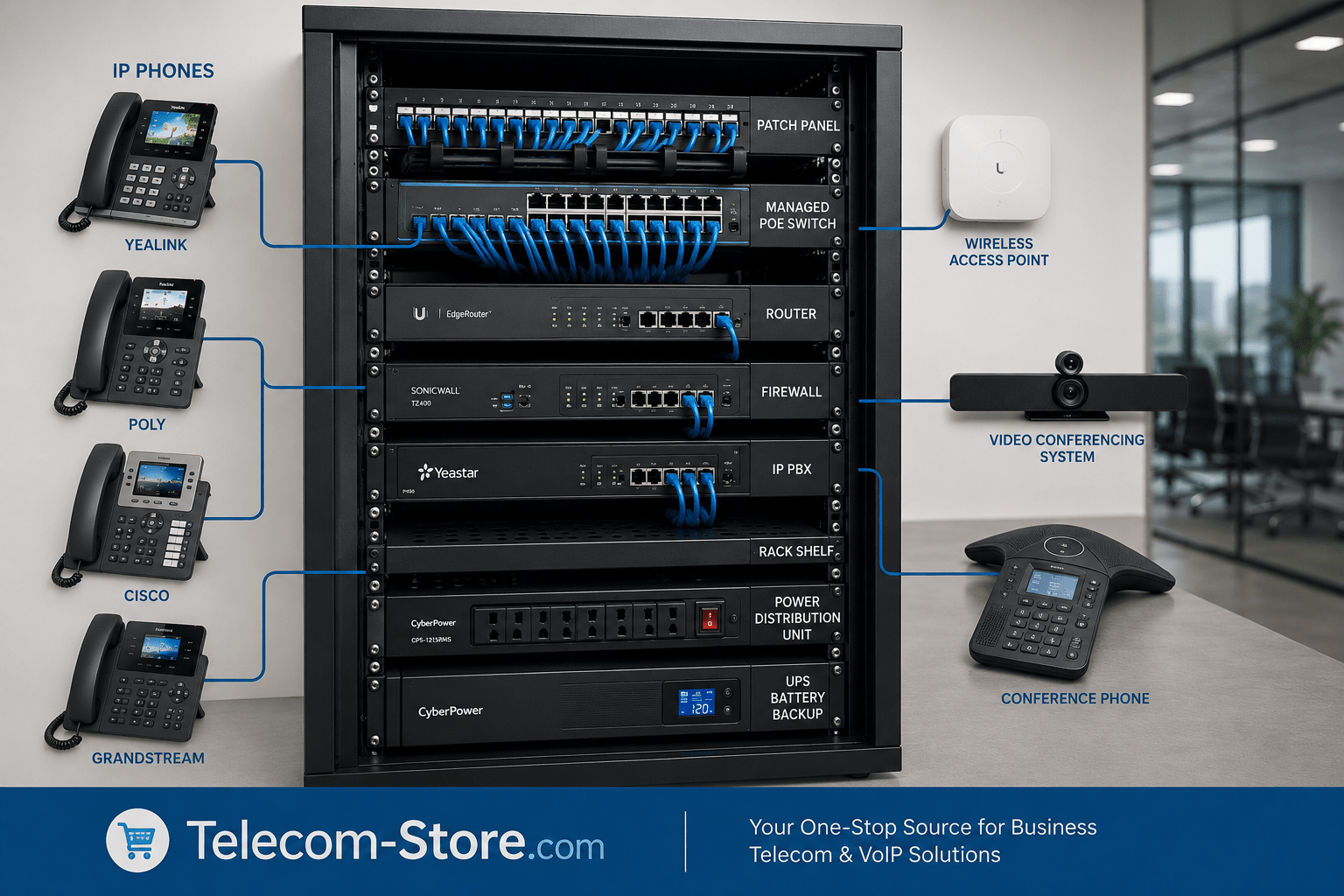
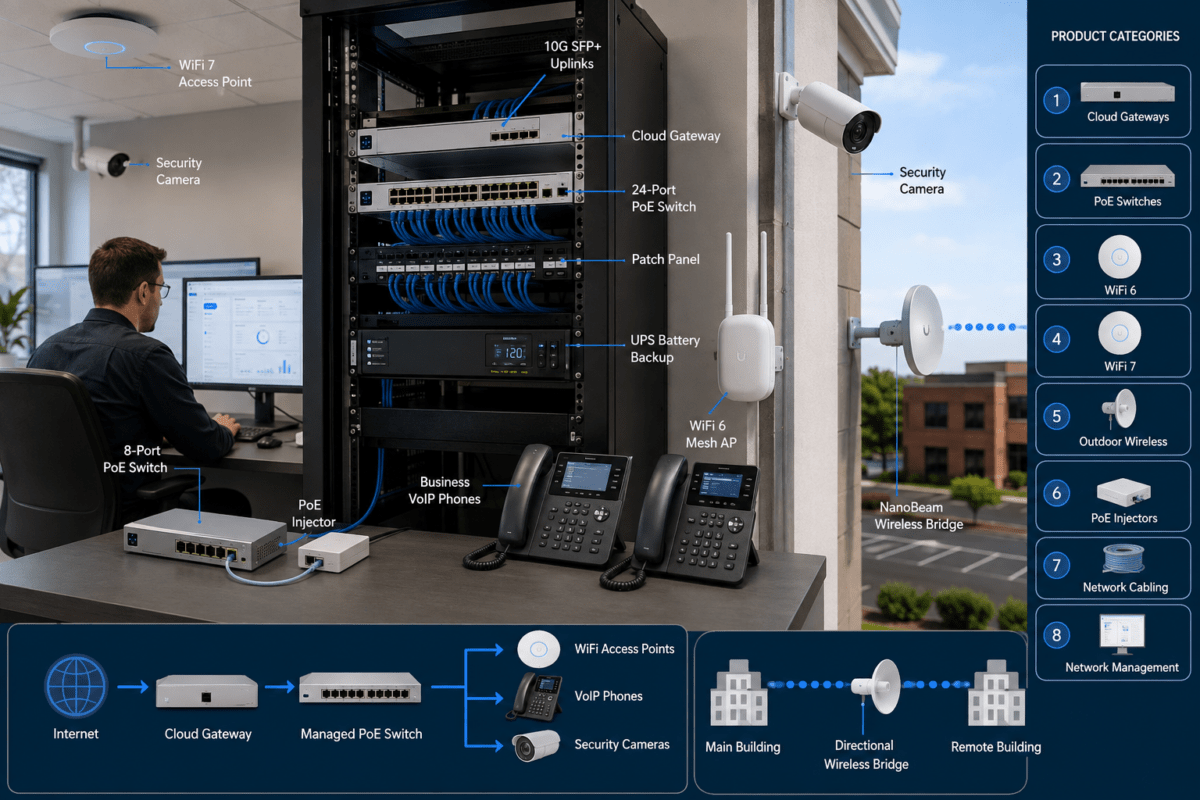
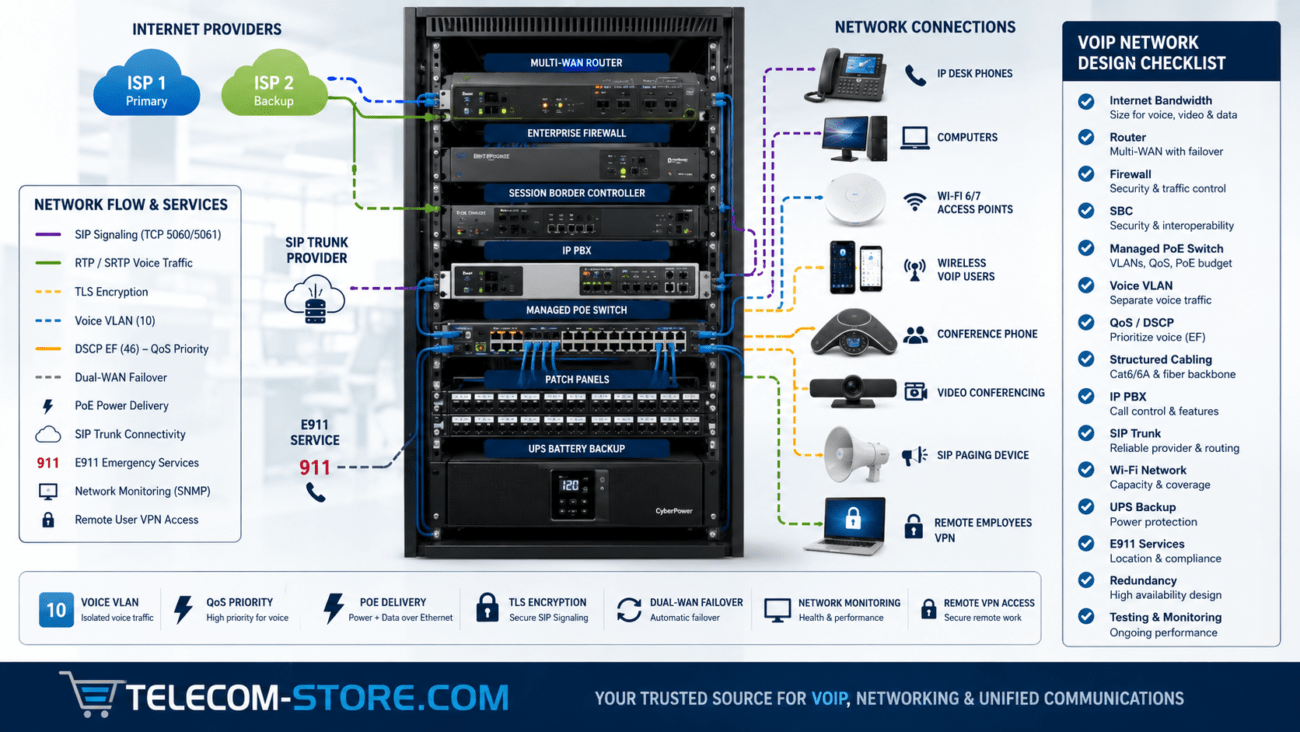
A properly planned VoIP network rack normally includes a rack enclosure, patch panels, a router or firewall, one or more network switches, an IP PBX or related phone-system equipment, cable management, a power distribution unit, and a UPS battery backup. The correct combination depends on the number of users, whether the phones use Power over Ethernet, the need for VLANs and Quality of Service, the size of the office, and the amount of future growth expected.
Why Business Network Rack Essentials Matter for VoIP
A network rack creates a central location for the equipment that supports business communications. Instead of placing switches, routers, cables, power supplies, and phone-system equipment on shelves or desks, a rack keeps devices organized and accessible. This makes troubleshooting easier, reduces accidental disconnections, and helps technicians identify equipment quickly.
VoIP traffic is especially sensitive to network interruptions, congestion, and power failures. A disorganized installation may still work under light use, but problems can appear when call volume increases, video meetings begin, or multiple users transfer large files. A structured rack helps the business manage these demands more effectively.
Core Components of a Reliable VoIP Network Rack
Network Rack or Enclosure
The rack itself provides the physical structure for the installation. Businesses can choose wall-mounted cabinets for small offices or larger floor-standing racks for installations with multiple switches, servers, UPS systems, and patch panels. Rack size is measured in rack units, commonly written as U. Each rack-mounted device occupies a specific number of rack units.
A small office may only need a 6U, 9U, or 12U wall-mounted enclosure. A growing business may benefit from an 18U, 24U, or larger floor-standing rack. Buyers should leave unused space for cable management, ventilation, additional switches, and future telecommunications equipment.
Patch Panels
A patch panel provides an organized termination point for Ethernet cables running throughout the building. Each office wall jack connects back to a numbered port on the patch panel. Short patch cables then connect the panel to the network switch.
This arrangement prevents permanent building cables from being repeatedly moved or connected directly to equipment. It also makes it easier to trace a specific phone, computer, access point, or conference room connection. Clear labeling on both ends of every cable is important for long-term maintenance.
Router and Firewall
The router connects the local business network to the internet, while the firewall controls and filters network traffic. Some devices combine both functions. A VoIP installation requires a router that can handle the business’s expected internet traffic, simultaneous calls, remote users, cloud applications, and video meetings.
Firewall configuration may also affect SIP signaling and voice traffic. Features such as SIP ALG can create registration, one-way-audio, or call-dropping problems in some environments. Configuration should follow the recommendations of the VoIP provider, IP PBX vendor, or network administrator.
IP PBX or Cloud Phone-System Gateway
An IP PBX manages extensions, call routing, voicemail, auto attendants, ring groups, and other business phone features. Some companies operate an on-premises IP PBX inside the rack, while others use a cloud-hosted phone platform and only need network equipment at the business location.
Businesses considering an on-premises system can explore available IP PBX systems. Compatibility with SIP trunks, desk phones, remote extensions, paging equipment, and existing analog devices should be confirmed before purchase.
Power Distribution Unit
A rack-mounted power distribution unit, commonly called a PDU, provides organized electrical outlets for rack equipment. It is not the same as a UPS battery backup. The PDU distributes available power, while the UPS supplies temporary backup power and may provide surge protection and voltage regulation.
Buyers should verify outlet count, plug type, power rating, mounting direction, and compatibility with the chosen rack. Leaving one or two unused outlets can make future additions easier.
UPS Battery Backup
A UPS helps keep the router, switch, IP PBX, modem, and other critical devices operating during a short power outage. When IP phones receive power from a PoE switch connected to the UPS, the phones may continue operating as long as the internet connection and upstream provider remain available.
The correct UPS size depends on the total wattage of the connected equipment and the desired runtime. A small UPS may provide enough time to continue calls briefly or perform a controlled shutdown. A larger system may support communications for a longer outage. Buyers should calculate the expected load rather than selecting a UPS based only on its physical size.
Cable Management and Ventilation
Horizontal and vertical cable managers keep patch cables routed away from fans, power cords, and equipment controls. Hook-and-loop straps are often preferable to tightly cinched plastic ties because they can be opened and adjusted without crushing cable bundles.
Airflow is also important. Switches, routers, PBX appliances, and UPS units produce heat. Equipment should not be packed tightly together without considering ventilation. Enclosed cabinets may need vented doors, fans, or additional spacing between heat-producing devices.
Choosing the Right Network Switch
The network switch is one of the most important parts of a VoIP rack. It connects IP phones, computers, wireless access points, printers, conference systems, cameras, and other Ethernet devices. Buyers can review available network switches based on port count, management features, speed, and PoE capacity.
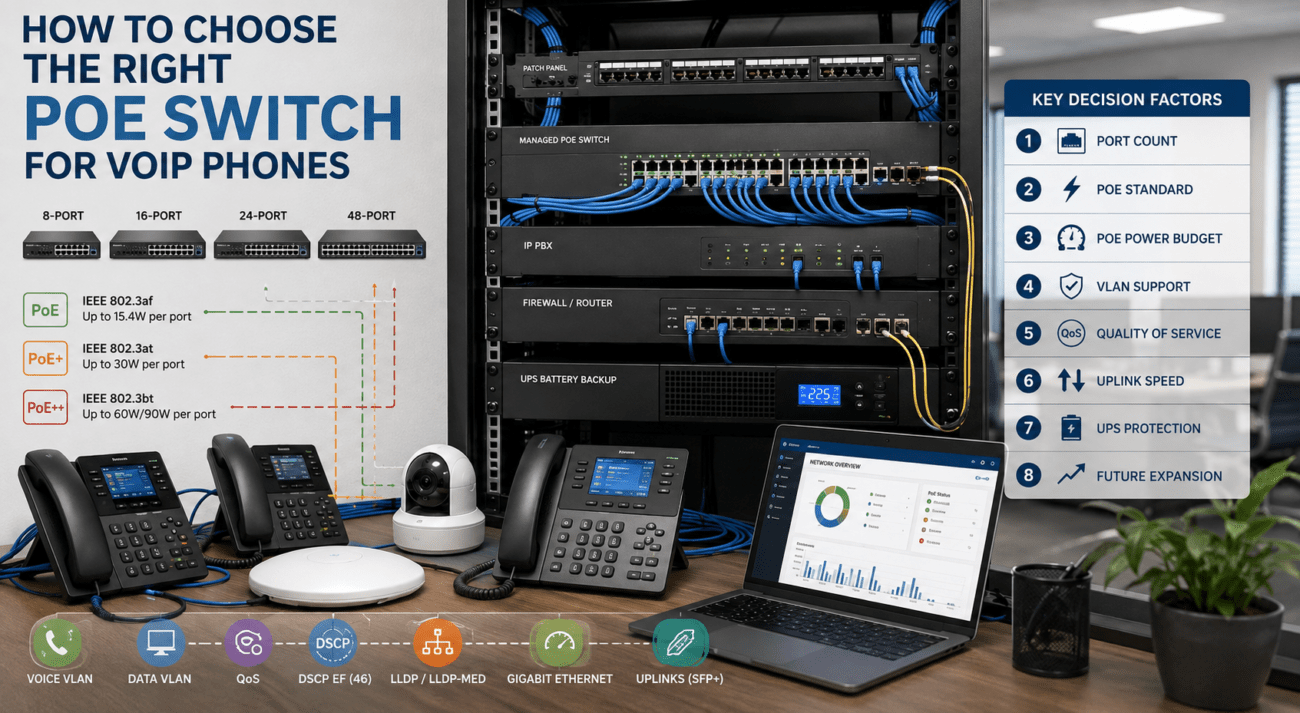
PoE Support
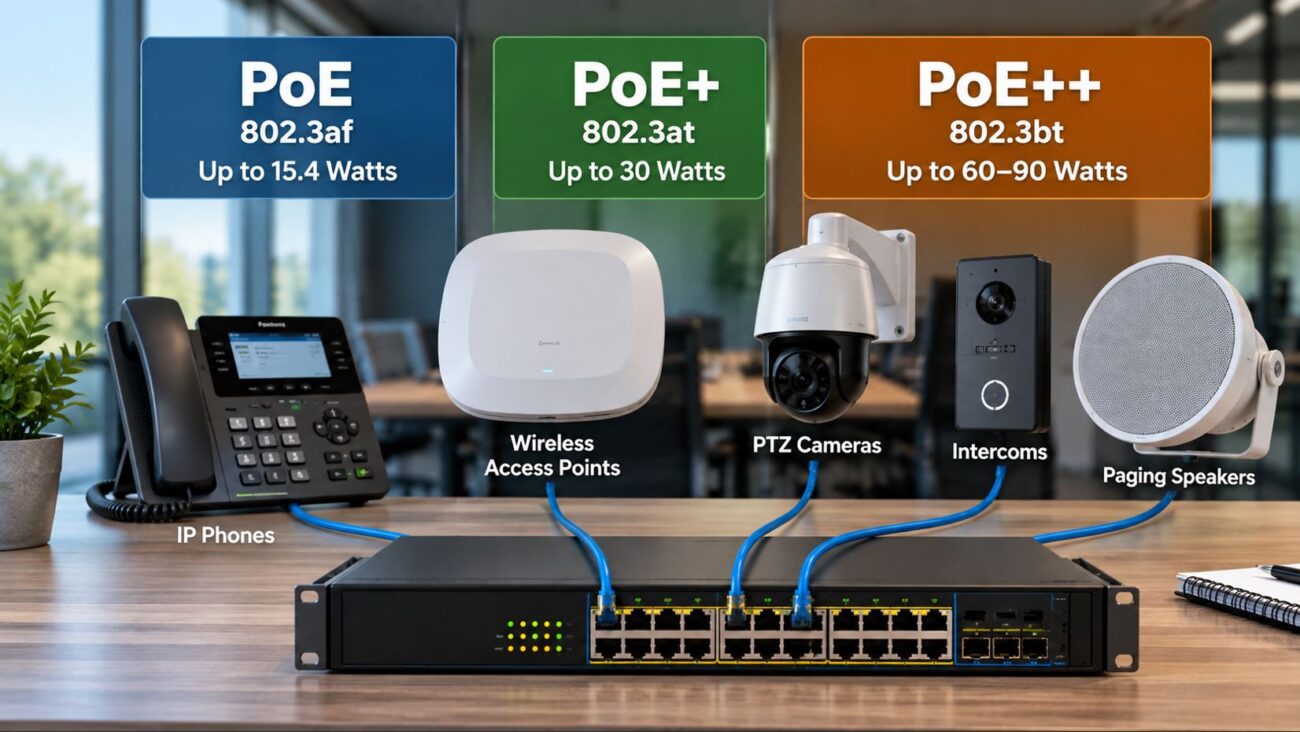
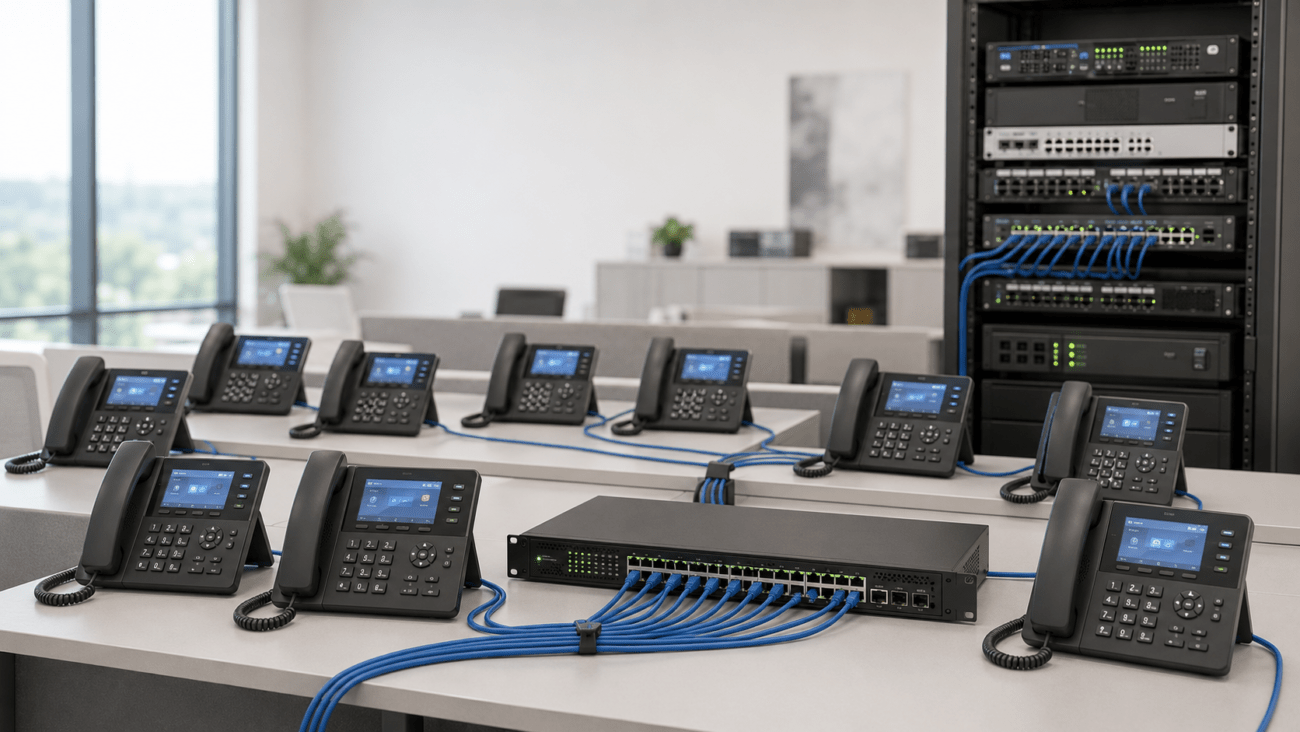
Power over Ethernet allows a compatible network switch to deliver electrical power and data over the same Ethernet cable. This reduces the need for individual AC adapters at every desk and makes it easier to place phones where electrical outlets are limited.
Not every switch provides PoE, and not every PoE switch has the same power capacity. A buyer should check the PoE standard supported by the switch, the wattage required by each phone or device, and the switch’s total PoE budget. Available PoE switches may support desk phones, wireless access points, conference systems, cameras, and other powered devices.
VLAN Support
A virtual local area network, or VLAN, separates traffic logically even when devices use the same physical switch. Many businesses place VoIP phones on a dedicated voice VLAN while computers and other devices remain on separate data networks.
Voice VLANs can simplify traffic management, improve security, and help apply specific Quality of Service policies. VLAN support normally requires a managed or smart-managed switch, compatible phones, and correct configuration on the router, firewall, and DHCP service.
QoS for VoIP
Quality of Service, commonly called QoS, allows the network to prioritize delay-sensitive voice traffic over less urgent traffic. Without QoS, a large file transfer, cloud backup, or software update may compete with phone calls for available bandwidth.
QoS cannot correct every internet or network problem, but it can reduce call-quality issues caused by local congestion. Proper configuration may require settings on the switch, router, firewall, and VoIP platform.
Port Count
The switch should have enough ports for current devices and reasonable future growth. A 24-port switch may not provide 24 free user connections after accounting for uplinks, access points, printers, conference rooms, cameras, and other equipment.
Buyers should count every wired device and add spare capacity. Installing a switch that is already full leaves little flexibility for expansion or temporary troubleshooting connections.
Speed
Gigabit Ethernet is generally appropriate for modern business networks. Although many desk phones do not require gigabit bandwidth for voice calls, computers connected through a phone’s pass-through port may benefit from gigabit connectivity.
Switch uplinks may need higher capacity when multiple switches, servers, storage systems, video conferencing devices, or access points share the same connection. The appropriate speed depends on the complete network design rather than voice traffic alone.
Security
Managed switches may support port security, access-control lists, network authentication, storm control, DHCP protection, and monitoring tools. These features can help prevent unauthorized devices, configuration errors, and certain network attacks.
Security features require proper setup and ongoing administration. A feature that is available but incorrectly configured may cause devices to lose connectivity. Businesses without internal IT support should consider professional installation or managed network services.
Remote Management
Remote management allows an administrator or service provider to review switch status, restart ports, monitor utilization, and troubleshoot connected devices without visiting the office. Cloud-managed switches can be especially useful for businesses with multiple locations.
However, remote management platforms may require licensing, account registration, internet access, or vendor-specific applications. Buyers should review ongoing costs and management requirements before choosing a platform.
Budget
An unmanaged switch is usually less expensive and easier to deploy, while a managed switch provides more control over VLANs, QoS, monitoring, and security. The lowest-cost switch may not be the lowest-cost long-term choice if the business later needs features it cannot provide.
Budget planning should include the switch, rack hardware, patch cables, patch panels, UPS capacity, professional configuration, and future expansion. Buyers can compare managed switches and unmanaged switches before deciding.
Scalability
A scalable rack design includes spare switch ports, available rack units, extra PDU outlets, sufficient UPS capacity, and cable pathways for future devices. Businesses expecting additional employees, cameras, access points, or meeting rooms should plan for those devices during the initial installation.
Expansion is easier when the rack uses standard mounting hardware, documented VLANs, labeled cables, and consistent equipment. A clear network diagram should be stored with the system documentation.
Recommended Product Types to Explore
For Small Offices
A small office with a limited number of phones may need a compact wall-mounted rack, patch panel, router, small UPS, and an unmanaged or smart-managed PoE switch. Buyers who do not require VLANs or advanced monitoring may find an unmanaged switch simple to install.
A small PoE switch can power compatible VoIP phones without separate power adapters. Businesses should still confirm the total PoE budget and leave enough ports for computers, printers, access points, and future users.
For Growing Businesses
Growing businesses generally benefit from managed switches, larger PoE budgets, VLAN support, centralized monitoring, and additional rack capacity. A managed switch allows the administrator to separate voice and data traffic, monitor ports, and apply QoS policies.
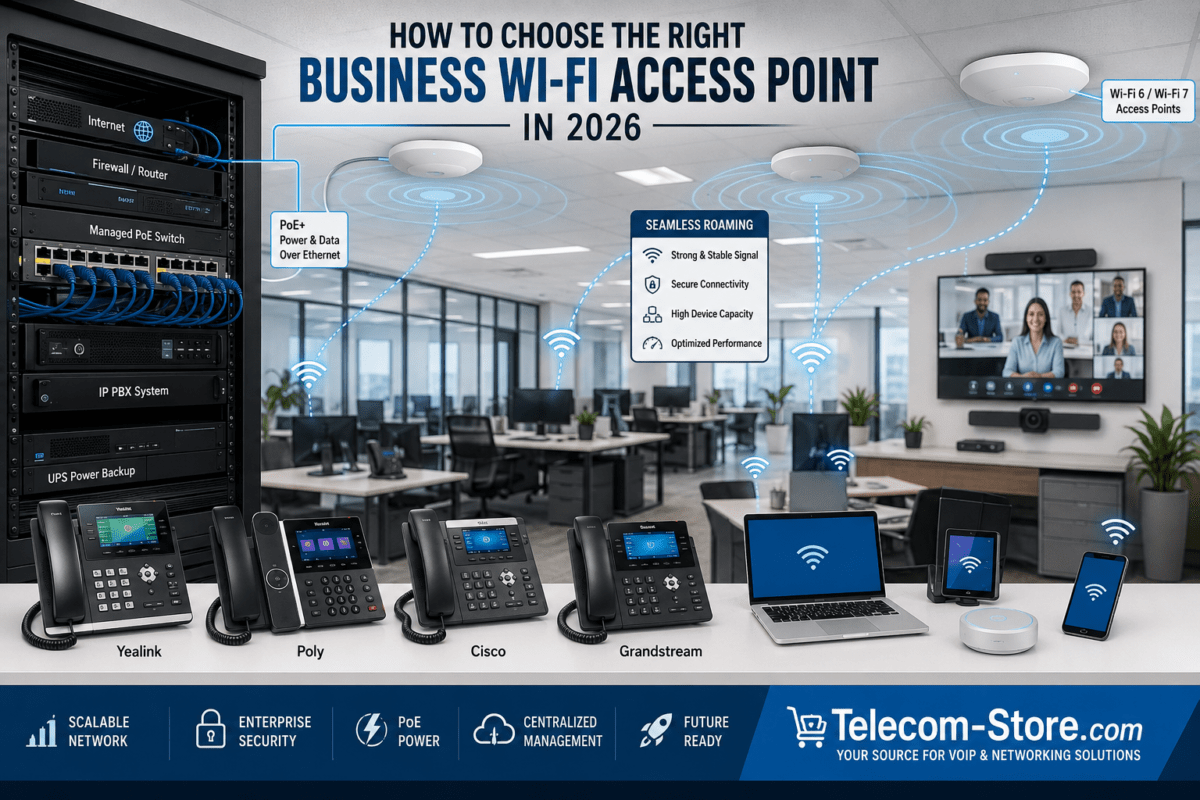
The rack may also contain an IP PBX, multiple patch panels, network accessories, and a larger UPS. Businesses can compare phones from established manufacturers, including Yealink phones, Poly phones, and Cisco phones, according to platform compatibility and user needs.
For Meeting Rooms or Hybrid Teams
Meeting rooms often require more network planning than a basic desk-phone installation. Video systems, touch controllers, conference phones, room schedulers, and wireless presentation devices may use multiple Ethernet connections and significant bandwidth.
A managed PoE switch can help power and prioritize supported room devices. Buyers can explore video conferencing products, conference phones, and other meeting room devices. Compatibility with Microsoft Teams, Zoom Rooms, SIP platforms, display systems, and room-control equipment should be verified.
Compatibility and Setup Requirements
VoIP Platform and Phone Compatibility
Not every SIP phone is supported equally by every cloud phone service or IP PBX. Before purchasing phones, confirm that the model is supported by the provider and that required features such as shared lines, busy-lamp fields, paging, call recording, and remote provisioning are available.
Yealink, Poly, Cisco, and Grandstream offer a range of SIP-capable products, but model-specific firmware and provisioning requirements can differ. Some devices may be designed primarily for a particular collaboration platform or require licensed features.
PoE Standards and Power Requirements
The switch and powered device must support compatible PoE standards. Basic desk phones often require relatively little power, while video phones, conference systems, wireless access points, and room devices may require more.
The total PoE budget is shared across the switch. A switch with sufficient power for ten basic phones may not have enough capacity for ten high-power video devices. Buyers should add the maximum power requirements of all planned devices and leave a reasonable reserve.
Network Cabling
Category 5e cabling can support gigabit Ethernet in many installations, while Category 6 or higher cabling may provide additional performance margin and support future upgrades. Cable quality, termination, length, pathway, and installation practices all affect reliability.
Damaged connectors, poorly terminated jacks, excessive cable length, and cables routed near electrical interference can cause intermittent network problems. Permanent cabling should be tested and documented during installation.
Firmware and Administration
Phones, switches, routers, firewalls, IP PBX systems, and conferencing devices should use stable, supported firmware. Updates may correct security vulnerabilities, compatibility problems, and operational bugs.
Configuration backups should be stored securely before major changes. Administrative passwords should be unique, default credentials should be changed, and remote access should be limited to authorized personnel.
Common Limitations Buyers Should Know
Unmanaged switches are simple and economical, but they provide fewer controls for VLANs, QoS, monitoring, security, and remote troubleshooting. They may work well for a very small office, but they offer limited flexibility when the network becomes more complex.
Managed switches provide additional control but require setup knowledge. Incorrect VLAN, trunk, spanning-tree, or security settings can disconnect phones and computers. Businesses without experienced IT staff may need assistance from a network professional.
Not all switches support PoE. A non-PoE switch requires separate power adapters or external PoE injectors for phones and other powered devices. Even when a switch supports PoE, its total power budget may be insufficient for every connected device.
Some VoIP installations need properly configured voice VLANs, QoS, firewall rules, DHCP options, and provisioning servers. These features are not automatically enabled merely because the switch is marketed for business use.
Meeting room systems may require more bandwidth, additional PoE power, USB peripherals, dedicated displays, and platform-specific licensing. Room size, microphone coverage, camera positioning, acoustics, and network design should all be considered.
How to Choose the Right Option
Count Users and Connected Devices
Start by counting phones, computers, printers, access points, cameras, conference systems, IP PBX connections, uplinks, and other wired devices. Add spare ports for future employees and temporary troubleshooting.
The number of users alone does not determine switch size. A ten-person office may need more than ten ports when each workstation has a phone, computer, printer, and nearby wireless access point.
Review Call Volume and Network Activity
A business with frequent simultaneous calls, cloud applications, video meetings, and large file transfers needs more traffic management than an office with light phone use. Managed switches and a capable business router can help prioritize voice traffic and identify congestion.
Consider Existing Phone-System Requirements
Confirm whether the business uses an on-premises IP PBX, hosted cloud service, Microsoft Teams, Zoom Phone, or another platform. The selected phones, gateways, conference systems, and provisioning method must be compatible with that environment.
Businesses using analog lines, fax machines, door phones, paging equipment, or overhead speakers may also require analog telephone adapters, gateways, or specialized interfaces.
Match Features to Available IT Support
A managed network can provide better control and visibility, but it must be configured and maintained. Businesses without internal IT staff may prefer a simpler system or equipment supported by an outside provider such as Axion Communications.
Plan for Remote Work and Multiple Locations
Remote employees may require provisioned desk phones, softphones, VPN access, or cloud-managed devices. Multi-location businesses may benefit from standardized switches, centralized monitoring, consistent VLAN designs, and documented addressing plans.
Allow for Future Expansion
Choose a rack, switch, UPS, and PDU that can accommodate reasonable growth. Replacing undersized equipment shortly after installation is often more disruptive than leaving extra capacity from the beginning.
Related Telecom Products
A complete VoIP rack may include more than switches and an IP PBX. Buyers can review broader networking equipment for supporting infrastructure, including routers, accessories, adapters, and connectivity products.
Desk-phone selection should reflect user roles. Receptionists may need expansion modules and multiple line appearances, while private offices may prioritize displays, Bluetooth, Wi-Fi, or headset support. Available options include Yealink IP phones, Poly IP phones, and Cisco IP phones.
Conference rooms may also need dedicated microphones, speakers, cameras, touch panels, conference phones, and platform-compatible controllers. These devices should be included when calculating switch ports, bandwidth, and PoE requirements.
Conclusion
The right business network rack essentials create an organized foundation for dependable VoIP calling, easier troubleshooting, stronger traffic management, and future expansion. Most installations should include a correctly sized rack, labeled patch panels, a capable router or firewall, appropriate network switches, cable management, a PDU, and a UPS battery backup.
Before purchasing equipment, confirm the number of connected devices, total PoE requirement, platform compatibility, cabling quality, management needs, and available IT support. A carefully planned VoIP rack does not need to be overly complicated, but every component should serve a clear purpose within the complete network design.
FAQ Section
What equipment belongs in a business network rack for VoIP?
A typical VoIP network rack contains a patch panel, router or firewall, managed or unmanaged network switch, IP PBX when used on premises, cable management, power distribution unit, and UPS battery backup. Larger installations may also include servers, gateways, recording appliances, additional switches, fiber equipment, and environmental monitoring. The exact equipment depends on the number of users, phone platform, internet connection, meeting rooms, and future expansion plans.
Do VoIP phones require a PoE switch?
VoIP phones do not always require a PoE switch, but PoE is often the cleanest installation method. A PoE switch delivers power and network data through one Ethernet cable, eliminating individual power adapters at each desk. Phones can also use compatible AC adapters or external PoE injectors. Before choosing a switch, confirm each phone’s PoE standard and calculate the combined power requirement of all connected devices.
Should a small business use a managed or unmanaged switch for VoIP?
An unmanaged switch may be sufficient for a very small, simple network that does not need voice VLANs, traffic monitoring, or advanced QoS controls. A managed switch is generally more appropriate for growing businesses, multiple locations, busy networks, or installations requiring VLANs and remote troubleshooting. The decision should account for network complexity, available IT expertise, security needs, and planned expansion rather than price alone.
How many switch ports are needed for a VoIP installation?
Count every wired phone, computer, printer, wireless access point, conference system, camera, server, IP PBX connection, and switch uplink. Then add spare capacity for growth and troubleshooting. A business with 20 employees may need more than 24 ports when phones and computers use separate connections. Even when computers connect through phone pass-through ports, additional network devices can quickly consume the remaining switch capacity.
What PoE budget is needed for business VoIP phones?
The required PoE budget depends on the maximum wattage of every powered device. Add the power requirements of all phones, access points, cameras, video devices, and conference systems that will receive power from the switch. The result should remain below the switch’s total PoE budget, with extra capacity reserved for startup demand and expansion. High-end video phones and meeting room systems may consume substantially more power than basic desk phones.
Do VoIP phones need a separate VLAN?
A separate voice VLAN is not mandatory for every small network, but it can improve organization, security, troubleshooting, and traffic prioritization. The switch, router, phones, DHCP service, and firewall must be configured correctly for the VLAN to function. A poorly configured VLAN can prevent phones from receiving addresses or reaching the phone system, so businesses without networking experience may need professional assistance.
How does a UPS protect a VoIP phone system?
A UPS provides temporary electrical power to critical equipment such as the modem, router, firewall, PoE switch, and IP PBX. When phones receive power from a UPS-backed PoE switch, they may continue working during a short outage. Service still depends on the internet provider, upstream network equipment, and available UPS runtime. The UPS should be sized according to the total connected load and the desired operating time.
Can video conferencing equipment use the same network rack as VoIP phones?
Yes. Video conferencing systems, conference phones, room controllers, and VoIP phones can share the same network infrastructure when the rack has enough switch ports, PoE capacity, bandwidth, and traffic-management features. Video meetings usually require more bandwidth than voice calls, so QoS, uplink capacity, and internet speed should be reviewed. Platform compatibility, licensing, room size, and device-specific power requirements must also be considered.