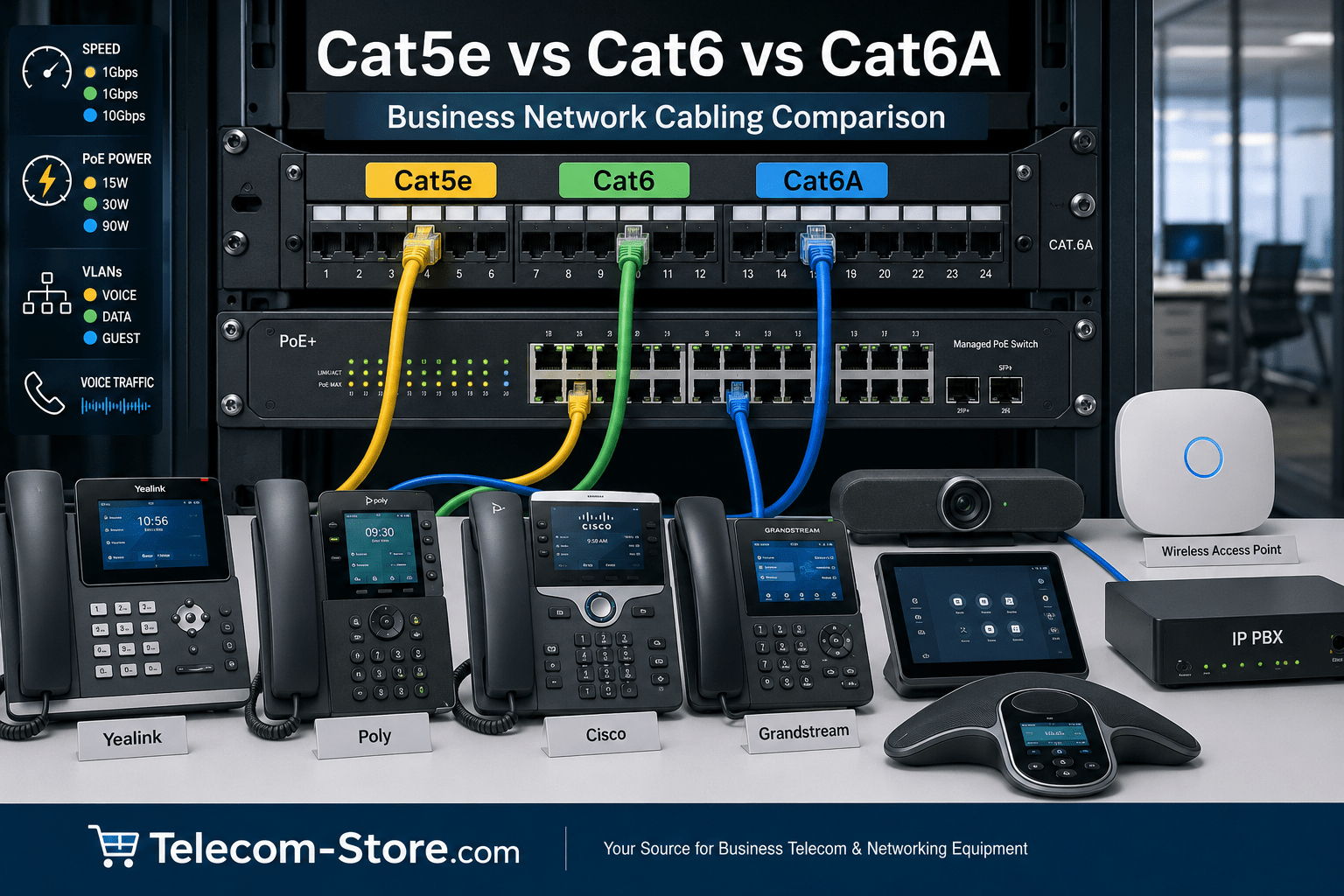
Business network cabling affects the speed, reliability, power delivery, and future growth of nearly every connected system in an office. VoIP phones, IP PBX systems, wireless access points, computers, conference phones, video conferencing devices, and PoE switches all depend on stable Ethernet connections. Choosing between Cat5e, Cat6, and Cat6A is therefore more than a cable-price decision. It is a long-term infrastructure choice that can influence call quality, network performance, installation difficulty, and upgrade costs.
For most new small and midsize business installations in 2026, Cat6 is the most practical choice. Cat5e can still support standard Gigabit Ethernet and many VoIP deployments, but it offers less protection against interference and fewer options for future higher-speed upgrades. Cat6A costs more and is thicker to install, but it is the stronger option for full-distance 10 Gigabit Ethernet, high-power PoE, dense equipment areas, and networks expected to remain in service for many years.
| Feature | Cat5e | Cat6 | Cat6A |
|---|---|---|---|
| Typical Business Use | Existing Gigabit networks, basic VoIP phones, printers, and office computers | Most new business networks, VoIP, PoE, wireless access points, and conference rooms | High-performance networks, server rooms, dense PoE installations, and long-term upgrades |
| Maximum Standard Channel Length | 100 meters | 100 meters for Gigabit Ethernet | 100 meters for 10 Gigabit Ethernet |
| Common Network Speed | Up to 1 Gigabit Ethernet | 1 Gigabit Ethernet; 10 Gigabit Ethernet over shorter runs | Up to 10 Gigabit Ethernet over the full channel distance |
| Bandwidth Rating | 100 MHz | 250 MHz | 500 MHz |
| PoE Support | Yes, when properly installed | Yes; well suited for most business PoE devices | Yes; well suited for higher-power PoE and dense cable bundles |
| Interference Protection | Basic crosstalk protection | Improved crosstalk protection | Strong protection against crosstalk and interference from nearby cables |
| Installation Difficulty | Easiest to route and terminate | Moderate | More difficult because the cable is thicker and less flexible |
| Relative Cost | Lowest | Moderate | Highest |
| Recommended For | Keeping existing tested cabling where Gigabit Ethernet is sufficient | Most new small and midsize business installations | Businesses requiring full-distance 10 Gigabit Ethernet or greater future capacity |
Actual network performance depends on the complete cabling channel, including cable length, patch panels, connectors, termination quality, network switches, and connected devices.
Cat5e vs Cat6 vs Cat6A at a Glance
Cat5e, Cat6, and Cat6A are twisted-pair copper Ethernet cable categories. Each category has performance specifications that affect bandwidth, interference resistance, supported network speeds, and installation requirements. All three can connect common business products such as computers, printers, network switches, SIP phones, and IP PBX systems when properly terminated.
Cat5e
Cat5e is commonly used for Gigabit Ethernet connections up to 100 meters. It is relatively thin, flexible, affordable, and easy to install. Existing Cat5e wiring may be adequate for offices running standard VoIP phones, desktop computers, and other devices that do not require multi-gigabit speeds. However, Cat5e has less stringent crosstalk control than newer categories and provides less room for future upgrades.
Cat6
Cat6 offers improved bandwidth and interference resistance compared with Cat5e. It supports Gigabit Ethernet at the full standard channel distance and can support 10 Gigabit Ethernet over shorter distances when the installation and surrounding conditions are suitable. Cat6 is widely used in new office installations because it balances price, physical size, performance, and compatibility.
Cat6A
Cat6A is designed to support 10 Gigabit Ethernet over a full 100-meter channel. It also provides stronger protection against alien crosstalk, which is interference caused by neighboring cable runs. Cat6A is often selected for server rooms, high-density PoE installations, wireless access points, video systems, and buildings where replacing cable later would be expensive or disruptive.
Key Business Network Cabling Factors
PoE Support
Power over Ethernet allows a network switch to send both data and electrical power through one Ethernet cable. This is useful for VoIP phones, wireless access points, cameras, conference room controllers, and other connected devices. Cat5e can carry PoE, but Cat6 and Cat6A generally provide better thermal performance and lower resistance in demanding installations. For large cable bundles or higher-power PoE devices, cable quality, conductor material, wire gauge, ventilation, and installation practices are especially important.
Businesses planning to power multiple devices should also select a switch with a sufficient PoE power budget. Relevant options can be explored through the PoE switch selection at Telecom-Store.com.
VLAN Support
VLAN support is controlled by network switches and routers rather than by the cable category. However, reliable cabling is still important because a voice VLAN cannot correct packet loss caused by damaged cable, poor terminations, excessive distance, or interference. Businesses using separate voice, data, guest, or security networks should consider managed network switches along with properly tested Cat6 or Cat6A cabling.
QoS for VoIP
Quality of Service prioritizes delay-sensitive traffic such as VoIP calls. QoS configuration is handled by managed switches, routers, firewalls, and phone systems. The cabling must still provide a stable physical connection. A well-configured QoS policy cannot fully compensate for split pairs, loose connectors, damaged cable, or excessive electromagnetic interference.
Port Count
Plan one network connection for every wired device, plus spare ports for expansion. Count VoIP phones, computers, printers, wireless access points, IP PBX appliances, conference room systems, cameras, and uplinks. Some VoIP phones provide a pass-through Ethernet port for a computer, but dedicated cable runs may offer better troubleshooting, bandwidth planning, and redundancy.
Speed
Cat5e is usually sufficient for standard Gigabit Ethernet. Cat6 gives businesses more performance headroom and may support 10 Gigabit Ethernet on shorter runs. Cat6A is the safer copper-cabling choice when full-distance 10 Gigabit Ethernet is a firm requirement. Remember that actual network speed also depends on the switch, router, network adapters, patch panels, connectors, and connected devices.
Security
A newer cable category does not automatically make a network secure. Security depends on firewall policies, passwords, firmware updates, VLAN design, access controls, encryption, and administrative practices. However, organized structured cabling makes it easier to identify connections, disable unused ports, separate sensitive devices, and maintain accurate network documentation.
Remote Management
Remote management comes from switches, routers, IP PBX systems, and cloud management platforms. Cabling supports those systems by providing dependable connectivity. Buyers who need remote troubleshooting, port monitoring, VLAN controls, or PoE power cycling should consider managed equipment rather than relying only on basic unmanaged switches.
Budget
Cat5e usually has the lowest material and installation cost, while Cat6A normally costs the most. However, cable price is only part of the project. Labor, pathways, patch panels, jacks, testing, certification, fire-rating requirements, and future replacement costs may be more significant than the difference in cable price. Installing Cat6 during a renovation may cost less overall than replacing Cat5e several years later.
Scalability
Think beyond the current number of employees. Consider future wireless access points, additional VoIP phones, higher-resolution video conferencing, faster internet service, security devices, and network storage. Cat6 is generally appropriate for moderate growth, while Cat6A is better suited to buildings with long upgrade cycles or a known need for 10 Gigabit Ethernet.
Recommended Product Types to Explore
For Small Offices
A small office with standard internet access, several computers, and a modest number of phones can often use Cat6 cabling with an unmanaged switch or a compact PoE switch. Buyers can compare unmanaged switches, VoIP phones, and general networking equipment. Cat5e may remain acceptable when the existing wiring has been professionally tested and supports the required speed.
For Growing Businesses
Growing companies usually benefit from Cat6 or Cat6A cabling, managed switches, PoE capacity, and a documented patch-panel layout. Managed switches provide VLAN, QoS, monitoring, and security controls that become more valuable as the network expands. Businesses building an on-premises or hybrid phone system can also compare IP PBX systems and compatible SIP phones.
For Meeting Rooms or Hybrid Teams
Conference rooms may include video bars, touch controllers, conference phones, displays, wireless presentation devices, and room computers. Cat6 is adequate for many rooms, while Cat6A may be appropriate for long runs, high-bandwidth video, or future-ready installations. Explore video conferencing products, conference phones, and meeting room devices when planning the complete network.
Compatibility and Setup Requirements
VoIP Phones and Phone Systems
Cat5e, Cat6, and Cat6A can all connect SIP phones from brands such as Yealink, Poly, Cisco, and Grandstream. Cable category does not determine whether a phone is compatible with a cloud service or IP PBX. Compatibility depends on SIP support, provisioning requirements, firmware, licenses, and the phone-system provider. Buyers can compare Yealink phones, Poly phones, and Cisco phones based on their platform requirements.
Switches, Patch Panels, and Connectors
The entire channel should match the intended cable category. A Cat6 cable run using poor-quality connectors or an improperly terminated patch panel may not deliver expected Cat6 performance. Use compatible jacks, patch panels, patch cords, and termination methods. Permanent links should be tested with appropriate network-cable test equipment before the network is placed into service.
Solid Copper Conductors
For permanent in-wall or above-ceiling cable runs, solid-copper cable is generally preferred. Copper-clad aluminum cable should be avoided for professional business networks because it may have higher resistance, weaker mechanical performance, and potential compliance concerns, particularly in PoE installations.
Installation Environment
Select the correct jacket rating for the building and installation pathway. Plenum, riser, outdoor, direct-burial, shielded, and unshielded cables serve different environments. Shielded cabling may help in electrically noisy locations, but it must be properly grounded and installed as a complete shielded system.
Common Limitations Buyers Should Know
Cat5e costs less but offers less performance headroom. Cat6 improves performance, although 10 Gigabit Ethernet distance may be limited. Cat6A supports full-distance 10 Gigabit Ethernet but is thicker, less flexible, and more difficult to terminate. Larger cable diameters can require bigger pathways, compatible patch panels, and more careful bend-radius management.
Unmanaged switches are simple to install but provide few traffic controls. Managed switches require more setup knowledge but support VLANs, QoS, monitoring, and remote administration. Not every switch provides PoE, and PoE-capable switches have different total power budgets. Meeting room devices and high-power wireless access points may also require stronger network and electrical planning than basic desk phones.
How to Choose the Right Option
Choose Cat5e When Existing Wiring Is Adequate
Keep Cat5e when it is already installed, professionally terminated, within distance limits, and passing the required network tests. It can be a reasonable choice for standard Gigabit Ethernet, basic VoIP phones, printers, and ordinary office devices. Replacing functional Cat5e may not provide a meaningful benefit when no higher-speed upgrade is planned.
Choose Cat6 for Most New Business Installations
Cat6 is the practical default for many new offices. It supports common Gigabit networks, provides improved interference control, works well with VoIP and PoE devices, and offers more upgrade flexibility than Cat5e without the added size and installation difficulty of Cat6A.
Choose Cat6A for Long-Term or High-Performance Networks
Select Cat6A when the business requires full-distance 10 Gigabit Ethernet, expects heavy PoE use, has dense cable bundles, or wants to reduce the likelihood of recabling during future upgrades. It is especially useful for server rooms, high-performance workstations, Wi-Fi access points, video production, and larger conference room systems.
Related Telecom Products
Network cabling should be planned with the connected equipment rather than treated as a separate purchase. A business may need network switches, PoE power capacity, compatible SIP phones, patch panels, racks, surge protection, UPS battery backup, and IP PBX equipment. Matching these components helps prevent bottlenecks, insufficient port capacity, and avoidable compatibility problems.
Organizations needing broader network design or communications assistance may also review the services available from Axion Communications.
Conclusion
The right business network cabling depends on the existing infrastructure, required speed, PoE demand, installation distance, budget, and future expansion plans. Cat5e remains usable for many existing Gigabit networks, Cat6 is the strongest general-purpose choice for most new offices, and Cat6A is better for full-distance 10 Gigabit Ethernet and long-term high-performance installations. Evaluate the complete channel, including switches, connectors, patch panels, phones, and network devices, before making the final decision.
FAQ Section
Is Cat5e good enough for VoIP phones?
Yes. Cat5e can support VoIP phones because voice traffic normally requires far less bandwidth than Gigabit Ethernet provides. It can also carry PoE when the cable is properly manufactured, terminated, and installed. However, existing Cat5e should be tested for damaged conductors, poor terminations, excessive distance, and interference. New installations usually benefit from Cat6 because it provides better performance headroom and stronger crosstalk control.
Should a small business install Cat6 or Cat6A?
Cat6 is usually the better value for a typical small business using Gigabit Ethernet, VoIP phones, computers, printers, and standard wireless access points. Cat6A is more appropriate when full-distance 10 Gigabit Ethernet is required or when the cabling will support high-power PoE, dense bundles, advanced wireless access points, or long-term expansion. Cat6A also requires more pathway space and careful installation.
Does Cat6 improve VoIP call quality?
Cat6 does not automatically improve call quality when the existing Cat5e connection is already working correctly. VoIP quality depends heavily on internet performance, network congestion, QoS, VLAN configuration, packet loss, latency, and jitter. Cat6 can reduce physical-layer problems by providing better interference control and additional performance margin, particularly in new installations or electrically noisy environments.
Can Cat5e, Cat6, and Cat6A cables be used with PoE switches?
Yes. All three categories can be used with PoE switches when the cable is standards-compliant and properly installed. Cat6 and Cat6A may provide better thermal and electrical performance for higher-power PoE applications. Buyers should avoid copper-clad aluminum cable, verify the switch power budget, consider cable-bundle temperatures, and confirm that the connected phones, access points, or meeting room devices support the switch’s PoE standard.
Do I need a managed switch for business VoIP?
A managed switch is not mandatory for every small VoIP system, but it is strongly useful when the network needs voice VLANs, QoS, port monitoring, remote management, security controls, or troubleshooting tools. An unmanaged switch may work for a very small and simple installation. As the number of phones, users, locations, or network services increases, managed switching usually provides better control and scalability.
Can I connect Cat6 cable to Cat5e equipment?
Yes. Ethernet cabling categories are generally backward-compatible when they use standard RJ45 connections and proper terminations. A Cat6 cable can connect to a Gigabit switch, VoIP phone, computer, or other device designed for Cat5e-level performance. The connection will operate at the highest speed supported by the complete channel and both connected devices, not automatically at Cat6’s maximum capability.
Is Cat6A difficult to install?
Cat6A is more difficult to install than Cat5e or Cat6 because the cable is typically thicker, heavier, and less flexible. It needs more pathway space, larger bend radiuses, compatible jacks and patch panels, and careful termination. These requirements can increase labor and material costs. Professional installation and certification are especially important when the goal is reliable 10 Gigabit Ethernet over the full channel distance.
How many Ethernet cable runs should a business install?
Install enough runs for every planned wired device and add spare capacity for growth. Count computers, VoIP phones, printers, wireless access points, conference room devices, cameras, IP PBX equipment, and network-management hardware. Many installers add extra drops in offices, work areas, ceilings, and meeting rooms because adding cable during construction is usually easier and less expensive than opening finished walls later.