SIP vs. Proprietary IP Phones: Will This VoIP Phone Work With My Provider?
Finding a good price on a business IP phone is easy. Determining whether that phone will actually work with your VoIP provider can be considerably more complicated.
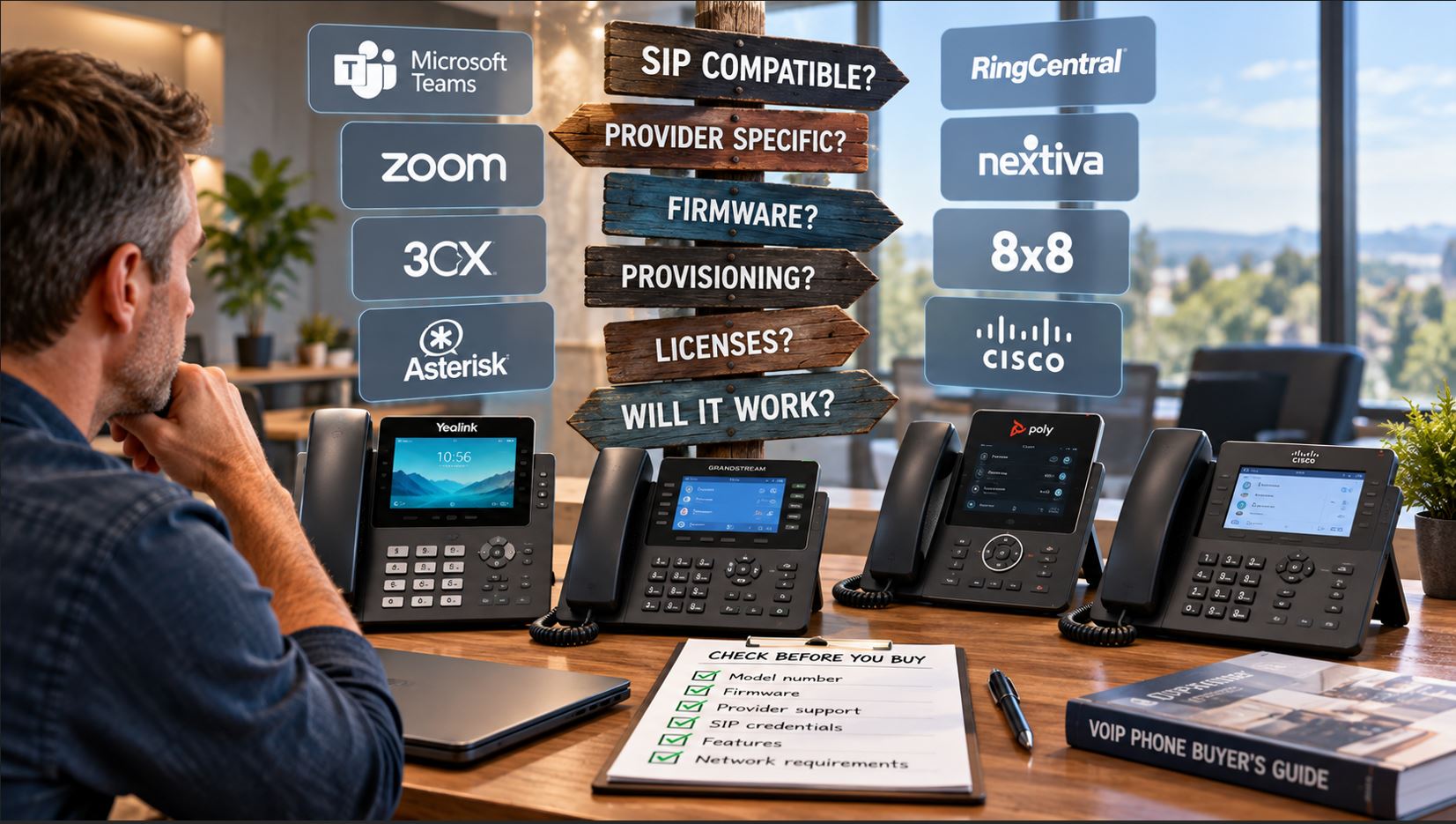
A phone may support SIP, connect to Ethernet, receive power through PoE, and look identical to another version of the same model—yet still be unsuitable for your phone system because of its firmware, provisioning configuration, platform certification, licensing, or provider requirements.
Quick answer: A standards-based SIP phone can potentially work with many hosted VoIP services and IP PBX systems, but SIP support alone does not guarantee compatibility. Before purchasing a phone, verify the exact model, firmware or software edition, provider support, provisioning requirements, SIP credentials, network requirements, and any platform-specific certification or licensing.
This guide explains what businesses should check before purchasing new, used, refurbished, or carrier-branded VoIP phones.
1. What Does SIP Compatible Actually Mean?
SIP, or Session Initiation Protocol, is widely used to establish and manage voice and multimedia sessions across IP networks.
A standards-based SIP desk phone generally contains a SIP client capable of registering to a SIP server using information such as:
SIP server or registrar address
Extension or account number
Authentication username
Password
Outbound proxy, when required
SIP transport and port settings
That makes SIP interoperability possible, but it does not mean every SIP phone will work with every SIP service.
The provider must still support the device—or allow manual SIP registration—and the phone must support the provider’s required authentication, codecs, security settings, provisioning methods, and features.
2. Open SIP vs. Provider-Specific Phones
One of the most important distinctions when purchasing an IP phone is whether it is configured as a general-purpose SIP endpoint or for a particular communications platform or service provider.
Phone Type
Typical Use
Compatibility Consideration
Open or generic SIP
Hosted VoIP and IP PBX systems
Usually offers the greatest configuration flexibility
Provider-specific
Specific hosted VoIP service
Firmware or provisioning may be customized
Microsoft Teams device
Microsoft Teams environments
May use a platform-specific operating mode or certification
Zoom-certified device
Zoom Phone or Zoom Rooms environments
Compatibility depends on the exact device and deployment
Enterprise call-control device
Platforms such as Cisco Unified Communications environments
May require platform-specific firmware, configuration or licensing
This distinction becomes particularly important when purchasing phones from secondary markets. Two phones carrying the same manufacturer name and similar model numbers may have different firmware histories or deployment configurations.
3. Why SIP Does Not Guarantee Provider Compatibility
Think of SIP support as one requirement rather than a compatibility guarantee.
Your provider may require specific features that a particular phone or firmware release does not support. Common requirements include:
TLS-secured SIP signaling
SRTP media encryption
Specific voice codecs
Certificate-based authentication
Provider-specific provisioning
Specific firmware versions
Supported device models
Custom feature-key configuration
Specialized directory or voicemail integration
A phone might successfully register and make calls while still lacking provider-specific features such as centralized directories, presence, BLF behavior, visual voicemail, automatic configuration, or integrated call-control functions.
For that reason, compatibility should be evaluated beyond simply asking whether the phone can register.
4. Firmware Can Determine Whether a Phone Works
Firmware is one of the most overlooked issues when buying VoIP phones.
Manufacturers may produce different software branches or deployment configurations for generic SIP, hosted providers, enterprise platforms, and unified communications services.
A phone originally supplied by a carrier or hosted VoIP company may contain customized firmware or provisioning settings. In some situations, changing to generic firmware may be possible. In others, the device may have restrictions, platform requirements, or provisioning behavior that makes conversion impractical.
Do not assume that finding generic firmware online means a provider-specific phone can safely or officially be converted. Verify the exact model, hardware revision and supported firmware path with the manufacturer or provider first.
5. Check the Exact Model Number
Do not verify compatibility using only the product family.
Manufacturers frequently produce multiple versions of closely related phones. Differences may include:
Wi-Fi support
Bluetooth support
PoE support
Ethernet speed
Number of SIP accounts
Platform-specific software
Region
Power-supply packaging
Wireless frequency support
Check the complete model number and, when relevant, the hardware revision before ordering.
6. Ask Your VoIP Provider Before Buying
If you’re purchasing phones for an existing hosted VoIP service, the provider should be one of your first compatibility checks.
Ask these questions:
Do you support this exact phone model?
Can you automatically provision it?
Can I manually enter SIP credentials?
Do you provide the SIP username and password?
Is a particular firmware version required?
Are all calling features supported?
Do you require phones purchased directly from you?
The last question is particularly important. Some providers support third-party SIP phones but restrict automatic provisioning or technical support for equipment purchased elsewhere.
7. Auto-Provisioning vs. Manual SIP Configuration
There are two common ways to configure a VoIP phone.
Automatic Provisioning
The provider or administrator supplies configuration information through a provisioning server. The phone downloads settings such as extensions, authentication information, feature keys, codecs and network parameters.
This is usually preferable for larger deployments because configuration can be standardized and centrally managed.
Manual SIP Registration
An administrator enters the SIP account information directly into the phone’s web interface or on-device menu.
Manual configuration can work well for smaller installations, lab environments and PBXs that provide direct SIP credentials.
If a provider refuses to provide SIP credentials and only supports its own provisioning system, a generic SIP phone may not be usable even though the hardware technically supports SIP.
8. Compatibility With IP PBX Systems
Businesses operating their own IP PBX generally have more control over endpoint configuration.
Platforms based on standards-based SIP commonly support phones from manufacturers such as Yealink, Grandstream, Poly, Cisco, Fanvil and others, but the level of integration varies.
A supported provisioning template can provide a much better deployment experience than manually configuring hundreds of phones.
Before selecting a model for a large installation, test:
Registration
Inbound and outbound calling
Caller ID
Hold and resume
Transfers
Conference calling
Voicemail indication
BLF and presence
Directory integration
Headsets
Emergency calling configuration
9. Yealink, Grandstream, Poly and Cisco: What Buyers Should Know
Yealink
Yealink offers a broad selection of SIP business phones as well as devices intended for unified communications platforms. Buyers should confirm the exact model and firmware before assuming that a phone configured for one environment can be moved to another.
Grandstream’s GRP and other SIP phone families are commonly deployed in standards-based environments. Features and SIP-account capacity vary substantially by model.
For example, the Grandstream GRP2604P supports multiple SIP accounts, Gigabit Ethernet, PoE and centralized Grandstream device management. Always verify that the provider supports the model and intended provisioning method.
Poly
Poly phones have been widely deployed with hosted VoIP providers and enterprise communications systems. Used Poly equipment deserves particular attention because its previous deployment, firmware and provisioning configuration can affect how easily it can be reused.
Cisco
Cisco requires especially careful model and firmware verification. Cisco phones have historically been deployed across multiple call-control environments, and a phone intended for one platform should not automatically be assumed to be a generic SIP endpoint suitable for another.
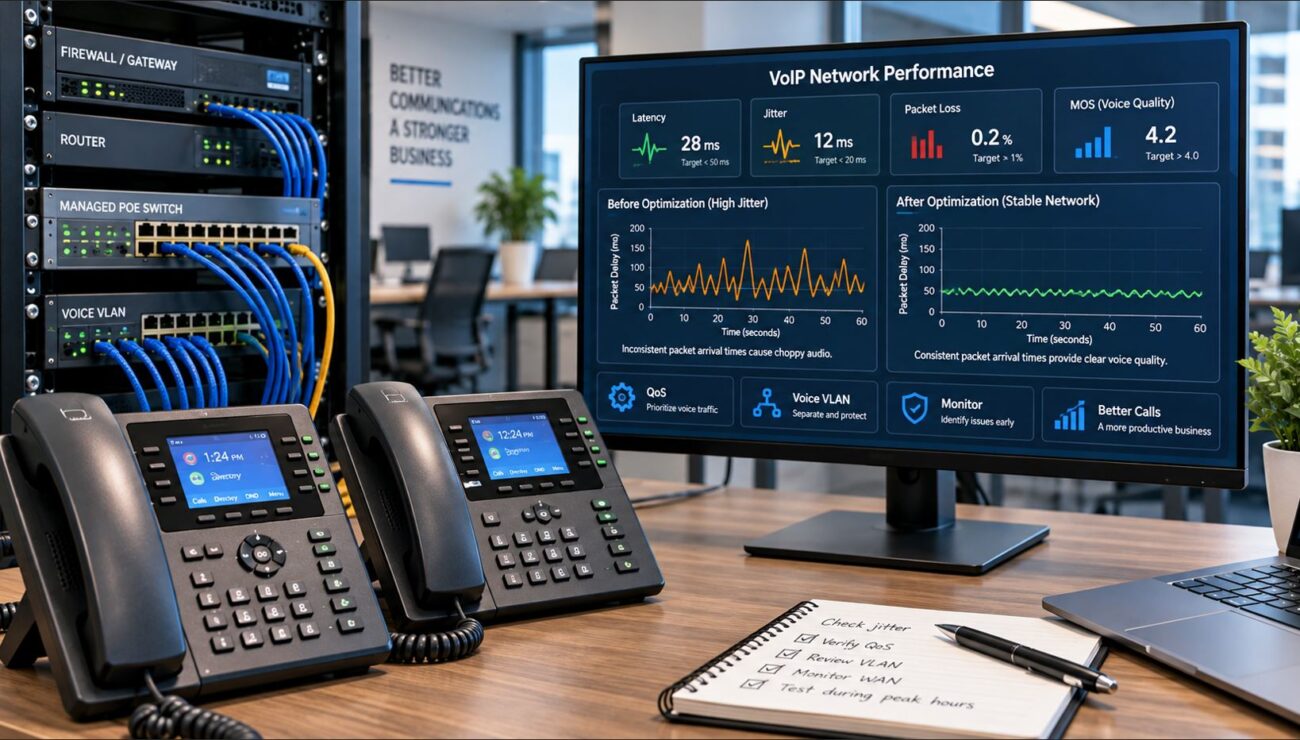
10. Don’t Forget the Network
Provider compatibility is only half of a successful VoIP deployment.
The network must also properly support the phones.
Power over Ethernet
Many business phones can receive network connectivity and electrical power through the same Ethernet connection using PoE.
Check whether your switch provides PoE and whether its total PoE power budget is sufficient for all connected devices.
Voice VLANs
A managed network can place phones on a dedicated voice VLAN. This can improve network organization, security policy enforcement and traffic management.
Quality of Service
QoS can prioritize latency-sensitive voice traffic when network links become congested.
Firewalls, NAT and SIP ALG
A correctly configured phone can still experience registration or audio problems because of firewall, NAT, DNS or SIP ALG behavior.
Used VoIP phones can offer substantial savings, but they require additional verification.
Before purchasing a used IP phone, determine:
The exact model and hardware revision
Current firmware
Previous service provider, if known
Whether administrator credentials are available
Whether factory reset is possible
Whether remote provisioning remains configured
Whether generic firmware is officially supported
Whether your provider supports customer-owned equipment
A low purchase price is not a bargain if the phone cannot be provisioned to your service.
VoIP Phone Compatibility Checklist
Check
Question to Answer
Protocol
Does the phone support the SIP environment you intend to use?
Exact model
Has the provider approved or tested this specific model?
Firmware
Is the installed firmware appropriate for your provider or PBX?
Provisioning
Can the provider automatically provision the phone?
SIP credentials
Will the provider give you credentials for manual registration if needed?
Features
Will BLF, voicemail, transfers, directories and other required features work?
Network
Does your network support the required VLAN, QoS and security configuration?
PoE
Does the switch provide the correct power and sufficient PoE capacity?
Licensing
Does the phone or platform require additional licensing?
Support
Will your provider support customer-owned equipment?
Frequently Asked Questions
Will any SIP phone work with any VoIP provider?
No. SIP support makes interoperability possible, but providers can require particular models, firmware, provisioning methods, security settings or platform features.
Can I manually configure a VoIP phone?
Often, yes. If the phone provides access to its SIP account configuration and your provider supplies the required credentials, manual registration may be possible. Provider policies vary.
Can a provider-branded phone be used with another VoIP service?
Sometimes, but not always. It depends on the exact hardware, firmware, provisioning configuration and whether the manufacturer supports conversion to a generic software branch.
Does factory resetting a VoIP phone unlock it?
Not necessarily. A factory reset normally clears local configuration, but it does not automatically change the phone’s firmware edition, platform requirements or remote provisioning behavior.
Can Yealink phones work with different VoIP providers?
Many Yealink SIP models are designed for standards-based VoIP deployments, but compatibility should still be verified using the exact model, firmware and provider requirements.
Why does my VoIP phone say “Register Failed”?
Common causes include incorrect SIP credentials, server information, DNS problems, network configuration, firewall or NAT issues, provisioning errors and firmware incompatibility.
Final Takeaway
The safest question when buying an IP phone isn’t simply, “Does this phone support SIP?”
Ask instead:
“Does this exact model, running the correct firmware, support the provisioning, authentication, security and calling features required by my VoIP provider or PBX?”
That distinction can prevent businesses from purchasing dozens—or hundreds—of phones that require unexpected firmware work, manual configuration or cannot be deployed as intended.
Before purchasing business phones, verify compatibility with your VoIP provider or system administrator. You can also browse Telecom-Store.com for business VoIP phones, networking equipment and communications hardware.
To provide the best experiences, we use technologies like cookies to store and/or access device information. Consenting to these technologies will allow us to process data such as browsing behavior or unique IDs on this site. Not consenting or withdrawing consent, may adversely affect certain features and functions.
Functional
Always active
The technical storage or access is strictly necessary for the legitimate purpose of enabling the use of a specific service explicitly requested by the subscriber or user, or for the sole purpose of carrying out the transmission of a communication over an electronic communications network.
Preferences
The technical storage or access is necessary for the legitimate purpose of storing preferences that are not requested by the subscriber or user.
Statistics
The technical storage or access that is used exclusively for statistical purposes.The technical storage or access that is used exclusively for anonymous statistical purposes. Without a subpoena, voluntary compliance on the part of your Internet Service Provider, or additional records from a third party, information stored or retrieved for this purpose alone cannot usually be used to identify you.
Marketing
The technical storage or access is required to create user profiles to send advertising, or to track the user on a website or across several websites for similar marketing purposes.