How to Choose a Business VoIP Phone in 2026: 10 Features That Actually Matter
Choosing a business VoIP phone can look simple until you start comparing specifications. Two phones may look almost identical on a desk while offering very different capabilities for SIP accounts, programmable keys, headsets, network connectivity, wireless features, security and centralized management.
The right phone is not necessarily the model with the largest display or the longest feature list. It is the phone that matches your VoIP service, network infrastructure and the way the employee actually works.
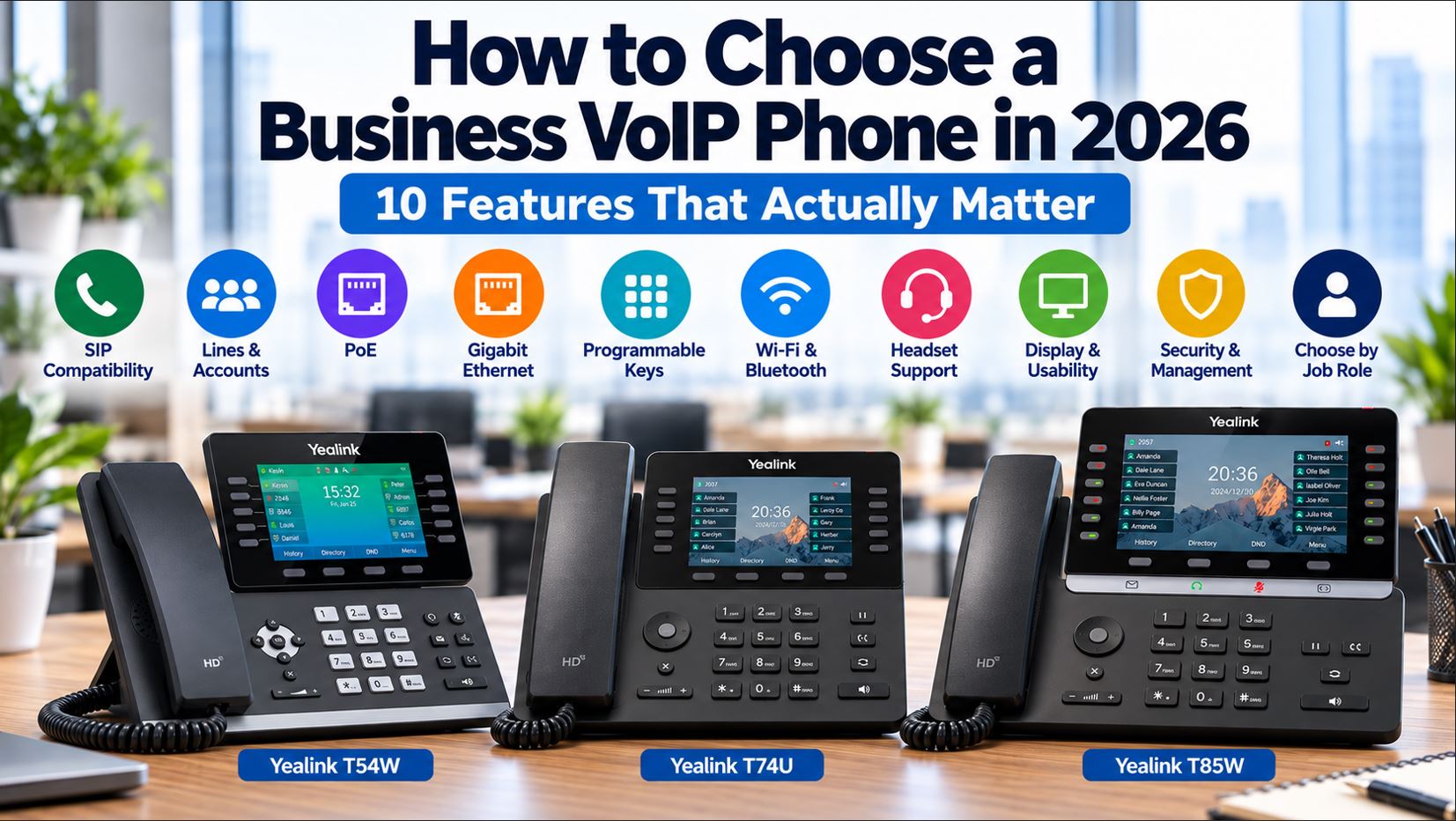
Before purchasing business IP phones in 2026, evaluate these 10 features.
Quick Answer: What Should You Look for in a Business VoIP Phone?
A business VoIP phone should first be compatible with your VoIP provider or IP PBX. After compatibility, evaluate the number of SIP accounts and programmable keys, Power over Ethernet, Ethernet speed, Wi-Fi and Bluetooth requirements, headset support, display usability, security and provisioning capabilities, and the employee’s actual job role.
Feature
Why It Matters
SIP and provider compatibility
Determines whether the phone can be properly provisioned and supported on your service.
Lines and SIP accounts
Determines how many identities and call appearances the phone can manage.
Power over Ethernet
Can eliminate individual AC adapters and simplify deployment.
Gigabit Ethernet
Important when a computer shares the phone’s network connection.
Programmable keys
Improves transfers, presence monitoring, speed dialing and call handling.
Wi-Fi and Bluetooth
Provides additional installation and accessory flexibility.
Headset support
Important for employees who spend significant time on calls.
Display and usability
Affects everyday navigation, directories and call handling.
Security and management
Important for scalable and maintainable deployments.
Job-role fit
Prevents paying for features an employee will never use.
1. SIP and VoIP Provider Compatibility Comes First
Before comparing displays, buttons or wireless features, determine whether the phone is compatible with the VoIP platform that will provide service.
SIP is widely used for business VoIP, but the fact that two products support SIP does not automatically mean every provider supports every feature or every phone model.
A provider may have its own supported-device list, provisioning system, firmware requirements or configuration templates. Some providers also restrict which devices can be automatically provisioned.
Before purchasing, ask:
Does my provider officially support this model?
Can the phone be automatically provisioned?
Does the provider require specific firmware?
Are all required features supported?
Will the provider supply the SIP credentials if manual configuration is necessary?
This is especially important when buying phones for an existing hosted VoIP service.
A technically capable phone that your provider cannot provision or support may create more work than a less sophisticated model that is fully supported.
2. Determine How Many SIP Accounts and Line Appearances You Need
The number of SIP accounts supported by a phone can vary substantially.
A basic employee may only require one extension. A receptionist, executive assistant or manager may need to monitor several extensions, shared lines or call appearances.
Do not confuse the number of physical buttons with the number of SIP accounts. Modern phones often use page-based programmable keys, allowing one set of physical buttons to perform many functions.
For example, the Yealink T73U supports up to 12 SIP accounts, while the Yealink T74U supports up to 16 SIP accounts. Those capacities are considerably more than a typical single-extension office worker needs, but they provide flexibility for more demanding environments.
3. Decide Whether You Need Power over Ethernet
Power over Ethernet, commonly called PoE, allows compatible Ethernet infrastructure to provide both network connectivity and electrical power to the phone.
Instead of this:
Wall Outlet → AC Adapter → IP Phone
Network Switch → Ethernet → IP Phone
a PoE installation can use:
PoE Switch → Ethernet Cable → IP Phone
This can simplify large deployments and reduce the number of AC adapters at employee desks.
PoE can also make centralized backup power easier. If the PoE switch and other critical network equipment are connected to an appropriately sized UPS, the phones may remain powered during a short electrical interruption.
However, verify the complete network design. A PoE phone still depends on the switch, router, PBX or cloud connectivity and other infrastructure required for calling.
Check Whether the Power Adapter Is Included
Do not assume every PoE phone includes an AC power supply.
Manufacturers frequently sell different packages, and some models are designed primarily for PoE deployments. Verify what is included before ordering phones for a non-PoE network.
4. Look at Ethernet Speed and PC Passthrough
Many business phones contain two Ethernet ports. One connects to the network, while the second can connect a nearby computer.
A typical configuration is:
Network Switch
      |
      v
   IP Phone
      |
      v
Employee PC
If the computer will share the phone’s network connection, Ethernet speed becomes more important.
A phone with Gigabit Ethernet is generally preferable for modern business networks when a workstation is connected through the phone. A slower phone Ethernet interface can become a bottleneck for the attached computer even when the rest of the network supports higher speeds.
The Yealink T85W, for example, provides dual-port Gigabit Ethernet along with PoE support.
5. Count the Programmable and BLF Keys You Actually Need
Programmable keys are one of the most useful differences between entry-level and higher-capacity business phones.
Depending on the PBX and configuration, programmable keys can be used for functions such as:
Busy Lamp Field monitoring
Speed dial
Call pickup
Transfers
Shared lines
Park and retrieve
Intercom
Paging
Feature codes
A receptionist who monitors 20 employees has very different requirements from an employee who simply answers their own extension.
When an Expansion Module Makes Sense
If a user needs a large number of monitored extensions, consider a phone that supports an expansion module rather than choosing a phone solely because it has more physical buttons.
This is particularly useful for reception desks, dispatch operations and administrative assistants.
6. Decide Whether Wi-Fi and Bluetooth Are Actually Necessary
Wi-Fi and Bluetooth are useful features, but they solve different problems.
Wi-Fi
Wi-Fi can provide installation flexibility when Ethernet is unavailable or impractical. However, wired Ethernet remains attractive for permanent desk-phone installations because it provides predictable connectivity and can simultaneously provide PoE.
If Wi-Fi is required, evaluate wireless coverage, interference, network design and whether the phone supports the wireless environment being deployed.
Bluetooth
Bluetooth is primarily valuable for compatible wireless headsets and certain mobile-device integrations.
If employees will never use Bluetooth accessories, paying more specifically for Bluetooth may provide little practical benefit.
The Yealink T85W is an example of a business phone that combines built-in Wi-Fi and Bluetooth with wired Gigabit Ethernet, giving organizations several connectivity options.
7. Check Headset Compatibility Before Buying the Phone
Headset compatibility is easy to overlook until employees begin using the phones.
Employees in sales, customer service, dispatch and support may spend several hours per day on calls. For those users, headset support can be as important as the phone itself.
Common connection methods include:
RJ9 wired headset ports
USB
Bluetooth
Electronic Hook Switch integration
Electronic Hook Switch, or EHS, can allow compatible wireless headsets to remotely answer and end calls without requiring the employee to press a button on the desk phone.
Compatibility should always be checked by exact phone and headset model.
For example, Telecom-Store.com’s Yealink YHS36 E2 Dual wired headset lists compatibility with numerous Yealink phones, including the T54W, T57W, T74U, T74W, T85W and other models.
8. Choose the Display for the User, Not the Specification Sheet
A larger screen can make directories, call history, programmable keys and menus easier to navigate, but not every employee needs a large touchscreen.
Consider what users actually do throughout the day.
User
Display Priority
Basic office employee
Readable display and straightforward menus
Receptionist
Easy access to contacts, BLF keys and call status
Manager
Larger display may improve navigation and call handling
Executive
Premium interface and advanced functionality may be useful
Warehouse employee
Mobility and durability may matter more than screen size
For many office workers, a conventional color-screen business phone provides everything necessary without the additional cost and complexity of a large touchscreen.
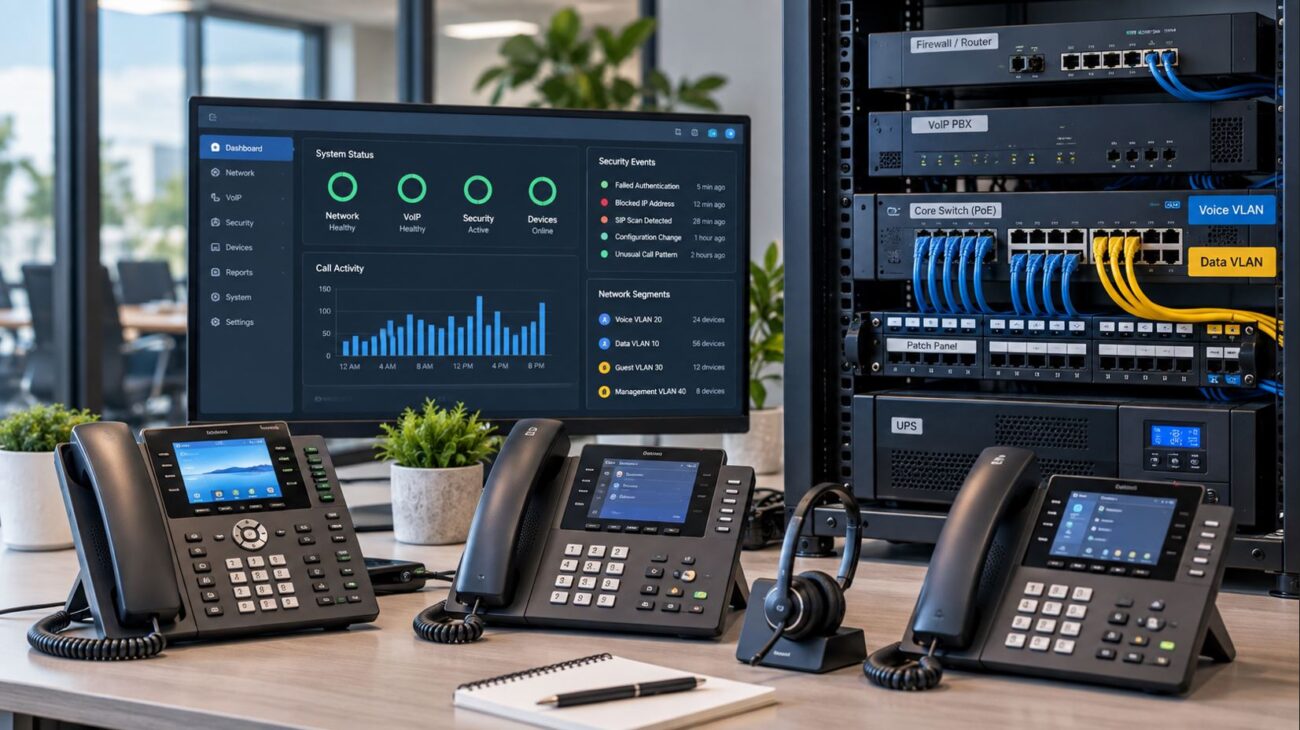
9. Don’t Ignore Security, Firmware and Provisioning
A business IP phone is a network-connected endpoint and should be managed accordingly.
When comparing phones, evaluate whether the model and manufacturer provide the capabilities required by your organization or service provider for secure deployment and lifecycle management.
Consider:
Secure provisioning capabilities
Administrative access controls
Firmware management
Supported signaling and media security
Configuration backup and deployment
Centralized management options
Device certificates where applicable
Ongoing manufacturer support
Default administrative credentials should be changed, management interfaces should be appropriately restricted, and firmware should be maintained according to manufacturer and service-provider requirements.
Newer phones may also include hardware-backed security features. Telecom-Store.com’s current T74U listing, for example, specifies a TEE hardware encryption solution and a Linux-based platform.
10. Choose the Phone Based on the Employee’s Job
This may be the most important purchasing decision after compatibility.
Buying the same premium phone for every employee can waste money. Buying the least expensive phone for everyone can create productivity problems for employees who handle large numbers of calls.
Basic Office Employee
Prioritize reliable SIP operation, PoE, clear audio, straightforward controls and an appropriate number of programmable keys.
Receptionist or Administrative Assistant
Prioritize BLF capacity, programmable keys, expansion-module support, headset integration and easy transfer controls.
Manager
Consider a larger color display, Bluetooth, Wi-Fi, additional programmable keys and broader headset support.
Executive
A premium interface, larger display, advanced connectivity and higher-end audio features may justify the additional cost when those capabilities will actually be used.
Call Center or Customer Service Employee
Headset compatibility, straightforward call controls, reliability and centralized provisioning may matter more than a large display.
Warehouse, Retail Floor or Mobile Employee
A cordless DECT or Wi-Fi handset may make more sense than a traditional desk phone if the employee regularly moves around the facility.
Business VoIP Phone Selection Matrix
Requirement
Basic User
Manager
Receptionist
Mobile Worker
PoE
Recommended
Recommended
Recommended
Depends on device
Gigabit Ethernet
Recommended if PC passthrough is used
Recommended
Recommended
Not always relevant
Large BLF capacity
Low priority
Moderate
High
Low
Bluetooth
Optional
Useful
Useful
Depends on workflow
Wi-Fi
Optional
Optional
Usually unnecessary
Potentially important
Headset support
Useful
Useful
High priority
Depends on device
Expansion module
Usually unnecessary
Optional
Potentially important
Usually unnecessary
Three Examples of Different Business Phone Classes
Rather than asking which phone is universally best, compare models according to the employee’s requirements.
Yealink T73U: Practical Business Deployment
The Yealink T73U provides a 2.8-inch display, PoE, support for up to 12 SIP accounts, headset/EHS support and expansion-module capability. It can fit environments where organizations need business features without requiring a large display.
Yealink T74U: Higher SIP and Expansion Capacity
The Yealink T74U supports up to 16 SIP accounts, PoE, USB headsets, EHS and color-screen expansion modules. Those capabilities make it suitable for users who need more extensive call handling and expansion options.
Questions to Ask Before Ordering Business VoIP Phones
Before purchasing phones for an office, answer the following questions:
Which VoIP provider or IP PBX will the phones use?
Does that platform support the exact phone model?
How many SIP accounts does each employee need?
How many BLF or programmable keys are required?
Does the network provide PoE?
Will computers connect through the phones?
Is Gigabit Ethernet required?
Does anyone require Wi-Fi?
Does anyone require Bluetooth?
Which headsets will be used?
Are expansion modules required?
How will the phones be provisioned?
How will firmware and security updates be managed?
Is backup power required?
Answering these questions before selecting a model can prevent compatibility problems and unnecessary spending.
Common Business VoIP Phone Buying Mistakes
Buying Before Checking Provider Compatibility
This is one of the easiest mistakes to avoid. Verify support before ordering a large quantity of phones.
Assuming the Power Adapter Is Included
Always check the exact package contents, particularly when the phone supports PoE.
Paying for Features Nobody Will Use
Wi-Fi, Bluetooth, touchscreens and dozens of programmable functions have value only when they support an actual business requirement.
Ignoring Headset Requirements
Choose the phone and headset together when headsets are an important part of the employee’s workflow.
Choosing Every Employee’s Phone the Same Way
A receptionist, warehouse employee and accounting employee do not necessarily need the same communications device.
Ignoring the Network
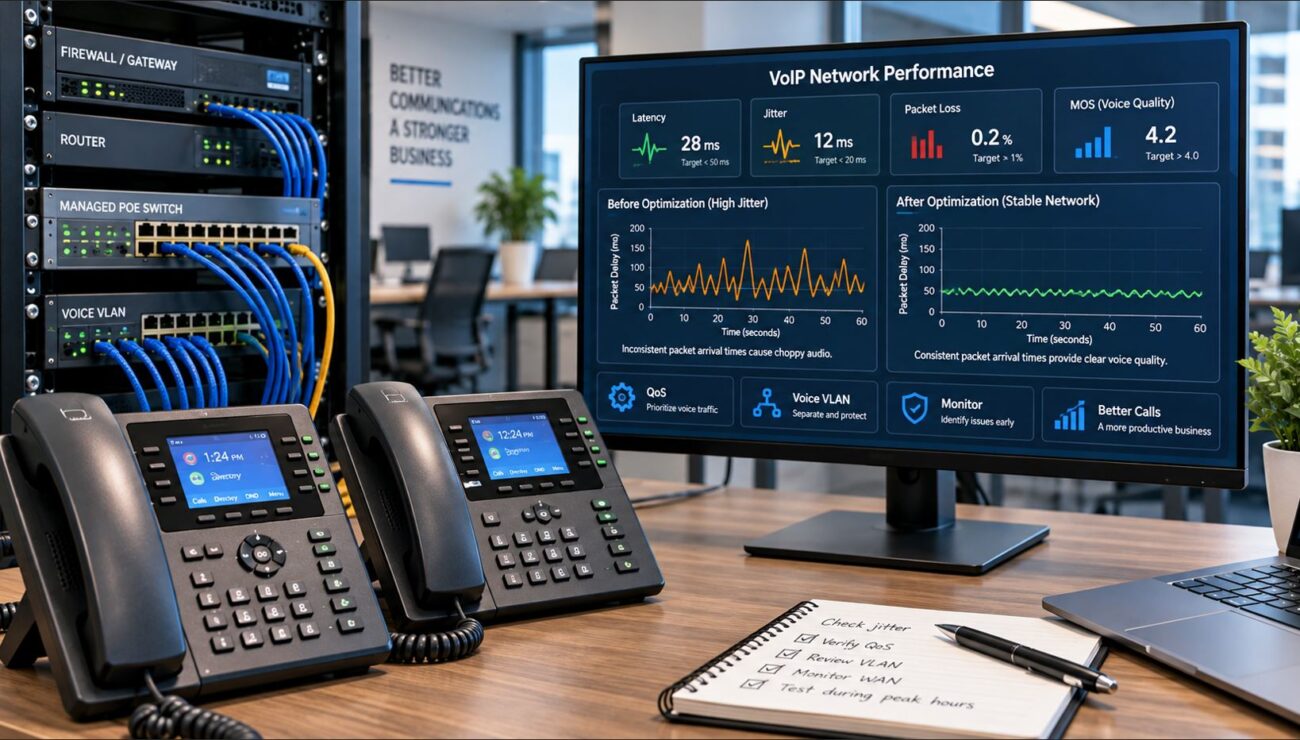
Call quality depends on more than the phone. Switching, routing, Internet connectivity, QoS, VLAN configuration, packet loss, latency and jitter can all affect VoIP performance.
Frequently Asked Questions
What is the most important feature in a business VoIP phone?
Compatibility with the intended VoIP provider or IP PBX should come first. Features such as Wi-Fi, Bluetooth and large displays provide little value if the phone cannot be properly provisioned or supported by the communications platform.
Do business VoIP phones need PoE?
No. Many can operate from an AC adapter, but PoE can simplify deployment by carrying power and network connectivity over the Ethernet connection. Verify the requirements of the exact model.
Do I need Gigabit Ethernet on an IP phone?
It is particularly useful when a computer connects to the network through the phone. Gigabit ports help prevent the phone’s passthrough connection from becoming a bottleneck on a Gigabit network.
Should I buy a VoIP phone with Wi-Fi?
Choose Wi-Fi when the installation or workflow requires wireless network connectivity. For a permanent desk with Ethernet available, a wired connection can provide predictable connectivity and PoE from the same cable.
How many SIP accounts does a business phone need?
A typical employee may need only one primary extension. Receptionists, managers and users handling multiple identities or shared lines may require considerably more. Buy according to the actual PBX configuration rather than choosing the highest number available.
Are expensive VoIP phones always better?
No. Higher-priced phones generally provide additional features, connectivity, displays or expansion capacity. Whether those features provide value depends on the user’s job and communications requirements.
Can I use different VoIP phone models in the same office?
Often, yes. A business can deploy different phone classes for different roles as long as the models are compatible with the VoIP platform and network. Standardizing on a smaller number of models can also simplify provisioning, training and support.
Final Thoughts
The best business VoIP phone is not determined by the largest screen, the highest number of SIP accounts or the longest specification sheet.
Start with compatibility. Then consider PoE, Ethernet speed, programmable keys, wireless connectivity, headset requirements, display usability, security, provisioning and the employee’s job responsibilities.
That approach allows a business to spend more where advanced features improve productivity while using simpler phones where those features provide little benefit.
Telecom-Store.com carries business IP phones, headsets, IP PBX systems, PoE networking equipment and related communications hardware for organizations building or upgrading VoIP environments.
To provide the best experiences, we use technologies like cookies to store and/or access device information. Consenting to these technologies will allow us to process data such as browsing behavior or unique IDs on this site. Not consenting or withdrawing consent, may adversely affect certain features and functions.
Functional
Always active
The technical storage or access is strictly necessary for the legitimate purpose of enabling the use of a specific service explicitly requested by the subscriber or user, or for the sole purpose of carrying out the transmission of a communication over an electronic communications network.
Preferences
The technical storage or access is necessary for the legitimate purpose of storing preferences that are not requested by the subscriber or user.
Statistics
The technical storage or access that is used exclusively for statistical purposes.The technical storage or access that is used exclusively for anonymous statistical purposes. Without a subpoena, voluntary compliance on the part of your Internet Service Provider, or additional records from a third party, information stored or retrieved for this purpose alone cannot usually be used to identify you.
Marketing
The technical storage or access is required to create user profiles to send advertising, or to track the user on a website or across several websites for similar marketing purposes.