Why Does My VoIP Phone Keep Losing Registration? 8 Common Causes and Fixes
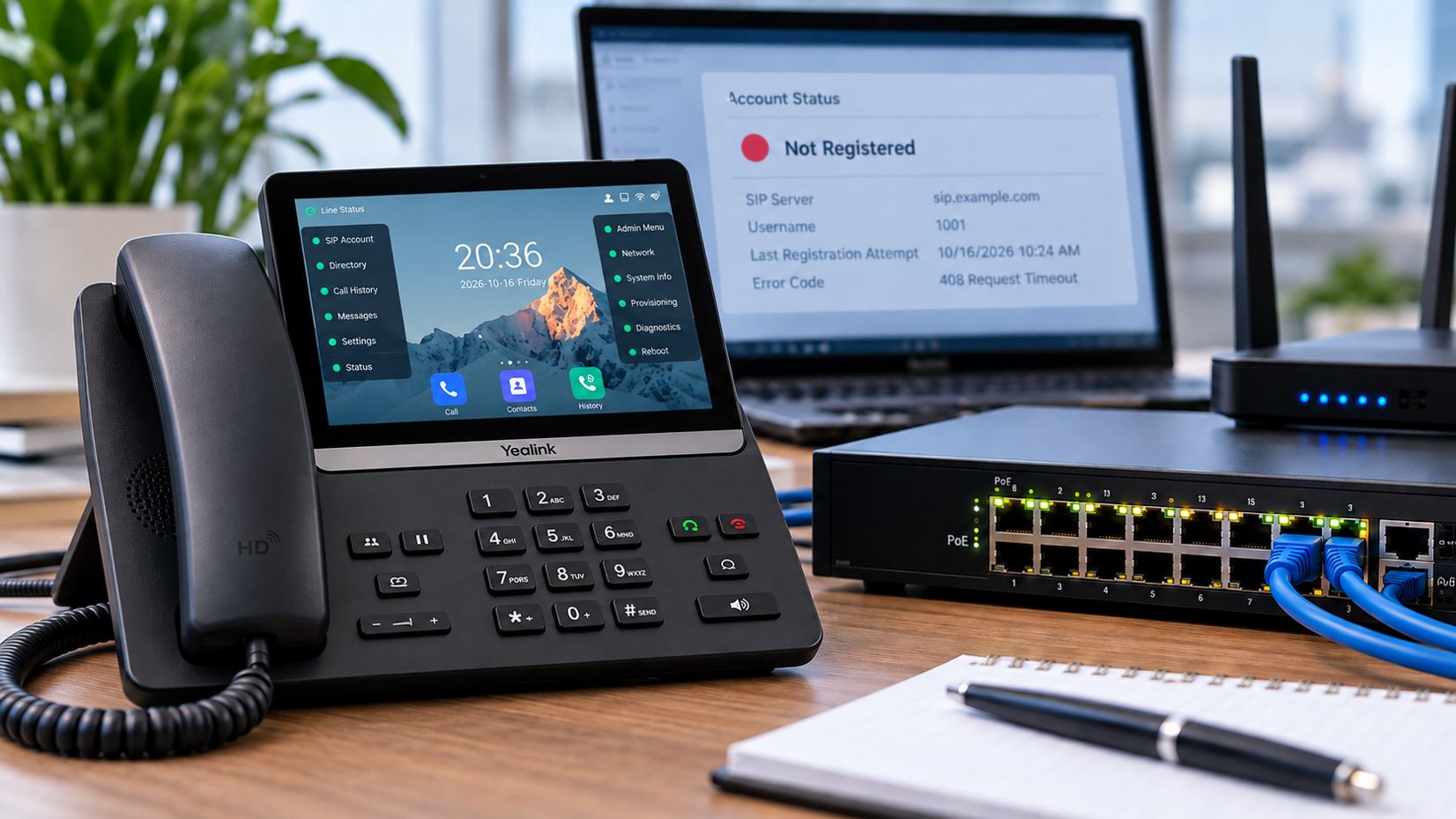
When a business VoIP phone displays “Not Registered,” “Registration Failed,” or “No Service,” it usually means the phone cannot establish or maintain its registration with the SIP server or business phone system. The result may be an unavailable extension, failed outgoing calls, or incoming calls that never reach the desk phone.
Registration problems can affect Yealink, Grandstream, Poly, and other SIP-based IP phones. Sometimes the issue is an incorrect password or an outdated provisioning configuration. In other cases, the real cause is a network interruption, unstable Power over Ethernet (PoE), a router setting, or a service-provider problem.
This guide explains eight common causes of VoIP registration failures, how to identify them, and what businesses can do to restore reliable phone service.
What Does “Not Registered” Mean on a VoIP Phone?
A SIP phone typically registers with a provider or private branch exchange (PBX) so the system knows how to reach its extension. The phone sends a SIP REGISTER request, responds to any required authentication challenge, and receives a successful response when registration is accepted.
Registration is not permanent. Phones generally refresh their registration periodically, using intervals permitted by the server. If the phone cannot complete an initial registration or a later refresh, its account may become unregistered.
A registration failure does not automatically mean the phone is defective. It means the phone and the registration service have not successfully completed the required signaling exchange.
8 Common Causes of VoIP Registration Failures
1. Incorrect SIP Credentials or Account Settings
One of the most common causes of a VoIP phone not registering is an incorrect SIP account configuration. The display name, extension number, authentication username, and SIP password are not necessarily interchangeable.
For example, a phone may display extension 205 while the provider requires a separate authentication ID. Entering 205 in both fields could prevent registration.
How to Fix It
- Verify the SIP username, authentication ID, and password against the provider’s approved settings.
- Check the registrar or SIP server hostname.
- Confirm the required port and transport protocol.
- Look for extra spaces or incorrect capitalization in credentials.
- Confirm that the extension is enabled and permitted to register.
Do not repeatedly guess passwords. Some providers temporarily block an account or source IP address after repeated authentication failures.
2. Network Connectivity or DHCP Problems
An IP phone must have a working network connection before it can communicate with a SIP server. A loose Ethernet cable, disabled switch port, incorrect VLAN, or failed DHCP lease can prevent registration entirely.
Some phones power on normally but still lack the network connectivity required for SIP registration.
How to Fix It
- Verify the Ethernet cable is connected to the phone’s network port.
- Check link status and port errors on the network switch.
- Confirm the phone has a valid IP address, subnet mask, gateway, and DNS servers.
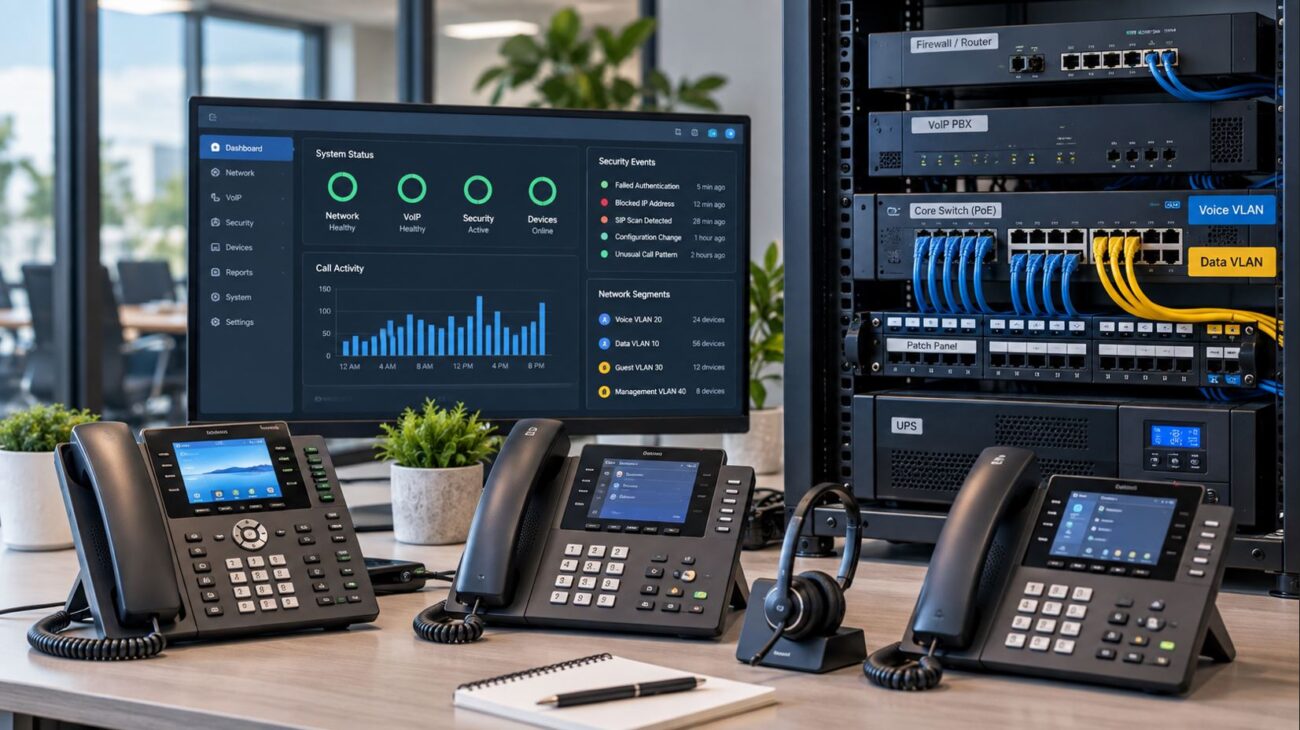
- Verify that the phone is assigned to the correct voice VLAN, if one is used.
- Check DHCP scope capacity and lease activity.
- Test network reachability from the same VLAN using an authorized diagnostic device.
If several phones on one switch fail simultaneously, investigate the shared network infrastructure before changing individual SIP accounts.
3. DNS Resolution or Incorrect SIP Server Address
Many VoIP services use hostnames rather than fixed IP addresses. A phone may depend on DNS A, AAAA, SRV, or other records to locate its registrar or outbound proxy, depending on the provider’s configuration.
If DNS fails or the configured hostname is wrong, the phone may never reach the registration server.
How to Fix It
- Confirm the registrar hostname exactly matches the provider’s instructions.
- Verify the phone has functional DNS servers.
- Check whether the provider requires DNS SRV lookups or a specific outbound proxy.
- Review DNS responses and network logs for failures or unexpected destinations.
- Remove obsolete server addresses only after confirming the current provider configuration.
Do not replace a provider hostname with a hard-coded IP address unless the provider specifically supports that configuration. Server addresses can change.
4. Router, Firewall, NAT, or SIP ALG Interference
Business VoIP signaling often crosses routers, firewalls, and Network Address Translation (NAT) devices. Misconfigured network policies can interrupt SIP requests, responses, or the ongoing traffic required to maintain registration.
Some routers include a SIP Application Layer Gateway (SIP ALG) that modifies SIP traffic. Certain implementations interfere with provider-supported signaling and NAT traversal methods.
How to Fix It
- Confirm the firewall allows the SIP signaling destinations and transport required by your provider.
- Review whether SIP ALG is enabled and whether your provider recommends disabling it.
- Check session timeout behavior and NAT mappings for intermittently disconnected phones.
- Verify that the router is not blocking the provider’s current IP ranges or hostnames.
- Review firewall logs before making changes.
Disabling SIP ALG can resolve problems on some networks, but it is not a universal solution. Follow the provider’s configuration guidance. Avoid broadly exposing SIP ports to the internet or creating unrestricted port-forwarding rules.
5. Insufficient PoE Power or Unstable Network Equipment
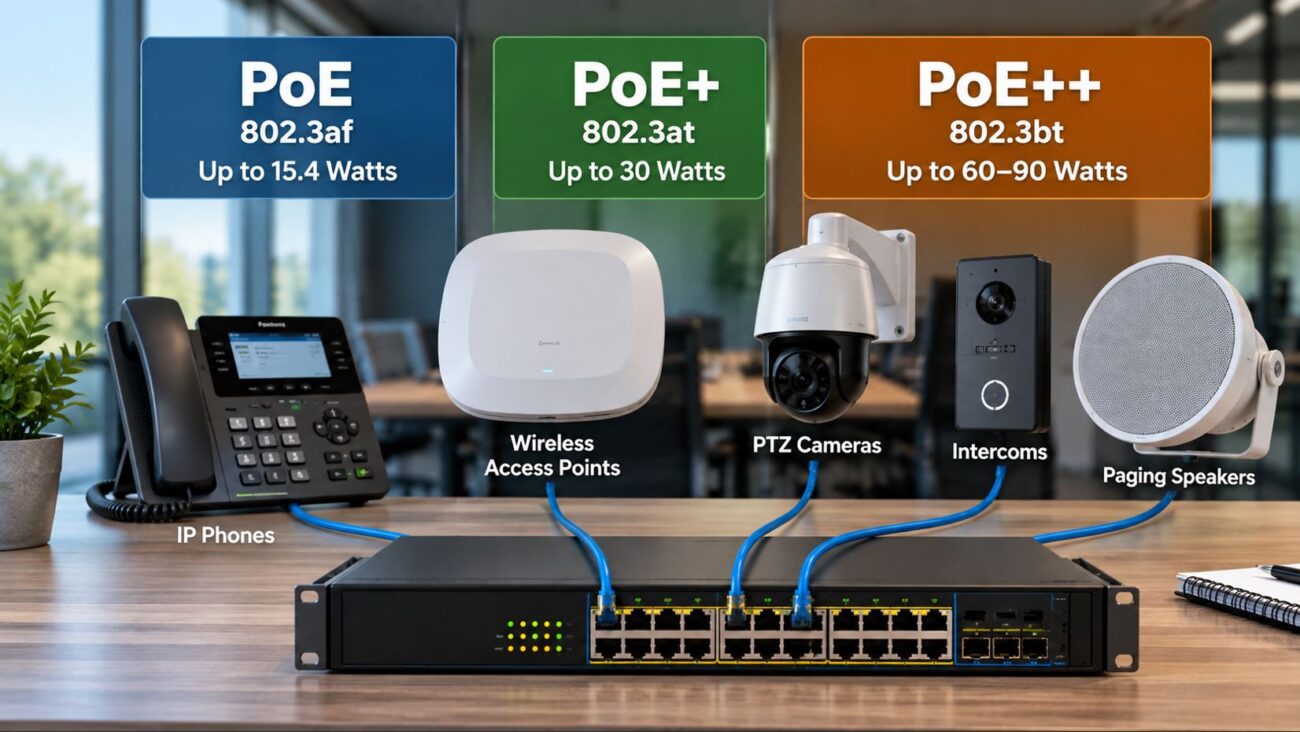
Many business IP phones receive power and data through one Ethernet cable using Power over Ethernet. If a PoE switch reaches its available power budget, a port experiences electrical problems, or the switch repeatedly restarts, a phone may lose power and registration.
Intermittent registration failures may actually be the result of intermittent phone reboots.
How to Fix It
- Check whether the phone reboots when its registration disappears.
- Review the switch’s per-port PoE status and power budget.
- Confirm the phone and switch support compatible PoE standards.
- Inspect the Ethernet cable and connectors.
- Review switch logs for link flapping, power denial, or port resets.
- Test with a known-good switch port or approved power source.
For businesses operating multiple IP phones, a managed PoE switch can make troubleshooting easier by exposing port status, power usage, VLAN settings, and other diagnostics.
The Grandstream GWN7801P managed PoE switch is one option for smaller business networks that need managed switching and PoE connectivity. Before purchasing, confirm the switch’s actual power budget and the combined requirements of every connected device.
For additional background, see our guide to managed versus unmanaged network switches for VoIP.
6. Outdated Firmware or Incorrect Provisioning
VoIP phones frequently obtain configuration settings from a provisioning server. Those settings may include SIP credentials, server addresses, transport protocols, certificates, and feature parameters.
If a provisioning template contains outdated information, a phone may lose registration after rebooting or automatically downloading its configuration.
How to Fix It
- Confirm the phone is running firmware approved for its provider or PBX.
- Review the provisioning server address and the latest configuration applied.
- Check whether a recent provisioning change coincided with the failures.
- Verify that account settings are not being overwritten after a manual correction.
- Back up approved settings before making firmware or configuration changes.
Do not install firmware simply because a newer version exists. Provider-managed phones may require a particular approved firmware release, and unauthorized changes can create additional compatibility problems.
7. SIP Registration Expiration, Session Timing, or Transport Problems
A phone can register successfully and then become unregistered minutes or hours later. This pattern often points to registration refresh failures, timing mismatches, network interruptions, or transport problems rather than incorrect initial credentials.
For example, a SIP server may reject a requested registration interval that is shorter than its permitted minimum. The server can respond with SIP 423 Interval Too Brief and indicate an acceptable minimum interval.
How to Fix It
- Compare registration expiration settings with the provider’s recommended values.
- Review SIP responses during initial registration and refresh attempts.
- Check whether UDP, TCP, or TLS transport is required.
- Inspect firewall and NAT timeouts for the selected transport.
- Verify the phone’s clock and certificate trust settings when TLS is used.
- Investigate repeated reconnects rather than increasing registration frequency arbitrarily.
Registration timers, NAT keepalives, and transport settings should be coordinated with the service provider. Aggressive retry settings can create unnecessary traffic or trigger security controls.
8. VoIP Provider, PBX, or Account Authorization Problems
Sometimes the local phone and network are functioning correctly, but the provider or PBX is refusing registration or is temporarily unavailable.
Possible causes include account suspension, device authorization policies, a server outage, a changed SIP password, an extension registered elsewhere, or restrictions on simultaneous registrations.
How to Fix It
- Check the provider’s service status and support notices.
- Confirm the account and extension remain active.
- Ask whether the provider permits the specific phone model and firmware.
- Verify simultaneous-registration and device-authorization policies.
- Provide support with the failure time, affected extensions, and relevant SIP response codes.
Businesses evaluating hosted VoIP service or seeking help with phone-system compatibility can contact Axion Communications for information about business communication services and support.
Common SIP Registration Error Codes Explained
SIP response codes can help distinguish authentication failures from network problems. However, the final diagnosis depends on the full request-and-response sequence, not just one code.
| SIP Response |
Meaning |
What to Check |
| 200 OK |
Registration request accepted |
Confirm the registered contact and expiration interval |
| 401 Unauthorized |
Authentication challenge; often normal during registration |
Determine whether the authenticated retry succeeds |
| 403 Forbidden |
Server refuses the request |
Account authorization, rejected credentials, provider policy |
| 404 Not Found |
Requested identity or resource was not found |
Registrar address, SIP identity, account configuration |
| 407 Proxy Authentication Required |
Proxy requests authentication |
Proxy credentials and subsequent authenticated retry |
| 408 Request Timeout |
Request was not completed within the required time |
Server reachability, network path, firewall, service availability |
| 423 Interval Too Brief |
Requested registration interval is below the server minimum |
Provider-supported registration expiration settings |
| 503 Service Unavailable |
Server temporarily unable to process the request |
Provider or PBX service health and retry guidance |
Importantly, a SIP 401 response is not automatically an error. It is commonly part of the normal authentication process. A phone may receive 401, resend REGISTER with the required authentication information, and then receive 200 OK.
For the technical definitions and behavior of SIP responses, consult the IETF SIP specification, RFC 3261.
Quick Diagnosis: Match the Symptom to the Likely Cause
| Symptom |
Likely Area to Investigate |
First Action |
| New phone has never registered |
Credentials, server settings, provider compatibility |
Verify the account and provisioning details |
| Phone registers, then disconnects periodically |
Registration refresh, NAT, network interruptions |
Review logs and timestamps |
| All phones lose registration simultaneously |
Internet, firewall, DNS, PBX, provider |
Check shared infrastructure and provider status |
| Phones on one switch fail |
Switch uplink, VLAN, PoE, port configuration |
Review switch logs and power status |
| Phone loses registration after reboot |
Provisioning or saved configuration |
Inspect the applied configuration |
| Phone shows a repeated authentication failure |
Credentials or account authorization |
Confirm the SIP authentication identity |
Step-by-Step VoIP Registration Troubleshooting Checklist
Use this sequence to avoid unnecessary changes and identify whether the problem affects one device or the entire business phone system.
- Determine the scope. Identify whether one phone, several phones, or all extensions are affected.
- Record the error. Note the phone model, extension, error message, SIP response code, and time of failure.
- Check physical connectivity. Inspect the Ethernet cable, switch link, and phone power.
- Verify network configuration. Confirm IP address, gateway, DNS, DHCP, and voice VLAN.
- Check service reachability. Test the network path to the authorized SIP service using approved tools.
- Review SIP account settings. Compare registrar, authentication ID, transport, and credentials with provider documentation.
- Inspect firewall and router behavior. Review blocked traffic, NAT behavior, and provider guidance regarding SIP ALG.
- Check provisioning and firmware. Confirm the phone has the correct approved configuration.
- Examine registration logs. Determine whether REGISTER requests are sent, challenged, accepted, rejected, or unanswered.
- Escalate with evidence. Supply the provider with the affected extensions, timestamps, network information, and sanitized SIP traces.
Never publish SIP passwords, authentication headers, provisioning secrets, or unredacted packet captures. These can expose business phone accounts to unauthorized access.
Which Network Equipment Helps Prevent Registration Problems?
Replacing an IP phone will not resolve a faulty SIP password or a provider outage. However, properly selected networking equipment can improve reliability and make recurring network-related failures easier to diagnose.
Business IP Phones
The Yealink SIP-T31P is a basic SIP desk phone with PoE support and two SIP accounts. It can be appropriate for smaller offices using a compatible VoIP provider or PBX.
For offices requiring Gigabit Ethernet connectivity and additional SIP accounts, the Yealink SIP-T33G is another option.
Before purchasing either model, verify that your provider supports the device, required firmware, provisioning method, and intended features. An unlocked SIP phone is not automatically compatible with every hosted phone service.
Managed PoE Switches
A managed PoE switch can provide visibility into port status, VLAN assignment, link errors, and power usage. These capabilities are useful when phones reboot unexpectedly or lose network access.
The Grandstream GWN7801P is suitable for consideration in smaller installations. Larger deployments should use switches with adequate port capacity, uplink performance, and total PoE power budget.
For more guidance, read our article about choosing Grandstream PoE switches for business networks.
Business Routers and Firewalls
Choose routers and firewalls that provide dependable DNS forwarding, configurable security policies, appropriate NAT behavior, and useful diagnostics. For remote phones, confirm support for the provider’s required connectivity method, which may include a VPN or session border controller.
Advanced QoS features can help protect voice media during congestion, but QoS alone will not correct invalid SIP credentials, incorrect DNS, or a registration request blocked by a firewall.
Example: Troubleshooting Registration Failures in a 20-Person Office
Consider a business with 20 IP phones connected to two managed PoE switches. Employees report that six phones repeatedly display “Not Registered,” while the remaining phones work normally.
The administrator discovers that all six affected phones are connected to the same switch. The switch logs show that its uplink has been disconnecting intermittently.
After replacing a faulty uplink cable and confirming the switch port configuration, the network connection stabilizes. The phones complete registration successfully without any changes to their SIP passwords.
This example illustrates why troubleshooting should begin by identifying patterns. If multiple affected devices share the same switch, VLAN, router, or internet connection, that shared component deserves attention before individual phones are reset.
How to Reduce Future VoIP Registration Failures
- Maintain an inventory of phone models, firmware versions, and assigned extensions.
- Use provider-approved provisioning templates and protect configuration credentials.
- Monitor PoE consumption, switch port errors, and network uplink stability.
- Document voice VLANs, DHCP options, DNS configuration, and firewall requirements.
- Use reliable DNS services and follow the provider’s registrar discovery recommendations.
- Schedule firmware changes and test them before deploying across all phones.
- Maintain a support escalation procedure for provider or PBX outages.
- Use appropriate UPS backup for switches, routers, and other critical network infrastructure.
Frequently Asked Questions
Why does my Yealink phone say “Not Registered”?
A Yealink phone may show “Not Registered” when it cannot successfully register its SIP account. Common causes include incorrect authentication settings, network or DNS failures, firewall restrictions, provisioning errors, and provider-side account problems.
Why does my Grandstream phone keep losing registration?
Intermittent Grandstream registration failures may involve unstable connectivity, registration refresh problems, NAT behavior, SIP account settings, or provider restrictions. Review the device’s account status and logs before changing settings.
Can a PoE switch cause VoIP registration failures?
Yes. A PoE switch with insufficient available power, an unstable uplink, incorrect VLAN configuration, or faulty ports can interrupt a phone’s power or network connectivity. The phone may then lose registration.
Should I disable SIP ALG on my router?
Only when appropriate for your provider and router. Some SIP ALG implementations interfere with VoIP traffic, while other deployments may depend on specific network behavior. Review the provider’s guidance before changing the setting.
Does SIP 401 Unauthorized mean my password is wrong?
Not necessarily. A SIP 401 response is commonly a normal authentication challenge. The important question is whether the phone sends an authenticated request afterward and receives a successful response.
Will resetting my VoIP phone fix registration problems?
A factory reset may remove a bad local configuration, but it can also erase provisioning settings and make the phone harder to recover. Confirm that you have the approved provisioning information before resetting the device.
Can I use any SIP phone with my VoIP provider?
No. Although many business phones support SIP, providers may require approved models, specific firmware, compatible provisioning, or device authorization. Always confirm compatibility before buying a replacement phone.
Why do all my office phones lose registration at once?
Simultaneous failures usually justify checking shared systems first, including the internet connection, router, firewall, DNS, network switches, PBX, and provider service status.
Conclusion: Fix the Cause Before Replacing the Phone
A VoIP phone that keeps losing registration is not necessarily broken. In many cases, the cause is a configuration error, network interruption, unstable PoE power, router behavior, or a problem with the SIP service.
Start by identifying which devices are affected, examining the SIP response, and checking shared network infrastructure. Then verify the account configuration and work with your provider when the evidence points to authentication or server-side problems.
For business IP phones and networking equipment, explore the product selections at Telecom-Store.com. Always confirm phone-system compatibility and infrastructure requirements before purchasing replacement equipment.