7 Things That Happen to Your Business Phone System During a Power Outage

7 Things That Happen to Your Business Phone System During a Power Outage
A power outage can interrupt much more than office lighting. For businesses that depend on Voice over Internet Protocol (VoIP), losing electricity can affect desk phones, network switches, internet access, incoming calls, and even emergency communications.
The good news is that a properly designed backup-power and communications plan can reduce downtime. Understanding which components must remain operational is the first step toward keeping your business connected.
Quick Answer: Will VoIP Phones Work During a Power Outage?
VoIP phones can continue operating during a power outage if the phones and all necessary local network equipment have backup power, the internet connection remains available, and the phone service is operational. A UPS battery backup can protect equipment from a local power failure, but it cannot guarantee that an internet provider’s network will remain online.
For greater resilience, businesses should combine UPS battery backups, properly sized PoE switches, redundant internet connections, and cloud-based call-routing options.
1. IP Phones May Immediately Lose Power
Most business IP phones require electricity from either an external power adapter or Power over Ethernet (PoE). When electrical service fails, phones without backup power generally shut down.
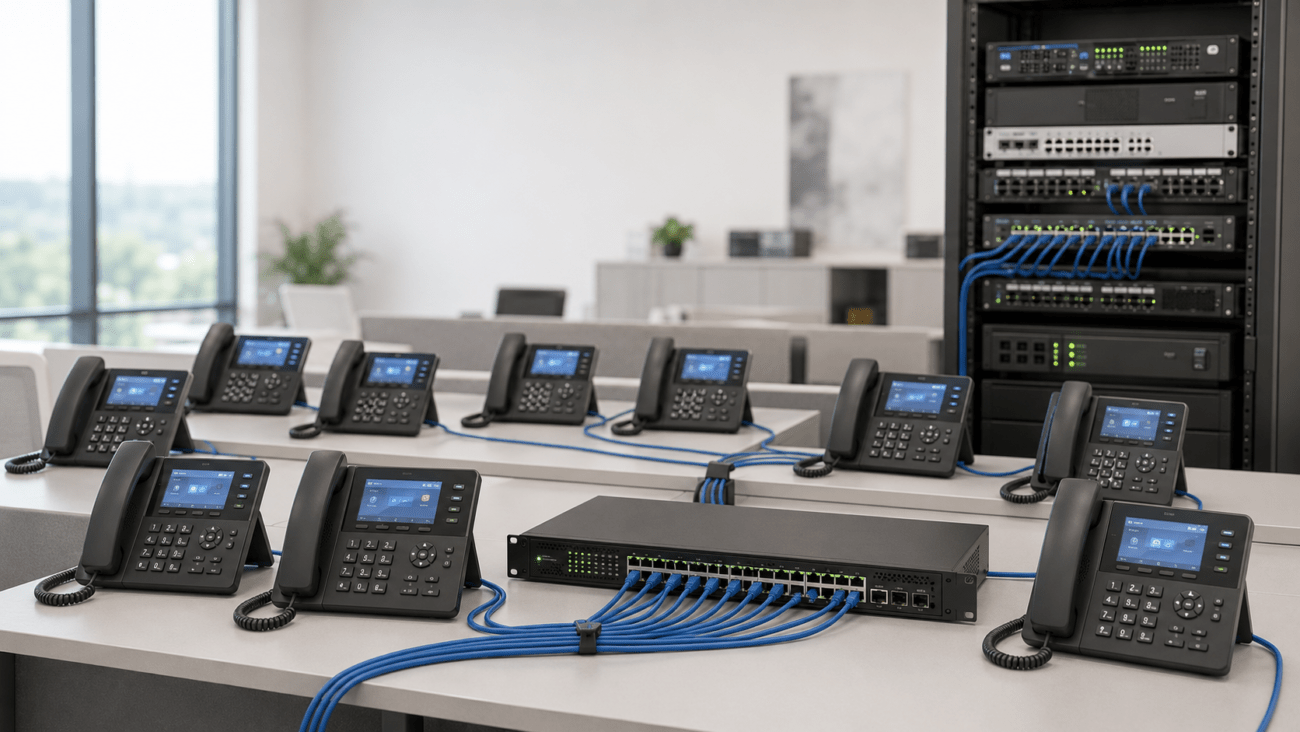
Even a phone that uses PoE depends on the network switch supplying that power. If the switch loses electricity, its connected phones can lose power simultaneously.
For businesses with multiple phones, protecting the central PoE switch with a UPS is often more practical than installing individual battery backups at every desk.
However, phones using separate AC adapters require their own protected power source unless they can be migrated to compatible PoE infrastructure.
2. Your PoE Switch Can Become a Single Point of Failure
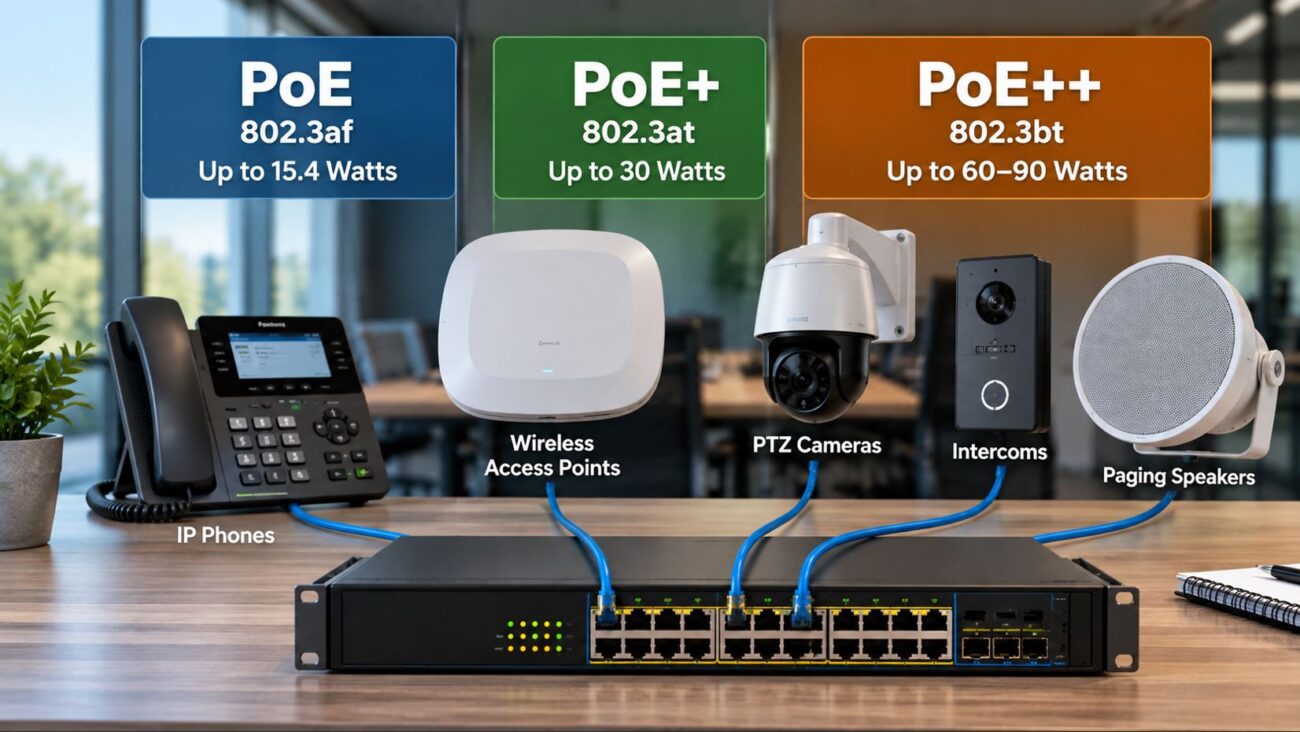
A PoE network switch provides both data connectivity and electrical power to compatible IP phones, wireless access points, intercoms, and other network devices.
During a power outage, an unprotected switch can disconnect every device it powers. A UPS can keep the switch operating temporarily, provided its battery capacity and output rating are sufficient.
Before selecting a backup system, check the switch’s actual electrical input requirements and its total PoE load. The maximum advertised PoE budget is not necessarily the amount of electricity the switch consumes in normal operation.
Recommended PoE Switch Considerations
- Number of IP phones and other PoE-powered devices
- PoE, PoE+, or PoE++ compatibility
- Total available PoE power budget
- Actual AC power consumption under load
- UPS output capacity and desired runtime
- Network management and monitoring features
For a small office, consider the Grandstream GWN7801P 8-Port Managed PoE Switch. Larger deployments may benefit from the Grandstream GWN7802P 16-Port Managed PoE Switch.
Both require a suitable UPS if they must continue operating without utility power.
3. Your Router and Modem May Shut Down
Keeping the IP phones and PoE switch powered is only part of the solution. Most hosted VoIP systems also depend on a router, firewall, and internet access equipment such as a cable modem or fiber optical network terminal (ONT).
If the router or modem shuts down, desk phones may remain powered but lose their connection to the hosted phone service.
For this reason, a business continuity plan should identify every device between the phone and the internet provider.
Critical equipment commonly includes:
- PoE switches
- Routers and firewalls
- Internet modems or fiber ONTs
- Local PBX servers or session border controllers, if installed
- Essential wireless access points
All equipment required for the intended backup calling path should receive appropriate backup power.
4. Internet Service May Fail Even When Your Equipment Has Power
A UPS cannot prevent every communications outage. An internet service provider may experience a separate power failure, damaged fiber, failed upstream equipment, or another network disruption.
That means an office with fully powered phones and networking equipment can still lose external calling capability.
Consider Internet Failover
Businesses with critical communications requirements should consider a secondary internet connection. Options may include:
- A second wired internet service from a separate provider
- A cellular 4G LTE or 5G backup connection
- A business router with dual-WAN or automatic failover support
For the strongest redundancy, evaluate whether the backup service shares infrastructure with the primary connection. Two services that depend on the same physical route may fail together.
Also verify that the backup connection supports the bandwidth, latency, firewall behavior, and voice traffic requirements of your VoIP deployment.
5. Incoming Calls May Still Reach Your Business Through the Cloud
One advantage of a hosted VoIP system is that incoming call handling does not necessarily depend on an operational office network.
Depending on the provider and configuration, incoming calls may be redirected to mobile phones, alternate offices, remote employees, or voicemail when office devices become unreachable.
Possible continuity features include:
- Automatic call forwarding during outages
- Simultaneous ringing on desk phones and mobile devices
- Mobile and desktop softphone applications
- Cloud-hosted auto attendants and voicemail
- Alternate answering locations
These capabilities depend on the provider’s service and must be configured and tested in advance.
Businesses evaluating hosted communications and continuity options can explore Axion Communications, which offers cloud-based business phone and unified communications services.
6. A UPS Can Provide Temporary Backup Power
An uninterruptible power supply (UPS) contains a battery and power-conversion electronics that provide temporary electricity when normal utility power is interrupted.
Depending on its design, a UPS can also provide surge protection and automatic voltage regulation to help protect sensitive communications equipment.
A UPS is not an unlimited power source. Runtime depends on the connected load, battery capacity, battery condition, operating temperature, and the UPS model.
UPS Capacity: VA vs. Watts
UPS units commonly display two ratings: volt-amperes (VA) and watts (W). Both matter when choosing equipment.
For example, a UPS rated at 900VA and 500W cannot support a continuous 600W load merely because its VA rating is higher than 600.
Choose a UPS whose watt and VA ratings accommodate the equipment, with reasonable capacity for startup behavior and future expansion.
Example: Small Office Backup-Power Calculation
Consider a small office with eight IP phones powered through a PoE switch, a router, and an internet modem.
| Equipment | Illustrative Power Draw |
|---|---|
| Eight IP phones | 48W total |
| PoE switch overhead | 25W |
| Router/firewall | 15W |
| Internet modem/ONT | 12W |
| Total estimated load | 100W |
These figures are illustrative, not measurements of specific products. Actual power requirements must be confirmed from manufacturer specifications or direct measurement.
In this example, the backup system would need to support approximately 100W of continuous load. A UPS rated for substantially more than 100W provides useful headroom, but its actual battery runtime at 100W must still be checked against the manufacturer’s runtime chart.
For example, the Minuteman EN900LGU 900VA/500W UPS is one option for compatible small-office equipment. For a line-interactive alternative, consider the Minuteman ETR1350LGU 1350VA/810W UPS.
Compare output waveform compatibility, battery-backed outlet count, installation requirements, and published runtime curves before purchasing.
7. Emergency Calling May Be Affected
Emergency calling deserves special attention when planning a business phone system for power outages.
If a VoIP phone loses its network connection, it may be unable to place a 911 call. Even when calling remains available through a mobile application or alternate location, emergency location information may not automatically reflect the caller’s current physical location.
Businesses should review their provider’s emergency calling procedures, registered location information, and applicable requirements. Staff should also know what alternate calling methods are available during an outage.
Never assume a UPS or cloud phone service alone guarantees uninterrupted emergency calling.
Business Phone System Backup Options Compared
| Backup Solution | Primary Benefit | Limitation |
|---|---|---|
| UPS battery backup | Keeps protected local equipment powered temporarily | Limited battery runtime |
| PoE switch connected to UPS | Protects power and network connectivity for multiple IP phones | Other network components also need power |
| Dual-WAN router | Can switch between internet connections | Requires a functioning secondary connection |
| Cellular internet failover | Provides an alternative WAN connection | Coverage, capacity, and congestion may affect call quality |
| Hosted VoIP call forwarding | Can redirect incoming calls away from an unavailable office | Provider-dependent; does not restore local phone power |
| Generator | Can support longer outages when properly sized | Requires safe installation, fuel, and maintenance |
Recommended Equipment for VoIP Power-Outage Protection
The right equipment depends on the size of your deployment, connected load, and required operating time.
Small Office: Minuteman EN900LGU UPS
The Minuteman EN900LGU is a 900VA/500W standby UPS designed for desktop backup-power applications. It may suit a small network installation when its outlet configuration, load capacity, and runtime match the requirements.
Office Network: Minuteman ETR1350LGU UPS
The Minuteman ETR1350LGU provides a 1350VA/810W rating and line-interactive automatic voltage regulation. It is worth considering for offices with additional network equipment or greater load requirements.
Small PoE Deployment: Grandstream GWN7801P
The Grandstream GWN7801P is an eight-port managed PoE switch suitable for consideration in small business networks. Confirm each phone’s PoE requirements and the switch’s aggregate power budget.
Growing Office: Grandstream GWN7802P
The Grandstream GWN7802P offers 16 Gigabit Ethernet ports and managed networking capabilities. A larger deployment should account for the power consumed by all connected PoE devices when selecting a UPS.
None of these products independently guarantees uninterrupted calling. They must be deployed as part of a complete, properly configured communications system.
Power-Outage Preparation Checklist for Businesses
- Identify every device required for VoIP calling.
- Document the actual power requirements of each device.
- Check the total PoE load and switch power budget.
- Choose UPS capacity based on watts, VA, and required runtime.
- Connect essential equipment to battery-backed UPS outlets.
- Confirm that the internet provider’s equipment can operate during outages.
- Evaluate secondary internet connectivity.
- Configure provider-supported call forwarding and mobile calling.
- Review emergency calling and location procedures.
- Test the backup system periodically and replace aging batteries as needed.
For additional preparedness guidance, review the Ready.gov business emergency planning resources, which address communications planning, business continuity, and IT disaster recovery.
Troubleshooting VoIP Phones After a Power Outage
Phones Have No Power
Check whether the PoE switch or power adapter is receiving electricity. Inspect the UPS battery status and verify that the equipment is connected to a battery-backed outlet rather than a surge-only outlet.
Phones Turn On but Show Unregistered
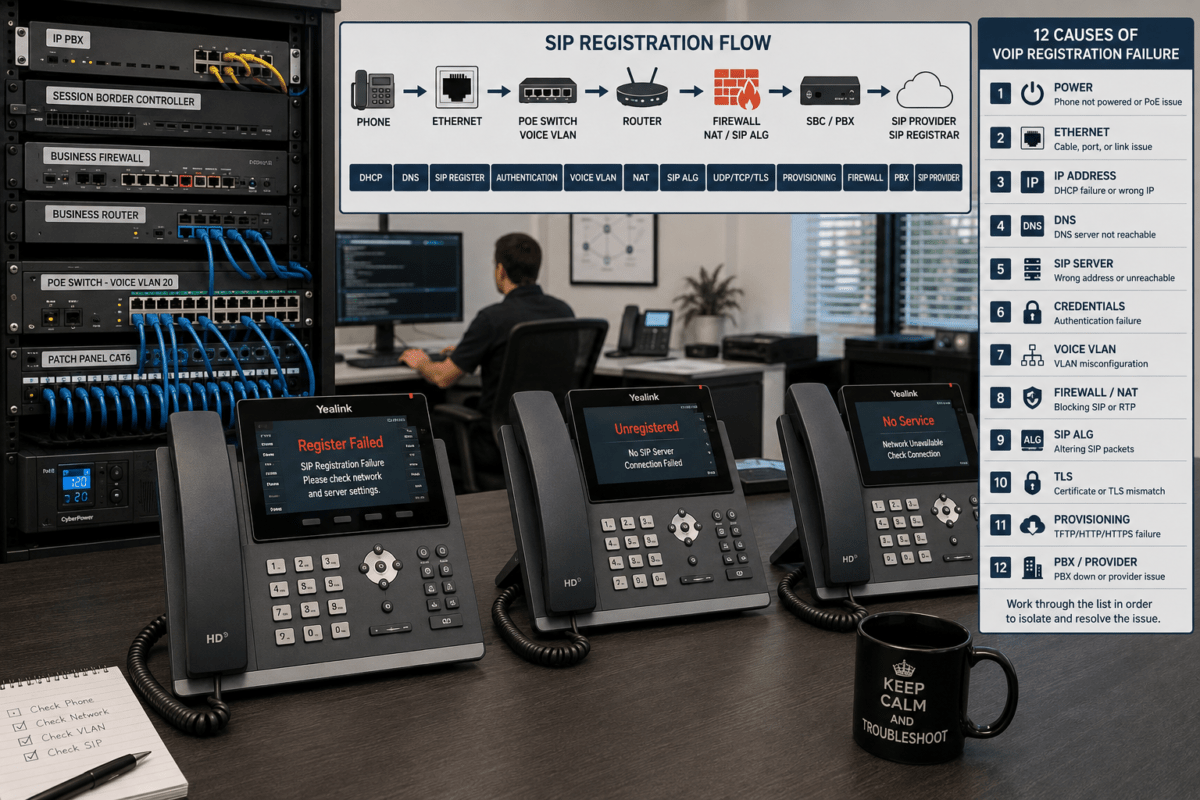
Verify that the router, modem, and internet connection are operational. Confirm DNS connectivity and that the phone can reach its configured SIP service. Avoid factory resetting phones before checking the network and provisioning status.
Internal Calls Work but External Calls Fail
Determine whether the system uses a local PBX or hosted VoIP service. Check WAN connectivity, SIP trunk registration, and provider service status. Local extension-to-extension calling may continue on some on-premises systems even when external connectivity is unavailable.
Phones Restart When the UPS Switches to Battery
Check for UPS overload, depleted batteries, incompatible power requirements, and transfer-time sensitivity. Some equipment may require a UPS with a different output waveform or power-conversion design.
Internet Returns but Calls Still Fail
Check the router and firewall, confirm the correct network configuration, and review phone registration status. If necessary, restart equipment in the sequence recommended by the manufacturers and VoIP provider.
Frequently Asked Questions
Do VoIP phones work without electricity?
Most desk-based VoIP phones require electrical power. They can continue operating during a local outage when the phone and all necessary network equipment receive suitable backup power and the calling service remains available.
How long will a UPS keep my business phones working?
Runtime varies with battery capacity, connected equipment, and battery condition. Check the UPS manufacturer’s runtime chart at your actual electrical load rather than relying on its VA rating alone.
Can one UPS power an entire VoIP phone system?
Potentially, for a small deployment with centralized PoE and a suitably sized UPS. The backup must also cover essential routers, modems, and any local call-control equipment.
Will my cloud phone system still receive calls if the office loses power?
Often, yes. A hosted provider may continue processing incoming calls and route them to voicemail, mobile phones, or other destinations. The exact behavior depends on provider capabilities and configuration.
Is a UPS enough to guarantee uninterrupted VoIP service?
No. A UPS protects against local electrical interruptions for a limited time. Internet outages, equipment failures, and provider disruptions may still interrupt calling.
What is the best backup solution for a small business phone system?
A practical starting point is a correctly sized UPS protecting the PoE switch, router, and modem, combined with hosted call-forwarding capabilities. Businesses with stricter availability requirements should also evaluate redundant internet connectivity.