Meet the New Yealink IP Phones: T7 & T8 Series Buying Guide for 2026

Meet the New Yealink IP Phones: T7 & T8 Series Buying Guide for 2026
Yealink’s latest generation of business IP phones gives organizations new options for modernizing the traditional office desk phone. The T7 and T8 families offer models ranging from practical everyday SIP phones to premium touchscreen phones designed for executives and high-volume business users.
For businesses currently using older Yealink T4 or T5 Series phones, the new lineup also raises an important question: which new Yealink phone is the right upgrade?
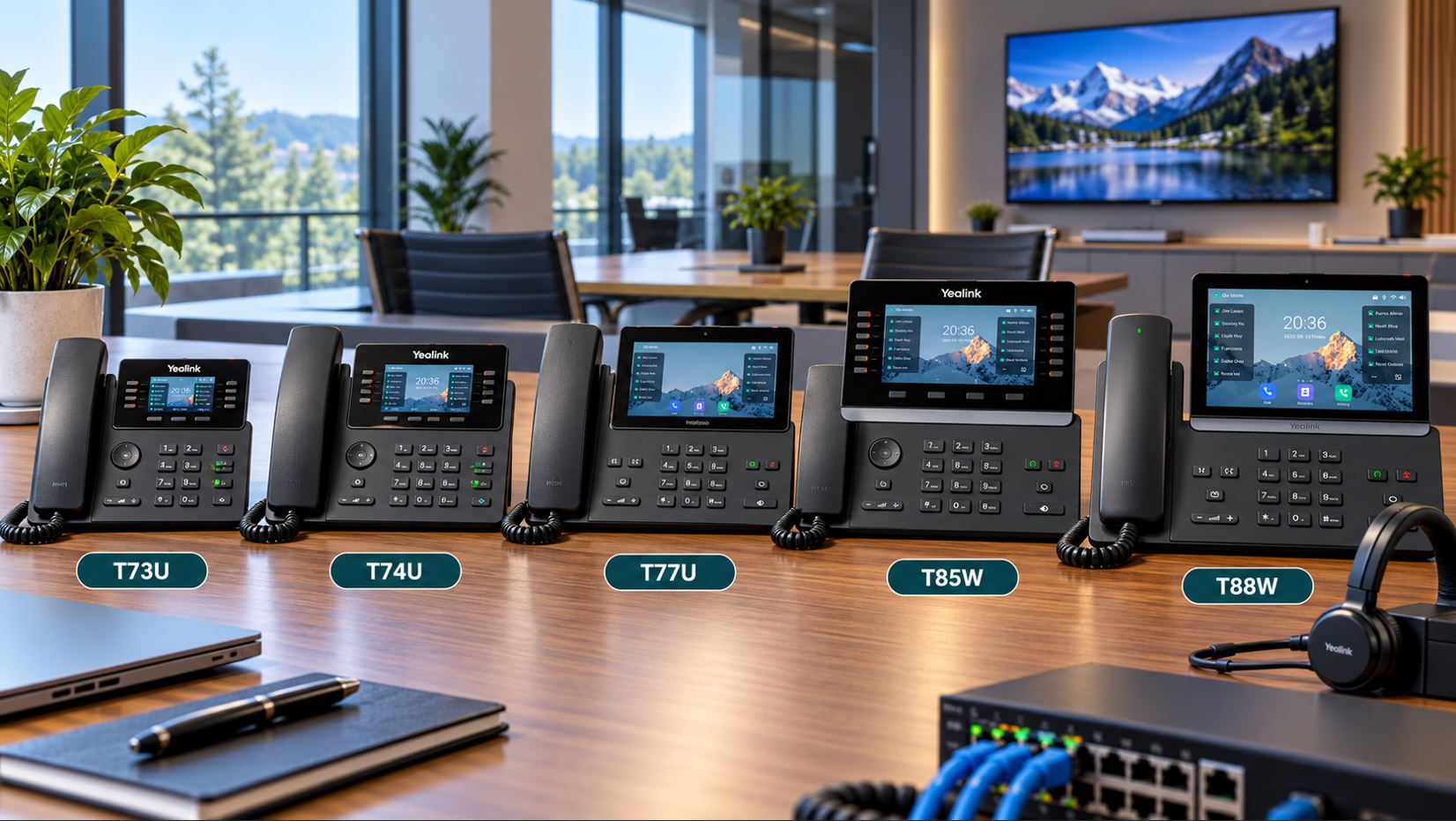
In this guide, we’ll compare the Yealink T73U, T73W, T74U, T74W, T77U, T85W, T87W and T88 Series and explain where each model fits in a modern business VoIP deployment.
Yealink T7 and T8 Series at a Glance
The T7 family provides options for general office users, managers and power users, while the T8 family moves further into premium professional and executive phone territory.
| Model | Best Fit | Position |
|---|---|---|
| Yealink T73U | General office users | Essential business phone |
| Yealink T73W | Users needing integrated wireless connectivity | Wireless-capable business phone |
| Yealink T74U | Professionals and managers | Midrange professional phone |
| Yealink T74W | Managers and professionals | Wireless professional phone |
| Yealink T77U | Executives and power users | Premium T7 phone |
| Yealink T85W | Busy professionals and executives | Premium T8 phone |
| Yealink T87W | Executives and high-volume users | High-end professional phone |
| Yealink T88W Pro | Premium offices and executives | Smart touchscreen business phone |
What’s Different About the New Generation?
The T7 and T8 phones aren’t simply cosmetic replacements for older Yealink models. The new generation incorporates newer hardware and software architecture while maintaining the SIP functionality businesses expect from an enterprise desk phone.
Depending on the model, features include updated Linux-based platforms, hardware security features, multiple SIP accounts, Power over Ethernet, USB connectivity, headset integration, Wi-Fi, Bluetooth, expansion-module support and larger color or touchscreen displays.
For IT departments, another important consideration is platform consistency. Several of the newer models share Yealink’s unified firmware architecture, which can make a mixed-model deployment easier to manage than maintaining unrelated generations of endpoints.
Yealink T73U and T73W: Everyday Business Phones
The Yealink T73U is a logical starting point for organizations that need dependable business phones across a large number of desks.
It features a 2.8-inch 320 × 240 backlit display, Linux 6.1 platform, support for up to 12 SIP accounts, Power over Ethernet and support for headsets and EHS. It also supports Yealink expansion modules and optional wireless connectivity accessories.
That combination makes the T73U particularly attractive for organizations that want a modern business endpoint without paying for a large touchscreen or features that general office employees may never use.
Who Should Consider the T73U?
- General office employees
- Administrative staff
- Customer-service desks
- Small and midsize businesses
- Large deployments where endpoint cost matters
For organizations that want wireless capabilities integrated into the phone, the Yealink T73W adds built-in Bluetooth and Wi-Fi while retaining the same general 2.8-inch display and up-to-12-SIP-account positioning.
Yealink T74U and T74W: A Step Up for Professionals
The T74 family occupies an important middle position in Yealink’s new lineup.
The Yealink T74U supports up to 16 SIP accounts, PoE, USB headsets, EHS and color-screen expansion modules. This makes it suitable for professionals who need greater call-handling capability without moving all the way to a large touchscreen executive phone.
The Yealink T74W adds built-in Bluetooth and Wi-Fi. It also supports the Yealink EHS40 wireless headset adapter and can work with EXP55 color-screen expansion modules.
Where the T74 Series Makes Sense
- Managers and supervisors
- Sales professionals
- Office administrators
- Users who spend substantial time on the phone
- Businesses deploying wireless headsets
Yealink T77U: Premium T7 Touchscreen Phone
The Yealink T77U moves the T7 family into premium territory.
It features a 7-inch 800 × 480 color touchscreen, support for up to 16 SIP accounts, dual-port Gigabit Ethernet, dual USB ports, PoE and headset/EHS support. Wi-Fi can be added using the WF50 adapter, while Bluetooth can be added through a compatible adapter.
The larger interface makes the T77U particularly useful for employees who manage multiple lines, contacts and programmable functions throughout the workday.
Good Applications for the T77U
- Executives
- Department managers
- Administrative personnel
- High-volume phone users
- Employees monitoring multiple extensions
Yealink T85W: Moving Into the T8 Series
The Yealink T85W moves the lineup into the T8 family and targets busy professionals and executive users.
This class of phone combines the traditional business desk-phone experience with a larger interface and broader connectivity options. It is particularly appropriate for users who spend much of the workday managing calls, contacts, lines and programmable functions.
Note: Telecom-Store.com carries products and accessories that identify compatibility with the T85W, but a dedicated T85W product page could not be reliably verified during this article update. A direct product link has therefore not been inserted here.
Yealink T87W: Built-In Wireless Connectivity
The Yealink T87W is a higher-end option with built-in Bluetooth and Wi-Fi.
It supports up to 16 SIP accounts, Power over Ethernet, USB headsets, EHS and color-screen expansion modules. For organizations that want premium functionality without relying on separate wireless adapters, the integrated connectivity can simplify deployment.
The T87W is particularly well suited to executives, senior managers and other users for whom the desk phone remains a primary communications tool.
Yealink T88W Pro: Premium Smart Business Phone
At the upper end of the lineup is the Yealink T88W Pro.
The T88W Pro uses Android 13 and features a 7-inch 1024 × 600 adjustable capacitive touchscreen. It supports 16 VoIP accounts, dual-port Gigabit Ethernet, PoE, Bluetooth 5.0, dual-band Wi-Fi and two USB ports.
It also supports up to three Yealink EXP55 expansion modules and can be used with Yealink’s BTH88 Bluetooth handset.
This makes the T88W Pro a compelling choice for executive offices, premium reception environments and users who prefer a touchscreen-oriented interface rather than a conventional button-driven SIP phone.
Headset Integration
Headset compatibility is increasingly important as employees spend more time on calls and move between desk phones, computers and collaboration applications.
The new Yealink phones provide multiple headset options depending on the model, including traditional headset connections, EHS, USB and Bluetooth.
Businesses should verify compatibility between the exact phone, headset and connection method before purchasing equipment for a large deployment.
Expansion Modules and Programmable Keys
Receptionists, administrative assistants, dispatchers and supervisors frequently need to monitor many extensions or maintain numerous speed-dial and BLF keys.
Several T7 and T8 models support Yealink’s EXP55 color expansion module. The EXP55 provides additional programmable buttons for functions such as BLF, speed dialing, call parking, forwarding, transfers and conference functions.
Organizations with high-volume call-handling requirements should consider expansion capability when choosing between models rather than looking only at display size.
Should You Replace Your T5 Series Phones?
Not necessarily.
Existing phones such as the Yealink T53W, T54W and T57W can remain capable business endpoints. A functioning T5 Series deployment does not become unusable simply because newer models are available.
The business case for upgrading becomes stronger when an organization is replacing aging equipment, adding employees, standardizing hardware, improving headset integration or building a new VoIP deployment.
For a new installation in 2026, however, businesses should evaluate the newer T7 and T8 models before automatically specifying an older-generation endpoint.
Which New Yealink Phone Should You Choose?
| If You Need… | Consider |
|---|---|
| A practical everyday business phone | Yealink T73U |
| Everyday functionality with integrated wireless connectivity | Yealink T73W |
| A professional manager-level phone | Yealink T74U |
| A professional phone with built-in Wi-Fi and Bluetooth | Yealink T74W |
| A premium T7 touchscreen phone | Yealink T77U |
| A premium T8 business phone | Yealink T85W |
| A high-end phone with integrated Wi-Fi and Bluetooth | Yealink T87W |
| A premium Android touchscreen business phone | Yealink T88W Pro |
Before You Buy a New Yealink Phone
Choosing the phone itself is only part of a successful VoIP deployment. Before ordering, verify that the exact model is supported by your VoIP provider or PBX platform.
Businesses should also confirm requirements for SIP accounts, Power over Ethernet, wired or wireless networking, headsets, expansion modules and provisioning.
If you’re uncertain whether a particular phone will work with your service, read our guide: Will This VoIP Phone Work With My Provider?
Standardizing on a smaller number of phone models can also simplify provisioning, firmware management, employee training and spare-equipment inventory.
Final Thoughts
Yealink’s T7 and T8 families give businesses a broad selection of newer-generation IP phones spanning everyday office users through premium executive workstations.
For many organizations, the T73 and T74 families will cover a large percentage of employees. The T77U provides a logical upgrade for users who benefit from a larger touchscreen, while the T85W, T87W and T88 family address increasingly demanding professional and executive environments.
The best approach is to match each phone to the user’s actual workflow rather than simply purchasing the model with the largest display or longest feature list.
Explore the models linked throughout this guide at Telecom-Store.com and compare the features required for your business VoIP deployment.