VoIP QoS Configuration: How to Prioritize Voice Traffic on Business Networks in 2026
Voice over Internet Protocol places telephone calls on the same network used by computers, cloud applications, security cameras, file transfers, and video meetings. Although this shared infrastructure reduces complexity, it also means that business calls must compete with other applications for available bandwidth.
A large download or cloud backup may tolerate a brief delay without anyone noticing. A voice conversation cannot. Even minor interruptions can cause choppy audio, delayed speech, robotic voices, or dropped calls.
Quality of Service, commonly called QoS, helps prevent these problems by identifying voice traffic and giving it preferential treatment when a network connection becomes congested. However, effective VoIP QoS configuration requires more than selecting a “voice priority” option on a switch. Administrators must coordinate traffic classification, packet marking, queuing, bandwidth management, voice VLANs, and WAN-edge policies throughout the network.
This guide explains how to prioritize voice traffic across a modern business network and how to avoid the configuration mistakes that commonly undermine call quality.
What Is QoS for VoIP?
Quality of Service is a collection of network-management techniques used to classify traffic and determine how different traffic classes are handled. A QoS policy may prioritize delay-sensitive voice packets while allowing less urgent traffic, such as software updates or file downloads, to wait briefly during congestion.
QoS does not create additional bandwidth. Instead, it determines which packets receive access to limited bandwidth first.
A complete VoIP QoS policy normally performs several functions:
Identifies voice media, call signaling, video, and ordinary data traffic.
Assigns packet markings that indicate the desired service class.
Places packets into appropriate hardware or software queues.
Reserves sufficient bandwidth for active calls.
Limits lower-priority applications when a connection becomes congested.
Preserves or validates QoS markings between network devices.
Monitors packet loss, delay, jitter, and queue utilization.
QoS becomes most important at congestion points, especially internet uplinks, WAN connections, VPN tunnels, wireless networks, and lower-speed links between offices.
Why Voice Traffic Requires Priority
VoIP audio is transmitted as a continuous stream of small packets, typically using the Real-time Transport Protocol, or RTP. Those packets must arrive at the receiving endpoint in the correct sequence and within a narrow timing window.
Four network conditions have a particularly strong effect on call quality.
Latency
Latency is the time required for voice traffic to travel between callers. Excessive latency creates noticeable conversational delay and causes participants to speak over one another.
Jitter
Jitter is variation in packet arrival times. VoIP endpoints use jitter buffers to compensate for small variations, but excessive jitter can still produce distorted or interrupted audio.
Packet Loss
Packet loss occurs when network devices discard packets because of congestion, errors, weak wireless coverage, or other problems. Voice applications can conceal limited packet loss, but sustained loss often produces missing words and robotic audio.
Congestion
Congestion occurs when traffic attempts to exceed the capacity of a network interface. Without QoS, a router may treat a voice packet the same way it treats a large file-transfer packet. That can delay or discard voice traffic at precisely the moment when timely delivery matters most.
How VoIP QoS Works
A well-designed QoS system follows a sequence of classification, marking, queuing, and forwarding.
QoS Function
Purpose
VoIP Example
Classification
Identifies the type of traffic
Recognizes RTP media from an IP phone
Marking
Adds a priority value to the packet
Marks voice media as DSCP EF
Queuing
Places traffic into an appropriate queue
Sends voice to a low-latency priority queue
Scheduling
Determines which queue transmits first
Forwards voice before routine data during congestion
Shaping
Controls the transmission rate
Shapes WAN traffic below the provider’s actual rate
Policing
Limits traffic that exceeds a defined allowance
Prevents untrusted endpoints from abusing the voice class
Packet marking alone does not guarantee priority. Every relevant network device must be configured to recognize the marking and place the packet into the intended queue.
Use DSCP to Identify Voice Traffic
Differentiated Services Code Point, or DSCP, is a six-bit field in the IP header that network devices can use to classify packets. Because DSCP operates at Layer 3, its markings can pass through routed portions of a business network when devices and service providers preserve them.
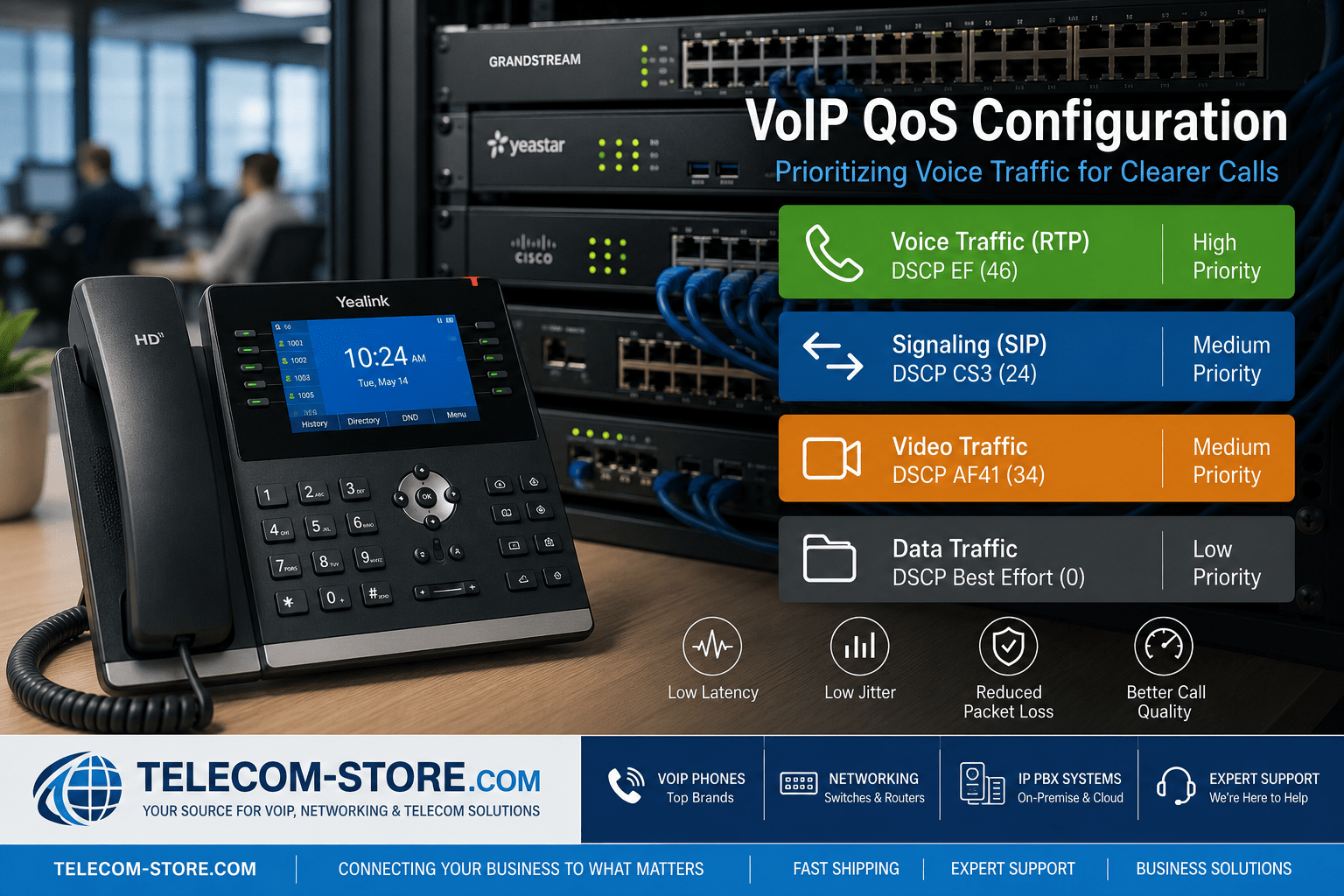
The commonly used marking for VoIP media is DSCP EF, which has a decimal value of 46. EF stands for Expedited Forwarding and is intended for traffic requiring low delay, low jitter, and controlled packet loss.
Call-signaling traffic is normally placed in a separate class from the RTP audio stream. Depending on the equipment, service design, and adopted QoS model, signaling may use CS3, CS5, AF31, or another designated class. Administrators should verify the recommendations of the IP PBX, endpoint, switch, router, and service provider rather than assuming that every vendor uses the same signaling value.
Traffic Type
Common DSCP Treatment
Purpose
VoIP audio or RTP
EF, decimal 46
Low-latency voice delivery
Call signaling
Often CS3 or CS5
Call setup and control
Interactive video
Frequently AF41 or another video class
Managed bandwidth with low delay
Network control
Vendor- and policy-specific
Protects essential routing and network services
Ordinary business data
Best effort, DSCP 0
Standard treatment
Backups and bulk transfers
Lower-priority class
Allows delay during congestion
The IETF’s DiffServ service-class guidelines recommend EF treatment for telephony traffic. Nevertheless, businesses should test the complete path because an internet provider may rewrite or ignore DSCP markings outside the customer-controlled network.
Establish a QoS Trust Boundary
A trust boundary defines where the network begins accepting packet markings from connected devices.
Blindly trusting every device is risky. A computer, application, or misconfigured endpoint could mark ordinary traffic as high priority and consume the voice queue. Conversely, clearing every marking at every switch can remove legitimate QoS values applied by properly configured IP phones.
A common business design is to trust markings from approved IP phones while treating computer-generated markings as untrusted. A managed switch may identify the phone through LLDP-MED, a voice VLAN assignment, an organizationally unique identifier, an access-control policy, or a manually configured switch port.
When a computer connects through the phone’s pass-through Ethernet port, the switch should distinguish the phone’s voice traffic from the computer’s data traffic rather than trusting both equally.
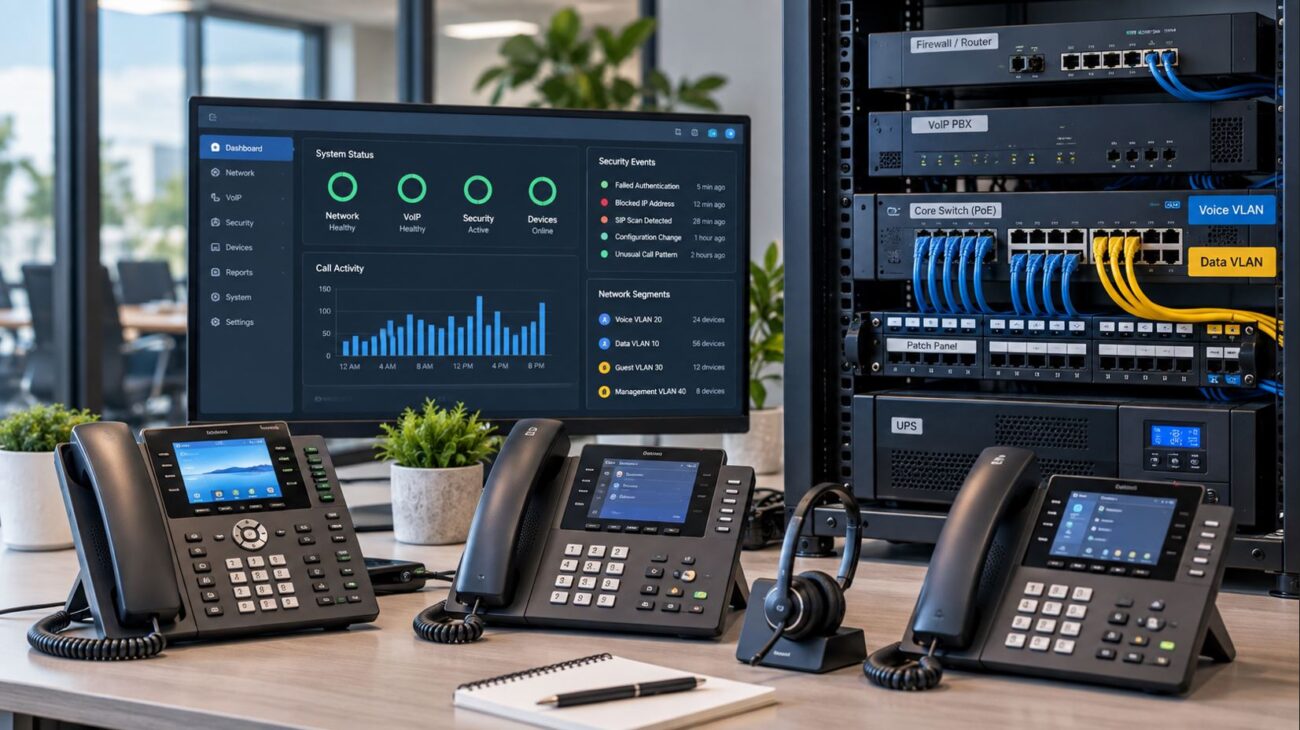
Separate Voice Traffic with a Voice VLAN
A voice VLAN places IP phones in a logical network that is separate from computers and other devices. It does not automatically guarantee call quality, but it makes QoS, security, addressing, troubleshooting, and traffic control easier to manage.
A typical office port may carry:
An untagged data VLAN for the connected computer.
A tagged voice VLAN for the IP phone.
QoS rules that trust or remark traffic originating from the phone.
Managed switches may communicate the voice VLAN to compatible phones through LLDP-MED. Other environments use DHCP options, vendor-specific discovery protocols, or manual phone configuration.
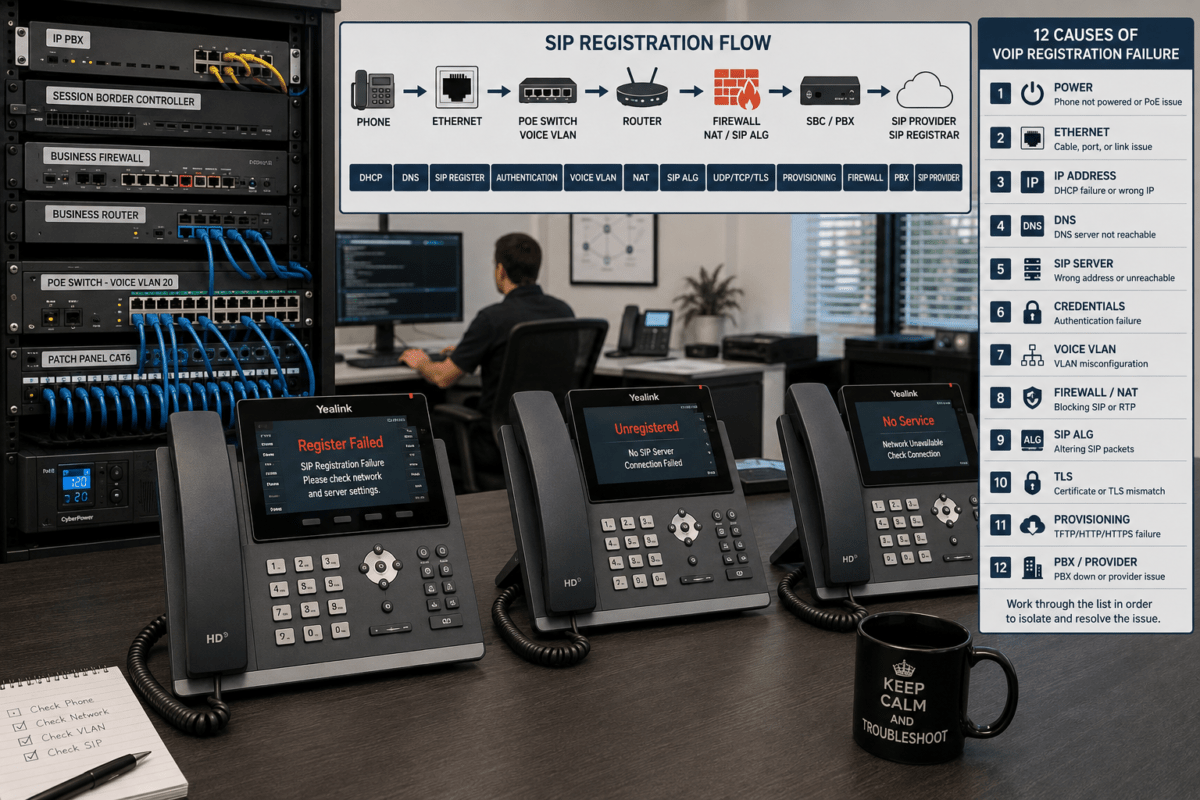
The voice VLAN should also have appropriate DHCP, DNS, gateway, firewall, routing, and IP PBX access. Assigning phones to a VLAN without providing these services can prevent registration even though the Ethernet connection appears functional.
The internet or WAN uplink is often the most important place to configure QoS because it is commonly the narrowest connection in the network.
A gigabit Ethernet switch may forward internal traffic without congestion, while the office has a much slower internet upload connection. When cloud backups, security cameras, large email attachments, or file transfers fill that uplink, outgoing voice packets may become delayed or discarded.
Set the Correct Available Bandwidth
Configure the router or firewall using realistic measured throughput rather than the provider’s advertised maximum. A connection sold as 100 Mbps may deliver a lower sustained rate.
Traffic shaping is often set slightly below the actual available bandwidth so the business router—not the internet provider’s upstream equipment—controls the queue. When congestion occurs inside the router, the local QoS policy can prioritize voice. When congestion occurs upstream, the business may have little or no control over packet treatment.
Create a Low-Latency Voice Queue
Place legitimate RTP traffic into a priority or low-latency queue. The queue should receive enough bandwidth for the expected number of simultaneous calls, but it should not be unlimited.
An unrestricted priority queue can starve other applications if a device is compromised or incorrectly marks large amounts of traffic as voice. Apply admission control, bandwidth limits, or policing where appropriate.
Classify Signaling Separately
SIP signaling requires reliable delivery, but it uses substantially less bandwidth than the audio stream. Place signaling in an appropriate high-priority class without necessarily giving it the same strict-priority treatment as RTP.
Control Bulk Applications
Backups, operating-system updates, cloud synchronization, large uploads, and recreational streaming can be placed in lower-priority queues. These applications can usually tolerate a brief delay without affecting business operations.
Calculate the Bandwidth Needed for VoIP Calls
Codec bitrate alone does not represent the full bandwidth used by a call. Each packet also includes IP, UDP, RTP, Ethernet, and potentially VPN or tunneling overhead.
As a practical planning estimate, many G.711 deployments consume roughly 80 to 100 Kbps per call in each direction after protocol overhead. Compressed codecs can use less bandwidth, although actual consumption depends on packetization interval, transport, security, and network encapsulation.
Use the following planning process:
Determine the maximum expected number of simultaneous calls.
Identify the codec and packetization interval.
Include Ethernet, IP, UDP, RTP, security, and VPN overhead.
Calculate upload and download requirements separately.
Add capacity for signaling and operational variation.
Reserve additional headroom rather than operating the link at full utilization.
Concurrent Calls
Approximate G.711 Planning Allowance
Suggested Voice Reservation with Headroom
5
Approximately 0.4–0.5 Mbps
At least 0.75 Mbps
10
Approximately 0.8–1.0 Mbps
At least 1.5 Mbps
25
Approximately 2.0–2.5 Mbps
At least 3.5 Mbps
50
Approximately 4.0–5.0 Mbps
At least 7 Mbps
These figures are planning estimates rather than universal guarantees. Measure traffic in the actual environment and confirm codec behavior with the telephone system or service provider.
Apply QoS Across the Complete Call Path
QoS is only as effective as the weakest congestion point. A complete deployment may involve:
The IP phone.
The access switch.
The distribution or core switch.
The router or firewall.
A session border controller.
A VPN or SD-WAN appliance.
The internet service provider.
The SIP trunk or hosted VoIP provider.
Confirm that each device preserves, remarks, or maps the intended values correctly. A switch may honor DSCP while a firewall clears it. A VPN tunnel may copy the inner marking to the outer packet—or it may not. An ISP may ignore QoS markings entirely once traffic enters the public internet.
QoS provides the most predictable results on networks that the business controls or on managed WAN services with an agreed service policy. Public-internet VoIP can still perform well, but DSCP does not create an end-to-end service guarantee across independent networks.
QoS for Wi-Fi VoIP Phones
Wireless voice introduces additional considerations because devices compete for radio airtime rather than simply sharing Ethernet bandwidth.
Wi-Fi Multimedia, or WMM, defines access categories for voice, video, best-effort traffic, and background traffic. The wireless infrastructure should map trusted voice traffic into the voice access category instead of relying only on wired DSCP behavior.
Effective wireless VoIP also depends on:
Strong and consistent signal coverage.
Low channel interference.
Appropriate channel width and transmit power.
Sufficient access-point density.
Fast roaming support where compatible.
Reliable backhaul connectivity.
Proper DSCP-to-WMM mapping.
QoS cannot correct poor RF design. A phone with weak signal strength or repeated roaming failures may have call-quality problems even when packet prioritization is configured correctly.
Example VoIP QoS Deployment
Consider a business with 30 employees, 25 desk phones, several wireless handsets, cloud applications, IP cameras, and a 200 Mbps download by 20 Mbps upload internet connection.
A practical design could include:
A dedicated voice VLAN for desk phones and compatible wireless voice devices.
LLDP-MED to provide the VLAN assignment to supported phones.
DSCP EF marking for approved RTP media.
A separate class for SIP or other call-signaling traffic.
Lower priority for backups, software updates, and bulk uploads.
Monitoring for packet loss, jitter, latency, and queue drops.
A UPS for the IP PBX, router, firewall, switches, and internet equipment.
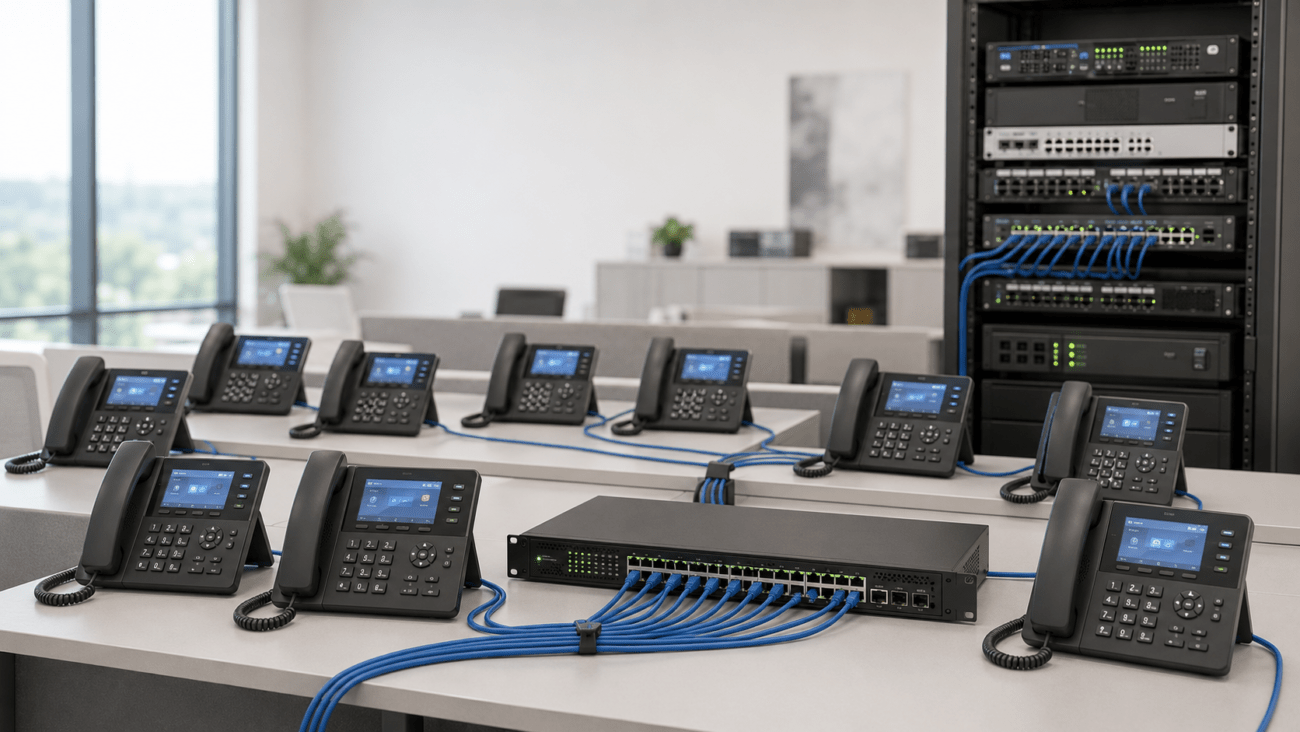
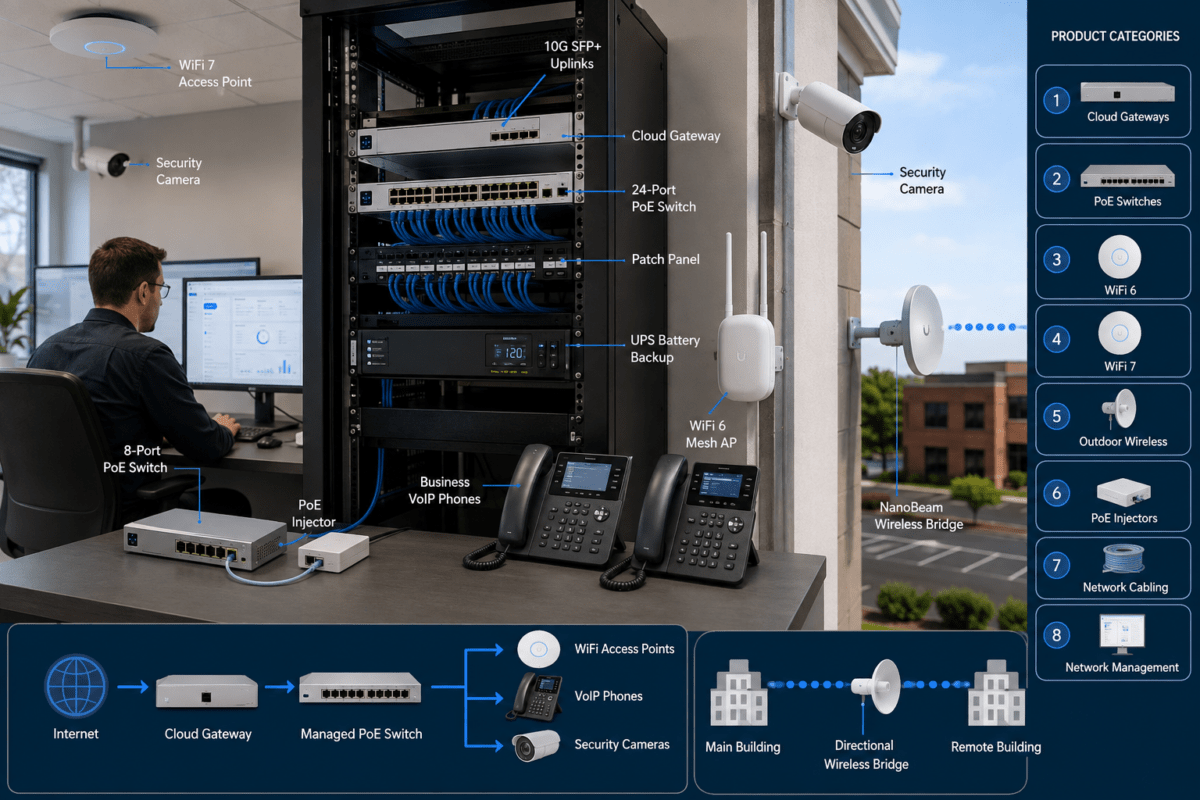
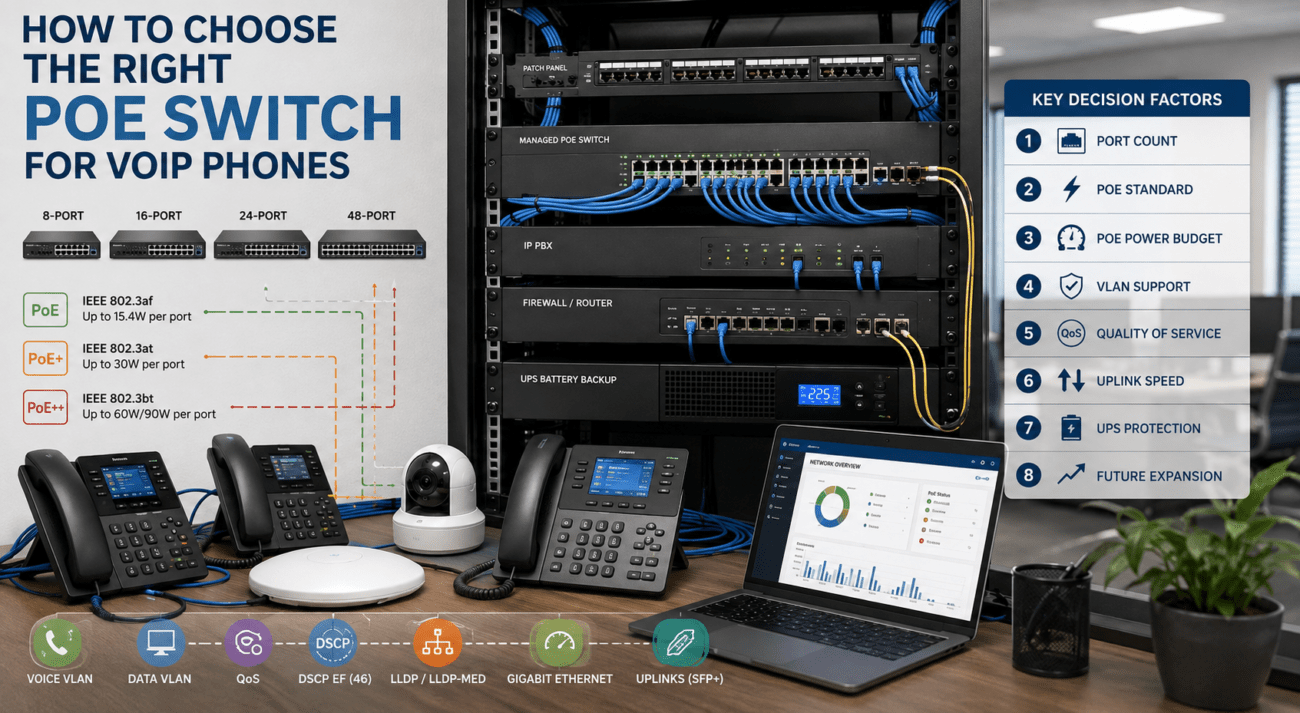
The network could use a 24-port managed PoE switch to power phones and apply VLAN and QoS policies. The exact switch model should be selected according to PoE budget, port count, uplink capacity, management features, and compatibility with the rest of the network.
For an on-premises deployment, a system such as the Grandstream GCC6020 Network Switch with IP PBX and Firewall may be suitable for a smaller installation when its supported users, concurrent-call capacity, licensing, and interface requirements match the project. Larger environments should size the PBX according to actual extension count, call volume, trunking requirements, recording, conferencing, and expected growth.
Endpoints such as the Yealink SIP-T85W business phone support modern IP networking features, but the phone, switch, PBX, and router must still be configured as a coordinated system. Purchasing a QoS-capable phone does not automatically prioritize traffic throughout the network.
Recommended VoIP QoS Configuration Checklist
Document the physical and logical network topology.
Identify every likely congestion point.
Measure actual internet upload and download throughput.
Determine the maximum number of concurrent calls.
Confirm the codecs used by the PBX or provider.
Create a dedicated voice VLAN where appropriate.
Define a clear QoS trust boundary.
Mark legitimate RTP media with the approved voice value.
Classify call signaling separately.
Configure priority queuing at the WAN edge.
Shape traffic below the actual provider rate when necessary.
Restrict or police untrusted high-priority markings.
Verify QoS treatment inside VPN and SD-WAN tunnels.
Confirm wireless WMM mappings for Wi-Fi phones.
Test calls while intentionally loading the network.
Monitor packet loss, delay, jitter, and queue drops.
Document every setting before deployment.
How to Test a VoIP QoS Policy
Testing should simulate the network conditions under which QoS is supposed to help. A call made on an otherwise idle network does not prove that prioritization is working.
Establish a Baseline
Record latency, jitter, packet loss, call quality, link utilization, and active codec information while the network is lightly loaded.
Create Controlled Congestion
Generate an approved upload or download that approaches the capacity of the internet connection. Avoid disrupting production users unless testing has been scheduled.
Place Test Calls
Make internal and external calls while the link is busy. Listen for one-way audio, delay, clipping, distortion, and dropped speech.
Inspect Queues and Counters
Confirm that voice packets enter the intended queue. Review transmitted packets, dropped packets, policing actions, queue depth, and interface utilization.
Capture Packets
Use a packet-analysis tool or switch-port mirror to confirm that RTP and signaling packets carry the expected DSCP markings at multiple points in the network.
Repeat in Both Directions
Upload congestion and download congestion are different. A business router usually has more direct control over outgoing traffic than incoming internet traffic, so test both directions.
Common VoIP QoS Mistakes
Enabling QoS Only on the Phone
A phone may mark its packets correctly, but those markings accomplish little unless switches, routers, and firewalls act on them.
Configuring QoS Only on the LAN Switch
Many networks have abundant internal capacity but limited internet upload bandwidth. The WAN interface is frequently the actual bottleneck.
Trusting Every Endpoint
Unrestricted trust allows computers and applications to place ordinary data into high-priority queues. Establish a controlled trust boundary.
Giving Voice Unlimited Priority
Voice needs predictable priority, not unrestricted access to all bandwidth. Apply limits that protect the rest of the network and prevent abuse.
Using Advertised Internet Speed
QoS shaping based on an unrealistic provider rate may allow congestion to occur in equipment outside the organization’s control. Measure actual sustained throughput.
Ignoring the Upload Connection
Many business connections provide significantly less upload bandwidth than download bandwidth. Outbound cloud backups, cameras, and file transfers can interfere with outbound voice.
Assuming a Voice VLAN Is QoS
A VLAN separates traffic but does not, by itself, prioritize packets. Queuing and scheduling policies are still required.
Ignoring Wi-Fi Airtime
A fast internet service does not compensate for weak wireless coverage, channel contention, or poor roaming performance.
Failing to Test Under Load
QoS generally becomes active only when traffic competes for a limited resource. Test while the relevant link is congested.
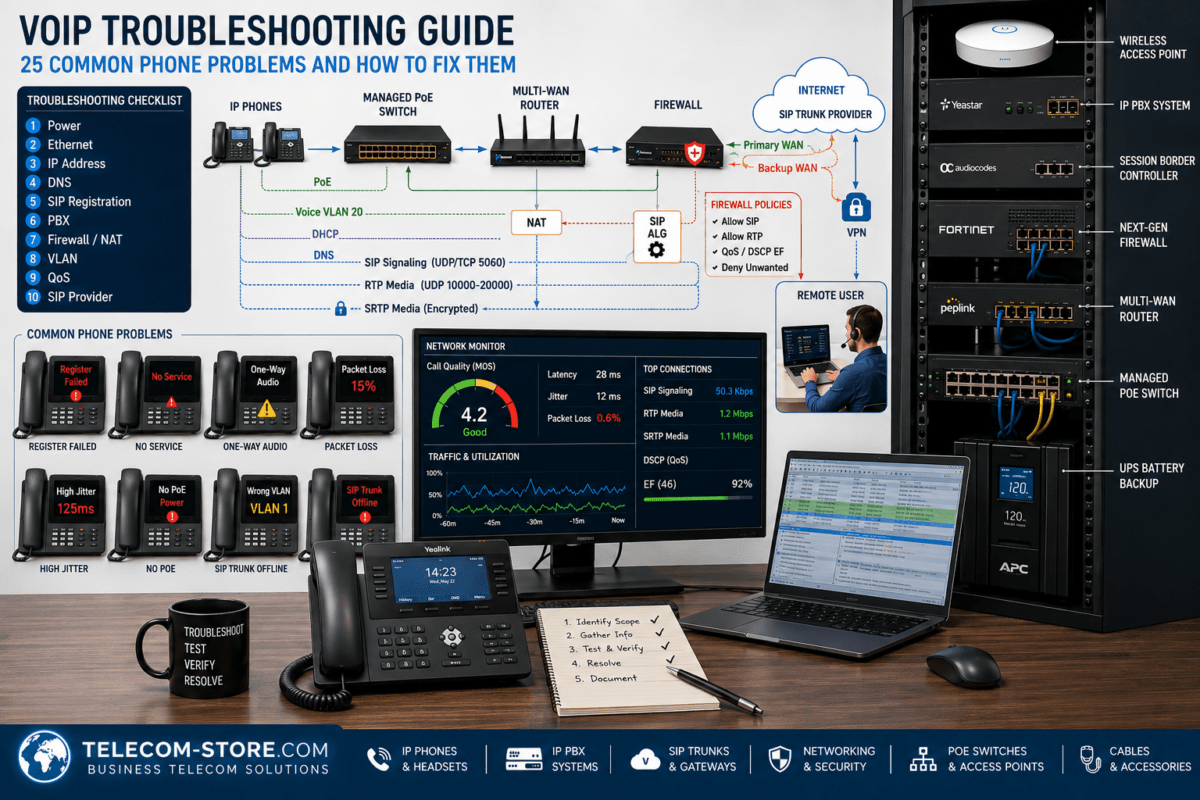
VoIP QoS Troubleshooting Matrix
Symptom
Possible Cause
Recommended Check
Calls break up during uploads
WAN upload congestion
Inspect upstream utilization, shaping, and priority queue counters
Only Wi-Fi phones have problems
RF coverage, interference, or WMM mapping
Check signal levels, channel use, roaming, and wireless QoS
Voice packets are marked but still delayed
Router is not honoring DSCP
Verify class maps, queue assignment, and egress policy
Computers consume the voice queue
Trust boundary is too broad
Trust only approved phone traffic and remark other packets
Internal calls are clear but external calls fail
WAN, ISP, SIP provider, NAT, or firewall issue
Test the edge connection and review provider-side metrics
Calls fail after creating a voice VLAN
Missing DHCP, routing, DNS, or firewall access
Verify all required network services on the new VLAN
QoS works until traffic enters a VPN
Outer tunnel packets lack the correct marking
Review DSCP copy and mapping behavior on the VPN platform
When QoS Will Not Solve the Problem
QoS is important, but it cannot correct every VoIP issue. It will not repair:
A failing internet connection.
Excessive packet loss caused by damaged cabling.
Duplex or speed-negotiation errors.
Weak Wi-Fi coverage.
An overloaded firewall or session border controller.
Incorrect SIP, NAT, or firewall configuration.
A defective phone, headset, switch port, or cable.
Insufficient PBX processing capacity.
Poor routing beyond the organization’s control.
Before changing QoS policies, determine whether the problem correlates with network congestion. If call quality remains poor when the network is idle, investigate connectivity, hardware, provider performance, configuration, and endpoint issues as well.
Frequently Asked Questions
What DSCP value should be used for VoIP?
DSCP EF, decimal 46, is commonly used for RTP voice media. Signaling should normally use a separate class based on the PBX, endpoint, network policy, and service-provider requirements.
Does a voice VLAN improve call quality?
A voice VLAN improves traffic organization and makes QoS policies easier to apply, but it does not prioritize traffic by itself. The switches and routers must still classify and queue voice packets correctly.
Do I need a managed switch for VoIP QoS?
A managed switch is generally required when the installation needs configurable VLANs, DSCP trust settings, traffic queues, port monitoring, LLDP-MED, or detailed troubleshooting. A basic unmanaged switch offers little or no control over these functions.
Should SIP traffic receive the same priority as RTP?
Not necessarily. RTP carries the actual audio and is especially sensitive to delay and jitter. SIP and other signaling protocols are important but consume less bandwidth and are often placed in a separate high-priority class.
Can QoS work over the public internet?
QoS can protect traffic within the business network and on the outgoing WAN interface. However, public internet providers may rewrite or ignore DSCP markings, so end-to-end priority is not guaranteed unless the service includes managed QoS treatment.
Will faster internet eliminate the need for QoS?
Additional bandwidth reduces the likelihood of congestion but does not eliminate it. Upload-heavy applications, traffic bursts, lower-speed branch links, and provider limitations can still affect voice. QoS provides protection when available capacity is temporarily exhausted.
Where should QoS be configured first?
Begin at the most likely bottleneck, which is often the router or firewall’s internet-facing interface. Then verify consistent classification and marking across access switches, wireless infrastructure, VPNs, and other network segments.
Final VoIP QoS Recommendations
Reliable VoIP QoS configuration requires an end-to-end design rather than a single switch setting. Start by identifying the network’s congestion points, calculating realistic call capacity, and separating voice traffic where appropriate. Mark approved RTP traffic consistently, establish a controlled trust boundary, and apply low-latency queuing at the WAN edge.
Most importantly, test the policy while the network is under load. Packet markings, voice VLANs, and priority queues should be verified with interface counters, packet captures, and actual calls.
To provide the best experiences, we use technologies like cookies to store and/or access device information. Consenting to these technologies will allow us to process data such as browsing behavior or unique IDs on this site. Not consenting or withdrawing consent, may adversely affect certain features and functions.
Functional
Always active
The technical storage or access is strictly necessary for the legitimate purpose of enabling the use of a specific service explicitly requested by the subscriber or user, or for the sole purpose of carrying out the transmission of a communication over an electronic communications network.
Preferences
The technical storage or access is necessary for the legitimate purpose of storing preferences that are not requested by the subscriber or user.
Statistics
The technical storage or access that is used exclusively for statistical purposes.The technical storage or access that is used exclusively for anonymous statistical purposes. Without a subpoena, voluntary compliance on the part of your Internet Service Provider, or additional records from a third party, information stored or retrieved for this purpose alone cannot usually be used to identify you.
Marketing
The technical storage or access is required to create user profiles to send advertising, or to track the user on a website or across several websites for similar marketing purposes.