Ubiquiti Products for Business Networks: Gateways, Switches, WiFi and More
Ubiquiti has developed a broad networking ecosystem that can support small offices, multi-floor businesses, retail locations, warehouses, schools, hospitality environments, outdoor networks, and other commercial installations.
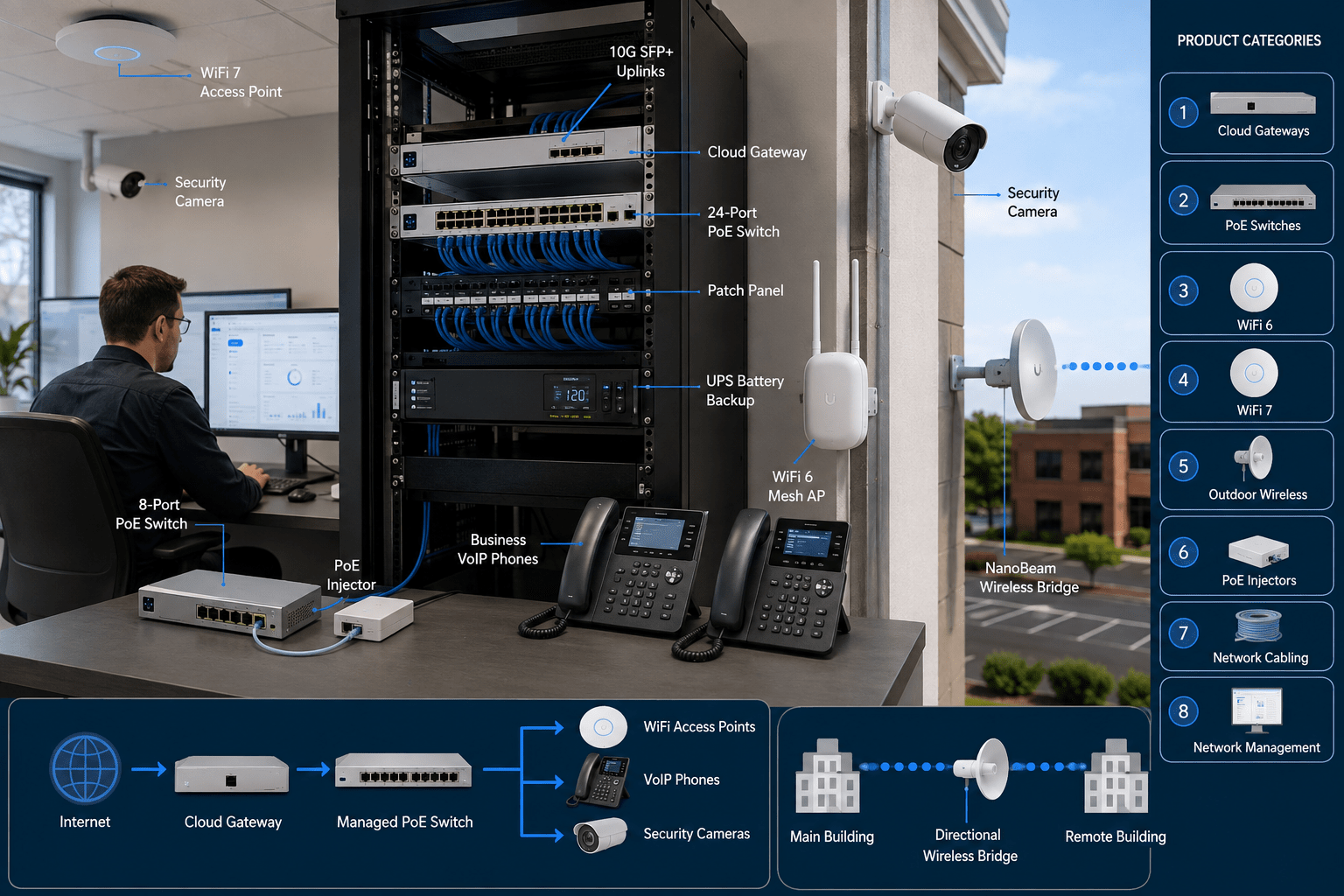
Rather than treating the router, Ethernet switch, wireless access points, network management platform, and outdoor wireless equipment as unrelated devices, many Ubiquiti installations use the UniFi ecosystem to manage multiple parts of the network through a common platform.
However, choosing the right Ubiquiti products requires more than simply selecting the newest model. Network administrators still need to consider Internet bandwidth, routing performance, Power over Ethernet requirements, WiFi coverage, client density, uplink capacity, VLANs, redundancy, security requirements, and future expansion.
This guide explains the major categories of Ubiquiti products available from Telecom-Store.com and how they can fit into a practical business network.
Understanding the Ubiquiti Networking Ecosystem
Ubiquiti’s networking portfolio includes products for several layers of business infrastructure.
Cloud gateways and security gateways
Managed Ethernet switches
Power over Ethernet switches
WiFi access points
Outdoor wireless equipment
Point-to-point wireless bridges
PoE injectors
Ethernet cabling and accessories
Network management
Video surveillance and other UniFi applications on supported gateways
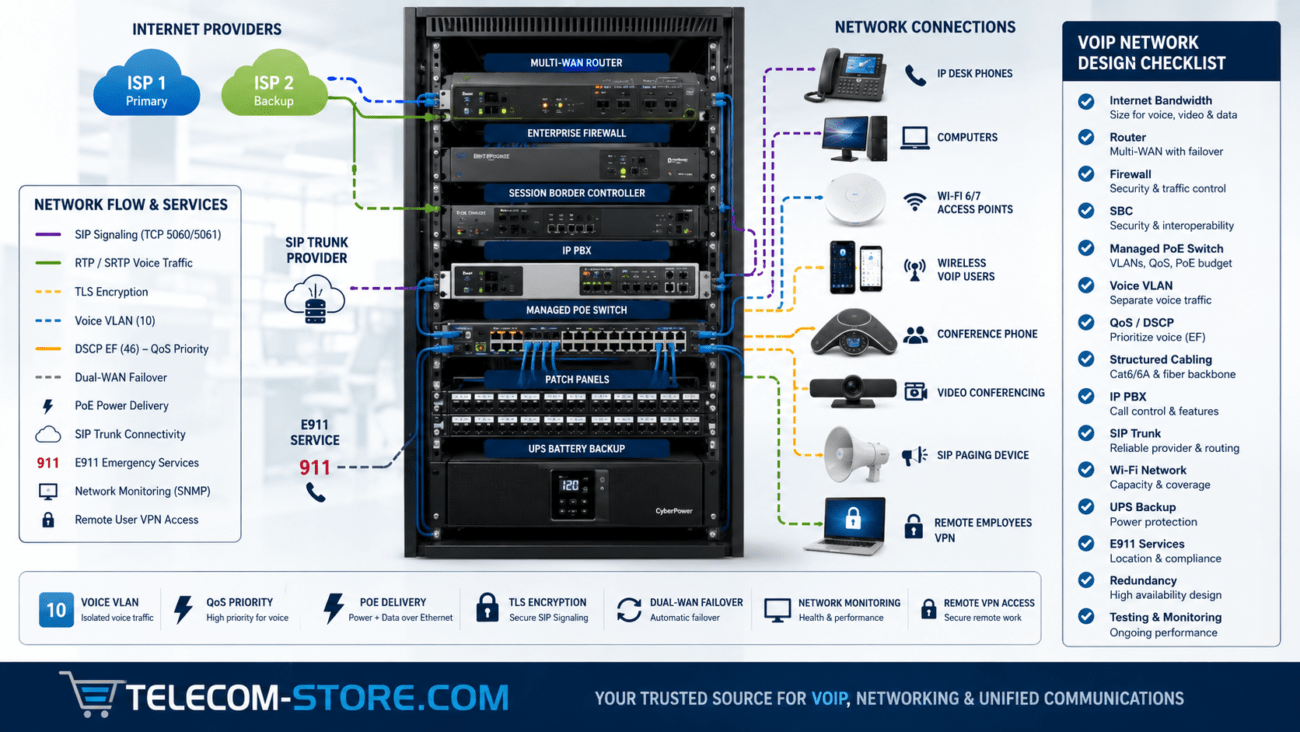
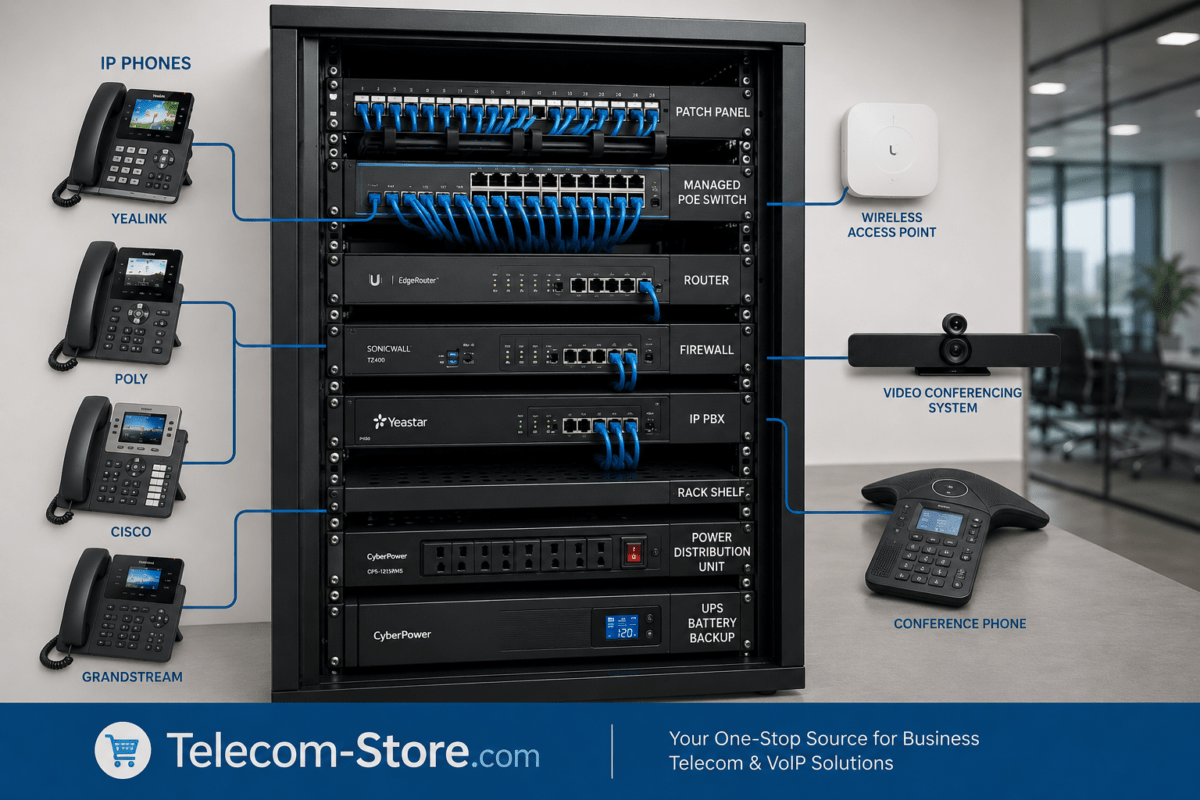
In a typical office, a gateway connects the local network to the Internet, managed switches distribute Ethernet connectivity throughout the building, and PoE switch ports provide power and data to devices such as wireless access points, VoIP phones, cameras, and other network endpoints.
Wireless access points then provide WiFi coverage while outdoor wireless products can extend connectivity between buildings or into areas where conventional structured cabling is difficult to install.
1. Ubiquiti UniFi Cloud Gateways
The network gateway sits at an important boundary between the business LAN and external networks. Depending on the model, a UniFi Cloud Gateway can provide routing, firewall functionality, VPN capabilities, network management, intrusion detection and prevention, multi-WAN functionality, and management of other UniFi devices.
This type of gateway can make sense for a small office or branch location that wants centralized UniFi Network management without installing a full-size rack-mounted gateway.
When evaluating a compact gateway, consider:
Internet connection speed
Required IDS/IPS throughput
Number of managed UniFi devices
Expected client count
WAN redundancy requirements
VPN requirements
Available rack or desktop space
Ubiquiti UniFi Dream Machine Pro
For a rack-based installation, the Ubiquiti UniFi Dream Machine Pro combines UniFi gateway and application-management capabilities in a 1U form factor.
The Dream Machine Pro includes Gigabit Ethernet connectivity and 10G SFP+ interfaces and can run multiple UniFi applications. It is appropriate for organizations that want to bring routing, UniFi management, and other supported UniFi services into a centralized network rack.
Before selecting it, determine whether the deployment needs PoE switching on the gateway itself or whether separate PoE switches will provide power to access points, phones, cameras, and other endpoints.
Ubiquiti positions the Pro Max for substantially larger UniFi deployments, with higher IDS/IPS routing capacity and support for more managed devices and clients than the standard Dream Machine Pro.
A higher-capacity gateway makes sense when the network actually requires the additional routing, security, client, or application capacity. Simply installing the largest gateway does not improve a network that is bottlenecked by an undersized WAN circuit, poor WiFi coverage, or inadequate switching infrastructure.
2. Ubiquiti Managed PoE Switches
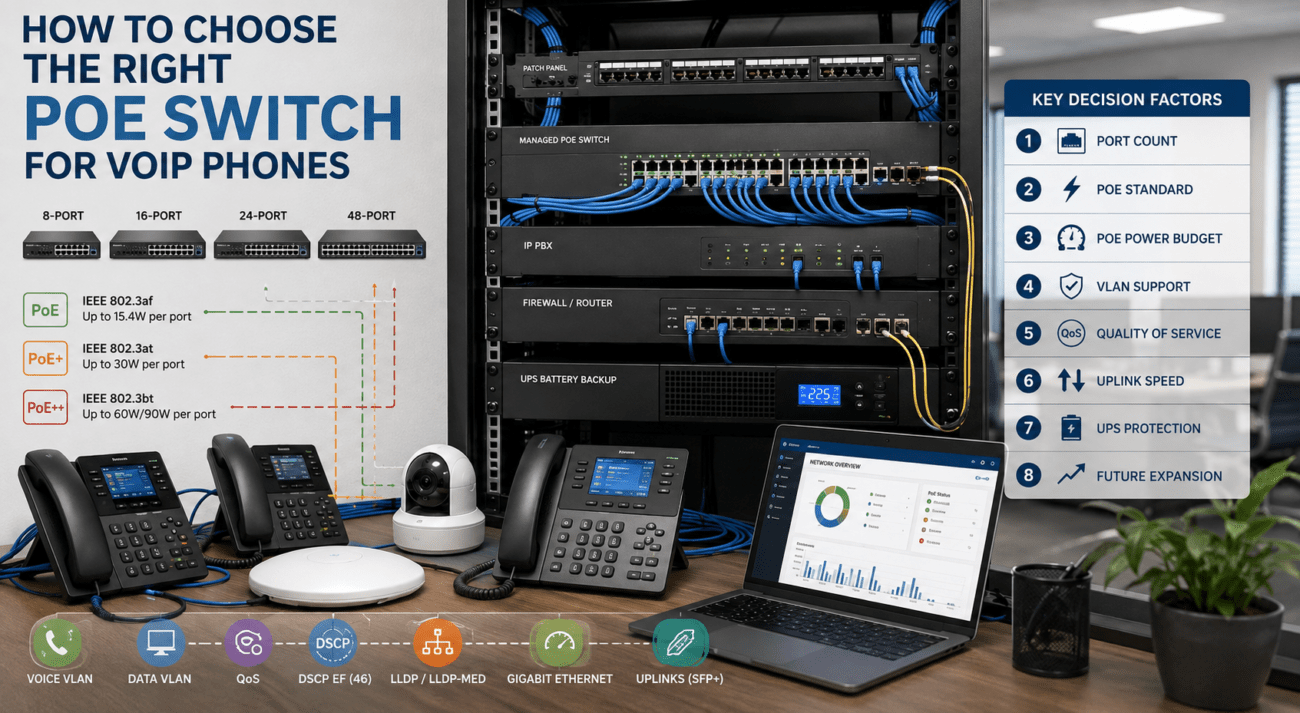
Managed Power over Ethernet switching is particularly useful in modern business networks because a single Ethernet cable can provide both network connectivity and electrical power to compatible devices.
Ubiquiti currently specifies a 52-watt total PoE budget when the switch is used with its 60-watt external power adapter.
This makes the Lite 8 PoE useful for smaller installations such as:
A small office with several phones and an access point
A conference room or remote office
A small surveillance installation
A network expansion area requiring only a few PoE devices
Always calculate the combined power requirements of the connected devices rather than assuming that every PoE port can deliver its maximum output simultaneously.
A 24-port managed switch can be appropriate when an office needs to connect combinations of:
VoIP phones
Workstations
Wireless access points
Network printers
Cameras
Servers
Other wired devices
Port count alone is not enough when selecting a PoE switch. Compare the total PoE budget, number of powered ports, uplink interfaces, required VLAN configuration, and expected network traffic.
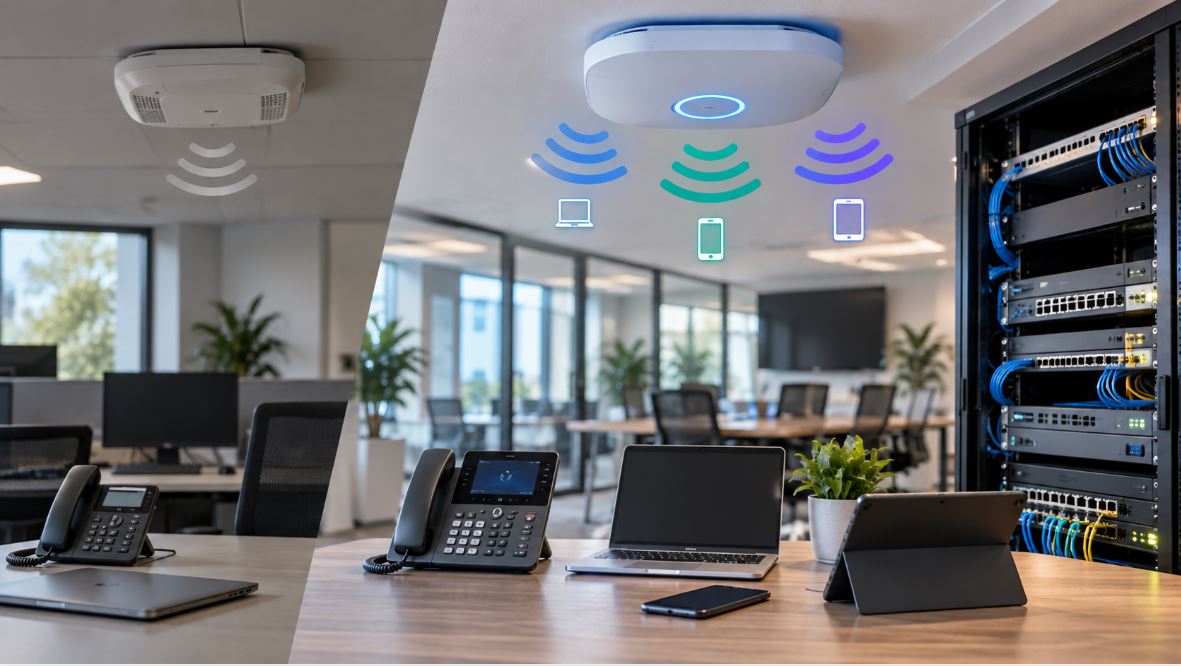
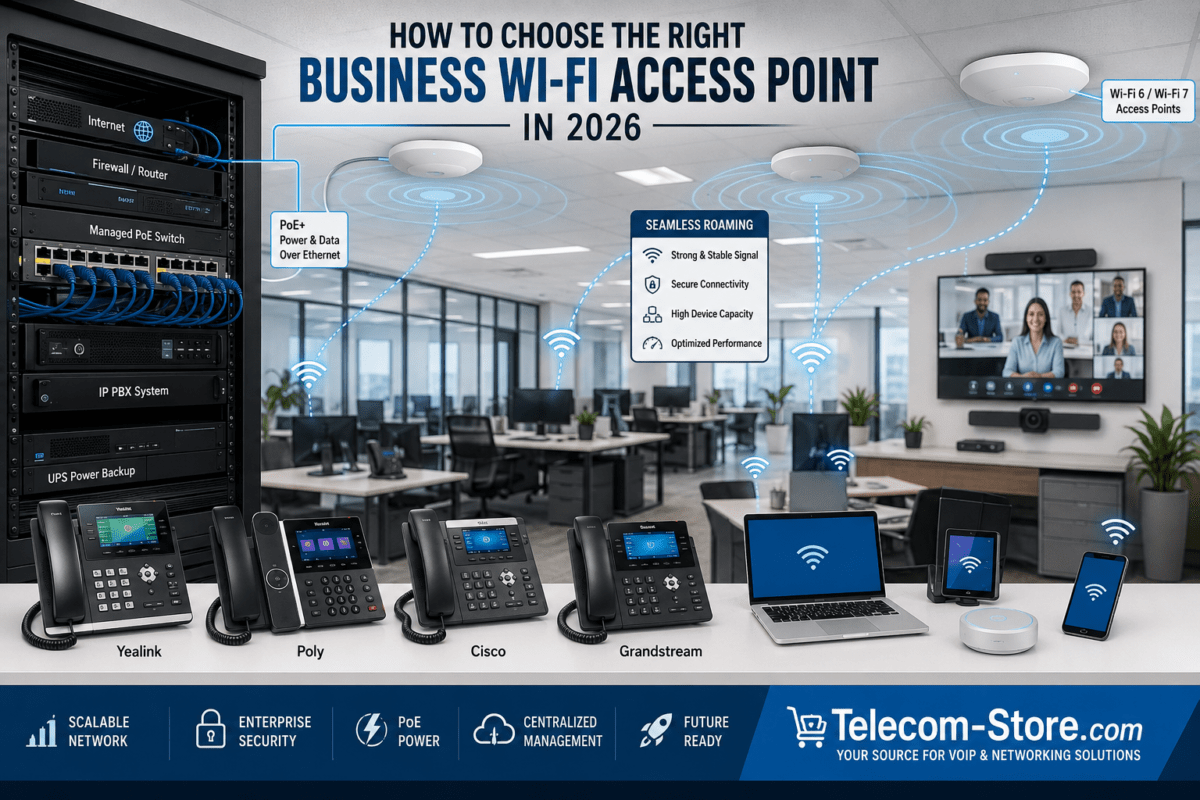
Ubiquiti is widely used for centrally managed business WiFi. UniFi access points can be deployed throughout a building and managed as part of the broader UniFi environment.
The correct access point should be selected based on RF design rather than advertised maximum speed alone.
Ubiquiti specifies 4.8 Gbps maximum PHY data rate on the 5 GHz radio using 160 MHz channel width and approximately 573.5 Mbps on the 2.4 GHz radio under supported conditions.
Those PHY rates should not be interpreted as the real-world throughput available to every client. Actual wireless performance depends on channel width, interference, client capability, signal strength, airtime utilization, network uplinks, and other factors.
The U6 Mesh can be useful where a compact indoor/outdoor AP form factor is preferable to a traditional ceiling-mounted access point.
The current U7 Long-Range uses a 2.5 GbE wired uplink and is designed as a ceiling-mounted WiFi 7 access point with five spatial streams.
A faster wireless standard does not remove the need for proper RF planning. In fact, higher-performance access points can make wired uplink capacity, PoE design, channel planning, and switch architecture even more important.
Ubiquiti UniFi AP AC Pro
Businesses maintaining established WiFi 5 environments may also encounter the Ubiquiti UniFi AP AC Pro.
Older WiFi generations can remain useful when client requirements are modest, but new installations should compare them carefully against current WiFi 6 and WiFi 7 equipment before standardizing on older technology.
4. WiFi 6 vs. WiFi 7 for Business Networks
Consideration
WiFi 6
WiFi 7
Typical deployment
Mature business WiFi
Newer high-performance deployments
Client compatibility
Broad
Growing
Wired uplink needs
Gigabit may be adequate depending on AP
2.5 GbE increasingly important
PoE planning
Model dependent
Model dependent; verify requirements
Best reason to upgrade
Reliable modern baseline
New deployment, higher capacity, newer clients
Do not replace a properly designed WiFi 6 network solely because WiFi 7 exists. Upgrade when client density, throughput, spectrum availability, application requirements, or lifecycle planning justifies it.
5. Outdoor Ubiquiti Wireless Products
Some network problems cannot be solved efficiently by installing another indoor access point.
Warehouses, detached buildings, security installations, parking areas, farms, campuses, and industrial properties may need directional outdoor wireless connectivity.
Products in this class are particularly useful for establishing point-to-point wireless connectivity between buildings when trenching fiber or Ethernet cable is impractical.
A typical deployment might look like:
Main Building Network → NanoBeam → Wireless Link → NanoBeam → Remote Building Switch
The remote switch can then provide Ethernet, PoE, WiFi, VoIP, cameras, or other network services.
Directional wireless links require proper line of sight, alignment, frequency planning, mounting, grounding, and power protection. Long-range performance should never be assumed solely from antenna gain.
Determine Internet bandwidth and WAN requirements.
Count wired network devices.
Count PoE-powered devices.
Calculate the total PoE power budget.
Determine whether Gigabit, 2.5 GbE, or 10 GbE uplinks are required.
Plan VLANs before deployment.
Perform WiFi coverage planning.
Determine indoor and outdoor wireless requirements separately.
Check PoE compatibility for every powered device.
Plan rack space and cable management.
Provide UPS protection where appropriate.
Allow capacity for future expansion.
Common Mistakes When Buying Ubiquiti Equipment
Choosing Access Points Based Only on Maximum Speed
Advertised PHY rates do not equal actual user throughput. Coverage, interference, channel width, client capability, uplinks, and airtime utilization all influence performance.
Ignoring the PoE Budget
A switch can have enough Ethernet ports but still lack enough electrical capacity to power every attached device.
Assuming All Ubiquiti PoE Is the Same
Always verify the exact power requirements. Current standards-based PoE devices and legacy passive-PoE equipment may have different requirements.
Using Indoor WiFi Equipment for Building-to-Building Links
Long-distance outdoor connectivity is normally better handled with equipment designed for directional point-to-point or point-to-multipoint operation.
Ignoring Wired Uplinks
A high-performance WiFi 7 access point connected through an undersized wired path can still be constrained by the Ethernet infrastructure behind it.
Deploying Access Points Without RF Planning
More access points do not automatically mean better WiFi. Excessive overlap and poorly chosen channels can increase interference.
Frequently Asked Questions
What is Ubiquiti UniFi?
UniFi is Ubiquiti’s integrated networking and application ecosystem covering products such as gateways, managed switches, wireless access points, cameras, access-control equipment, and supporting management software.
Are Ubiquiti products suitable for business networks?
Yes. Ubiquiti offers products ranging from compact small-office equipment to gateways, switches, and access points intended for considerably larger deployments. The appropriate product depends on network size, performance requirements, redundancy, security policy, and support expectations.
Do UniFi access points require a Ubiquiti router?
No. UniFi access points can operate in networks using other routing platforms. However, using compatible UniFi gateways, switches, and access points can provide more centralized visibility and management.
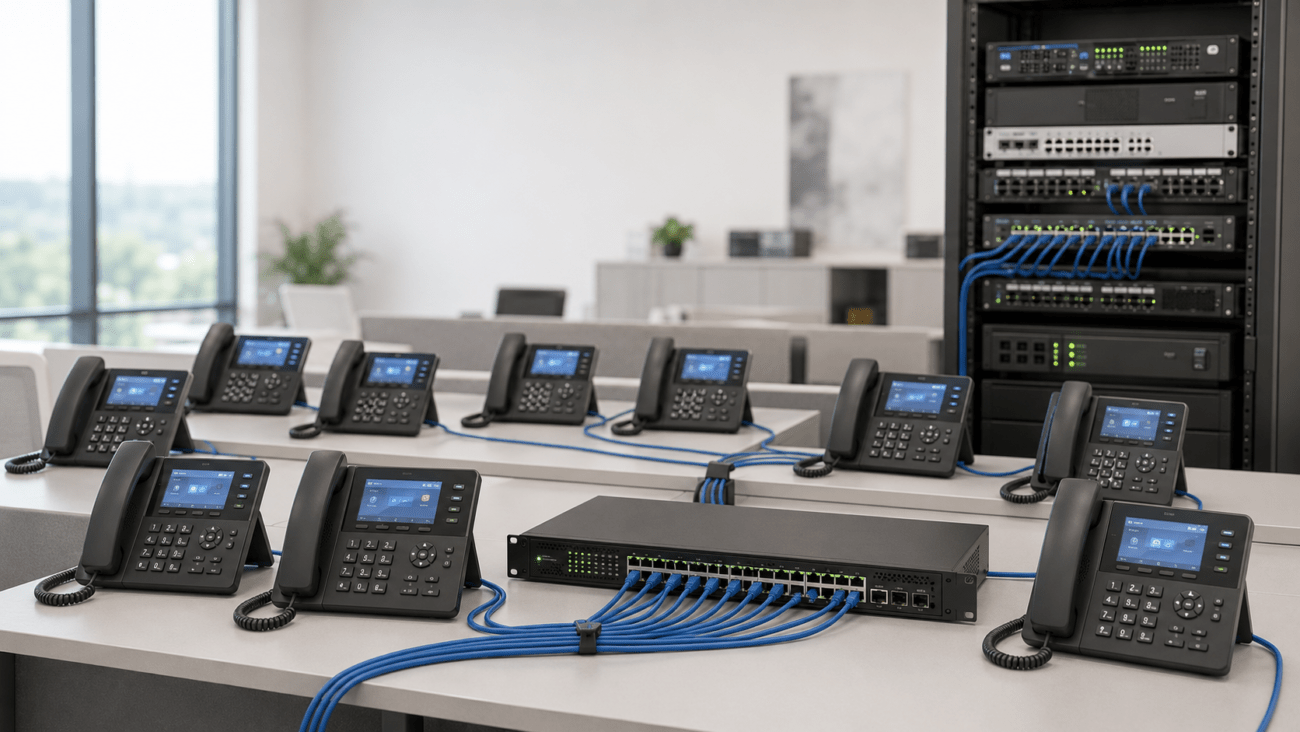
Can Ubiquiti switches power VoIP phones?
Standards-compatible PoE or PoE+ switch ports can power compatible VoIP phones when the switch provides the required standard, per-port power, and total PoE budget.
Can Ubiquiti equipment be used for outdoor WiFi?
Yes, but choose equipment specifically rated and designed for the intended outdoor application. Outdoor access points, directional bridges, and antennas serve different purposes.
Is WiFi 7 necessary for every business?
No. A properly designed WiFi 6 network may continue to meet business requirements for years. WiFi 7 is most compelling for new deployments or environments where its additional capabilities provide a meaningful benefit.
Can Ubiquiti connect two buildings wirelessly?
Yes. Purpose-built directional wireless products such as NanoBeam and other airMAX equipment can create point-to-point links when the installation has appropriate line of sight, mounting, RF planning, and network design.
Final Considerations
Ubiquiti offers much more than standalone WiFi access points. A business can build an integrated network using UniFi cloud gateways, managed PoE switches, WiFi access points, outdoor wireless equipment, PoE accessories, and structured Ethernet infrastructure.
The right combination depends on the actual network requirements. Start with the Internet connection and gateway, size the switching and PoE infrastructure, design the wireless coverage, and then add outdoor connectivity or specialized equipment where needed.
Most importantly, avoid selecting equipment based solely on the highest advertised speed or largest number of ports. A well-planned network balances routing capacity, PoE power, Ethernet throughput, WiFi coverage, network segmentation, reliability, and room for future expansion.
Browse Telecom-Store.com for Ubiquiti networking equipment, business VoIP products, managed switches, WiFi access points, gateways, cabling, and related network infrastructure.
To provide the best experiences, we use technologies like cookies to store and/or access device information. Consenting to these technologies will allow us to process data such as browsing behavior or unique IDs on this site. Not consenting or withdrawing consent, may adversely affect certain features and functions.
Functional
Always active
The technical storage or access is strictly necessary for the legitimate purpose of enabling the use of a specific service explicitly requested by the subscriber or user, or for the sole purpose of carrying out the transmission of a communication over an electronic communications network.
Preferences
The technical storage or access is necessary for the legitimate purpose of storing preferences that are not requested by the subscriber or user.
Statistics
The technical storage or access that is used exclusively for statistical purposes.The technical storage or access that is used exclusively for anonymous statistical purposes. Without a subpoena, voluntary compliance on the part of your Internet Service Provider, or additional records from a third party, information stored or retrieved for this purpose alone cannot usually be used to identify you.
Marketing
The technical storage or access is required to create user profiles to send advertising, or to track the user on a website or across several websites for similar marketing purposes.