Do You Need a VoIP VLAN? Fast Buyer Answer
Most small offices with only a few phones and no high-data traffic can get by without a dedicated VoIP VLAN. However, if your business phones are essential to your daily operations, you share the network with video or large file transfers, or you want to avoid headaches as you grow, setting up a VoIP VLAN early will save you time and reduce call quality complaints. Below is a quick comparison to help you decide.
| Criteria |
Standard Network |
VoIP VLAN Setup |
| Call Quality Consistency |
Varies with network load |
Much more stable |
| Security (voice/data separation) |
All traffic mixed |
Voice isolated |
| Scalability |
Can be harder as you add phones |
Simple to add phones |
| Required Equipment |
Any switch/router |
Managed PoE switch and VLAN-capable router |
| Setup Complexity |
Minimal |
Intermediate (best with IT support) |
| Best For |
Tiny/single office, no congestion |
Growing offices, business-critical phones |
What Is a VoIP VLAN?
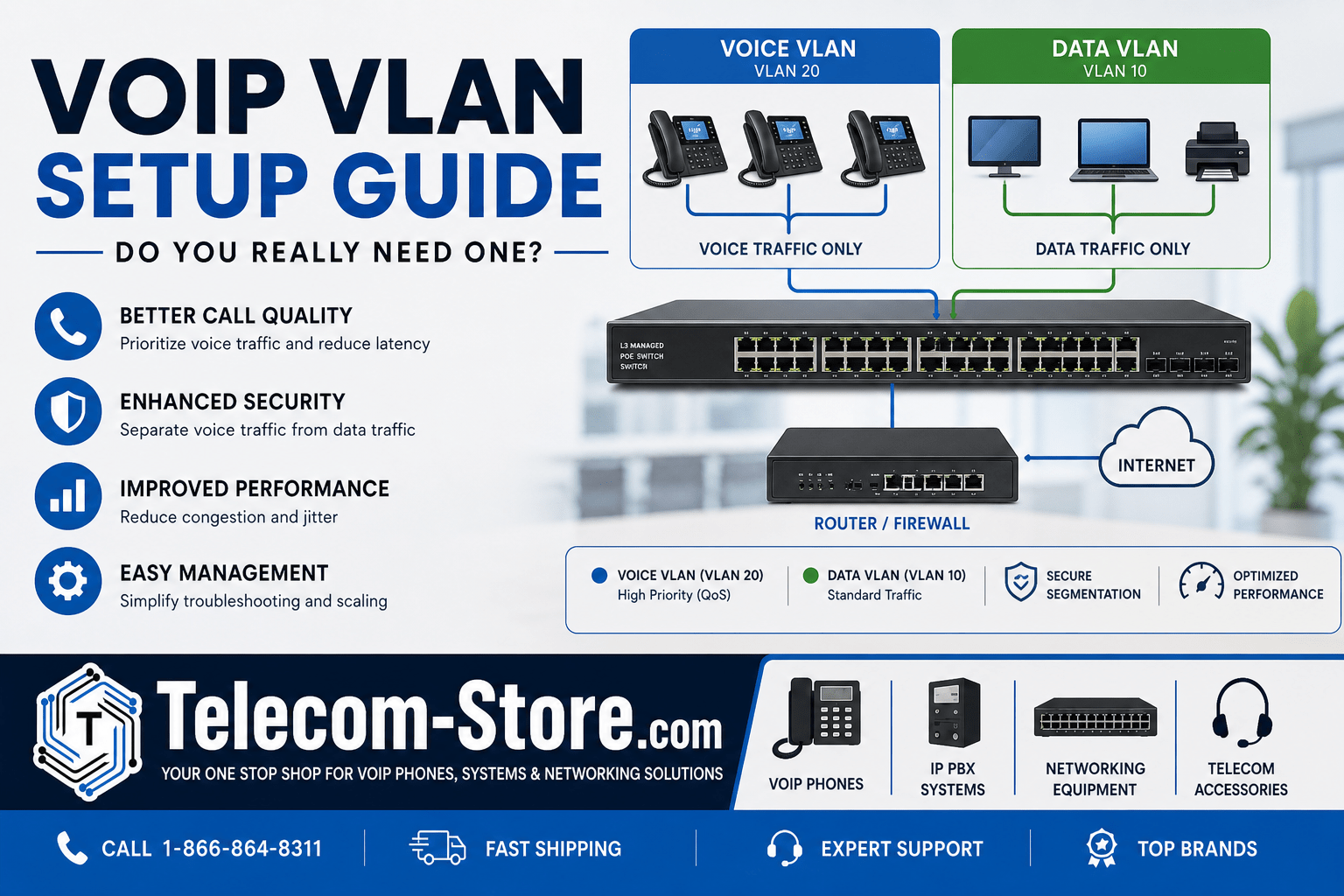
A VoIP VLAN (or voice VLAN) is a specific setup on your network equipment where business phones get their own “lane”—separated from computers, printers, and other data devices. This division happens on the same physical cables but keeps the phone conversation traffic apart from everything else, which is essential for high-quality calls when your network is busy.
In practical terms, your IP phones run on one VLAN, and your computers run on another. The benefit: voice data won’t have to fight for bandwidth during big file transfers, software updates, or streaming video traffic on your main network segment.
VoIP VLAN vs Data VLAN: Know the Real Difference
Knowing how these two types of VLANs differ is important when planning business phone deployments.
- Data VLAN: Handles regular traffic (workstations, printers, web browsing, cloud apps). Subject to congestion if the office is busy.
- Voice VLAN: Used only for VoIP traffic. This makes it easier to prioritize voice packets for call quality and applies network rules that protect phone devices from the rest of the office equipment.
If you skip the voice VLAN, expect that call quality can dip during file transfers, cloud backup times, or video meetings—especially visible as echo, delay, or dropped calls.
Should You Use a VLAN for VoIP?
The answer depends on your business setup. Consider these rules of thumb:
Recommended When to Use a VoIP VLAN
- You expect to run more than 5–10 VoIP phones.
- Other network devices transfer large files, host video meetings, or run bandwidth-intensive applications.
- Your sales or support teams depend on uptime and clear calls.
- You have (or plan to buy) a managed network switch.
- Security regulations or best practices require network segmentation (HIPAA, PCI).
When You May Get By Without a VLAN for VoIP
- You have three or fewer phones, and the network runs nothing else demanding.
- Phones are on a dedicated Internet line or in a branch office with little traffic.
- You’re just starting out and want plug-and-play simplicity—but plan for a VLAN as you grow.
As your team and network grow, skipping VLANs can mean troubleshooting becomes a lot more painful. If you plan to add more IP phones or expect more video and data traffic, set up your VLAN now.
Key Benefits of a VoIP VLAN
1. Reliable Call Quality
When your network is running heavy file downloads or a cloud backup, voice traffic isn’t competing and won’t be interrupted. This means less jitter, packet loss, and fewer dropped calls.
2. Cleaner Troubleshooting and Management
Network admins can monitor calls and diagnose phone problems separately from general office issues, reducing support time. It also makes reporting and scaling your phone system easier as your company grows.
3. Extra Security Layer for Voice Devices
Any sensitive voice devices—phones, conference speakers, conference phones—are isolated from PCs and IoT devices, which can reduce risk from malware or unauthorized access.
4. Scalable Network Design
You can add more VoIP endpoints without worrying how they’ll affect staff laptops or printers. Planning ahead now for VLANs pays off if you’re adding multiple floors or increasing remote teams.
Setting Up a Voice VLAN on a Switch: Step-by-Step
Here’s a hands-on overview for most business office setups. Make sure you’re using a managed PoE switch. Unmanaged models can’t handle VLAN setup.
Step 1: Pick Consistent VLAN IDs
- VLAN 10 → Data (PCs, printers)
- VLAN 20 → Voice (phones, intercoms)
Consistency helps across multi-site businesses.
Step 2: Access Your Managed Switch Settings
On hardware like the EnGenius 48-Port Gigabit PoE Plus Switch, log in to your switch web interface, create your new VLAN (usually VLAN 20 for voice), and assign ports that connect to phones.
- Enable VLAN tagging (802.1Q) on trunk ports if phones share cabling with PCs (using daisy-chained device setups).
Step 3: Enable Voice VLAN Detection
If using a switch like the Ubiquiti Managed PoE Switch 24-Port, enable “Voice VLAN” or “Auto-VoIP”. This feature recognizes phone MAC addresses and moves traffic onto the right VLAN using LLDP or CDP (auto-discovery protocols).
Step 4: Set Up the Router for VLAN Routing
Your router must route VLANs between segments and apply any QoS rules. A VLAN-aware device like the Grandstream GCC6011 Built-in Firewall IP PBX Router handles VLAN traffic and voice prioritization at the network border.
Step 5: Configure Phones for VLAN Tagging
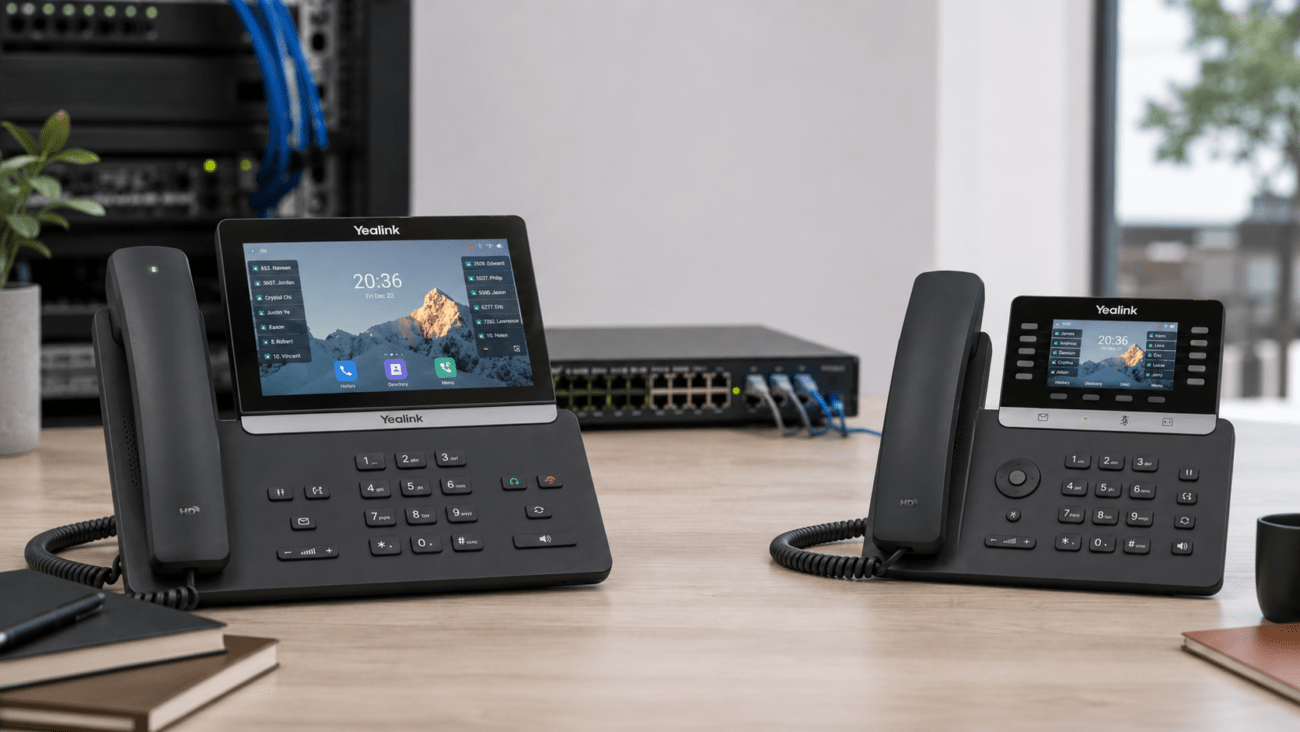
Modern business phones such as the Yealink T85W Secure Encrypted Business Phone let you specify VLAN ID in their web GUI or config files, or you can enable LLDP/CDP for most plug-and-play office setups.
- Set voice VLAN ID to the number chosen earlier (commonly 20)
- If daisy-chaining a PC, set phone’s port mode to “untagged data” and “tagged voice”
Enterprise features to look for: easy auto-discovery, tagging, and prioritization support.
Special Tip: Paging and Conference Systems
Paging adapters like the Algo ALG-8373 Paging Adapter and Snom C620 Conference Phone work best when multicast/broadcast traffic is isolated on a voice VLAN to avoid flooding computer users with paging packets.
Choosing VLAN IDs for VoIP Phones
There’s no “magic” VLAN number required for VoIP phones. Most IT admins use VLAN 10 or 20. What matters:
- Avoid using VLAN 1—this is the default and might be less secure.
- Be consistent across all sites for easier support and documentation.
- Document any changes for future troubleshooting!
Best Practices: Designing Your VoIP VLAN Deployment
- Pick a managed PoE switch with enough power for all your IP phones and future growth.
- Use a router or IP PBX that supports VLAN and QoS (many all-in-one small business units do).
- Enable both VLAN separation and QoS mark voice traffic highest priority—used together, you get the best quality in busy offices.
- Stay consistent in setup and VLAN numbering, especially if you have more than one building or office.
- For advanced paging or conference environments, segment multicast-heavy equipment into its own VLAN group for best reliability.
VLAN vs QoS: Key Differences and Why You Need Both
- VLAN: Segregates network traffic. Phones are on their own subnet and broadcast domain—reducing risk and congestion.
- QoS: Prioritizes traffic at Layer 2/3. Mark voice packets to be handled before other types (file transfers, print jobs).
Important: VLAN is not a replacement for QoS! For consistent call experience, always use both in business settings. Some switches and routers can auto-mark voice VLAN traffic for QoS tagging, simplifying setup.
Buyer Considerations Before VLAN Setup
Compatibility
- Verify your chosen hardware—switches, phones, routers—support 802.1Q VLANs, QoS (DiffServ, 802.1p), and auto-discovery (LLDP/CDP).
- Double-check your endpoints—some legacy or entry-level VoIP phones may not support VLANs natively.
- Plan for patch panel or cabling layout: trunk/daisy-chained desk phone setups will require proper switch port tagging per the vendor’s manual.
Network Knowledge
Don’t attempt VLAN setup without a basic understanding of switch web management or CLI, as misconfigurations can cause device disconnects or service issues.
Professional Assistance
If you don’t have in-house IT, consider using a VoIP integrator like Axion Communications or work with your managed service provider for first setup and documentation.
Common Pitfalls and Mistakes to Avoid
- Assigning phones to the wrong VLAN or not tagging voice ports.
- Mixing up trunk and access port configurations (especially with daisy-chained devices or conference/paging hardware).
- Overlooking the need to update DHCP scopes to supply the proper network settings for each VLAN.
- Forgetting to test phone registration and dial tone after each change before moving to the next step.
- Not documenting VLAN IDs, switch ports, and device settings for future troubleshooting.
FAQ: Answers for Common Buyer Questions
Should I use a VLAN for VoIP in a small office?
For offices with just a few phones and low network use, a dedicated VLAN is often optional. However, if your business is growing or you want to avoid future issues with call quality, setting up a VLAN early simplifies future expansion and troubleshooting.
How do I set up a voice VLAN on my switch?
Assign a unique VLAN ID for voice, configure switch ports connected to phones, and enable 802.1Q tagging. Set your router to recognize the VLAN and assign the correct DHCP range. Many business VoIP phones let you tag the VLAN in their web admin interface.
What VLAN ID should I use for VoIP phones?
Best practice is to use VLAN 10, 20, or any consistent value across your locations, avoiding VLAN 1 (the factory default). The specific number is less important than a consistent and clear scheme.
Will a VLAN improve VoIP call quality?
Yes. A VLAN separately carries voice traffic, preventing it from being slowed down or dropped by large file transfers or device congestion on the main data network. Adding QoS alongside provides even better reliability.
Can I set up a VoIP VLAN on WiFi?
Yes, if your wireless system supports VLANs—usually with professional-grade access points (APs). But remember, wired connections remain more stable for business phone performance.
Do I need both VLAN and QoS for VoIP?
You get best results with both. VLANs separate voice traffic, while QoS ensures voice packets get network priority. If you use only one, you may still experience dropped calls under heavy traffic.
Final Takeaway: When Is a VoIP VLAN Worth It?
If your company relies on voice, a VLAN-equipped network setup—coupled with QoS—future-proofs your office, reduces IT headaches, and keeps your team connected with clear calls even during busy network periods. Set it up at the start or plan a transition when business growth demands it. Use managed switches and VLAN-capable phones for best results, and document every change. As always, reach out via Telecom-Store.com or your trusted installer for practical advice that fits your office and phone system.