What Internet Speed Do You Really Need for VoIP
Choosing the right internet speed for VoIP is one of the most common questions businesses face when upgrading their phone systems. While many assume higher speed automatically improves call quality, the reality is more nuanced.
Voice over IP relies on several network factors beyond raw bandwidth, including latency, jitter, packet loss, and network congestion. Understanding these elements helps businesses design a more reliable communication system.
How Much Bandwidth Does a VoIP Call Use?
A single VoIP call typically uses between 80–100 kbps in both upload and download directions.
This means:
- 5 concurrent calls ≈ 0.5 Mbps
- 10 concurrent calls ≈ 1 Mbps
Bandwidth requirements scale linearly, but this is only part of the equation. Even a fast connection can experience poor call quality if other factors are not properly managed.
Why Internet Speed Alone Isn’t Enough
Many businesses upgrade internet speed but still experience VoIP issues. This is often due to:
- Network congestion
- Lack of QoS for VoIP
- Improper device prioritization
- Competing traffic such as video streaming
Without proper network design, VoIP traffic can be delayed or interrupted, even on high-speed connections.
Key Network Factors That Affect VoIP
VoIP Latency Requirements
Latency refers to the delay between sending and receiving audio.
For acceptable VoIP performance:
- Ideal latency: under 150 ms
- Higher latency results in noticeable delays in conversation
VoIP Jitter Acceptable Levels
Jitter is the variation in packet arrival times.
- Acceptable jitter: under 3 ms
- High jitter leads to choppy or inconsistent audio
Packet Loss
Packet loss occurs when data fails to reach its destination.
- Acceptable packet loss: under 1%
- Higher levels result in dropped words or gaps in calls
Network Congestion
Congestion occurs when multiple devices compete for bandwidth.
Examples include:
- File downloads
- Video conferencing
- Cloud backups
This is why bandwidth management and traffic prioritization are essential.
QoS for VoIP: Why It Matters
Quality of Service (QoS) ensures that VoIP traffic is prioritized over other types of data.
With QoS enabled:
- Voice packets are delivered first
- Call quality remains stable during peak usage
- Network congestion has less impact
Without QoS, VoIP packets compete with all other traffic, increasing the risk of degraded call quality.
Real-World Bandwidth Scenarios
Small Office (5 Users)
- Estimated concurrent calls: 2–3
- Recommended bandwidth: 1–2 Mbps dedicated for voice
Medium Office (10–20 Users)
- Estimated concurrent calls: 5–10
- Recommended bandwidth: 5 Mbps with QoS
Larger Office (25+ Users)
- Requires structured network design
- Dedicated VLAN for voice traffic
- Managed switches and routing
Hardware Considerations for VoIP Performance
Reliable VoIP performance depends on proper hardware.
Business VoIP Phones
Devices such as:
are designed for stable voice communication and integrate with business networks.
Network Infrastructure
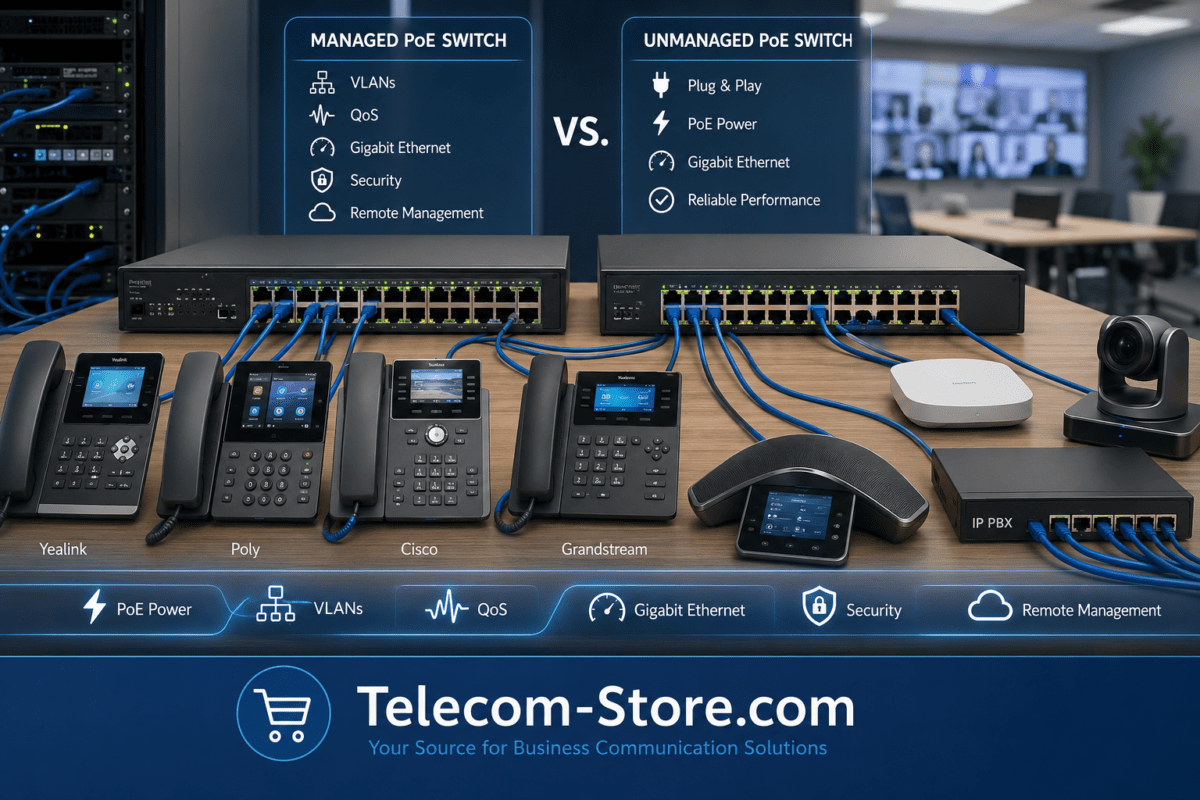
A managed switch like:
EnGenius PoE+ 48-Port Rack-Mount Cloud Switch for Business
can improve traffic management and support QoS implementation.
Gateways and Backup Connectivity
A gateway such as:
ADTRAN IP Business Gateway Router with Gigabit and T1 Ports
helps manage VoIP traffic and connectivity.
For redundancy, a cellular backup option like:
Yeastar 4-Port 4G LTE Gateway for US Cellular Networks
ensures communication continues during internet outages.
Compatibility Considerations
Before implementing a VoIP system, verify:
- Compatibility with existing network equipment
- PoE support for phones
- Integration with PBX or cloud services
- Firmware support and updates
Ensuring compatibility simplifies deployment and reduces troubleshooting.
Setup Requirements for Reliable VoIP
To maintain consistent performance:
- Use business-grade routers and switches
- Configure QoS for VoIP traffic
- Segment voice traffic using VLANs
- Monitor bandwidth usage
- Test network performance regularly
Proper setup ensures VoIP systems operate as expected.
Limitations to Be Aware Of
VoIP systems depend on network quality. Limitations include:
- Sensitivity to latency and jitter
- Dependence on internet availability
- Potential congestion during peak usage
These factors can be mitigated with proper planning and infrastructure.
Working with a Professional Provider
For businesses with complex environments, professional support can help optimize network performance.
A provider such as:
Axion Communications
can assist with system design, installation, and ongoing support.
Practical Tips to Improve VoIP Performance
- Allocate dedicated bandwidth for voice
- Enable QoS on network devices
- Reduce unnecessary background traffic
- Upgrade outdated hardware
- Implement redundancy solutions
These steps improve overall system reliability.
Conclusion
Determining the right internet speed for VoIP involves more than selecting a high-speed plan. While bandwidth plays a role, factors such as latency, jitter, packet loss, and network congestion are equally important.
By focusing on proper network design and configuration, businesses can achieve consistent VoIP performance without overprovisioning bandwidth.
FAQ Section
How much internet speed do I need for VoIP?
A single VoIP call typically requires 80–100 kbps. Businesses should calculate total bandwidth based on concurrent calls and include additional capacity for other network traffic.
What affects VoIP call quality the most?
Latency, jitter, packet loss, and network congestion all impact call quality more than raw internet speed.
What is acceptable latency for VoIP?
Latency under 150 ms is generally acceptable for business VoIP systems.
How can I reduce VoIP jitter?
Jitter can be reduced by enabling QoS, improving network design, and minimizing congestion.
Does VoIP require high-speed internet?
VoIP does not require extremely high speeds, but it does require stable and properly managed bandwidth.
What is QoS for VoIP?
QoS prioritizes voice traffic over other network activity, ensuring consistent call quality.
Can packet loss affect VoIP calls?
Yes, packet loss can cause dropped audio and incomplete conversations.
Do I need a separate network for VoIP?
While not required, using VLANs to separate voice traffic improves performance and reliability.