Outdoor Cellular Network Setup
Building a reliable outdoor cellular network is essential for businesses operating in remote locations, construction sites, farms, and areas with limited wired internet access. Whether the goal is primary connectivity or backup internet, proper planning is required to ensure consistent performance.
This guide explains how to set up an outdoor cellular network using LTE and 5G technology, focusing on routers, signal strength, antennas, and real-world deployment considerations.
Why Outdoor Cellular Networks Are Important
Outdoor cellular networks provide connectivity where traditional broadband is unavailable or unreliable. They are commonly used for:
- Remote monitoring systems
- Temporary job sites
- Rural offices or facilities
- Backup internet for business continuity
With LTE and 5G networks expanding, cellular connectivity has become a practical option for many business applications.
Key Components of an Outdoor Cellular Network
A functional setup typically includes several core components that work together.
Cellular Router
The router is the central device that connects to the cellular network and distributes internet access to connected devices.
A dedicated 5G router such as:
Peplink MAX BR1 Mini 5G Cellular Mobile Router No WiFi
is designed for high-speed connectivity and can be deployed in environments where wired internet is not available.
Antennas
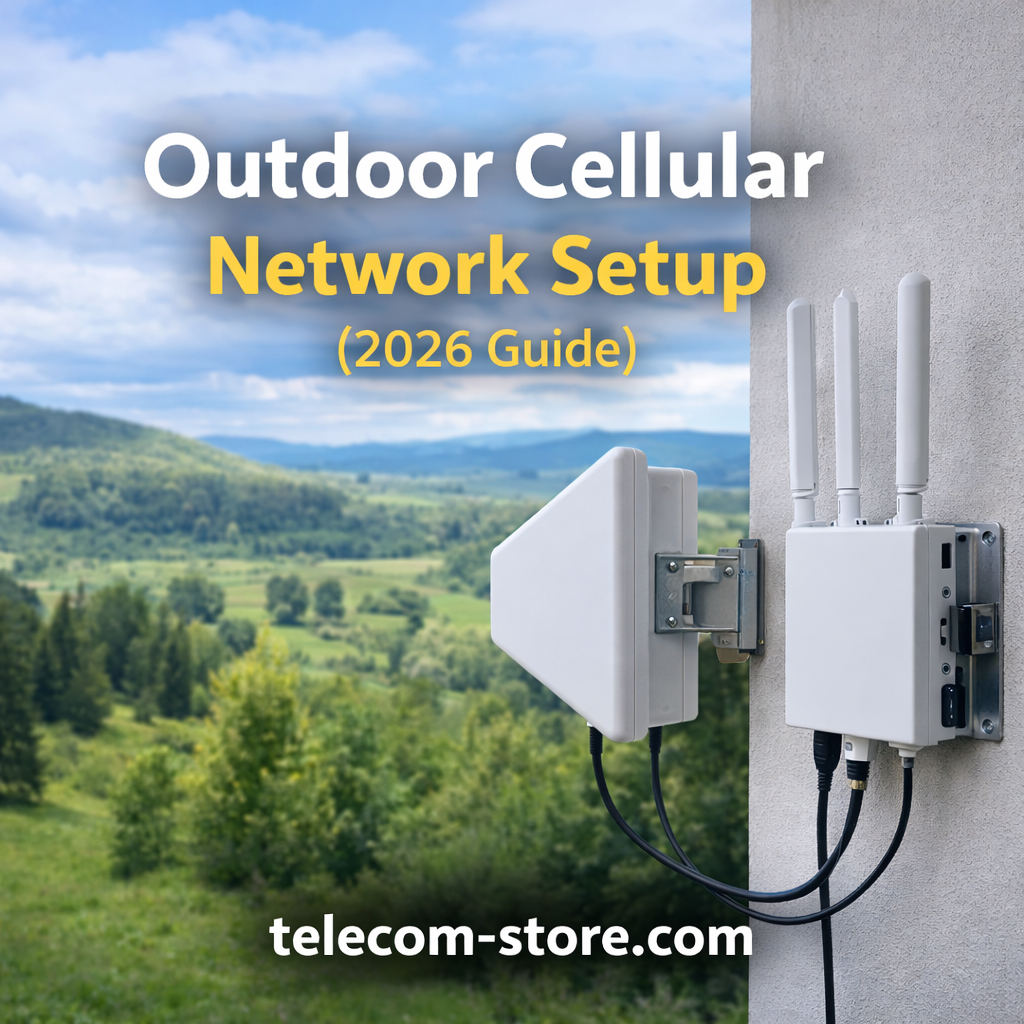
Signal strength is one of the most critical factors in outdoor network performance. External antennas help improve reception and stability.
An option like:
HME External Cellular Antenna for Enhanced Signal & Range
can enhance signal quality, especially in areas with weak coverage.
For mobile or transportation-based setups, a combined solution such as:
Peplink 2-in-1 LTE 5G MIMO Multi-Frequency Antenna
can provide flexibility and improved signal capture.
LTE Routers for Mid-Level Deployments
In situations where 5G is not available, LTE routers remain a reliable option.
A device like:
ReadyNet LTE520S 4G LTE Router 300Mbps VoIP Wireless
can provide stable connectivity for small business environments and remote installations.
Cellular Gateways
For voice integration or specialized use cases, cellular gateways can be used alongside routers.
For example:
Yeastar 1-Port GSM Gateway 2G SIP Network 850-1900MHz
can bridge cellular networks with VoIP systems, enabling communication in areas without traditional phone lines.
Understanding Signal Strength
Signal strength directly affects network reliability and speed.
Factors that influence signal quality include:
- Distance from cell towers
- Physical obstructions (buildings, trees, terrain)
- Weather conditions
- Network congestion
Improving signal strength often involves:
- Installing external antennas
- Elevating antenna placement
- Using directional antennas for targeting specific towers
LTE vs 5G for Outdoor Networks
Both LTE and 5G have advantages depending on the environment.
LTE networks are widely available and provide stable coverage in most areas. They are suitable for many business applications, including remote monitoring and basic connectivity.
5G networks offer higher speeds and lower latency but may have limited coverage in rural areas. When available, they can support higher data usage and more demanding applications.
Choosing between LTE and 5G depends on:
- Coverage availability
- Data requirements
- Budget considerations
Bandwidth and Data Planning
Bandwidth planning is essential for ensuring consistent performance.
Outdoor networks are often used for:
- Security cameras
- IoT devices
- Remote access systems
Each application consumes data differently. For example:
- Basic IoT sensors use minimal bandwidth
- Video streaming requires significantly more data
Understanding usage patterns helps prevent performance issues and unexpected data costs.
Using Cellular Networks for Backup Internet
Many businesses use outdoor cellular networks as backup internet.
In this setup:
- The primary connection (fiber or cable) handles normal traffic
- The cellular network activates during outages
This ensures continuity for:
- VoIP systems
- Payment processing
- Remote access
Businesses that rely on communication systems often integrate cellular backup to reduce downtime.
For example, VoIP phones such as those available here:
Grandstream GS-GXP2170 IP Color Phone, 12 Lines, 6 SIP
benefit from uninterrupted connectivity when paired with a backup network.
Network Setup Requirements
Proper installation is critical for performance.
Key requirements include:
- Secure mounting of antennas
- Weather-resistant equipment enclosures
- Stable power source
- Proper cable management
Network configuration should include:
- Failover settings for backup internet
- Firewall and security configuration
- Device monitoring
Compatibility Considerations
Before purchasing equipment, verify compatibility across all components.
Important factors include:
- Carrier compatibility (Verizon, AT&T, T-Mobile)
- SIM card support
- Antenna connectors and frequency bands
- Router firmware and features
Ensuring compatibility prevents setup issues and improves reliability.
Limitations of Outdoor Cellular Networks
While cellular networks provide flexibility, there are limitations to consider.
- Signal strength can vary by location
- Data plans may have usage limits
- Weather and environmental factors can impact performance
- Initial setup may require careful placement and testing
Understanding these limitations helps set realistic expectations.
Working with a Network Provider
For complex deployments, professional assistance can simplify the process.
A provider such as:
Axion Communications
can help with network design, equipment selection, and deployment to ensure reliable performance.
Practical Tips for Deployment
- Test signal strength before installation
- Use external antennas whenever possible
- Choose routers that support your carrier’s bands
- Plan for future expansion
- Monitor network performance after deployment
Conclusion
Outdoor cellular network setup requires careful planning, especially when dealing with signal strength, bandwidth, and equipment compatibility. By selecting the right routers, antennas, and supporting hardware, businesses can create reliable connectivity in locations where traditional internet options are limited.
Whether used as a primary connection or backup internet, a well-designed cellular network can support communication, monitoring, and business operations without unnecessary complexity.
FAQ Section
What is an outdoor cellular network setup?
An outdoor cellular network setup uses LTE or 5G connectivity to provide internet access in areas without traditional broadband. It typically includes a cellular router, external antennas, and supporting equipment to improve signal strength and reliability.
How do I improve cellular signal strength outdoors?
Signal strength can be improved by using external antennas, mounting them higher, and positioning them toward nearby cell towers. Reducing obstructions and selecting the right antenna type also helps improve performance.
Is LTE or 5G better for outdoor networks?
LTE is more widely available and reliable in many areas, while 5G offers higher speeds where coverage exists. The choice depends on location and network availability.
Can I use a cellular network as backup internet?
Yes, many businesses use cellular networks as backup internet. When the primary connection fails, the cellular network takes over to maintain connectivity.
What equipment is needed for an outdoor cellular network?
Typical equipment includes a cellular router, external antennas, SIM cards, and mounting hardware. Additional components may include gateways or signal boosters.
Do outdoor cellular networks support VoIP systems?
Yes, outdoor cellular networks can support VoIP systems if bandwidth and latency are sufficient. Proper configuration ensures consistent call quality.
How much bandwidth do I need for a cellular network?
Bandwidth requirements depend on usage. Basic applications require minimal data, while video streaming and monitoring systems require higher bandwidth.
Are external antennas necessary?
External antennas are not always required but are highly recommended in areas with weak signal. They improve both speed and reliability.