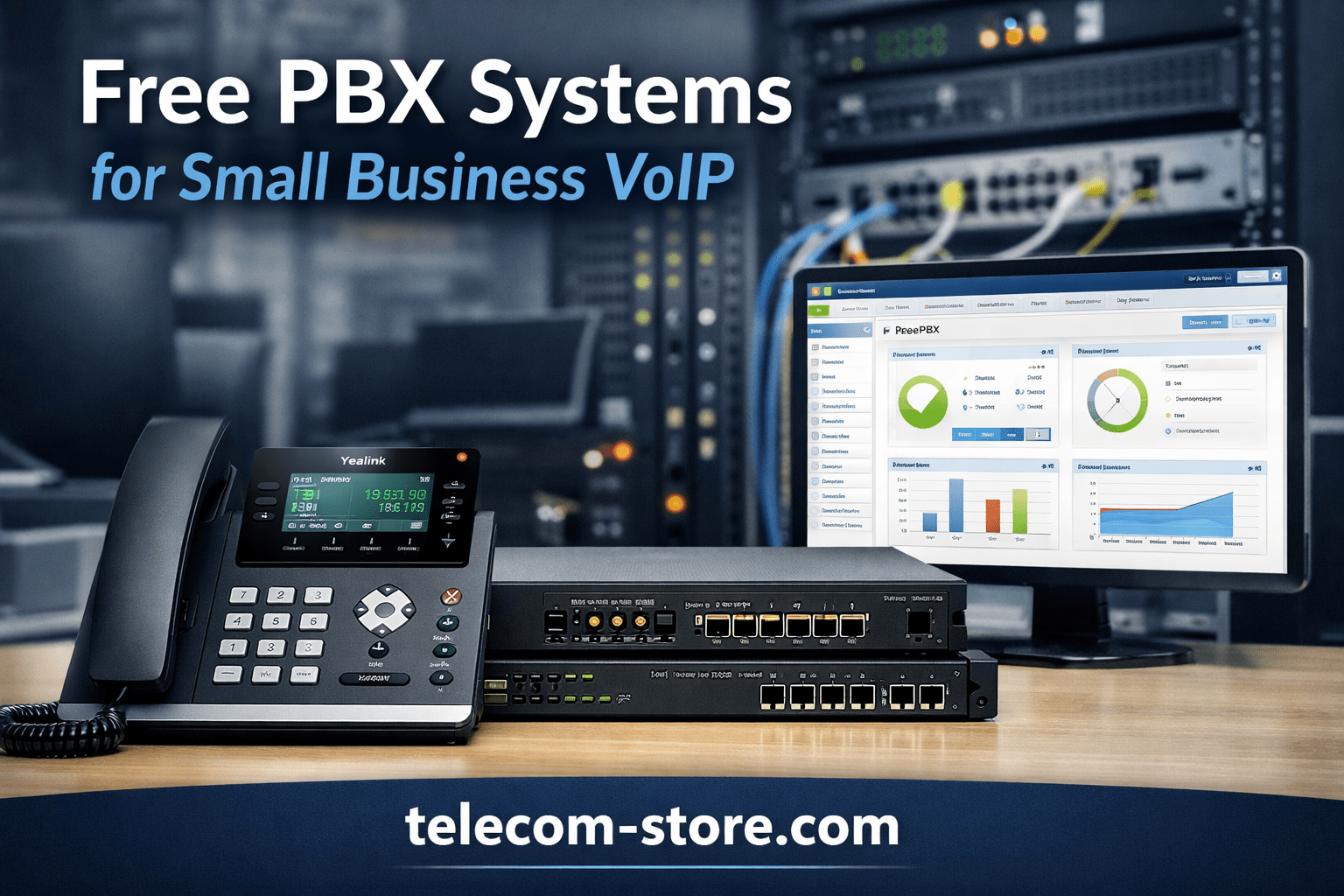
Looking to improve your office phone system while controlling recurring costs? Free PBX solutions give small businesses an affordable, customizable way to run VoIP—including features like automatic attendants, call queues, extension dialing, voicemail to email, and more—all without monthly license fees. With proper planning, Free PBX can provide enterprise-grade functionality tuned for your team’s real-world needs.
What Is a Free PBX?
A Free PBX is an open-source, software-based PBX (private branch exchange) that manages both internal and external calls for your business over VoIP. Instead of proprietary hardware locked to a vendor, Free PBX platforms operate on a standard computer or server, connecting desk phones, conference phones, softphones, and even remote/mobile users through internet-based voice services (SIP trunks).
This approach cuts out expensive legacy telecom contracts and lets you update or expand as your staff or office changes. Free PBX systems are popular with IT-savvy businesses because you control the features, integrations, and security on your own schedule.
How Free PBX Works with VoIP
Free PBX serves as the “switchboard” for all your phone communications. Every extension, call rule, ring group, and queue is managed through software. Your system sits at the center of your network, talking to:
VoIP Phones & Softphones – Office phones, desktop/laptop apps, or mobile clients.
SIP Trunk Provider – Supplies your actual phone numbers and connection to the outside world.
Network Hardware – Routers, switches, cabling, internet line.
When someone places a call, Free PBX detects if it’s internal (extension-to-extension) or external, routes accordingly, and applies business rules—like sending support calls to the right queue or activating after-hours menus automatically.
Who Typically Chooses Free PBX—And Why
Small business IT teams seeking flexibility and custom workflow.
Companies adding remote/hybrid employees.
Offices scaling extensions rapidly or merging locations.
Organizations upgrading from legacy analog or digital PBXs.
Key Benefits of Free PBX for Small Business
Cost Control
No ongoing licensing fees. Aside from your office internet, main costs are:
VoIP desk phones (one-time purchase; see model suggestions below)
Set up IVR/menus, ring groups, call queues, holiday routing, auto-failover, voicemail, music on hold, extension lists, paging/intercom, and more—most at no extra cost.
Integrate with CRM, helpdesk, Microsoft Teams or Zoom Room endpoints if desired (with added configuration).
Scalability
Add users just by provisioning a new phone or app—no need to buy more licenses or negotiate with a PBX vendor. Suitable for companies from 2-100+ seats, as long as your underlying network is sized correctly.
Phone and Hardware Compatibility: What to Choose for Free PBX
Free PBX uses the industry-standard SIP protocol, so you can pair it with most business VoIP desk phones and hardware. Choosing proven models reduces headaches during setup and ensures smoother long-term support.
Recommended VoIP Phones for Free PBX
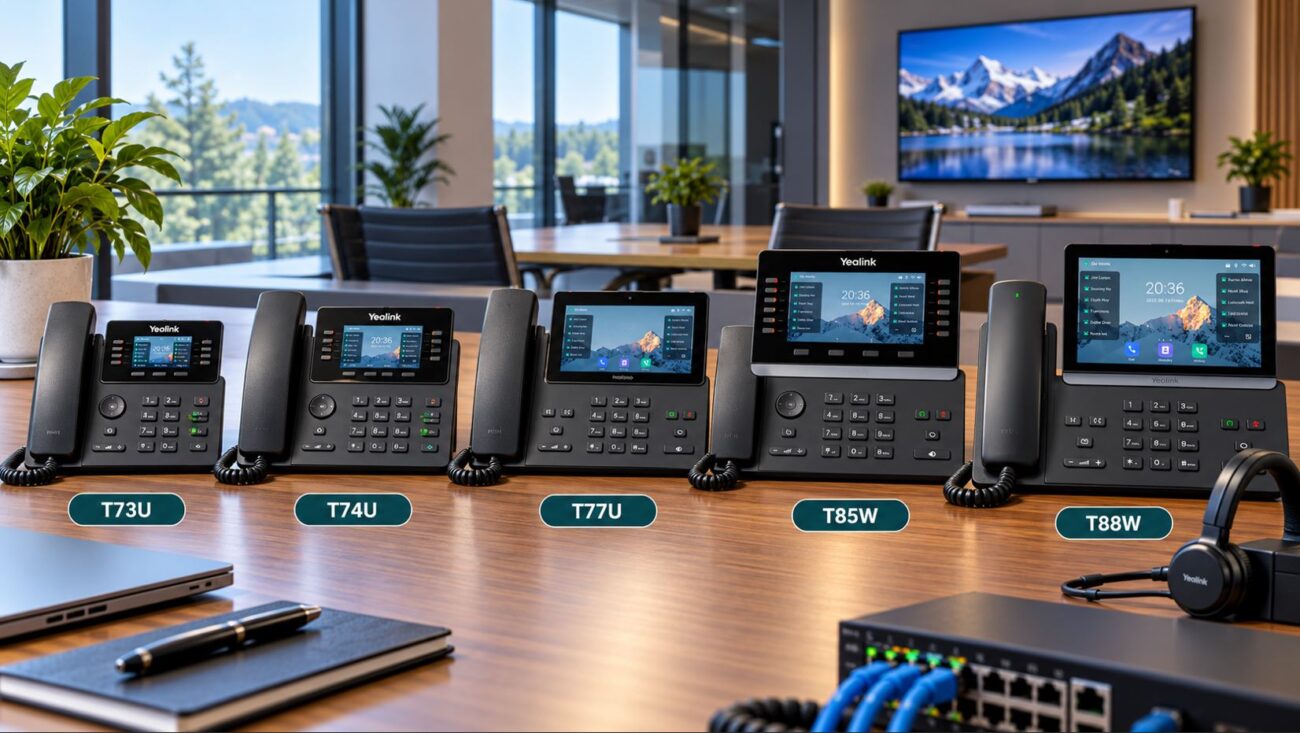
Yealink T54W – dependable, with 4.3″ screen, PoE, and WiFi option
Cisco 8841 – professional, well-tested for office setups
Grandstream GXP2140 – high value, color screen, easy for most VoIP admins
All support SIP registration. Most Yealink, Cisco and Grandstream desktop phones, conference phones, and expansion modules work with Free PBX as do many budget brands.
Key Features to Look for in VoIP Hardware
Native SIP protocol support—required for direct Free PBX provisioning
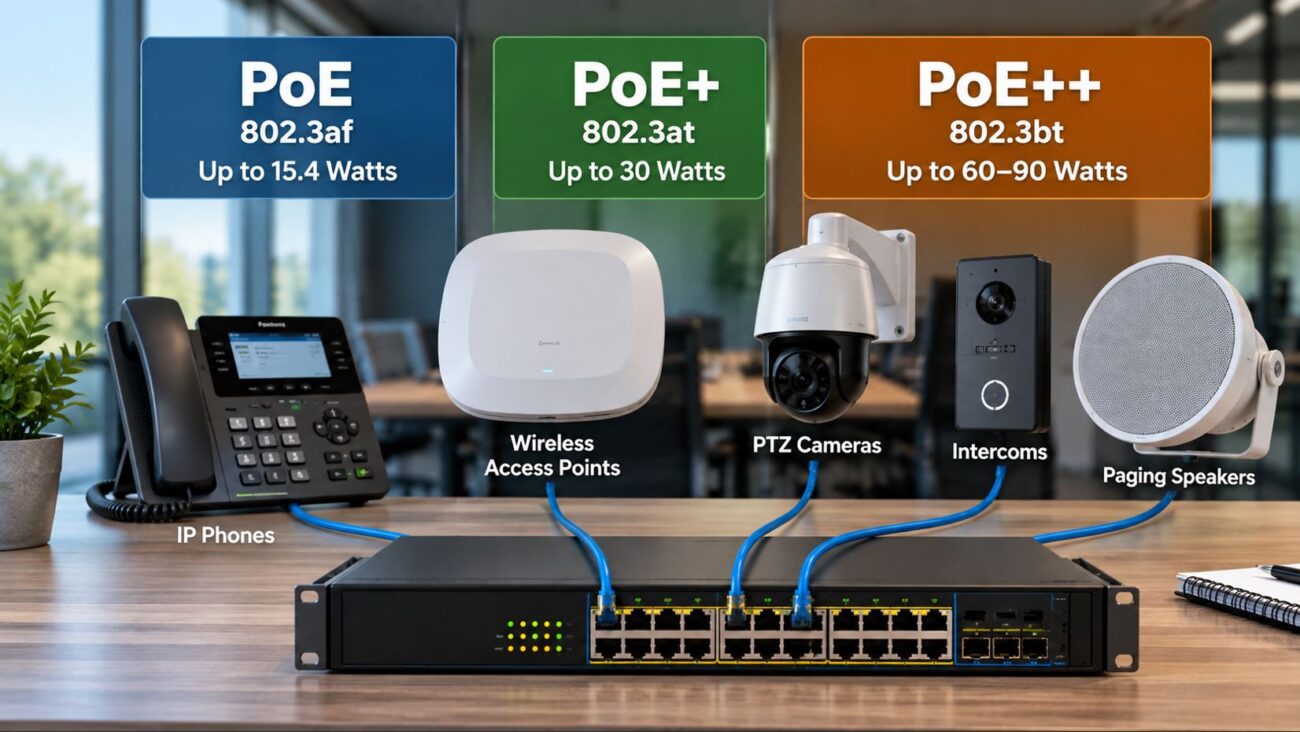
Power over Ethernet (PoE)—lets you run phones over a single cable using PoE network switches
HD audio, wideband codecs for clearer calls
Easy-to-use interface for staff; expansion accessories if needed
Pro Tip: Before buying, confirm the phone’s firmware supports “provisioning from generic PBX” or is compatible with your planned version of Free PBX.
Network & Infrastructure Planning for Free PBX
Your PBX is only as good as your network design. The most common cause of VoIP issues—dropped calls, jitter, voice lag—is a weak or poorly set up LAN or internet connection.
Minimum Network Requirements
Reliable business internet—fiber or business cable preferred
Business-class router/firewall (with QoS settings for prioritizing VoIP traffic)
Office running on WiFi only? That’s risky—cabled Ethernet plus PoE gives best reliability for desk phones. Wireless can supplement for mobile/remote devices or temp spaces.
Quality of Service (QoS)
QoS should be enabled on your router and switches to ensure clear calls even when staff are using cloud apps or large uploads. Cheap home routers or switches almost never provide this, so upgrade if needed.
Setup Options: On-Premise vs Cloud-Hosted Free PBX
Both routes are possible with Free PBX, each with its pros and cons:
On-Premise Free PBX
Pros: Complete local control, zero per-user hosting fees, no forced software upgrades, better for privacy-conscious companies.
Cons: You handle hardware, power backup, offsite redundancy, and updates. Requires in-house/contract IT skills. Disaster recovery needs careful planning.
Cloud-Hosted Free PBX
Pros: Access and manage from anywhere, reduced on-site hardware, easier for fast-growing teams or multi-branch firms.
Cons: Monthly service/hosting cost, slightly less direct control, relies on cloud vendor reliability/security.
Tip: Many small businesses start cloud-based (for simplicity) and move on-premise later as their IT capabilities or user count grows.
Typical Features Included with Free PBX
Most open-source Free PBX systems pack in features you’d otherwise pay extra for. For a typical small business, that includes:
Multi-level IVR (auto attendant)
Ring groups, call queues, time-based routing
Voicemail to email, call recording, custom music/message on hold
Internal extension dialing and remote/softphone support
Basic contact-center features (with some community add-ons)
Confirm phone/SIP device is compatible—consult the FreePBX device list or ask your supplier.
Check that your chosen VoIP provider offers SIP trunking with Free PBX compatibility.
Ensure network switches and routers support SIP and have adequate throughput; avoid daisy-chaining cheap switches.
Technical Skills and Support
Expect to need some networking knowledge—setup includes firewall rules, NAT, and SIP registration troubleshooting.
Not comfortable? Partner with specialists like Axion Communications or consider a semi-managed solution.
Deployment Requirements
Static IP or dynamic DNS (for remote management/SIP trunks)
Firewall configured for SIP and media traffic, with only necessary ports open
Clear backup/restore plan for your PBX settings and recordings
Common Mistakes to Avoid
Skipping QoS or running phones on “guest” WiFi—causes call drops
Using a consumer-grade router; business routers are a must
Overlooking power backup—if on-premise, use UPS for server and switches
Failing to change default SIP passwords or neglecting software updates
Choosing incompatible hardware (always double-check with your PBX version)
Security Steps for Your Free PBX
Security is not “set and forget.” VoIP PBX systems are targeted for hacking, toll fraud, and disruptions if exposed.
Core Security Best Practices
Apply strong, random passwords to every extension and admin login—never use defaults.
Limit SIP registration/management access to specific IP address ranges.
Set up firewall rules to restrict or hide web/PBX admin ports.
Regularly patch and update the PBX core and modules.
Monitor for unusual call volumes or login attempts.
Some enterprise Free PBX users add intrusion prevention tools or VPN tunnels, especially if managing remote locations.
Free PBX vs Paid PBX: What’s the Real Difference?
Feature
Free PBX
Paid PBX
Licensing Cost
None
License or subscription fees
Customization
Full control, open modules
Vendor-locked features
Support
Community or partner-based
Vendor support SLAs
Setup Complexity
Moderate to advanced
Typically lower
Small offices with even modest IT resources often pick Free PBX to avoid annual charges and get custom call flows. Larger enterprises or those desiring rapid, 24/7 phone support may lean toward commercial (paid) PBX for the guaranteed assistance.
When Is Free PBX the Right Choice?
You want to control costs and features.
Your business has someone comfortable with networking and IT basics.
You expect to add or move users frequently.
You want to experiment or integrate with other office apps.
It may not fit if you prefer fully managed, turnkey support or have zero on-site IT help—then, a hosted or commercial PBX may be better.
Conclusion
A well-planned Free PBX system can be the centerpiece of modern business communication—without the high costs tied to traditional phone vendors. Small business teams that review hardware compatibility, secure their infrastructure, and invest a little time upfront get the most value. For a successful rollout, don’t cut corners on networking or security, and always confirm product/model support before you buy.
If you’re looking to build or upgrade your office phone system, browse our VoIP phones and business switch options. For more hands-on help, drop us a message or contact your preferred IT partner.
Frequently Asked Questions about Free PBX for Small Business
What is a Free PBX system and how does it work? A Free PBX system is open-source software that manages office phone calls using VoIP. It controls extensions and routes calls through a VoIP/SIP provider over your internet connection, eliminating the need for traditional analog phone lines. FreePBX offers customizable call flows, voicemail, IVR menus, and more.
Who should choose Free PBX for small business? Free PBX is best for small businesses that want to reduce phone system costs and have some technical support in-house or from a trusted IT provider. It’s ideal if you need flexibility, want to avoid licensing fees, and are willing to handle network and security setup.
What hardware works with Free PBX? Most SIP-compatible VoIP phones work with Free PBX, including popular models from Yealink, Cisco, and Grandstream. Make sure your phone and switch support SIP standards and that your network supports QoS for reliable calls. Devices with PoE reduce cable clutter. See our recommended VoIP phones at Telecom-Store.
What network requirements are needed for Free PBX? You need a business-grade, stable internet service, a reliable router (ideally with QoS), and suitable network switches. In many cases, managed PoE switches help power phones and prioritize voice traffic. Avoid using cheap or unmanaged home networking hardware.
Is Free PBX secure for business calls? Free PBX is secure if properly configured. Use strong passwords, lock down SIP access to trusted IPs, set up firewalls, and update software regularly. Misconfiguration or weak passwords invite security risks like toll fraud, so IT oversight is critical.
Can Free PBX grow with my company? Yes, you can add user extensions, new phones, and features as your small business grows. Scaling is generally just a matter of configuration and adding SIP channels, as long as your network and internet bandwidth keep pace.
To provide the best experiences, we use technologies like cookies to store and/or access device information. Consenting to these technologies will allow us to process data such as browsing behavior or unique IDs on this site. Not consenting or withdrawing consent, may adversely affect certain features and functions.
Functional
Always active
The technical storage or access is strictly necessary for the legitimate purpose of enabling the use of a specific service explicitly requested by the subscriber or user, or for the sole purpose of carrying out the transmission of a communication over an electronic communications network.
Preferences
The technical storage or access is necessary for the legitimate purpose of storing preferences that are not requested by the subscriber or user.
Statistics
The technical storage or access that is used exclusively for statistical purposes.The technical storage or access that is used exclusively for anonymous statistical purposes. Without a subpoena, voluntary compliance on the part of your Internet Service Provider, or additional records from a third party, information stored or retrieved for this purpose alone cannot usually be used to identify you.
Marketing
The technical storage or access is required to create user profiles to send advertising, or to track the user on a website or across several websites for similar marketing purposes.