Small Business Telecom: What to Know Before You Buy
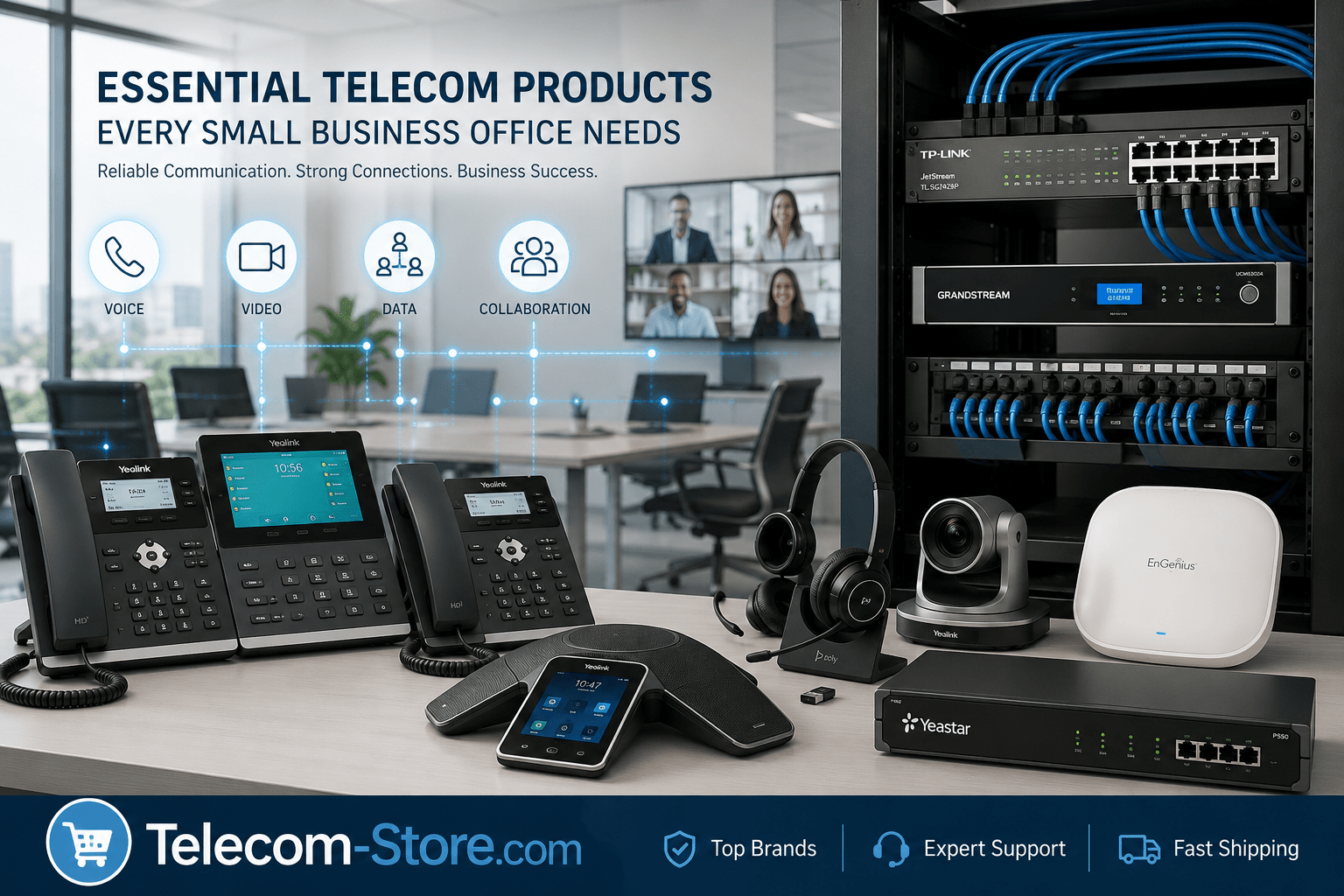
If you’re responsible for setting up your office communications or want to make the right upgrades, you need equipment that won’t let you down. The right mix supports voice, video, remote collaboration, and can grow with your team or hybrid office needs.
Let’s start with a quick answer for busy buyers: Invest in business-grade VoIP phones, the correct network switch, and a reliable internet connection. If you want video or hybrid meetings, add conference room tech and compatible business headsets for each desk or remote worker. Even small teams benefit from planning with a few extra ports or devices for growth—and it’s easier to do now than later.
Key Telecom Product Comparison for Small Business Offices
| Category |
Typical Use |
Main Feature |
Who Should Choose? |
| VoIP Phones |
Desks, reception, remote & hybrid workers |
HD voice, SIP support, optional PoE power |
All office sizes |
| Network Switches |
Interconnect phones, PCs, wireless APs |
Unmanaged for small, managed for advanced |
Growing or multi-room offices |
| PoE Switches |
Supply power/data to phones, cameras, APs |
Single-cable install, power budget matters |
Any with PoE devices |
| IP PBX Systems |
Call routing, voicemail, extensions |
Advanced call features, growth capacity |
Offices needing in-house control |
| Conference Phones |
Meeting rooms, huddle spaces |
Group voice pickup, call integration |
Teams using conference rooms |
| Video Conferencing |
Hybrid/video meetings |
Camera, mic, Teams/Zoom support |
Offices using video calls |
| Business Headsets |
Desks, remote, support staff |
Hands-free, noise-canceling, wired/wireless |
Any phone-heavy or open office |
Why Reliable Telecom Gear Matters for Small Offices
Most small businesses no longer rely on legacy phone lines. With everything—calls, video, even paging—running over your office network, a stable, compatible setup will spare you from frequent issues or messy upgrades.
A good telecom plan lets you add phones, relocate teams, or onboard remote users without tearing out old hardware. Well-chosen gear also means fewer support headaches and less downtime when you do inevitably expand or update services.
Essential Telecom Products for the Modern Office
VoIP Phones: The Communications Hub
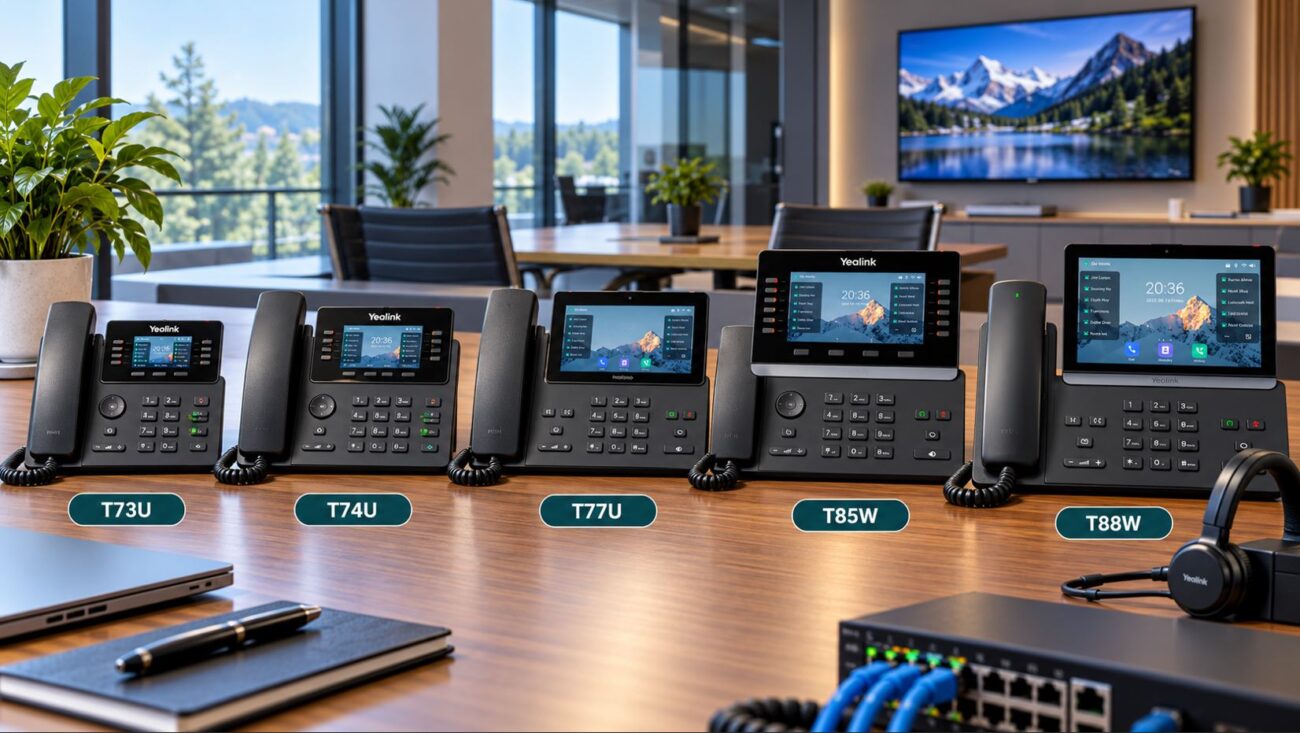
VoIP phones are the go-to for clear business calls and offer far more than basic voice. Modern models support HD audio, programmable buttons, busy lamp fields, and connectivity options like Bluetooth or Wi-Fi for hybrid teams. With phone models available for every role, there’s no reason to settle for outdated analog handsets.
What to Check Before Buying:
- Is the phone certified by your preferred VoIP or UC platform (Teams, Zoom, RingCentral)? Certification ensures features and updates work as intended.
- Consider trusted brands—like Yealink, Poly, Cisco, or Grandstream—that deliver regular firmware/security updates and wide compatibility.
- For hybrid or remote setups, look for phones supporting mobile or web app integrations.
IP PBX Systems: Smart Call Management
An IP PBX manages your extensions, call forwarding, voicemail, and company directories. Smaller businesses often choose cloud-hosted solutions, but on-premises PBX boxes offer extra privacy and control for those who want direct management or plan to connect with overhead paging or internal networks.
Who Should Consider On-Premise PBX?
- Businesses with compliance/privacy requirements
- Offices integrating with in-house paging or analog trunk lines
- IT teams seeking granular feature control or advanced call routing
No matter your size, choose systems that support SIP phones and allow for future user growth.
Network Switches: Connecting Everything Together
A reliable network switch ensures reliable connections for every device—phones, PCs, access points, and even security cameras. Don’t waste time on consumer-grade hardware. Business-class network switches handle voice and video traffic more gracefully, especially as your network grows more crowded.
Managed vs. Unmanaged: What’s Right for You?
- Unmanaged switches work for under 10 devices, where plug-and-play simplicity matters.
- Managed switches offer VLANs, Quality of Service (QoS), and traffic monitoring, making them essential for growing or multi-room set-ups, or when mixing calls, data, and guest Wi-Fi on one network.
Power over Ethernet (PoE): Cable Simplification
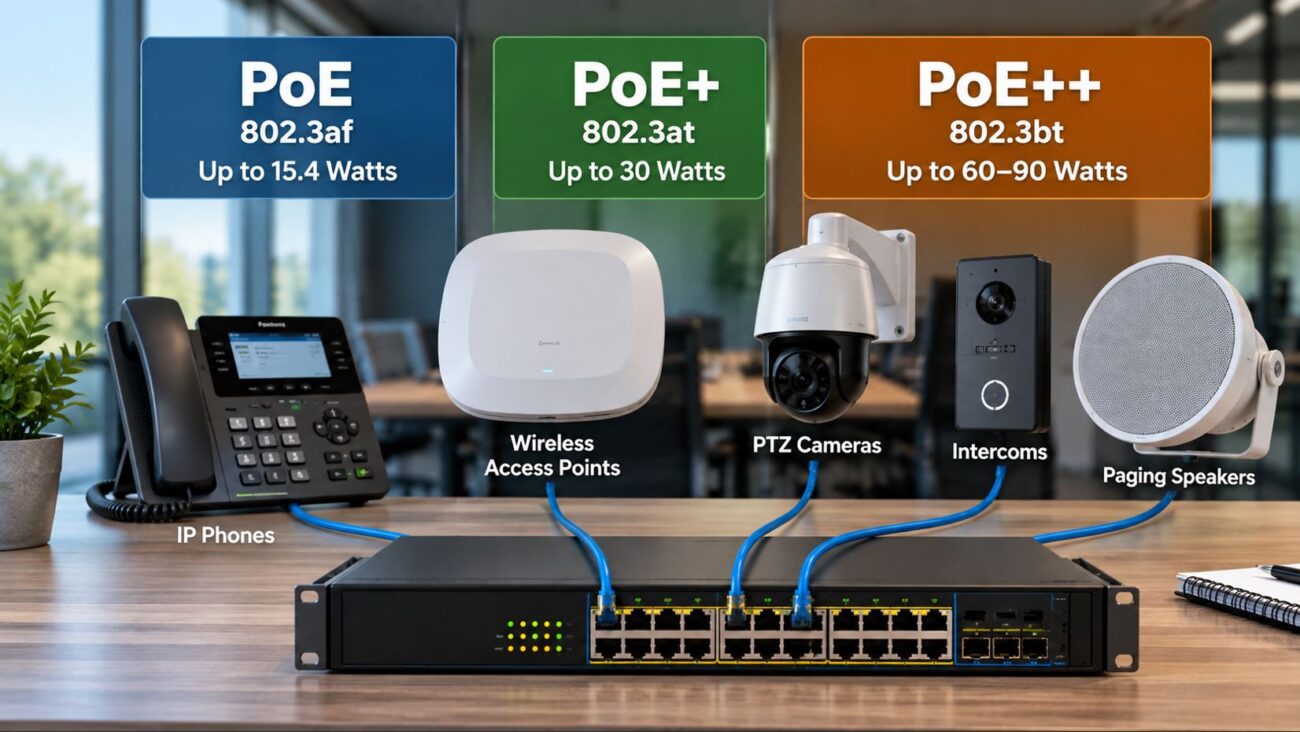
Modern VoIP phones, wireless APs, video bars, and even security cameras often use PoE switches. PoE lets you send power and data over a single network cable, making installation tidier and letting you add devices without electrical outlets everywhere.
- Check the total PoE power budget—don’t just add up the port count. Higher-wattage devices (like video bars) need more.
- Look for IEEE 802.3af/at/bt compliance on both your switches and devices to avoid compatibility surprises.
- Buy a switch with surplus power—future growth is almost certain.
Equipping Meeting and Conference Spaces
Conference Phones & Video Devices
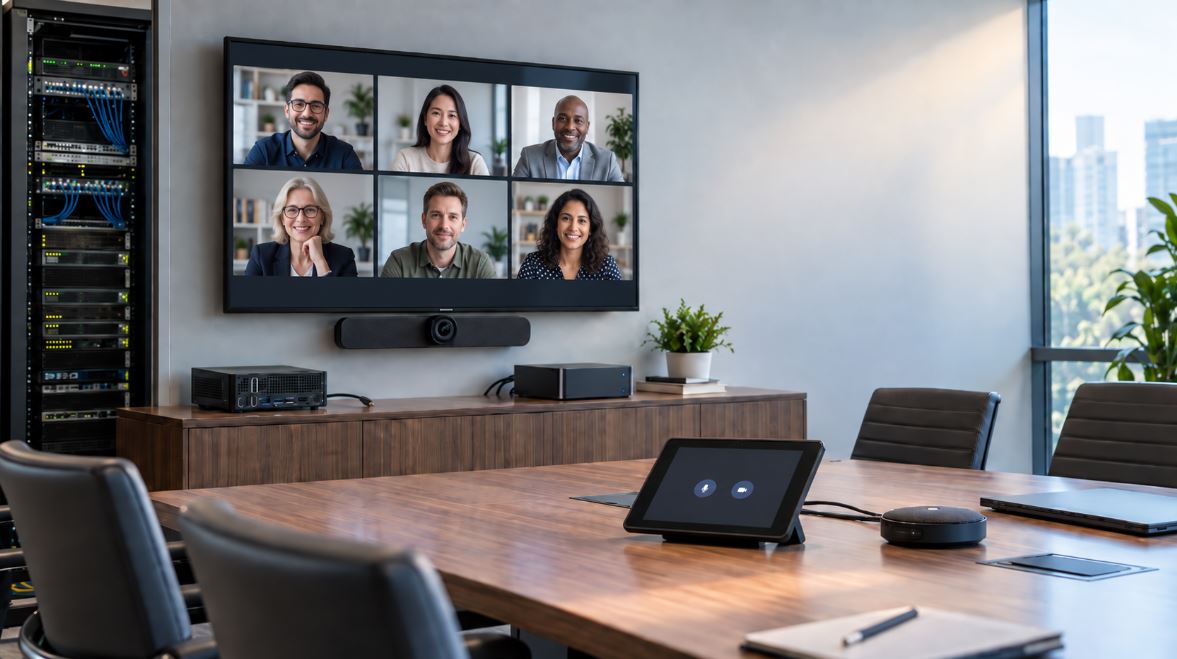
Teams that collaborate in conference rooms or run hybrid meetings need dedicated conference phones and often a video conferencing bar or camera/mic system. These tools integrate with common platforms (Teams Rooms/Zoom Rooms) and greatly improve group audio and video for everyone—no more huddling around a mobile phone or webcam.
- Choose models certified for your video platform to ensure full integration (mute/speaker/camera controls).
- Plan structured cabling to avoid messy wires—PoE support reduces clutter.
- Bigger rooms should use modular mics and adjustable cameras for coverage.
Business Headsets: For Desk, Hybrid, and Remote Teams
Your phone users—especially in open-plan or support-heavy offices—will benefit from quality business headsets. These improve audio, block distractions, and support hands-free productivity.
- Ensure compatibility: USB for computers, Bluetooth for mobile/flexible work, DECT for range, and RJ9/QUICK DISCONNECT for desk phones.
- Comfort and style matter: Let staff test wearing styles when possible before placing bulk orders.
- Opt for noise-canceling mics and adjustable headbands in busy or open areas.
Practical Buying Tips and Setup Mistakes to Avoid
- Count actual locations for phones/headsets—including remote team members and meeting rooms—before buying.
- Check PoE switch specs: Both port number and available power matter. Undersizing is a top cause of setup problems.
- Confirm gear uses compatible protocols: SIP, PoE version, VLAN/QoS features.
- Use quality Cat5e or Cat6 cabling—direct patch cords invite signal issues as you grow.
- Order a spare phone or headset for each location—replacements or quick swaps are invaluable.
- Regularly update firmware on your phones, PBX, switches, and wireless APs. Security and feature updates matter.
Common Mistakes to Avoid:
- Not leaving enough spare PoE power/capacity for growth.
- Skipping managed switches when mixing calls and data—it’s harder to fix problems after install.
- Mixing phone brands/platforms in proprietary systems without confirming cross-compatibility.
- Ignoring Wi-Fi dead spots—test with real devices before you commit.
- Underrating structured cable runs—a weak chain causes dropped calls, even with great devices.
Ensuring Network and Device Reliability
Quality of Service (QoS)
Use managed switches to prioritize voice and video traffic—for clear calls even when the network is busy with file transfers or backups.
Virtual LANs (VLANs)
Segmenting VoIP phones onto their own VLAN makes troubleshooting and growth easier. It also ensures that issues with one group of devices (such as PCs or guest Wi-Fi) don’t spill over into your phone system.
Wireless Access for Cloud/Hybrid
If phones or conferencing devices use Wi-Fi, invest in business-class access points and test coverage in real world conditions. Add more APs wherever you spot signal dead zones.
Compatibility Checklist Before Buying
- Are phones and PBX or UC platform officially compatible? Get lists from your provider (Teams, Zoom, etc.)
- Does your switch meet or exceed the PoE standard used by your devices?
- Will brands provide regular firmware/security updates?
- Is your cabling rated for gigabit or PoE+ (Cat6 or better is best)?
- For hybrid or offsite workers: Do your devices support cloud registration or softphone options?
Recommended Setups by Office Size
Small Offices (1–10 Employees)
- VoIP phones for each user
- Unmanaged PoE switch for simplicity, or a small managed switch if you want remote management
- Cloud or on-site PBX with voicemail
- High-quality Cat6 cabling installed professionally
- USB or wired headsets for each user
Growing Offices (10–50 Employees)
- Managed switches supporting VLANs, QoS, and monitoring
- PoE switches with sufficient power for phones, APs, and a few spare ports for cameras
- Modular IP PBX (or hybrid cloud service) that can scale as you add staff
- Dedicated conference and video devices for each meeting room
- Wireless business headsets for mobility
Hybrid/Remote-Ready Businesses
- SIP/Teams/Zoom-certified desk phones with cloud registration capability
- Secure VPN/firewall for connecting remote devices
- OS-specific softphone clients and tested headsets/video devices for remote staff
- Meeting room hardware for Teams/Zoom hybrid meetings
Related Telecom Categories for Business Buyers
If you’re planning an upgrade or doing a complete overhaul, consider browsing:
FAQ: Small Business Telecom Equipment
What is the minimum telecom setup for a small business office?
At minimum, you’ll need VoIP phones for each user, a reliable network switch—preferably a PoE switch if you want to power phones over Ethernet—business internet, and a hosted IP PBX or cloud VoIP provider. For productivity, add a comfortable business headset for each regular phone user.
When should a small business choose managed switches?
Choose managed switches when you need to prioritize voice and video traffic, segment your network (with VLANs), or manage your network remotely. They’re ideal for growing offices with many connected devices or when your phones and computers share the same network.
Are all telecom devices compatible with any VoIP or UC provider?
Most devices use open SIP standards, but not all are certified for every provider. Platforms like Microsoft Teams and Zoom Rooms require certified models for full functionality. Always check with your VoIP provider or platform for compatibility before buying.
What are common mistakes when setting up small office telecom?
Undersizing PoE switch capacity, using consumer network gear, ignoring cabling quality, skipping firmware updates, and mixing incompatible phone brands are frequent issues. Also, neglecting to map out locations for every device can lead to network headaches.
How do I choose the right headset for my small office phones?
Pick headsets that match your devices (USB, Bluetooth, or RJ9 for IP phones). For all-day use, focus on comfort, weight, and noise cancellation. When possible, test a unit first. Consider wireless models for mobility or open workspaces.
How can I futureproof my small office telecom setup?
Choose scalable hardware: managed or modular network switches, PoE with higher wattage than you currently need, and phones or PBX systems certified for your likely UC platform. Use structured Cat6 or better cabling and allow for headcount or location growth in your device planning.
Conclusion
A thoughtfully planned telecom setup will power your office—now and as your team grows. Choose VoIP phones known for compatibility, invest in managed or PoE network switches, pick a scalable PBX, and don’t overlook meeting room solutions or headsets for daily use. With business-grade gear and a focus on reliability, your small office is ready for crisp calls, seamless meetings, and a smoother path as technology and your business needs evolve.