Making the Right Plantronics Headset Choice for Business
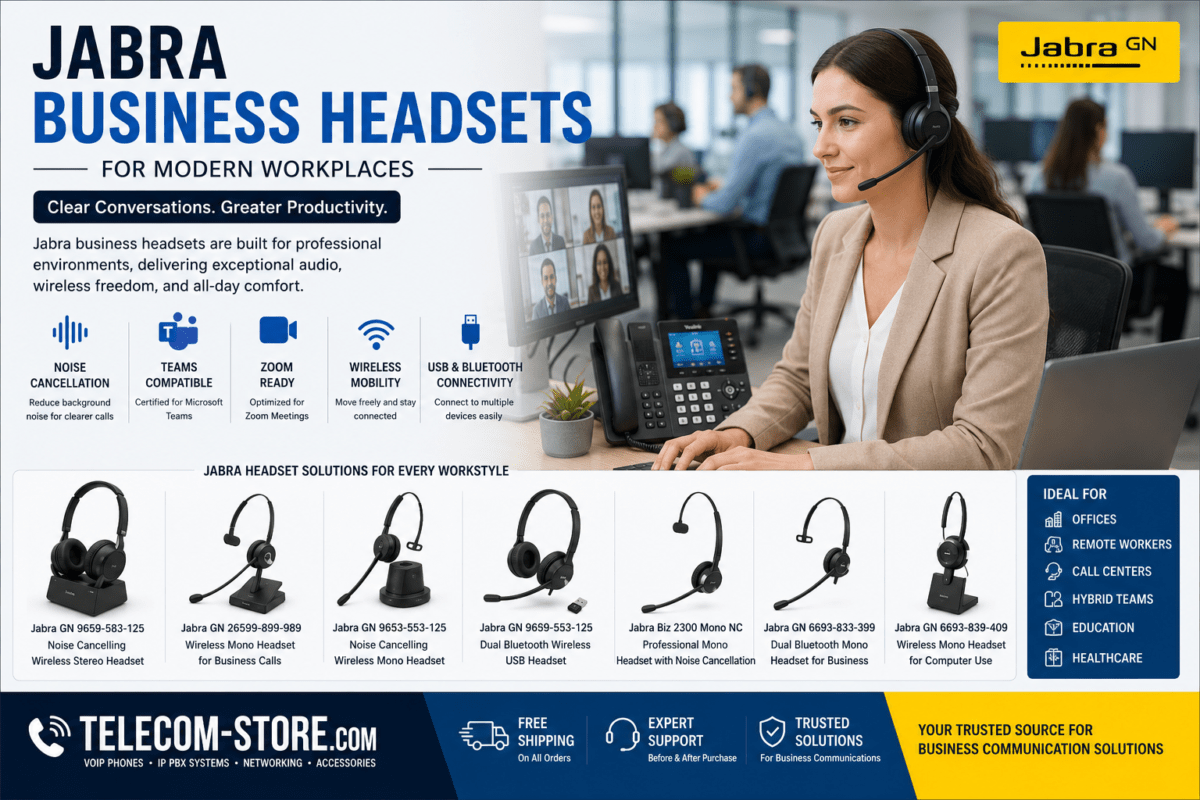
If your organization values clear business calls and efficient meetings—in office, hybrid, or remote settings—Plantronics (Poly) headsets offer proven reliability. This buyer-focused guide helps IT professionals and business managers choose the right model, avoid common pitfalls, and get the most from their headset investment.
Plantronics Headset Comparison for Business Buyers
| Model Type |
Best Workplace Fit |
Supported Platforms |
Wear Style |
Notable Features |
Direct Link |
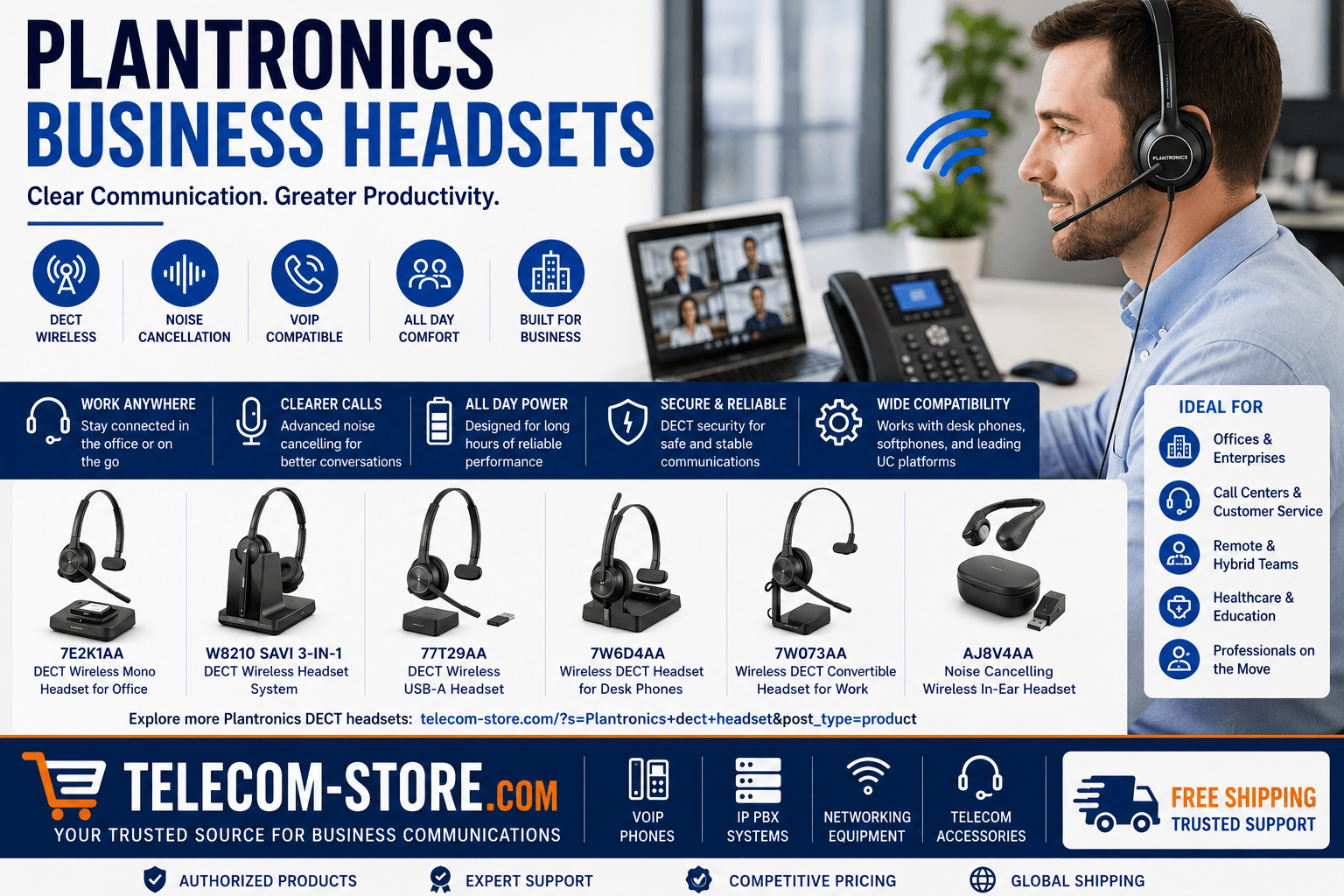
| DECT Wireless Mono |
Reception, administration, users needing background awareness |
Desk phones, VoIP |
Mono |
Long wireless range, comfortable for all-day use |
View |
| DECT Wireless for Desk Phones |
VoIP offices, healthcare, government, call centers |
VoIP desk phones |
Mono/Stereo (varies by model) |
Direct VoIP integration, noise cancelling mic |
View |
| Savi 3-in-1 |
Hybrid users, managers, tech and sales |
Desk phone, PC, mobile |
Mono convertible |
Seamless source switching, Teams/Zoom ready |
View |
| DECT Wireless USB-A |
UC desktop, hotdesking, video/conference rooms |
Teams, Zoom, softphones |
Mono/Stereo (see model) |
Plug-and-play, certified for most UC platforms |
View |
| Convertible DECT |
Rotate users, flexible fit |
VoIP, desk phones, USB softphones |
Over-ear, headband, back-of-neck |
Multiple fits, noise cancelling mic |
View |
| In-Ear Wireless |
Mobile staff, field sales, work-from-anywhere |
Bluetooth, mobiles |
In-ear |
Extreme portability, ANC, recharge on-the-go |
View |
Why Quality Headsets Matter for Business Communication
Clear, distraction-free calls support better customer service and efficient teamwork. Business headsets reduce office noise, free staff from handset juggling, and help keep teams engaged on voice, video, or hybrid meetings. Plantronics headsets are engineered for busy offices, contact centers, and remote staff using VoIP phones, Microsoft Teams, Zoom Rooms, and more.
Key Buying Tips and Points to Check Before Purchasing
- Compatibility: Each headset model supports different platforms. Some connect directly to VoIP desk phones, while others are optimized for Teams/Zoom via USB. For older VoIP phones, check if an EHS or direct-connect cable is required.
- Wearing Style: Mono is best if your staff needs to stay aware of their surroundings. Convertible designs offer multiple fits for shared desks/hot desking. In-ear and stereo headsets block more background noise for high-focus roles.
- Wireless Standard: DECT models provide excellent range and call clarity, suited to the office. Bluetooth provides flexibility for hybrid and mobile workflows.
- Noise Cancellation: High-traffic offices and open spaces need models with advanced noise-cancelling microphones—don’t assume all microphones are equally effective in cutting out chatter or HVAC noise.
- Battery Life/Charging: For intensive all-day users, verify if the model supports swappable batteries or has a quick-charge base.
Usage Scenarios and Which Plantronics Model Fits Each Role
Reception and Administrative Teams
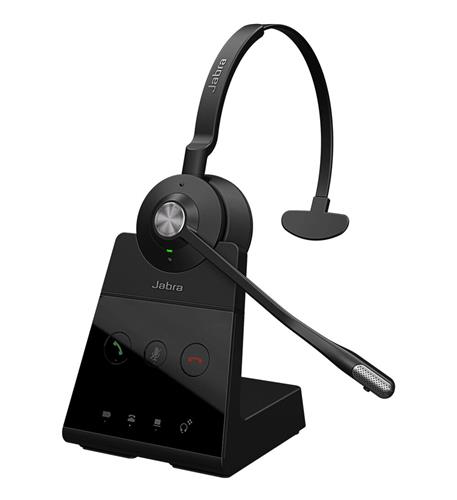
Receptionists and admin staff require the ability to focus on callers while managing walk-ins and coworkers. Mono DECT models such as this headset offer an open-ear design for safety and multitasking.
VoIP Desk Phone Users
For classic VoIP office or contact center deployments, choose Plantronics DECT Wireless for Desk Phones. These connect directly, minimize compatibility headaches, and perform well in sustained call environments.
Hybrid Managers and Power Users
If you need to switch between a desk phone, computer (for Teams/Zoom/Webex), and a mobile device, the Savi 3-in-1 supports all three with one headset. This is the go-to for hybrid work and multi-tasking executives.
UC, Video and Conference Rooms
Choose USB-A headsets for Teams and Zoom deployments. They offer easy compatibility and typically require no extra drivers or IT setup, making large deployments and hot desking straightforward. These models are also great for work-from-home users who need plug-and-play with laptops or docking stations.
Flexible Fit: Convertible Headsets
Staff with comfort preferences or rotating schedules will appreciate models like the Plantronics DECT Wireless Convertible Headset, allowing earhook, headband, or neckband wear for 8-hour shifts or shift work.
Mobile, Remote, and On-the-Go
When users are constantly away from their desk or frequently travel, ultra-light options like the Plantronics In-Ear Noise Cancelling Headset provide discreet communication and near-universal device pairing—ideal for sales reps, field techs, or executives on the move.
Noise Cancelling: How to Maximize Focus in Open Spaces
Look for Plantronics headsets with microphones that actively filter background noise (not all models do). Stereo (dual-ear) headsets are excellent in the loudest settings or shared spaces. Convertible and mono models suit quieter areas or users needing environmental awareness.
Device, Platform, and Accessory Compatibility
- Always check desk phone and VoIP platform compatibility. For instance, Cisco, Avaya, and Mitel often need EHS cables or adapters. Review manufacturer lists or email us if unsure.
- If deploying for Teams, Zoom, or SIP softphones, USB headsets greatly reduce IT support headaches.
- Review accessories like spare batteries, earpads, and charger docks—especially for hot-desking or call center deployments.
- For integrated system deployment or scaling hybrid setups, see our VoIP headset catalog, compatible VoIP phones, and supported PoE switches for end-to-end solutions.
Deployment Errors and Setup Mistakes to Avoid
- Never skip compatibility checks: not every wireless headset supports all desk phone models or softphone apps.
- Place DECT bases at least a few feet apart (and away from WiFi routers) to avoid interference in large offices.
- Train end-users to dock or charge headsets overnight, especially in shift environments, to prevent sudden drop-outs.
- Test a demo unit with each platform and primary physical location before committing to a full deployment.
- If in doubt, work with a telecom partner to source headsets and ensure all devices are supported.
Supporting Hybrid Work, Remote Employees, and Flex Spaces
In today’s hybrid offices, USB and multi-device models shine. Many companies standardize on Teams and Zoom, so Teams-certified Plantronics units minimize IT setup time. Make sure the home, remote, and office VoIP setups are all cross-compatible. For remote or mobile employees, Bluetooth and in-ear models simplify transitions between locations.
For telecom infrastructure or multi-site deployment help, connect with Axion Communications or consult Telecom-Store.com for recommendations, support options, and bulk purchasing guidance.
Find More Plantronics Options and Next Steps
Browse additional Plantronics DECT headsets and solutions to compare features or match your company’s growth plans. Evaluate wireless standards, compatibility, noise-control tech, and available accessories before making a final selection.
Frequently Asked Questions (FAQ): Plantronics Business Headsets
How do I make sure my Plantronics headset will work with our VoIP phones?
Check your phone’s make and model against the headset’s compatibility chart. Many Plantronics business headsets connect directly or use EHS (Electronic Hook Switch) cable, but always verify before purchasing and consult your IT or telecom provider if unsure.
Does the battery in a wireless Plantronics headset last all day?
Most DECT wireless Plantronics models are rated for a full 8+ hour workday. For exceptionally high call volume (such as call centers), opt for models supporting swappable batteries or quick charging.
Are Plantronics headsets suitable for Teams and Zoom meetings?
Yes, especially USB and Teams-certified models. These are optimized for instant connection with Teams, Zoom, and other softphone platforms, reducing IT support hassles.
What’s the best style of Plantronics headset for open offices?
Choose models with advanced noise-cancelling microphones and, if privacy is essential, dual-ear or stereo options. Both Savi and DECT mono lines are strong for noisy environments.
Can one Plantronics headset cover desk phones, PCs, and mobiles?
Select hybrid or multi-device models like the Savi 8200 series, which natively switch between desk phones, computers, and smartphones. Confirm interface support for each device.
Should I choose DECT or Bluetooth technology?
Use DECT for office-based staff requiring long range and secure communications; Bluetooth is best if users need to connect to mobile devices or switch locations often.
Conclusion: Upgrade Business Productivity with Plantronics Headsets
Plantronics business headsets are a smart choice for any business aiming for clear, reliable, and flexible communications. Match the model to your IT platform, confirm comfort and battery fit for users, and rely on tested deployment practices. This approach helps your organization avoid common headaches and keeps your communications infrastructure running smoothly in the office, at home, or on the go.