Getting Your Office Network Ready for VoIP
Your network is the backbone of your business phone system. If you want consistently clear calls—whether on Yealink, Grandstream, or Teams-certified desk phones—the network quality matters more than the brand of phone you pick. This guide walks you through building a business network that supports professional VoIP in real offices.
Key Network Choices at a Glance
| Component |
Best Practice |
What to Watch |
| Router |
Business-grade, supports QoS and VLANs |
Avoid consumer Wi-Fi routers |
| Switch |
Managed PoE Switch (with VLAN support) |
Check total PoE power & number of ports |
| VoIP Phones |
SIP-compatible, business VoIP models |
Provision with correct SIP details |
| Cabling |
Cat5e or better (wired preferred for phones) |
Replace old/patchy cables |
| Wi-Fi |
Sufficient for apps, not for most desk phones |
Avoid using for main phone lines |
Who Should Upgrade?
If you’re expanding, moving to modern VoIP, or want consistent call quality for clients and remote teams, preparing your network is essential. Start with your internet connection, check your router capability, and audit your switches for VLAN and PoE features.
Why Network Design Impacts Every VoIP Call
VoIP is sensitive. Lag, packet loss, or even unplanned Wi-Fi traffic can turn a crucial call into static. With the right design, you get:
- Consistent call clarity even when running multiple apps
- Minimal latency or dropped calls
- Easy scalability as staff grow or work remotely
- Predictable behavior with VoIP phones or conference devices
Even the best phone models will struggle if the network is poorly set up.
Main Components for a Reliable VoIP Network
Router & Firewall
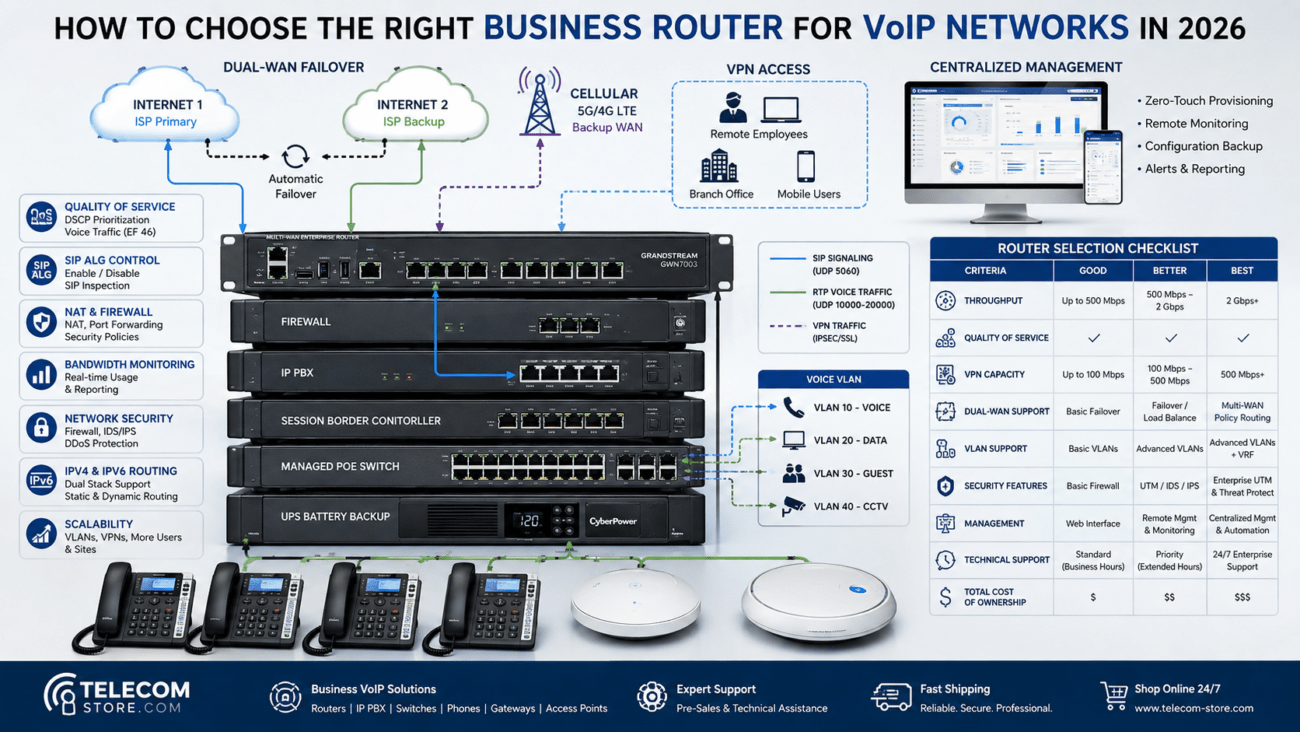
For VoIP, choose a business router—not just any home Wi-Fi box. Look for these features:
- Quality of Service (QoS) settings
- Ability to disable SIP ALG (some phones require this off)
- Support for VLANs—helps segment traffic
Routers with these features are listed on our Computer & Networking category for easy comparison.
Switches: Managed vs. Unmanaged for VoIP
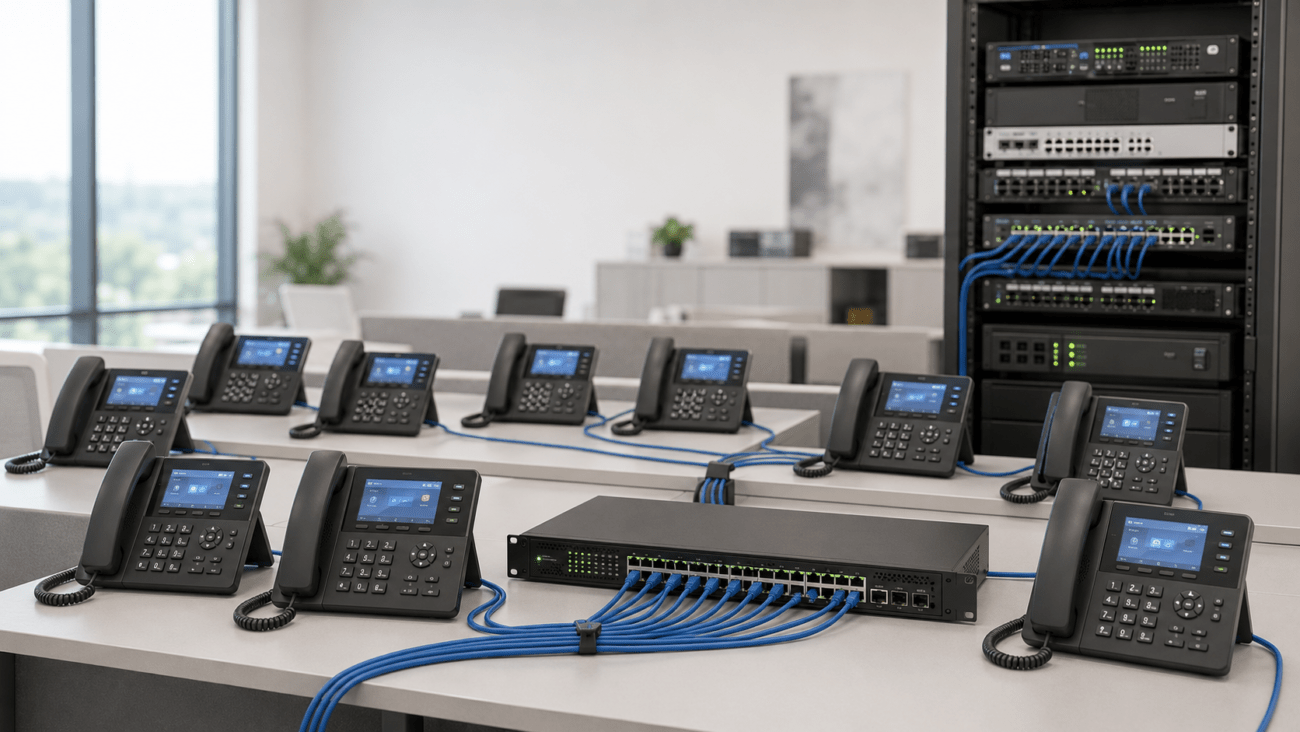
For new deployments or upgrades, managed switches make a huge difference. They let you control traffic, support VLANs, and often supply power (PoE) for desk phones by default. If you run more than three phones in one office, invest in a managed switch.
Tip: PoE switches also remove the mess and cost of external adapters. Check the total PoE wattage—some phones, like color screens or video endpoints, draw more power than basic units. Browse our PoE Switches for options that match both your power needs and number of ports.
VoIP Phones and Endpoints
Most modern phones (such as the Yealink T54W or any in our VoIP Phones section) are designed to work with standard SIP networks. Make sure your new endpoints support PoE if you want to keep cabling uncluttered.
Getting Quality Calls: Bandwidth, QoS, and Prioritization
Bandwidth Requirements
Each phone call typically consumes 80–100 kbps upload and download. Multiply by the number of simultaneous callers (not total staff). Ten active calls? Plan for at least 1 Mbps up and down reserved, plus internet for everything else.
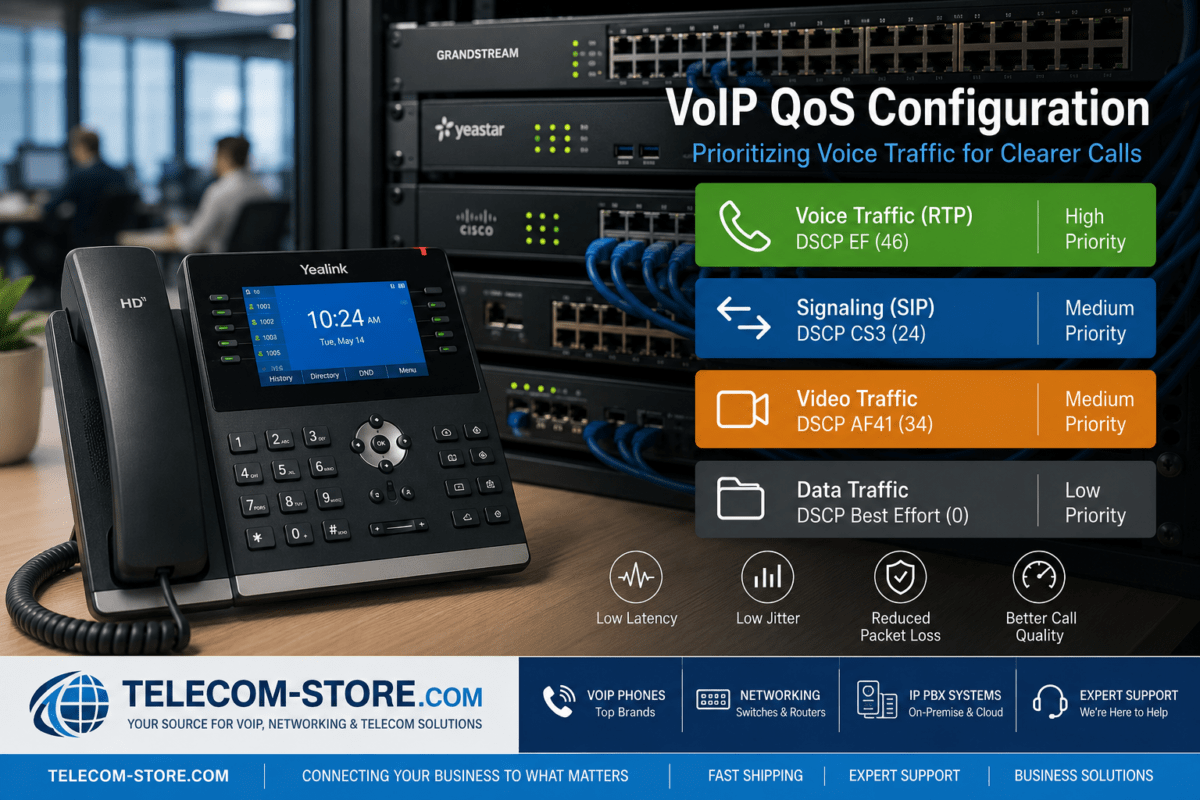
QoS (Quality of Service)
Prioritizing VoIP traffic keeps calls clear—even if someone starts a large download or Zoom meeting. Use QoS settings in your router and managed switches. Assign high priority to SIP and RTP ports, tag VoIP traffic with VLANs, and throttle less-critical devices when necessary.
Latency and Jitter: How Much is Too Much?
- Latency under 150 ms—over this, you notice voice delays
- Jitter under 30 ms prevents awkward audio breaks
Exceeding these means call clarity drops. Often the cause is overloaded networks, bad cabling, or using the wrong switches—watch for these when troubleshooting.
Configuring Your Network: Steps to a VoIP-Ready Office
Setup Checklist
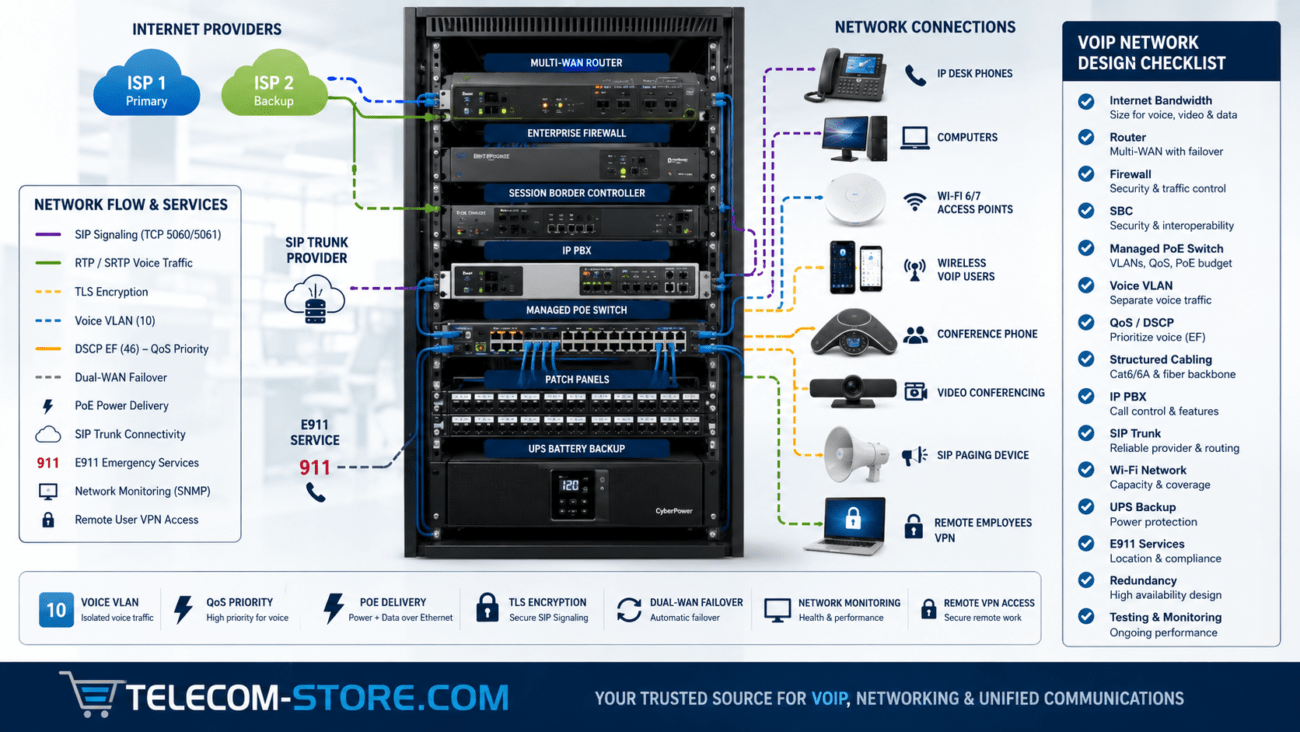
- Install a business-grade router with QoS and VLAN support
- Deploy a managed switch with PoE (see PoE wattage requirements)
- Segment traffic: use VLANs for voice, separate from data
- Connect new VoIP phones—test with a unit like the Yealink T54W
- Provision phone with SIP credentials from your provider or IP PBX
- Test call clarity, record jitter and latency
Advanced Options
- Use separate internet connections for voice and data (best for high-call-volume offices)
- Implement failover (auto-switch if main connection drops)
- Monitor usage trends monthly with network tools
Compatibility: Will My Phones Work?
Supported Brands and Integrations
Popular models from Yealink, Grandstream, and other SIP-based brands are compatible with major hosted VoIP providers and most IP PBX systems. Ensure your network supports:
- DHCP for IP address assignment
- DNS for server name resolution
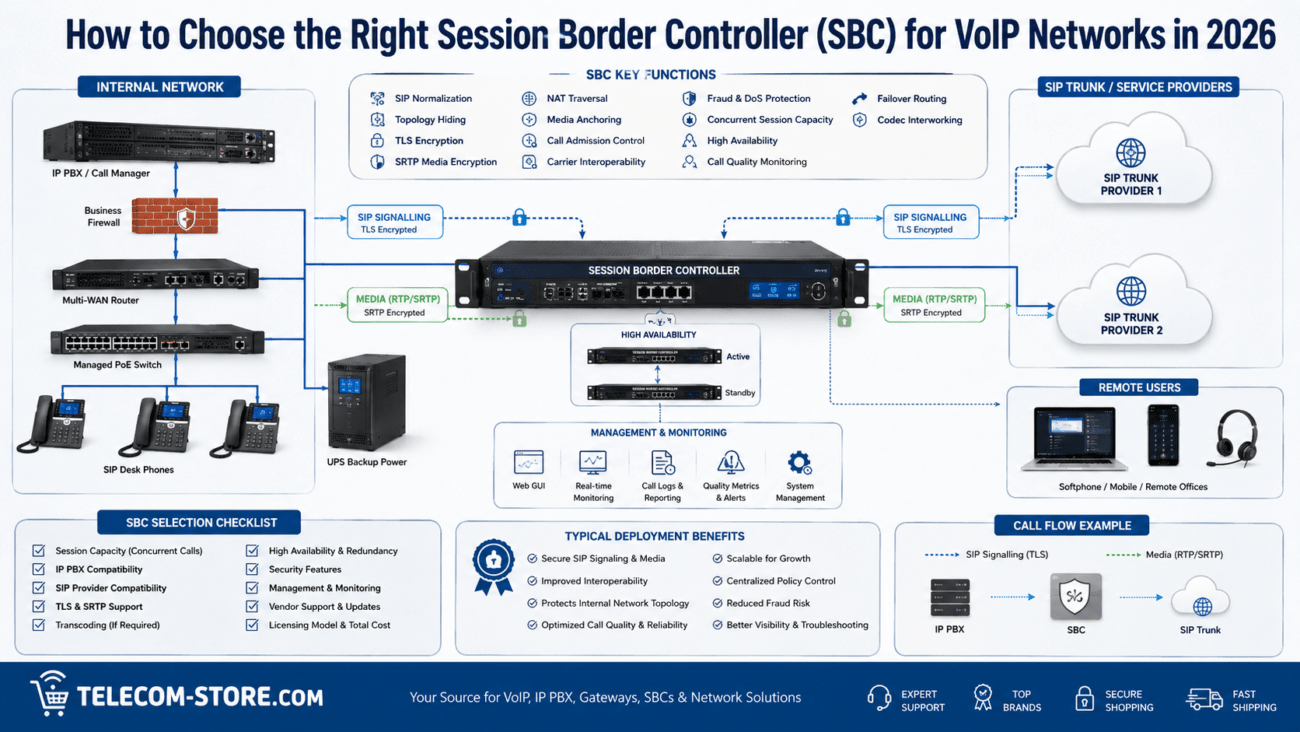
- Correct NAT traversal—set port forwarding for SIP & RTP as needed
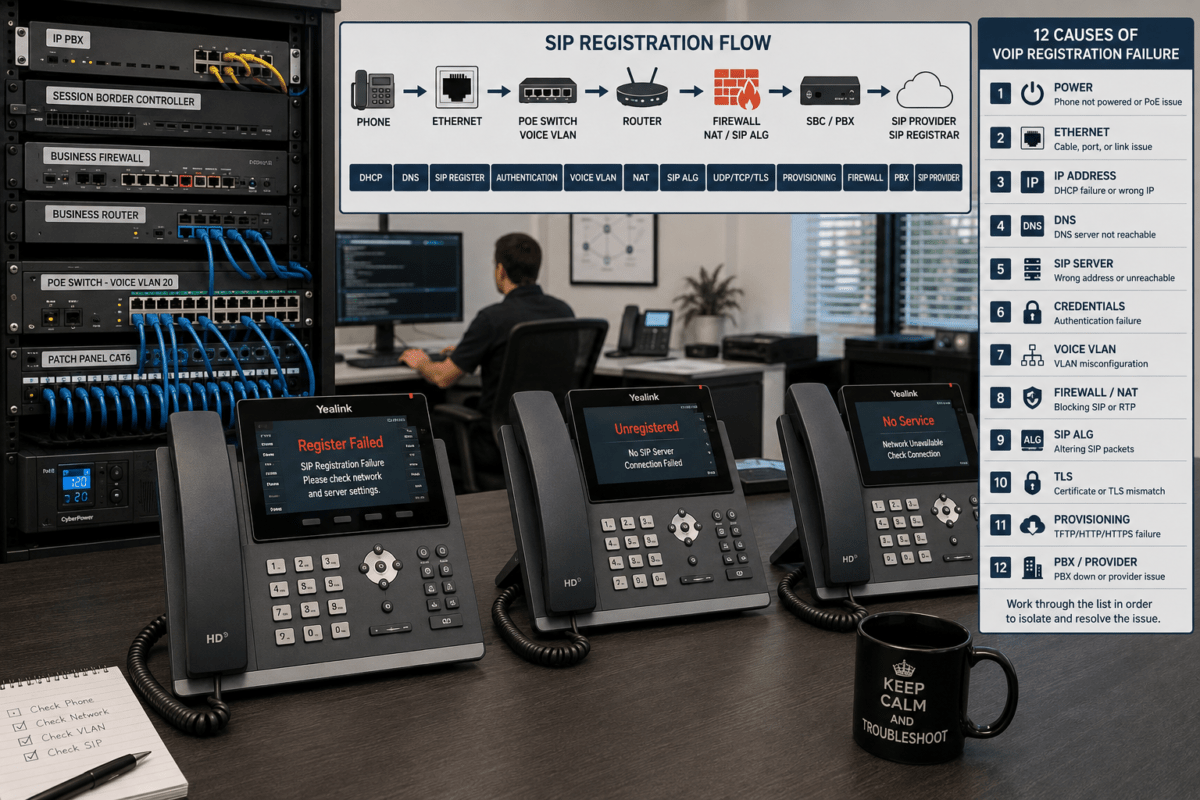
Common Mistake: Not turning off SIP ALG or not enabling VLAN for VoIP traffic.
Typical Problems to Avoid (And How to Fix Them)
Packet Loss
Phones sound robotic or calls drop? Check for low-quality or overloaded switches. Replace old cabling, upgrade to managed switches, and review your router’s capacity.
Jitter
Audio “clips” or skips? Too much jitter means packet delivery is inconsistent. Segment voice with VLANs and enable jitter buffers in phones or PBX where possible.
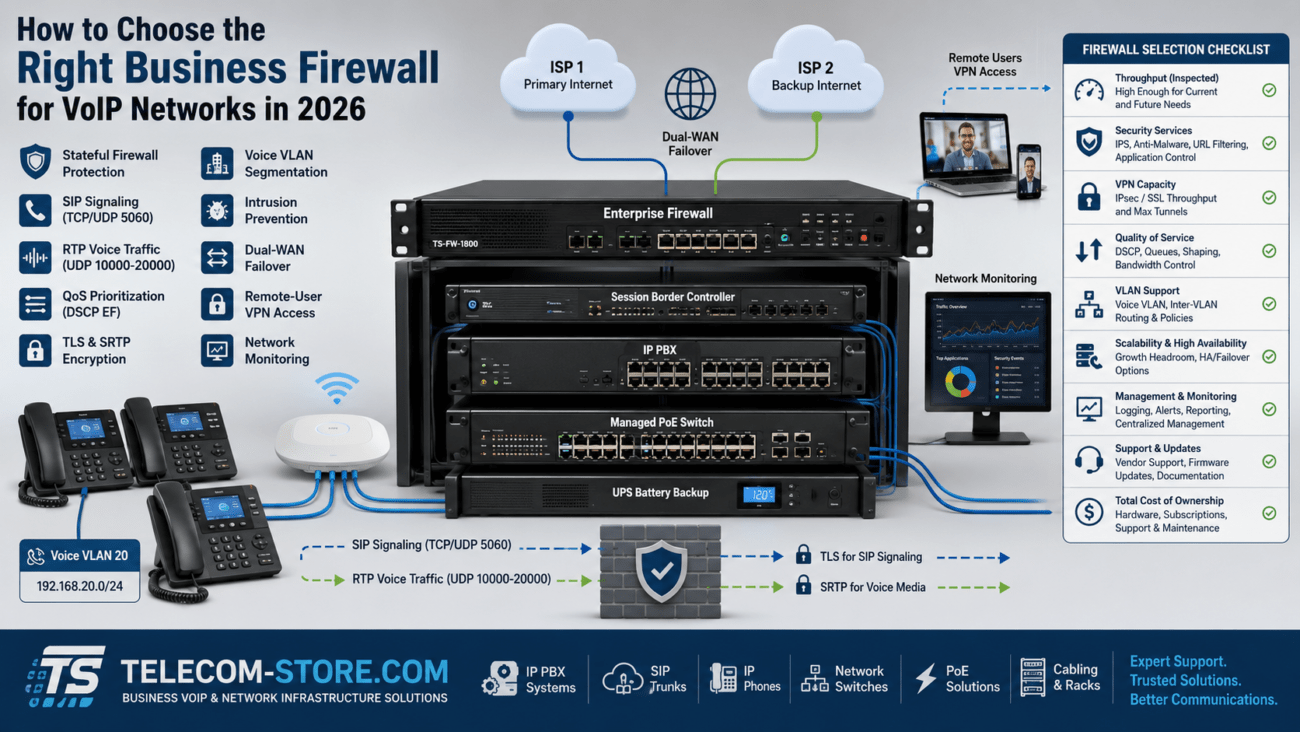
NAT and Firewall
Often, incoming calls ring but can’t connect, or outgoing fail. Disable SIP ALG in the router, set static port forwarding for SIP and RTP, and avoid double-NAT between multiple routers.
Wireless vs. Wired: What’s Best For VoIP?
While wireless is fine for email and light mobile apps, VoIP works best on wired connections. For conference rooms and main desk phones, always prefer Cat5e or newer cabling. Use Wi-Fi only for backup or low-volume endpoints, and make sure the access point isn’t overloaded.
Limitations and Gotchas (What to Keep in Mind)
- Budget routers and old Wi-Fi gear often lack business-class features
- Wi-Fi-only offices are prone to call drops if multiple users stream video or large files
- If your internet drops, so does your VoIP—consider redundancy
Audit your network hardware every 18 months to catch obsolescence before it affects calls.
Maintenance Tips: Keeping Your Network in Top Shape
- Update firmware on routers, switches, and VoIP phones regularly
- Monitor for bandwidth spikes or unusual latency
- Increase bandwidth or hardware capacity before adding lots of new phones
If your business is growing, plan for modular upgrades: buy managed switches with more ports than you need today, and ensure your provider can scale up bandwidth quickly if call volume rises.
Helpful Internal Resources
Need new switches? Explore our network switch selection and PoE Switches. For ready-to-deploy VoIP phones and accessories, browse our VoIP Phones and compare IP PBX systems.
Additional Business Telecom Resources
Visit Axion Communications for more in-depth VoIP service and SIP trunking expertise.
VoIP Network Setup FAQs
What is the best network switch for small business VoIP systems?
A managed PoE switch with VLAN support ensures call quality and powers your VoIP phones without extra adapters. Look for switches designed for business, such as those in our Network Switches section.
How do I avoid call drops and bad audio on VoIP?
Prioritize VoIP traffic using QoS settings, segment voice/data with VLANs, and ensure your internet bandwidth meets the call volume. Regularly update your network hardware firmware and avoid using consumer-grade Wi-Fi for desk phones.
Are Yealink and Grandstream phones hard to configure for a business network?
No, both brands use standard SIP protocols and are compatible with most business routers and switches. Troubles usually come from not enabling DHCP, using unfit routers, or not setting up port forwarding when needed.
What key mistakes should I avoid when planning a VoIP-ready network?
Avoid mixing old network hardware with new phones, relying fully on wireless for desktop phones, and forgetting to enable QoS. Always pick equipment with business support—like managed PoE switches—and avoid congested or outdated office cabling.
Can I use VoIP with my existing office infrastructure?
Often yes, but check that your switches and routers have support for QoS, VLANs, and PoE. If you use thin cabling, upgrade to Cat5e or higher. Legacy switches may need to be replaced for full VoIP compatibility and quality.
A well-designed and actively maintained business network will give you years of reliable VoIP performance, minimal support issues, and clear, professional phone service for every user in your organization.