Business Door Access Meets VoIP: How IP Video Intercoms Work with Your Phone System
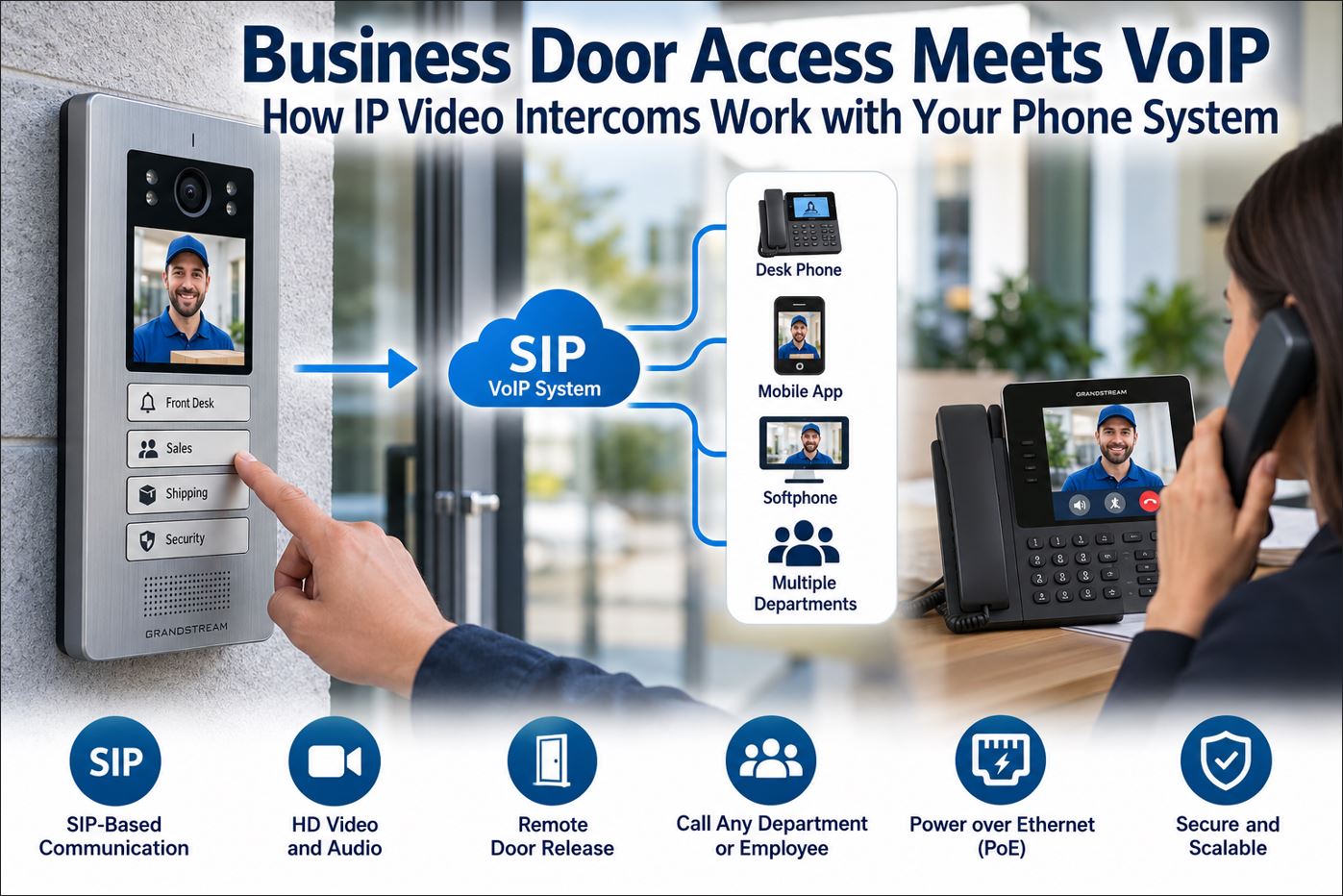
Business door access no longer has to operate as a completely separate system from business communications. Modern IP video intercoms can use the same Ethernet infrastructure and SIP technology used by VoIP phones, allowing a visitor at the entrance to call a receptionist, security desk, employee, department, or other designated destination.
Depending on the equipment and configuration, an authorized employee may be able to see the visitor, speak with them, and remotely release the door without leaving a desk or reception area.
This convergence of VoIP, video intercom, access control, Power over Ethernet and IP networking can simplify entry management for offices, warehouses, schools, medical facilities, multi-tenant buildings and other commercial properties.
This guide explains how IP video intercoms work with VoIP phone systems, what infrastructure they require, how remote door release works, and what businesses should consider before deploying one.
What Is an IP Video Intercom?
An IP video intercom is a network-connected communications device installed at an entrance, gate or other controlled access point.
Unlike a traditional analog doorbell or standalone intercom, an IP intercom can communicate over an Ethernet network. SIP-capable models can function much like another endpoint on a VoIP phone system.
A typical device may combine several functions:
Two-way voice communication
Video camera
Doorbell or programmable call buttons
SIP calling
Power over Ethernet
Door-lock relay control
Card, NFC, PIN, Bluetooth or QR-code access
Door sensor and request-to-exit inputs
Video surveillance integration
The exact capabilities depend on the model and access-control system being deployed.
How Does an IP Video Intercom Work with VoIP?
The easiest way to understand the system is to think of the door station as another SIP endpoint.
Visitor
   |
   v
IP Video Door Station
   |
   | Ethernet / PoE
   v
Network Switch
   |
   v
SIP / IP PBX
   |
   +------------------+
   |                  |
   v                  v
Reception Phone    Security Phone
   |                  |
   +--------+---------+
            |
            v
       Door Release
When a visitor presses the call button, the door station initiates a SIP call to a configured extension, ring group, department or other destination.
The employee answers the call just as they would answer another VoIP call. With compatible video equipment, the employee may also see the visitor before deciding whether to grant access.
A Real-World Business Example
Consider an office with a locked front entrance.
A visitor arrives and presses the button on the IP video door station. The device places a SIP call to the reception group.
Several things can then happen:
The receptionist’s phone rings.
The receptionist answers the call.
Video-capable equipment displays the visitor.
The receptionist speaks with the visitor.
The receptionist verifies why the visitor is there.
If authorized, the receptionist initiates the configured door-release command.
The intercom activates the appropriate relay or access-control interface.
The electric locking system releases according to its configuration.
The employee does not necessarily need a separate desktop intercom console because the communications system can become part of the door-access workflow.
SIP Is the Connection Between the Door and Phone System
SIP, or Session Initiation Protocol, is widely used for establishing VoIP communications sessions.
A SIP-compatible door station can typically be configured with information similar to a business IP phone:
SIP server or PBX address
SIP account or extension
Authentication credentials
Outbound call destination
Audio and video parameters
That allows the PBX to route an entrance call using familiar telephone-system features.
For example, the door station could call:
Extension 100 – Reception
Extension 200 – Security
A ring group
A department
A video-capable IP phone
Another authorized SIP endpoint
One Door Station Can Reach Multiple Departments
Some modern door stations provide multiple programmable buttons rather than a single doorbell button.
This is useful for buildings where visitors may need different destinations.
Door Button
Possible Destination
Front Desk
Reception ring group
Sales
Sales department
Deliveries
Warehouse or receiving
Security
Security desk
This can reduce the need for a receptionist to manually redirect every visitor.
Current Example: Grandstream GDS3726Q
A current example of this approach is the Grandstream GDS3726Q Smart IP Video Door Station.
Grandstream introduced the GDS3726Q in September 2026 as part of its GDS3720 Series. It provides four customizable quick keys that can be configured to contact different departments, offices, residents, security personnel or other destinations.
The GDS3726Q combines SIP communication, video intercom and access-control functionality. Depending on the deployment, supported entry methods include cards, NFC, Bluetooth, QR codes, application-based access and SIP calls.
The important concept is not a particular manufacturer. The broader design principle is that a SIP-capable entrance device can participate in the organization’s IP communications infrastructure instead of functioning as an isolated doorbell.
Audio-Only vs. Video Intercom
Feature
Audio IP Intercom
IP Video Intercom
Two-way conversation
Yes
Yes
Visual visitor verification
No
Yes
SIP calling
Model dependent
Model dependent
Remote door release
Model dependent
Model dependent
PoE
Common
Common
Surveillance integration
Limited
Often available
Audio-only devices can be appropriate when visual identification is unnecessary. Video becomes much more useful when employees need to verify visitors, deliveries or contractors before granting access.
How Remote Door Release Works
The VoIP call itself does not physically unlock the door.
The intercom or associated access-control hardware interfaces with the locking system through a relay or other supported control connection.
A simplified arrangement looks like this:
IP Phone
   |
   | SIP / Control Command
   v
IP Door Station
   |
   | Relay / Access-Control Interface
   v
Door Lock / Access-Control System
The actual locking hardware may include an electric strike, magnetic lock or another access-control device.
Door hardware must be designed correctly for the building, applicable life-safety requirements and the desired fail-safe or fail-secure behavior. Network administrators should not treat the physical locking system as simply another low-voltage accessory.
Power over Ethernet Simplifies Installation
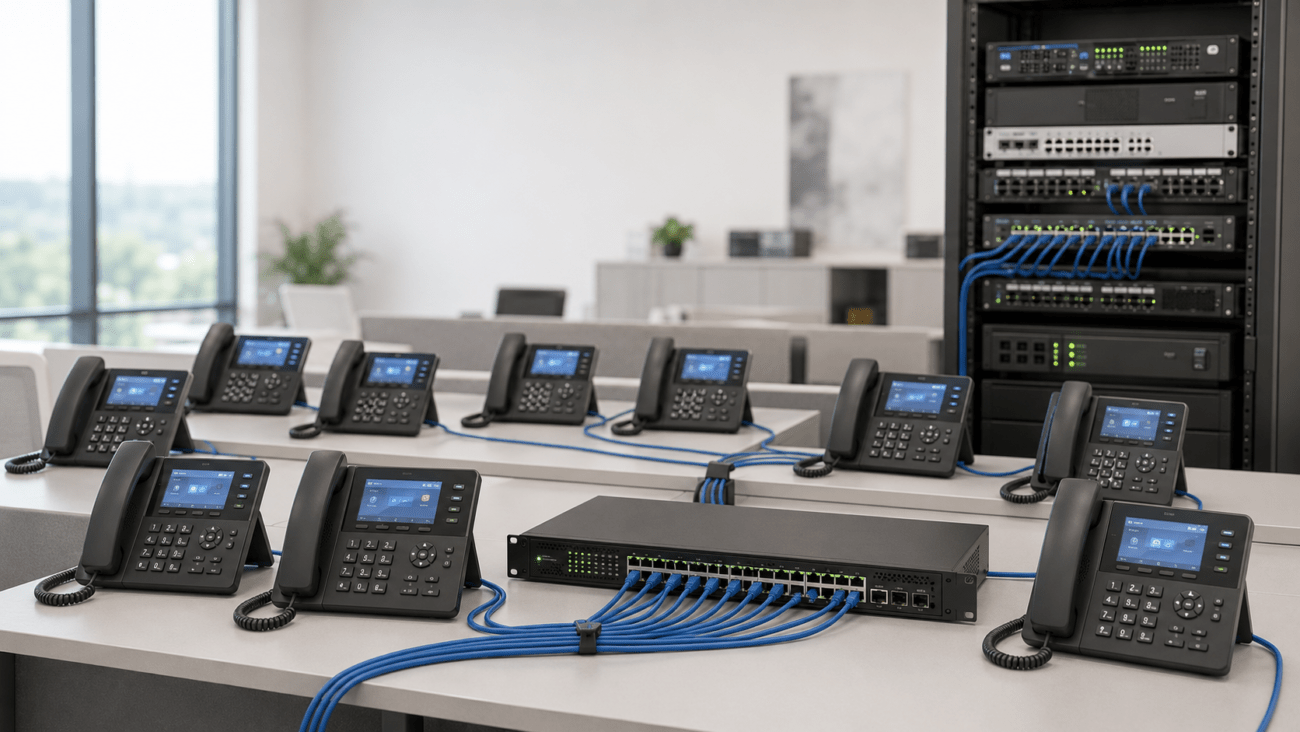
Many business IP intercoms support Power over Ethernet.
PoE allows a compatible network switch or injector to provide both network connectivity and electrical power over Ethernet cabling.
A typical installation can therefore look like:
Managed PoE Switch
       |
       | Ethernet + Power
       |
       v
IP Video Door Station
This can simplify installation compared with providing separate network and local power connections.
However, the electric locking hardware may have separate power requirements. The PoE connection powering the intercom should not automatically be assumed to provide power for every component of the door-control system.
Why a Managed PoE Switch Is Useful
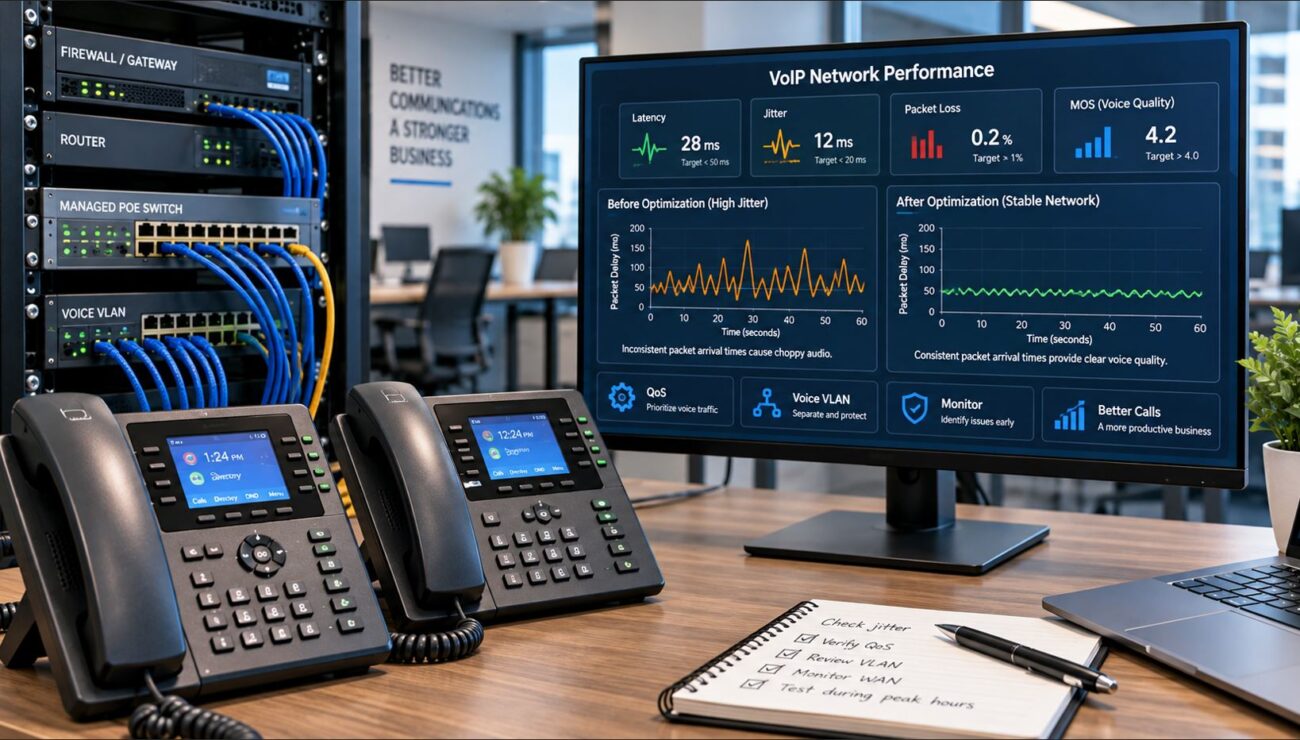
A managed PoE switch is especially useful in a business intercom deployment because administrators can gain visibility and control over the network connection.
Useful capabilities may include:
VLAN configuration
PoE monitoring
Port statistics
QoS
Port security
Traffic monitoring
Remote port management
This becomes increasingly important as the number of IP phones, cameras, access points, intercoms and other network devices increases.
Should the Intercom Be on a Separate VLAN?
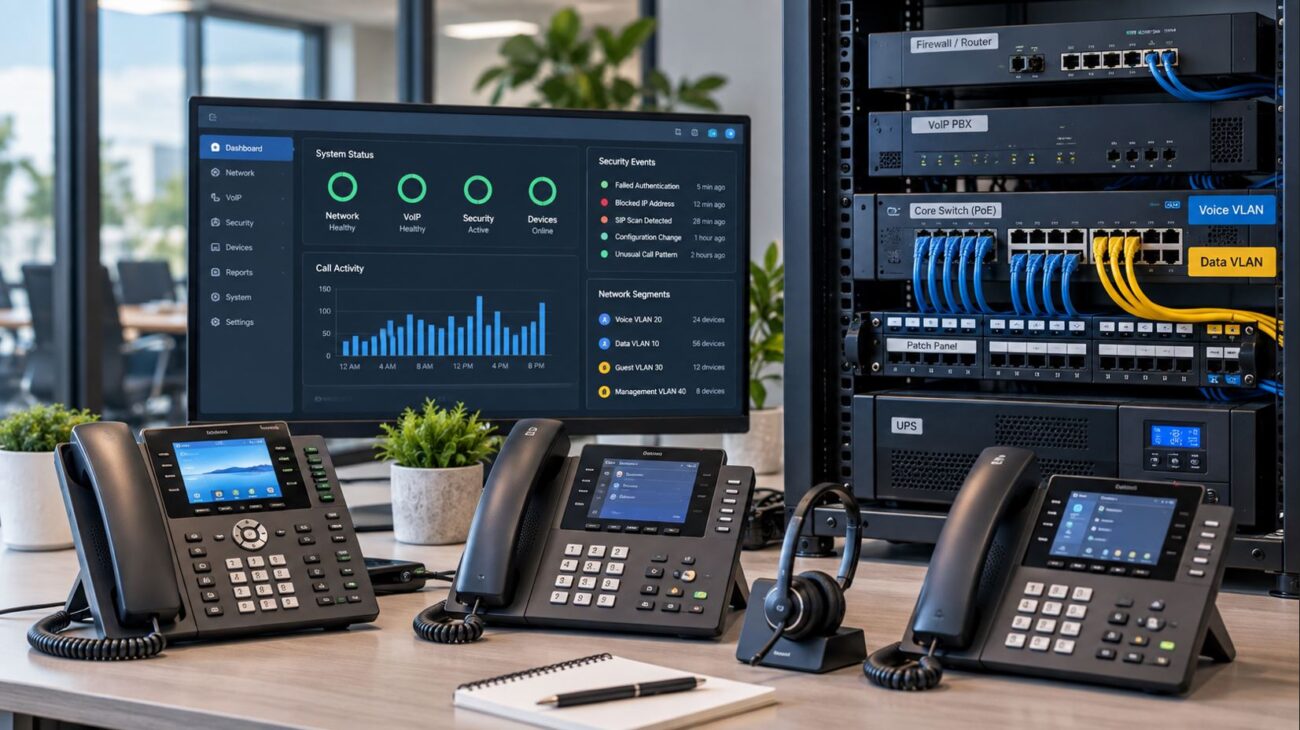
Network segmentation should be considered as part of the security design.
Depending on the environment, IP phones, cameras, access-control equipment and ordinary computers may be separated into different VLANs or security zones.
Segmentation can make it easier to control which systems are permitted to communicate with the intercom.
For example, an organization might permit the door station to communicate with:
The IP PBX
Authorized management servers
Video-management systems
DNS and NTP services
Specific administrator workstations
while preventing unnecessary communication with ordinary user devices.
For more information about VLAN design for VoIP environments, see the VoIP VLAN Setup Guide.
IP PBX Integration
The PBX determines how the SIP call from the entrance is routed.
Organizations can use call-routing features to create workflows such as:
Front Door
   |
   v
Reception
   |
No Answer
   |
   v
Security
or:
Delivery Entrance
   |
   v
Receiving Ring Group
   |
No Answer
   |
   v
Warehouse Manager
A business using compatible Grandstream equipment, for example, may integrate SIP endpoints with a Grandstream UCM-series IP PBX. Telecom-Store.com currently carries the Grandstream UCM6302A IP PBX, which supports SIP endpoints and centralized business communications.
Video Requires Compatible Endpoints
It is important to distinguish between SIP compatibility and video compatibility.
An audio-only SIP phone may be able to answer the intercom call but obviously cannot display the visitor’s video feed.
If visual verification at the desk is required, confirm compatibility among:
Door station
PBX
Video codec
Receiving endpoint
Network
Do not assume that every SIP phone can display video simply because the intercom supports video.
It supports multiple access methods and includes integrated microphones and a speaker for intercom communication. Its IP66 and IK10 ratings also make it appropriate for installations requiring environmental and impact resistance.
For most permanently installed business door stations, wired Ethernet and PoE are still attractive because they provide predictable connectivity and centralized power. Wireless capability can nevertheless provide useful flexibility in certain deployments.
Consider a warehouse with a main entrance and delivery entrance.
Component
Role
IP video intercom
Visitor communication and access point
Managed PoE switch
Network connectivity and intercom power
IP PBX
SIP registration and call routing
Reception IP phone
Answers visitor calls
Warehouse phone
Answers delivery calls
Access-control hardware
Controls physical door locking
UPS
Maintains selected network equipment during short outages
The front-door button could ring reception while the delivery entrance routes directly to receiving.
This allows the existing communications infrastructure to participate in physical-access workflows without requiring every entrance to use an isolated intercom system.
Don’t Forget Backup Power
A PoE intercom depends on the network equipment supplying its power.
If the PoE switch loses power, the intercom may also lose network connectivity and power.
Businesses that require continued communications during short power interruptions should consider UPS protection for critical network infrastructure.
The backup-power design should consider:
PoE switch
Router
Firewall
IP PBX when locally hosted
Internet equipment
Access-control power supply
Physical door hardware and life-safety operation require their own appropriate power and code-compliant design.
Security Considerations
An IP intercom is both a communications endpoint and a network-connected security device. It should therefore be treated as part of the organization’s cybersecurity environment.
At minimum:
Change default administrative credentials.
Install appropriate firmware updates.
Restrict management access.
Use network segmentation where appropriate.
Disable unnecessary services.
Use secure protocols when supported and correctly configured.
Protect the PBX account used by the intercom.
Limit door-release permissions to authorized users and systems.
Maintain configuration backups.
Monitor the device for unusual activity.
IP Video Intercom Deployment Checklist
Question
Verify Before Installation
Does the device support SIP?
Confirm compatibility with the intended PBX or SIP platform.
Is video required?
Confirm receiving endpoints support the required video functionality.
Is PoE available?
Verify PoE standard and switch power budget.
How will the door unlock?
Confirm relay/access-control and locking-hardware requirements.
Who should answer?
Define extensions, departments and failover destinations.
Is outdoor installation required?
Verify environmental and impact ratings.
How will the network be segmented?
Define VLAN, firewall and management-access policies.
What happens during an outage?
Plan network and access-control backup power.
Common Deployment Mistakes
Assuming Every SIP Phone Supports Video
SIP compatibility does not automatically provide video display capability. Verify the complete endpoint path before purchasing equipment.
Ignoring the PoE Budget
The switch must have sufficient per-port capability and total PoE capacity for all powered devices.
Putting Security Devices on an Uncontrolled Network
Door-access equipment should not simply be connected to any available network port without considering segmentation, firewall rules and administrative access.
Ignoring the Physical Door Hardware
The intercom is only one component. Electric strikes, magnetic locks, door sensors, request-to-exit devices and access-control power supplies must be properly designed and installed.
Forgetting Failure Conditions
Determine what happens if the PBX, network, Internet connection or electrical service becomes unavailable. Physical access requirements should not depend on assumptions about network availability.
Frequently Asked Questions
Can an IP intercom call a VoIP phone?
Yes, when the intercom and phone system support compatible SIP functionality and are properly configured. The door station can operate as a SIP endpoint and call an extension or other configured destination.
Can a VoIP phone unlock a door?
With compatible equipment and configuration, an authorized user may be able to trigger the intercom or access-control system’s door-release function from the communications endpoint. The physical door is ultimately controlled by the appropriate relay or access-control hardware.
Does an IP video intercom need an IP PBX?
Not every deployment is identical, but an IP PBX or compatible SIP platform provides centralized registration, call routing and extension management when the door station is being integrated into a business phone system.
Can an intercom call several phones?
Yes. The PBX can potentially route the call to a ring group or other configured destination, depending on the PBX and intercom configuration.
Can an IP video intercom use PoE?
Many business IP intercoms support PoE, allowing network connectivity and device power to use the same Ethernet cable. Always verify the exact model’s requirements and the switch’s PoE capability.
Can the door station work outdoors?
Some models are specifically designed for outdoor deployment. Check the manufacturer’s environmental and impact-resistance ratings rather than assuming every IP intercom is weather resistant.
Can an IP video intercom replace an access-control system?
Sometimes it can provide significant access-control functionality, but the answer depends on the building and requirements. Larger facilities may still require dedicated controllers, credential management, multiple readers, alarms and integrations beyond what a standalone door station provides.
Final Thoughts
IP video intercoms can bring business communications and physical entry management onto a common IP infrastructure.
Instead of treating the front door as an isolated system, a properly designed SIP deployment can allow visitors to communicate directly with reception, security, receiving or other departments through the organization’s phone system.
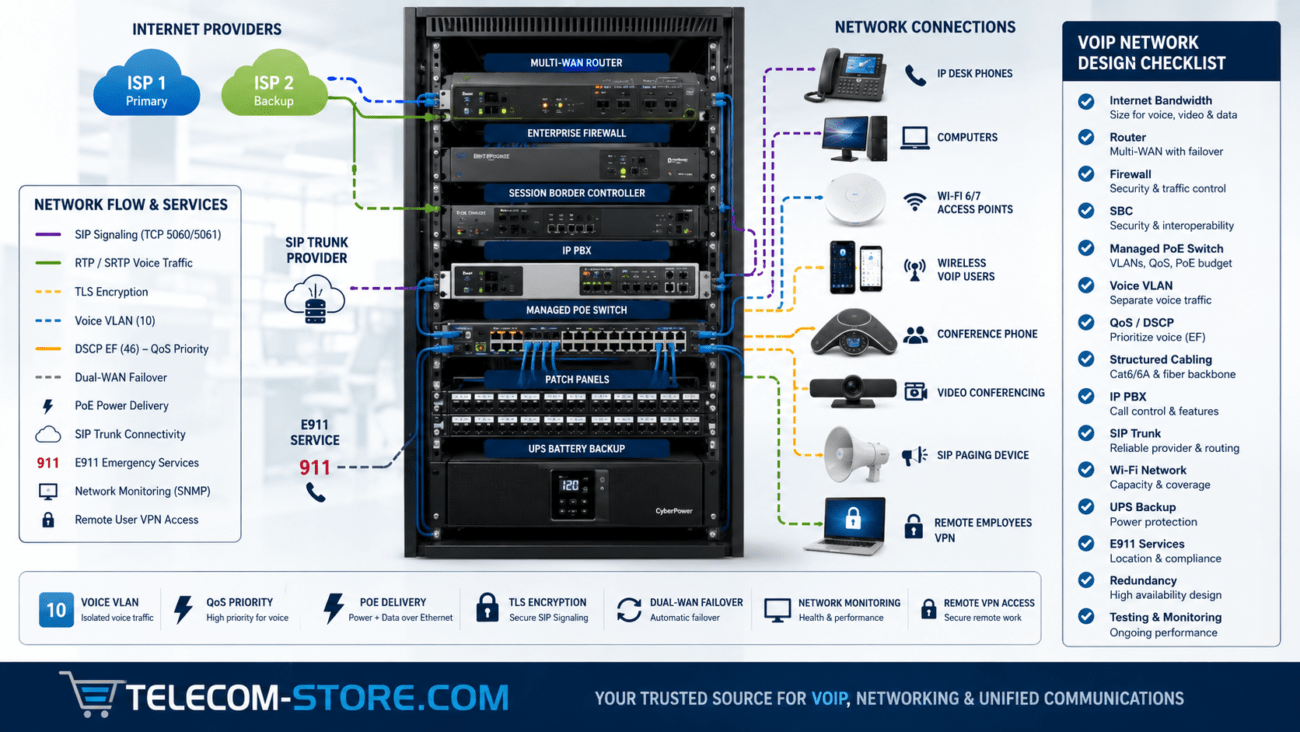
The best deployments consider the entire system: SIP compatibility, video endpoints, PBX routing, PoE capacity, VLANs, cybersecurity, door hardware, backup power and physical access requirements.
For businesses already operating VoIP phones and managed Ethernet infrastructure, an IP video intercom can be a logical extension of the communications network—as long as the network and physical-security portions are designed together.
Telecom-Store.com carries business IP video door systems, IP PBX systems, IP phones, PoE networking equipment and related business communications hardware.
To provide the best experiences, we use technologies like cookies to store and/or access device information. Consenting to these technologies will allow us to process data such as browsing behavior or unique IDs on this site. Not consenting or withdrawing consent, may adversely affect certain features and functions.
Functional
Always active
The technical storage or access is strictly necessary for the legitimate purpose of enabling the use of a specific service explicitly requested by the subscriber or user, or for the sole purpose of carrying out the transmission of a communication over an electronic communications network.
Preferences
The technical storage or access is necessary for the legitimate purpose of storing preferences that are not requested by the subscriber or user.
Statistics
The technical storage or access that is used exclusively for statistical purposes.The technical storage or access that is used exclusively for anonymous statistical purposes. Without a subpoena, voluntary compliance on the part of your Internet Service Provider, or additional records from a third party, information stored or retrieved for this purpose alone cannot usually be used to identify you.
Marketing
The technical storage or access is required to create user profiles to send advertising, or to track the user on a website or across several websites for similar marketing purposes.