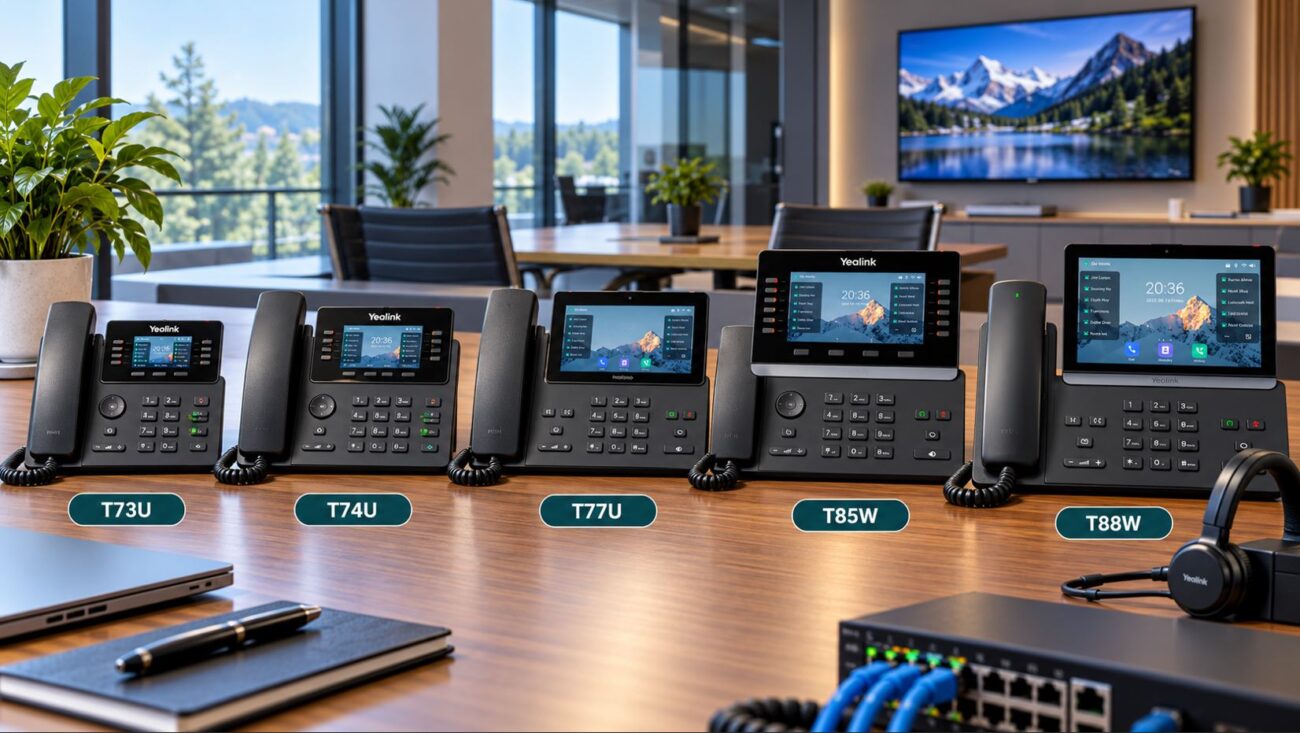
Choosing a Power over Ethernet switch for VoIP phones involves more than counting Ethernet ports. A 24-port PoE switch may physically support 24 phones, but that does not automatically mean its power supply can provide enough wattage to run all 24 devices at the same time.
The number that determines this is the PoE power budget.
Quick answer: To calculate the PoE budget for VoIP phones, determine the maximum expected PoE requirement of every phone and other powered device, add those wattages together, and then select a switch with a total PoE budget above that amount. For business deployments, leaving approximately 20% to 25% planning headroom is often sensible for accessories, startup conditions and future expansion.
For example, if 20 phones are expected to require approximately 7 watts each, the estimated load is 140 watts. Adding 25% planning headroom raises the target switch budget to approximately 175 watts.
This guide explains how PoE power budgets work, how IEEE 802.3af, 802.3at and 802.3bt differ, and how to size a PoE switch for business VoIP deployments.
What Is a PoE Power Budget?
A PoE power budget is the maximum amount of electrical power a switch can make available to all of its PoE-powered ports collectively.
For example, consider two 24-port switches:
Switch A has 24 PoE+ ports and a 150-watt total PoE budget.
Switch B has 24 PoE+ ports and a 410-watt total PoE budget.
Both may have enough physical ports for 24 phones. However, Switch B can supply considerably more total PoE power.
This distinction becomes especially important when the network includes devices such as:
Color-screen IP phones
Video phones
Expansion modules
Conference phones
Wireless access points
IP cameras
Paging endpoints
Door intercoms
A switch’s port count tells you how many devices can connect. Its PoE budget tells you how much power those devices can collectively receive.
PoE Budget Formula for VoIP Phones
The basic calculation is:
Total required PoE power = Device 1 watts + Device 2 watts + Device 3 watts + all remaining powered devices
Then add reasonable planning headroom:
Recommended switch budget = Total expected PoE load × 1.20 to 1.25
The additional 20% to 25% is a network-planning guideline rather than an IEEE requirement. It helps avoid designing a switch installation that operates continuously at its maximum available power and leaves room for reasonable growth.
Simple Example
Suppose an office is installing 12 IP phones and the planning requirement is 7 watts per phone.
12 phones × 7 watts = 84 watts
Adding 25% headroom:
84 × 1.25 = 105 watts
For this example, selecting a switch with at least approximately 105 watts of usable PoE budget would provide more room than choosing one rated only slightly above 84 watts.
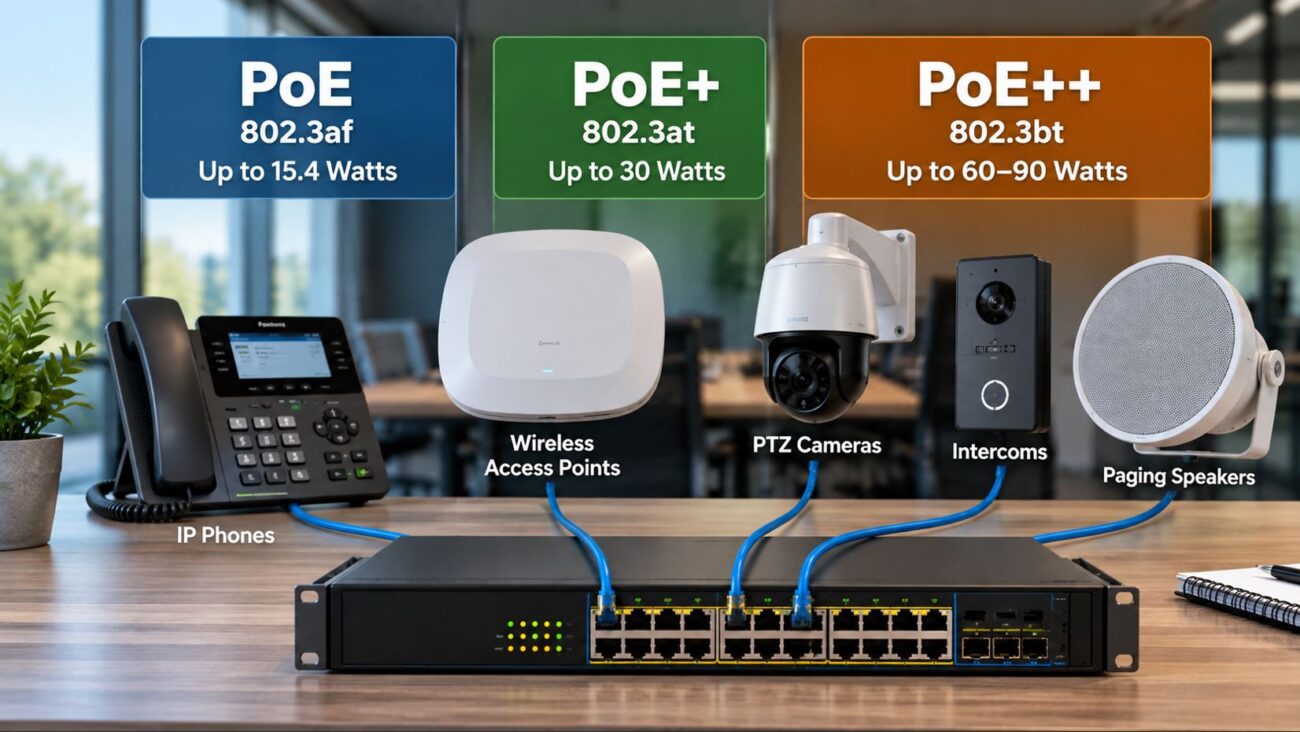
Understand PoE, PoE+ and PoE++
Before calculating switch capacity, understand the primary IEEE Power over Ethernet standards.
PoE Type
IEEE Standard
Maximum Power From PSE
Maximum Power Available at PD
Typical VoIP Relevance
PoE
802.3af
15.4 W
12.95 W
Many standard IP phones
PoE+
802.3at
30 W
25.5 W
Higher-power phones and accessories
PoE++ Type 3
802.3bt
60 W
About 51 W
High-power network devices
PoE++ Type 4
802.3bt
90 W
About 71 W
Very high-power network devices
The difference between power at the switch and power available at the powered device exists because some energy is lost through the cabling.
Most conventional business IP phones do not require anywhere near 60 or 90 watts. However, PoE++ switches can be useful when the same network also powers high-performance wireless access points, cameras, displays, building systems or other higher-power devices.
What Are PSE and PD?
PoE documentation frequently uses two abbreviations:
PSE — Power Sourcing Equipment: The device providing PoE, usually the Ethernet switch or PoE injector.
PD — Powered Device: The device receiving power, such as an IP phone, access point or camera.
Your switch is the PSE. Your VoIP phone is the PD.
Standards-compliant devices negotiate power before full operating power is supplied. This is one reason businesses should use standards-based PoE equipment rather than relying on proprietary passive-power arrangements unless a specific device requires them.
Do Not Assume Every VoIP Phone Uses the Maximum PoE Wattage
One of the most common PoE planning mistakes is assuming that an 802.3af phone constantly consumes 15.4 watts because 15.4 watts is the maximum associated with the PSE side of the standard.
That is not how real-world consumption should be interpreted.
A phone may operate at considerably less power than the maximum allowed by its PoE class or standard. Actual requirements depend on the model and operating state.
Power consumption may change when features such as these are used:
Large color displays
Screen brightness
Touchscreens
Bluetooth
Wi-Fi
USB accessories
Expansion modules
Video cameras
Attached sidecars or DSS consoles
Always check the manufacturer’s power specification for the exact phone and accessories being deployed.
Use Maximum Expected Load, Not Idle Consumption
A phone drawing 4 watts while idle does not necessarily mean you should budget only 4 watts.
Planning should be based on the manufacturer’s stated PoE requirement or a realistic maximum expected configuration.
This becomes particularly important when deploying expansion modules. A desk phone may operate comfortably within a certain PoE class by itself but require additional power when one or more accessories are connected.
Some phones may require a higher PoE class or external power adapter under particular accessory configurations.
Example: 8-Phone Small Office
Consider a small office with eight desk phones.
Assume each phone has a planning load of 6 watts.
8 × 6 W = 48 W
Add 25% headroom:
48 W × 1.25 = 60 W
A switch with only a 55-watt PoE budget would be close to the calculated load and would leave little room for growth under these assumptions.
For comparison, the EnGenius ECS1008P 8-Port Cloud Managed PoE Switch is listed with a 55-watt PoE budget. It may be appropriate for smaller, low-power deployments, but the required wattage of the actual connected devices should be verified before selecting it.
If the office expects to add access points or higher-power phones later, choosing additional power capacity at the beginning may be more practical.
Example: 16 VoIP Phones
Now consider 16 phones with an assumed maximum planning load of 7 watts each.
16 × 7 W = 112 W
Add 25% planning headroom:
112 × 1.25 = 140 W
A 150-watt switch would fit this particular planning example, but it would not leave much additional power for high-power access points, cameras or substantial expansion.
For an office consisting primarily of moderate-power desk phones, that capacity may be sufficient. However, calculate the actual phone requirements rather than assuming that 16 PoE ports automatically means every possible combination of 16 devices can be powered.
Example: 24-Phone Business Deployment
Consider a 24-user office where each phone is budgeted at 7 watts.
24 × 7 W = 168 W
With 20% headroom:
168 × 1.20 = 201.6 W
With 25% headroom:
168 × 1.25 = 210 W
For this scenario, a 150-watt switch would not meet the planning target.
That additional capacity can be valuable if the same switch also powers wireless access points, cameras, conferencing equipment or other PoE devices.
Example: 48-Device Deployment
Large deployments should calculate every device rather than using a single blanket figure whenever possible.
For example:
Device
Quantity
Planning Watts Each
Subtotal
Desk VoIP phones
40
7 W
280 W
Higher-power conference endpoints
4
15 W
60 W
Wireless access points
4
20 W
80 W
Total
48
–
420 W
Add 20% headroom:
420 × 1.20 = 504 watts
In this illustrative example, the network planner should look for a switch or distributed switching design capable of providing more than approximately 504 watts.
Behavior varies by switch manufacturer and configuration.
A managed switch may:
Refuse to power an additional device
Report insufficient available PoE power
Prioritize certain ports over others
Remove power from a lower-priority port
Generate a management alert
This can produce confusing symptoms because Ethernet data connectivity and PoE availability are separate issues.
A cable and switch port can be physically functional while the switch cannot allocate enough power to start another endpoint.
Why Managed PoE Switches Are Useful for VoIP
Managed switches provide more than electrical power.
Depending on the model, they may provide:
Per-port PoE status
Power-consumption monitoring
Port priority
Remote PoE cycling
Voice VLAN support
Quality of Service
LLDP
Network monitoring
Security controls
These capabilities are especially useful when supporting dozens of phones.
If a phone stops responding, for example, a managed switch may allow an administrator to remotely cycle PoE on that port rather than physically unplugging the handset.
LLDP, or Link Layer Discovery Protocol, can help compatible powered devices and switches exchange information about device capabilities and power requirements.
PoE itself includes detection and classification mechanisms, while protocols such as LLDP can provide additional power negotiation and device information in supported environments.
From a network-design perspective, the important point is that modern managed PoE systems can allocate power more intelligently than simply providing the maximum port rating to every connected device.
Do not rely on dynamic negotiation as an excuse to undersize the switch, however. The total available power still has to support the deployment.
Expansion Modules Can Change the Calculation
A desk phone that works comfortably on standard PoE may have different power requirements after accessories are connected.
Examples include:
DSS expansion modules
USB headsets
USB recording devices
Wireless adapters
Camera modules
Check the phone manufacturer’s documentation for the complete configuration.
If an executive phone requires more power when two expansion modules are attached, calculate that workstation using the higher requirement instead of using the base-phone figure.
Conference and Video Phones May Need More Power
Not every VoIP endpoint has the same electrical requirements.
A basic monochrome desk phone and a large Android touchscreen video phone can have very different power demands.
Similarly, conference phones may include:
Large displays
Microphones
Wireless connectivity
USB peripherals
Expansion microphones
Do not use the power consumption of a basic desk phone to estimate an entire mixed-device deployment.
Do You Need PoE++ for VoIP Phones?
Most conventional desk VoIP phones do not require 802.3bt PoE++.
However, a PoE++ switch can still make sense in a converged business network where the same infrastructure powers:
For a network consisting only of ordinary desk phones, that level of power may be unnecessary. For a mixed high-performance network, it can provide additional flexibility.
PoE Injectors: An Alternative for Individual Phones
You do not necessarily need to replace an entire switch because one endpoint requires PoE.
A PoE injector can add electrical power to an Ethernet connection between a non-PoE switch and a powered device.
Injectors can be useful when:
Only one or two devices require PoE
An existing switch has no PoE capability
A device requires more power than the switch port can provide
A temporary deployment needs PoE
For high-power applications, the EnGenius EPA5090XBT 90W 10Gb PoE Injector supports IEEE 802.3bt Type 3 and Type 4 and is backward compatible with 802.3af and 802.3at devices.
For dozens of VoIP phones, however, a centralized PoE switch is generally easier to manage than deploying an individual injector at every workstation.
Remember Wireless Access Points and Cameras
Do not calculate the PoE budget using phones alone if other powered devices use the same switch.
A common business switch may simultaneously power:
20 VoIP phones
3 wireless access points
4 security cameras
1 door intercom
Every powered device has to be included in the total.
This is one reason apparently generous PoE budgets can disappear quickly in converged business networks.
Should You Leave 20% or 25% PoE Headroom?
There is no universal IEEE rule requiring businesses to reserve exactly 20% or 25% of a switch’s power budget.
It is a practical design allowance.
Headroom can accommodate:
Additional phones
Higher-power replacement devices
Expansion modules
Access points
Conference-room equipment
Changes in device configuration
An environment that is unlikely to change may require less spare capacity. A rapidly growing office may justify considerably more.
The important principle is to avoid purchasing infrastructure that is already operating at its practical limit on installation day.
Do You Need a UPS for a PoE VoIP Switch?
A major advantage of powering phones centrally is that the switch can be connected to a UPS.
Instead of putting a small battery backup at every desk, the business can protect key communications equipment in the network closet.
A complete backup-power plan may include:
PoE switch
Router or firewall
IP PBX
ONT, modem or Internet gateway
Necessary network controllers
However, the UPS must be sized according to actual equipment consumption and desired runtime.
A 740-watt PoE budget does not automatically mean a switch constantly consumes 740 watts. UPS sizing should use the expected electrical load of the complete system and the runtime requirement.
PoE Budget Decision Matrix
Deployment
What to Prioritize
Typical Approach
1-4 basic IP phones
Simple PoE connectivity
Small PoE switch or injectors
5-8 phones
Port count and total wattage
8-port managed PoE switch
10-16 phones
Power budget, VLAN and QoS
16+ port managed PoE+ switch
20-24 phones
Power headroom and scalability
24-port managed PoE+ switch
48 phones/devices
High total PoE budget and redundancy
48-port enterprise PoE switch or distributed design
Phones plus high-power APs
Mixed PoE classes
PoE+/PoE++ managed switch
Recommended PoE Switch Examples
Small Office: EnGenius ECS1008P
The EnGenius ECS1008P provides eight Gigabit ports and a published 55-watt PoE budget. It is most appropriate when the calculated powered-device load stays comfortably within that limit.
16 PoE Ports: TP-Link TL-SG2218P
The TP-Link TL-SG2218P provides 16 Gigabit PoE+ ports and a 150-watt total PoE budget, along with managed features useful in business networks.
A 24-port PoE switch does not automatically provide enough electrical power for every possible combination of 24 devices.
Using Idle Wattage
Plan from supported power requirements or realistic maximum operating conditions rather than a single idle measurement.
Ignoring Accessories
Expansion modules, USB accessories and cameras can change the power requirement of an IP phone.
Forgetting Other PoE Devices
Access points, security cameras and intercoms all consume from the same switch budget.
Assuming PoE+ Means Unlimited Power
PoE+ describes the capabilities of individual connections. The switch still has a finite total power supply.
Buying With No Growth Capacity
A switch sized exactly for today’s installation may have to be replaced when several employees or devices are added.
Frequently Asked Questions
How much PoE power does a VoIP phone use?
Power consumption varies by phone model and configuration. Basic desk phones may require relatively little power, while touchscreen, video and accessory-equipped phones can require more. Check the manufacturer’s maximum PoE requirement for the exact model.
How do I calculate the PoE budget for IP phones?
Add the maximum expected PoE requirement of every powered phone and other PoE device. Then select a switch with a total PoE budget above that figure. For business planning, additional headroom is generally advisable.
Can a 150-watt PoE switch power 24 phones?
Possibly, but it depends on the phones. If each phone required 5 watts, 24 phones would represent approximately 120 watts. If each required 8 watts, the same 24 phones would represent 192 watts and exceed a 150-watt budget. Always calculate from the actual devices.
Does a PoE+ port always use 30 watts?
No. Thirty watts is the maximum PSE output associated with an IEEE 802.3at Type 2 connection. A connected device only uses or negotiates the power it requires within the supported system.
What happens if the PoE budget is exceeded?
The switch may refuse to power additional devices, generate an insufficient-power alert or prioritize existing devices according to its configuration. Behavior varies by manufacturer.
Is PoE++ necessary for VoIP phones?
Most conventional desk phones do not need PoE++. It is more useful when a switch also powers higher-demand devices such as advanced access points, cameras or other building-network equipment.
Can I use a PoE injector instead of a PoE switch?
Yes. A standards-compatible injector can supply power to an individual device. Injectors are practical for one or a few endpoints, while centralized PoE switches are generally easier to manage for larger deployments.
Should I buy more PoE wattage than I currently need?
Usually, some additional capacity is sensible. It allows for future phones, access points, accessories and changes in device requirements without immediately replacing the switch.
Does a managed switch use less PoE power?
Not necessarily. The benefit of management is visibility and control. A managed switch may show per-port consumption, allow power priorities and support remote PoE cycling, but overall efficiency depends on the specific hardware.
Does PoE affect VoIP call quality?
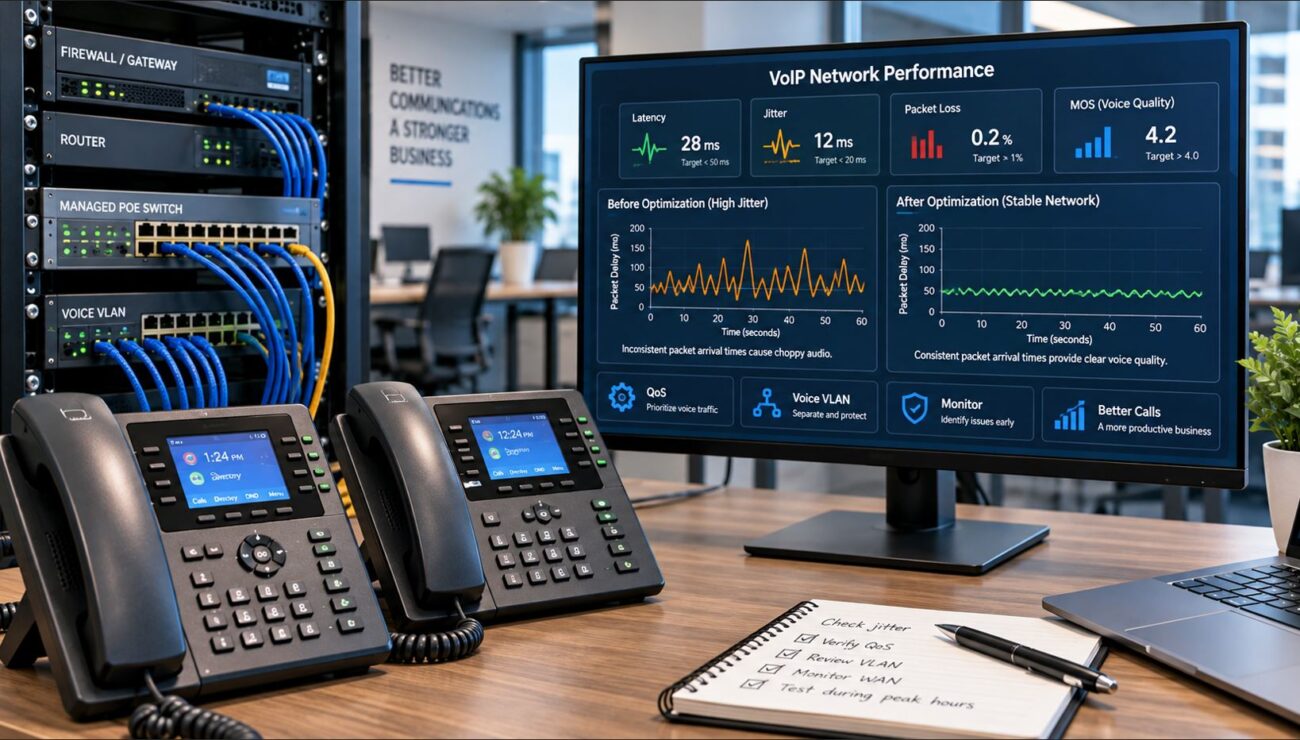
A correctly operating standards-based PoE connection does not inherently reduce call quality. However, insufficient or unstable power can cause phones to fail, reboot or disconnect. Call quality itself is more directly affected by factors such as latency, jitter, packet loss, QoS and network congestion.
Final Recommendation
The correct PoE switch for a VoIP deployment is not necessarily the switch with the most ports or the highest individual-port wattage.
The correct switch is one that provides:
Enough PoE ports
Enough total power budget
The correct IEEE PoE standards
Appropriate VLAN and QoS features
Management capabilities appropriate to the business
Reasonable capacity for future expansion
Start by identifying the actual power requirement of every VoIP phone and powered accessory. Add the requirements together, include other PoE devices sharing the switch, and then allow reasonable growth capacity.
That calculation prevents one of the most common PoE purchasing mistakes: buying a switch with plenty of Ethernet ports but not enough electrical capacity to use them as intended.
To provide the best experiences, we use technologies like cookies to store and/or access device information. Consenting to these technologies will allow us to process data such as browsing behavior or unique IDs on this site. Not consenting or withdrawing consent, may adversely affect certain features and functions.
Functional
Always active
The technical storage or access is strictly necessary for the legitimate purpose of enabling the use of a specific service explicitly requested by the subscriber or user, or for the sole purpose of carrying out the transmission of a communication over an electronic communications network.
Preferences
The technical storage or access is necessary for the legitimate purpose of storing preferences that are not requested by the subscriber or user.
Statistics
The technical storage or access that is used exclusively for statistical purposes.The technical storage or access that is used exclusively for anonymous statistical purposes. Without a subpoena, voluntary compliance on the part of your Internet Service Provider, or additional records from a third party, information stored or retrieved for this purpose alone cannot usually be used to identify you.
Marketing
The technical storage or access is required to create user profiles to send advertising, or to track the user on a website or across several websites for similar marketing purposes.