If you are budgeting for a new business phone system, one of the first questions is usually: How much does an IP PBX system cost?
The answer depends on what you mean by the system. An IP PBX appliance itself can cost only a few hundred dollars, while a complete business deployment also requires phones, network switching, SIP service, cabling, configuration, licensing in some cases, backup power and ongoing support.
As a practical starting point, the PBX appliance may represent only a small portion of the total project cost. A small office can build a capable standards-based VoIP system relatively economically, while larger organizations may spend considerably more because they require dozens or hundreds of endpoints, greater concurrent-call capacity, redundancy and professional implementation.
This guide explains the major IP PBX cost components in 2026 so businesses can build a realistic budget instead of comparing PBX appliance prices alone.
Quick Answer: What Does an IP PBX Cost?
Current standalone IP PBX hardware can range from a few hundred dollars to well over $1,000 depending on capacity and features.
For example, at the time of publication, Telecom-Store lists several different business PBX platforms:
PBX
Approximate Current Hardware Price
Published Capacity
Typical Fit
Grandstream GCC6010
About $137
Integrated PBX/network platform
Small business or integrated branch deployment
Grandstream UCM6302A
About $293
Up to 500 users / 75 concurrent calls
Small to midsize business
Grandstream UCM6304
About $699
Up to 2,000 users / 300 concurrent calls
Midsize to larger business
Yeastar P560
About $1,266
100 users standard, expandable; 30 concurrent calls standard
SMB requiring modular expansion
Prices and availability change, so these examples should be treated as reference points rather than permanent quotes.
More importantly, none of these prices represents the complete cost of deploying a phone system.
What Is Included in an IP PBX System?
An IP PBX, or Internet Protocol Private Branch Exchange, manages calls between business extensions and connects those users to external telephone networks through technologies such as SIP trunks, analog lines or other gateways.
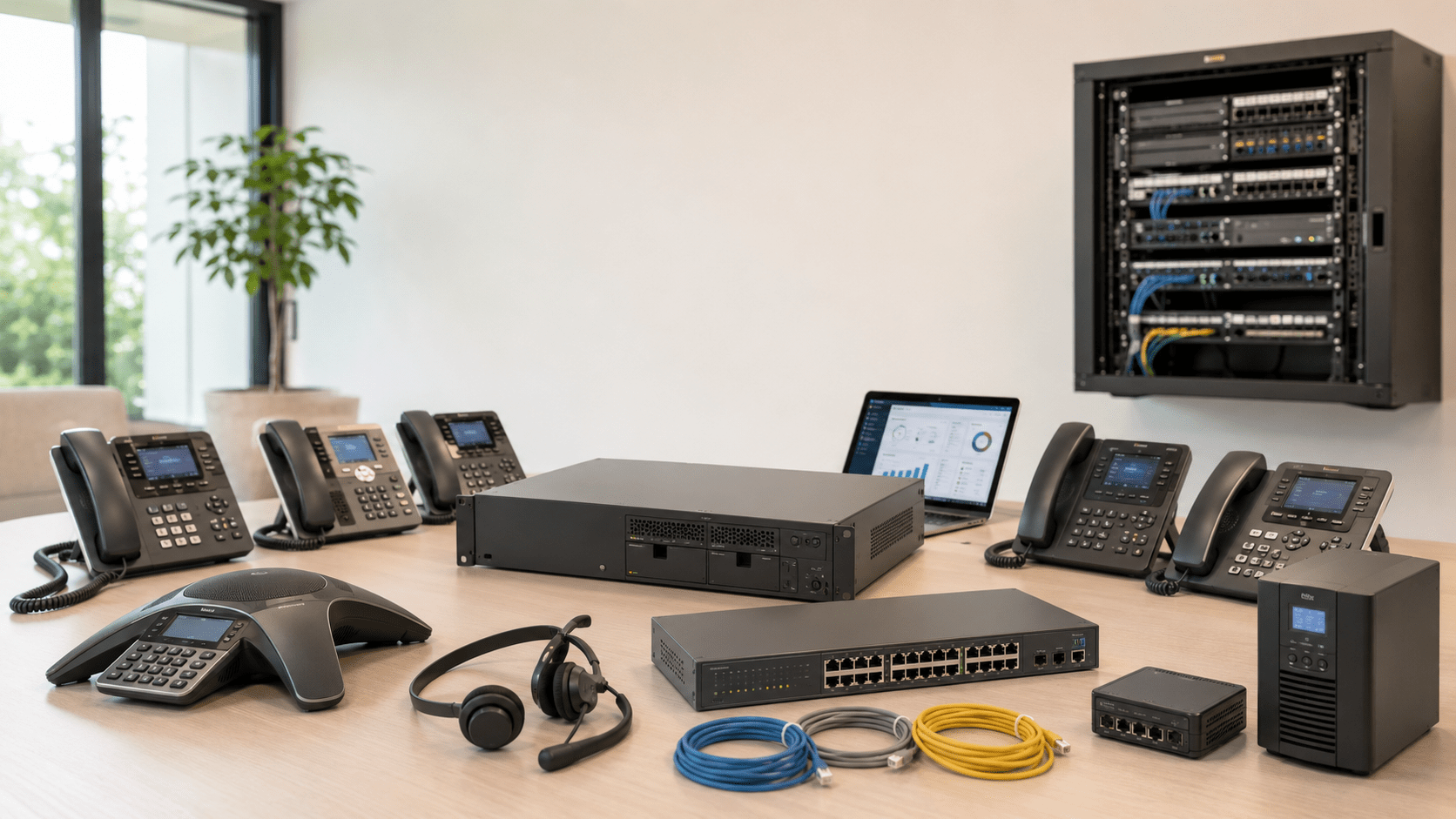
A complete system can include:
IP PBX hardware or software
Business VoIP phones
SIP trunks
Telephone numbers
Managed PoE switches
Router and firewall infrastructure
Ethernet cabling
UPS battery backup
Headsets
Conference phones
Paging and intercom devices
Voicemail
Auto attendants
Call queues
Recording
Remote-user connectivity
Installation and configuration
Support and maintenance
The cost should therefore be calculated as a complete communications project rather than simply the price of the PBX appliance.
The Seven Main IP PBX Cost Components
1. IP PBX Hardware
The PBX appliance is the central call-control platform in an on-premise deployment.
Price usually increases as the system provides greater:
User capacity
Concurrent-call capacity
Analog FXO ports
Analog FXS ports
Network capacity
Conference capacity
Storage
Redundancy
Integration capabilities
However, a larger user limit does not automatically mean a business needs the larger PBX.
The number of simultaneous calls can be more important than the number of registered extensions.
A 100-user office may never have 100 employees on external calls at the same time.
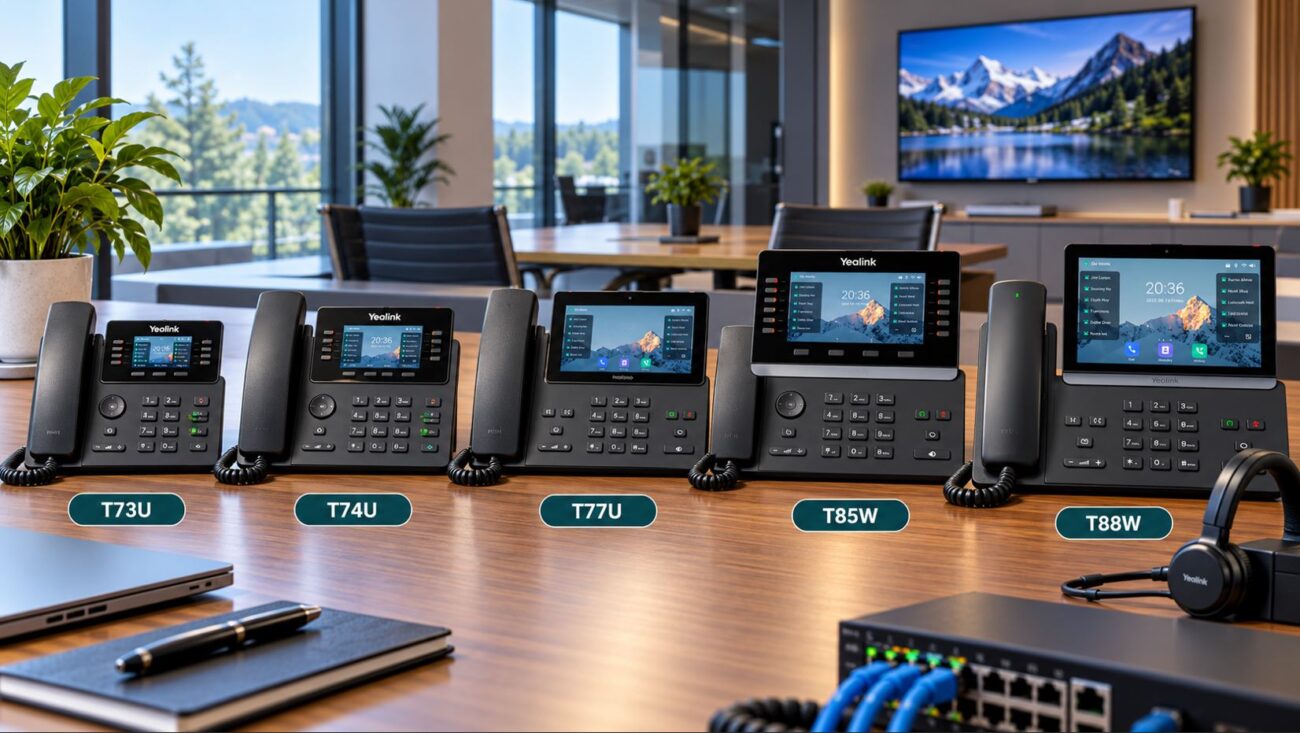
2. Business VoIP Phones
Endpoints can become one of the largest costs in a new phone system.
A company installing 50 phones may spend considerably more on endpoints than on the PBX itself.
Business phone pricing varies according to:
Display size
Number of SIP accounts
Programmable keys
Wi-Fi
Bluetooth
USB support
Gigabit Ethernet
Touchscreen capability
Expansion-module support
Video capability
Platform certification
Organizations should avoid installing premium executive phones at every workstation unless employees actually need those features.
A mixed deployment is often more economical. Standard employees may use midrange SIP phones while receptionists, executives and call-intensive users receive more capable models.
3. SIP Trunk Service
A SIP trunk connects the IP PBX to external telephone networks over an IP connection.
Unlike the PBX hardware, SIP service generally creates an ongoing operating expense.
Pricing structures vary considerably between providers and may include:
Monthly trunk charges
Concurrent-call channels
Per-minute calling
Unlimited domestic calling plans
DID telephone numbers
Toll-free numbers
E911 service
International calling
Number porting
Fraud-protection services
The number of employees does not necessarily equal the number of SIP channels required.
For example, a 40-person office might require only 10 to 15 simultaneous external call paths depending on its calling patterns.
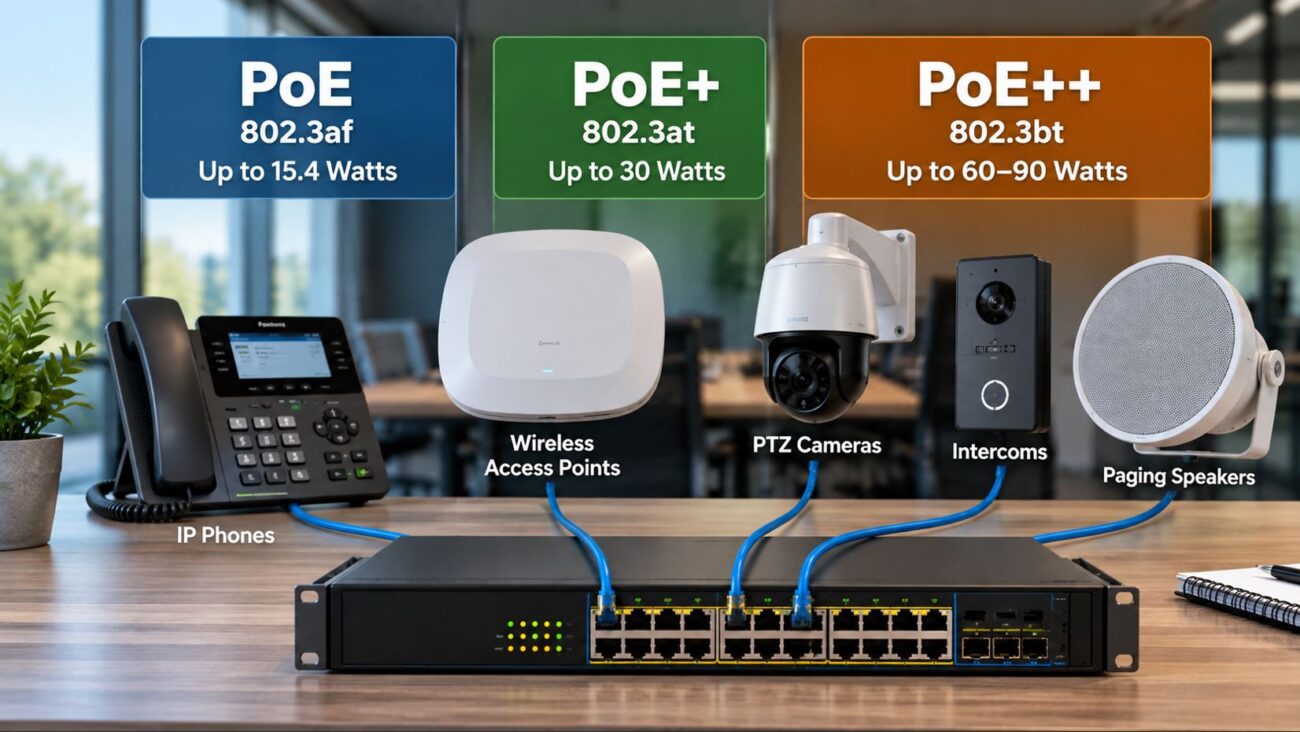
Most modern business IP phones can receive power and network connectivity over the same Ethernet cable using Power over Ethernet.
This means the network switch becomes part of the phone system budget.
A business may need:
8-port PoE switches
16-port switches
24-port switches
48-port switches
Multiple switches across floors or buildings
Do not choose a switch based only on port count.
The switch must also provide enough total PoE power budget for the connected phones, access points, cameras and other powered devices.
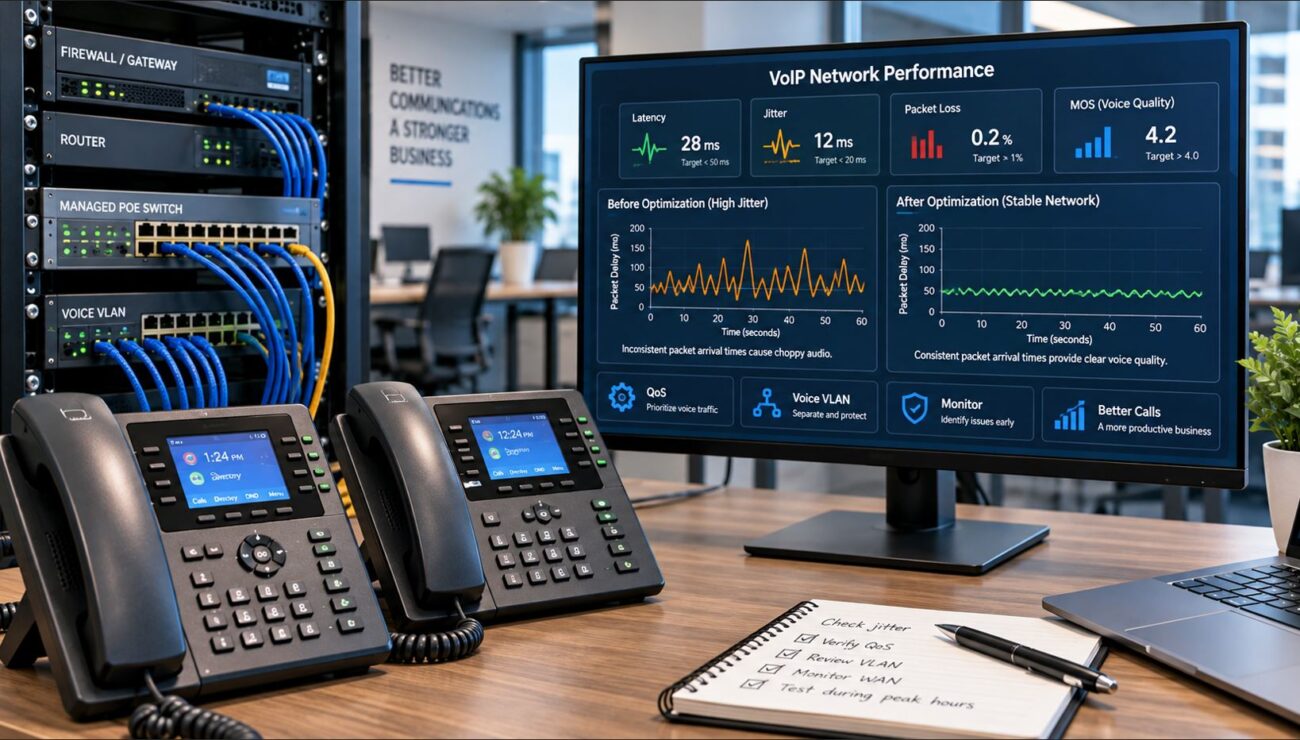
Managed switches are generally preferable for larger business VoIP networks because they provide VLAN, QoS, monitoring and troubleshooting capabilities.
Businesses using SIP trunks or remote VoIP users also depend on the WAN edge.
The router and firewall must handle:
SIP signaling
RTP or SRTP voice traffic
NAT
QoS
VPN connectivity
Firewall inspection
Internet failover
An existing business-class router may already be sufficient, meaning no additional expense is necessary.
However, replacing an aging consumer router or undersized firewall should be included in the project budget when necessary.
6. Installation and Configuration
IP PBX systems require more than physically connecting equipment.
Typical implementation work can include:
PBX firmware updates
Extension creation
Phone provisioning
SIP trunk configuration
Inbound routes
Outbound routes
Dial plans
Auto attendants
Ring groups
Call queues
Voicemail
Caller ID
E911 configuration
Firewall rules
Voice VLANs
QoS
Call testing
User training
A technically experienced IT department may perform much of this work internally.
Organizations without VoIP experience should budget for professional implementation instead of assuming the equipment will configure itself.
7. Licensing and Subscriptions
Licensing models vary considerably between manufacturers.
Some IP PBX platforms provide substantial built-in functionality without per-user licenses, while others use optional annual subscriptions for advanced features, support or remote services.
For example, Grandstream markets its UCM6300 family without traditional per-user licensing fees for its core PBX functionality.
Yeastar offers optional subscription plans that can add advanced functionality to supported PBX systems. Telecom-Store currently carries P560 Standard and Enterprise plan licenses as separate annual products.
Therefore, businesses should compare both the initial purchase price and the expected five-year operating cost.
IP PBX Cost Example: 10-User Small Office
Consider a small professional office installing a 10-user system.
An illustrative hardware budget might look like this:
Component
Illustrative Budget
IP PBX appliance
$300-$700
10 business VoIP phones
$1,000-$2,000
Managed PoE switch
$150-$400
UPS battery backup
$150-$300
Cabling and accessories
$100-$300
That creates an illustrative hardware budget of approximately $1,700 to $3,700 before SIP service, installation or optional licensing.
This is not a market quote. Actual costs depend on the equipment selected and what infrastructure the business already owns.
IP PBX Cost Example: 25-User Business
A 25-user organization typically needs more switching capacity and may choose more sophisticated phones.
Component
Illustrative Budget
IP PBX appliance
$300-$1,300
25 VoIP phones
$2,500-$5,000
Managed PoE switching
$400-$900
UPS backup
$250-$500
Cabling/accessories
$250-$750
The resulting illustrative hardware budget is approximately $3,700 to $8,450 before service, labor or optional subscriptions.
Organizations that already own suitable network switches, structured cabling and UPS equipment could spend considerably less.
IP PBX Cost Example: 50-User Business
At 50 users, endpoint cost typically dominates the project.
Component
Illustrative Budget
IP PBX appliance
$700-$1,500+
50 VoIP phones
$5,000-$10,000
PoE switches
$800-$1,600
UPS infrastructure
$400-$1,000
Cabling/accessories
$500-$1,500
An illustrative hardware budget could therefore fall around $7,400 to $15,600 or more.
Again, the objective is not to establish a fixed market price. It demonstrates why comparing a $300 PBX with a $700 PBX tells only a small part of the financial story.
IP PBX Hardware Examples
Grandstream UCM6302A
The Grandstream UCM6302A is an example of an economical on-premise PBX for small and midsize organizations.
It supports up to 500 users and 75 concurrent calls, provides Grandstream ZeroConfig endpoint provisioning and includes communication and collaboration capabilities.
Its capacity is far greater than many small offices require, illustrating how modern PBX hardware can support substantial growth without requiring a large initial appliance investment.
Grandstream specifies support for up to 2,000 users and 300 concurrent G.711 calls.
It also includes four FXS and four FXO analog ports, which can be useful when integrating analog devices or traditional PSTN lines.
Yeastar P560
The Yeastar P560 takes a different approach and supports modular expansion.
The base platform supports 100 users and 30 concurrent calls, with published expansion capability beyond those base figures.
It can also accommodate analog, BRI, cellular and E1/T1 interfaces through supported expansion hardware, making it useful where businesses need to bridge legacy telecom infrastructure with SIP.
Grandstream GCC6010
The Grandstream GCC6010 illustrates another direction in business communications architecture.
Instead of acting only as a PBX appliance, it combines IP PBX functionality with routing, firewall, VPN and switching features.
An integrated device can reduce hardware count in smaller deployments, although businesses should still evaluate capacity, redundancy and security architecture before consolidating multiple infrastructure roles into one appliance.
How Many Concurrent Calls Do You Need?
This question can have a major impact on both PBX and SIP trunk cost.
Do not automatically purchase one external call path for every employee.
Instead, determine the maximum number of simultaneous calls expected during the busiest period.
Examples:
10-person professional office: perhaps 3-5 simultaneous external calls
25-person general office: perhaps 5-10 simultaneous calls
50-person sales organization: potentially 20 or more
Call center: concurrency may approach the number of active agents
These examples are only planning illustrations. Actual call-detail records should be used whenever available.
Cloud PBX vs On-Premise IP PBX Cost
Cost comparisons between cloud and on-premise phone systems should consider several years rather than the first month.
Cost Factor
On-Premise IP PBX
Hosted/Cloud PBX
PBX hardware
Usually required
Usually not required onsite
Upfront investment
Higher
Usually lower
Per-user subscription
May be low or nonexistent for core PBX
Common
SIP trunks
Purchased separately in many deployments
Often included or bundled
Maintenance
Business or IT provider manages system
Provider manages platform
Hardware lifecycle
Business owns PBX
Provider manages core platform
Customization
Often extensive
Depends on provider
A hosted system may appear inexpensive initially because there is little PBX hardware to purchase. However, recurring per-user charges accumulate over time.
An on-premise PBX requires a larger initial investment but can provide predictable hardware ownership and potentially lower recurring platform costs.
Neither model is automatically cheaper in every situation.
Three-Year Cost Example
Suppose a 25-user company compares two systems.
With an on-premise system, the company purchases:
PBX hardware
25 phones
PoE switching
UPS equipment
SIP trunk service
The primary hardware investment occurs at deployment, while SIP service and support remain recurring.
With hosted VoIP, the company may avoid purchasing a PBX appliance but pay a monthly subscription for every employee.
To make a fair comparison, calculate:
Initial equipment + installation + 36 months of service + licensing + support
for both options.
Comparing only the PBX purchase price with one month of cloud service produces a misleading result.
Do IP PBX Systems Have Licensing Fees?
Some do and some do not.
Licensing may apply to:
Extensions
Concurrent calls
Call center functionality
Remote users
Mobile applications
Recording
Advanced reporting
CRM integrations
Hotel/PMS integration
High availability
Support plans
Always identify which features are included with the appliance and which require recurring subscriptions before comparing PBX prices.
Can Existing VoIP Phones Be Reused?
Potentially, and doing so can significantly reduce project cost.
Many business desk phones use SIP and can register to different standards-based IP PBX platforms.
However, compatibility should be verified before assuming existing phones can be reused.
Check:
SIP support
Firmware
Provisioning compatibility
Codec support
BLF support
Security requirements
Vendor-specific firmware restrictions
A phone being technically SIP-compatible does not guarantee every PBX feature will work identically.
Can Existing Network Switches Be Reused?
Yes, if they meet the requirements of the new VoIP deployment.
Evaluate:
Available Ethernet ports
PoE support
Total PoE budget
Gigabit Ethernet capability
Voice VLAN support
QoS support
Switch management
Uplink capacity
Reusing adequate switching infrastructure can remove hundreds or thousands of dollars from a larger project.
Do You Need a Session Border Controller?
Not every IP PBX deployment needs a separate Session Border Controller.
An SBC may be appropriate when the organization requires:
Additional SIP security
Topology hiding
Protocol normalization
Multiple SIP providers
Large remote-user environments
Complex interoperability
Carrier or enterprise SIP integration
For larger environments, an SBC should be treated as another potential project cost.
What About Backup Power?
An IP PBX depends on electrical power.
If the PBX, PoE switches and router lose power, the phones generally lose service as well.
Businesses should therefore consider UPS protection for:
IP PBX
PoE switches
Router
Firewall
Modem or ONT
SIP gateways
A centralized UPS can keep dozens of PoE phones operational without installing individual battery backups at every desk.
Hidden IP PBX Costs Businesses Sometimes Miss
Structured Cabling
Offices without adequate Ethernet cabling may require new cable runs.
Number Porting
Moving existing telephone numbers to a new SIP provider may involve fees or administrative work.
E911 Configuration
Emergency calling must be correctly configured for the business locations and users.
Fax Machines
Legacy fax devices may require FXS ports, analog telephone adapters or dedicated fax services.
Door Phones and Paging
SIP paging speakers, analog paging systems, intercoms and door-entry devices may require additional adapters or interfaces.
Remote Workers
Remote phones can require firewall configuration, VPN services, SBC infrastructure or secure remote-connectivity features.
Call Recording Storage
Organizations recording large numbers of calls should calculate storage capacity and retention requirements.
How to Reduce IP PBX Deployment Cost
Cost reduction should come from designing the system correctly rather than simply buying the least expensive equipment.
Consider these approaches:
Reuse compatible SIP phones where practical.
Reuse adequate managed PoE switches.
Match phone models to employee needs.
Size SIP trunk capacity according to concurrent calls.
Avoid buying PBX capacity far beyond realistic growth.
Use centralized PoE instead of individual phone adapters.
Use automatic provisioning where supported.
Standardize phone models when possible.
Plan VLANs and DHCP before deployment.
Choose a platform with a licensing model appropriate to the organization.
IP PBX Cost Planning Checklist
Determine the number of employees.
Count required desk phones, conference phones and softphones.
Estimate peak concurrent calls.
Select the appropriate PBX capacity.
Determine required SIP trunks.
Identify telephone numbers that must be ported.
Check existing phone compatibility.
Check existing PoE switch capacity.
Calculate the PoE power budget.
Evaluate router and firewall capacity.
Check Ethernet cabling.
Include UPS protection.
Identify licensing or subscriptions.
Plan remote-worker connectivity.
Include installation and configuration labor.
Estimate ongoing support.
Calculate at least a three-year total cost.
Which IP PBX Is Right for Your Business?
Price should not be the first specification used to choose a PBX.
Start with:
Current users
Expected future users
Peak simultaneous calls
Analog-line requirements
SIP trunk requirements
Remote users
Call-center requirements
Conferencing
Recording
CRM integration
High-availability requirements
Then compare systems that satisfy those requirements.
A $300 PBX that comfortably supports the organization can be a better purchase than a $1,300 PBX whose additional capacity will never be used.
Likewise, undersizing the system simply to save a few hundred dollars can result in a costly replacement later.
How Much Does an IP PBX System Cost? Final Answer
The IP PBX appliance itself can cost anywhere from a few hundred dollars to more than $1,000, but the complete business phone system costs substantially more once phones, networking, SIP service, backup power, installation and optional licensing are included.
For a small 10-user office, an illustrative hardware budget may fall around $1,700 to $3,700. A 25-user deployment may fall around $3,700 to $8,450, while a 50-user hardware deployment could reach $7,400 to $15,600 or more depending primarily on endpoint and network selections.
These figures are planning illustrations rather than quotes. Existing infrastructure, phone selection and implementation requirements can move the actual cost substantially higher or lower.
The most effective way to control IP PBX cost is to size the system according to actual requirements: users, concurrent calls, endpoint types, SIP trunks, PoE capacity, network infrastructure and expected growth.
The hardware appliance can cost a few hundred dollars to more than $1,000 depending on capacity and features. The total installed phone system costs more because phones, switches, SIP service, cabling, backup power and configuration must also be considered.
What is the biggest expense in an IP PBX system?
For many businesses, the phones themselves become the largest hardware expense. Fifty $150 desk phones, for example, represent $7,500 in endpoint hardware before purchasing the PBX or networking equipment.
Do IP PBX systems charge per user?
It depends on the manufacturer. Some systems include core PBX functionality without per-user licensing, while others use user licenses or optional subscriptions for advanced features.
Does an IP PBX require a monthly payment?
The PBX hardware itself may not require a recurring payment, but most businesses still pay for SIP trunk service, telephone numbers, support and potentially software subscriptions.
Is an on-premise PBX cheaper than hosted VoIP?
It can be over a longer ownership period, but not in every deployment. On-premise systems typically require more upfront hardware while hosted systems commonly use recurring per-user subscriptions. Compare total cost over several years.
How many SIP trunks does a business need?
The number should generally be based on peak simultaneous external calls rather than total employees. Analyze actual calling patterns whenever possible.
Can I use existing VoIP phones with a new IP PBX?
Many standards-based SIP phones can be reused, but firmware, provisioning and feature compatibility should be verified before deployment.
Do I need a PoE switch for an IP PBX?
The PBX itself does not necessarily require a PoE switch, but PoE is a convenient way to power business IP phones. A managed PoE switch is commonly used in professional VoIP deployments.
How long does an IP PBX last?
There is no fixed lifespan. Business PBX hardware can remain useful for many years when it continues receiving appropriate firmware support, has sufficient capacity and meets security requirements. Replacement decisions should consider vendor support and business needs rather than age alone.
Should I buy a larger PBX for future growth?
Some additional capacity is sensible, but excessive oversizing adds unnecessary cost. Choose a PBX that supports realistic growth in both users and concurrent calls.
To provide the best experiences, we use technologies like cookies to store and/or access device information. Consenting to these technologies will allow us to process data such as browsing behavior or unique IDs on this site. Not consenting or withdrawing consent, may adversely affect certain features and functions.
Functional
Always active
The technical storage or access is strictly necessary for the legitimate purpose of enabling the use of a specific service explicitly requested by the subscriber or user, or for the sole purpose of carrying out the transmission of a communication over an electronic communications network.
Preferences
The technical storage or access is necessary for the legitimate purpose of storing preferences that are not requested by the subscriber or user.
Statistics
The technical storage or access that is used exclusively for statistical purposes.The technical storage or access that is used exclusively for anonymous statistical purposes. Without a subpoena, voluntary compliance on the part of your Internet Service Provider, or additional records from a third party, information stored or retrieved for this purpose alone cannot usually be used to identify you.
Marketing
The technical storage or access is required to create user profiles to send advertising, or to track the user on a website or across several websites for similar marketing purposes.