How to Choose the Right PoE Switch for VoIP Phones
A reliable VoIP phone system depends on more than the phones and PBX. The Ethernet switch connecting those phones plays a major role in power delivery, network segmentation, call quality, troubleshooting, and future expansion.
For most business installations, a properly sized managed Power over Ethernet switch is the preferred approach because it can provide both network connectivity and electrical power to compatible IP phones through a single Ethernet cable. However, choosing a switch based only on the number of Ethernet ports can lead to insufficient PoE capacity, limited management capabilities, or poor support for voice traffic.
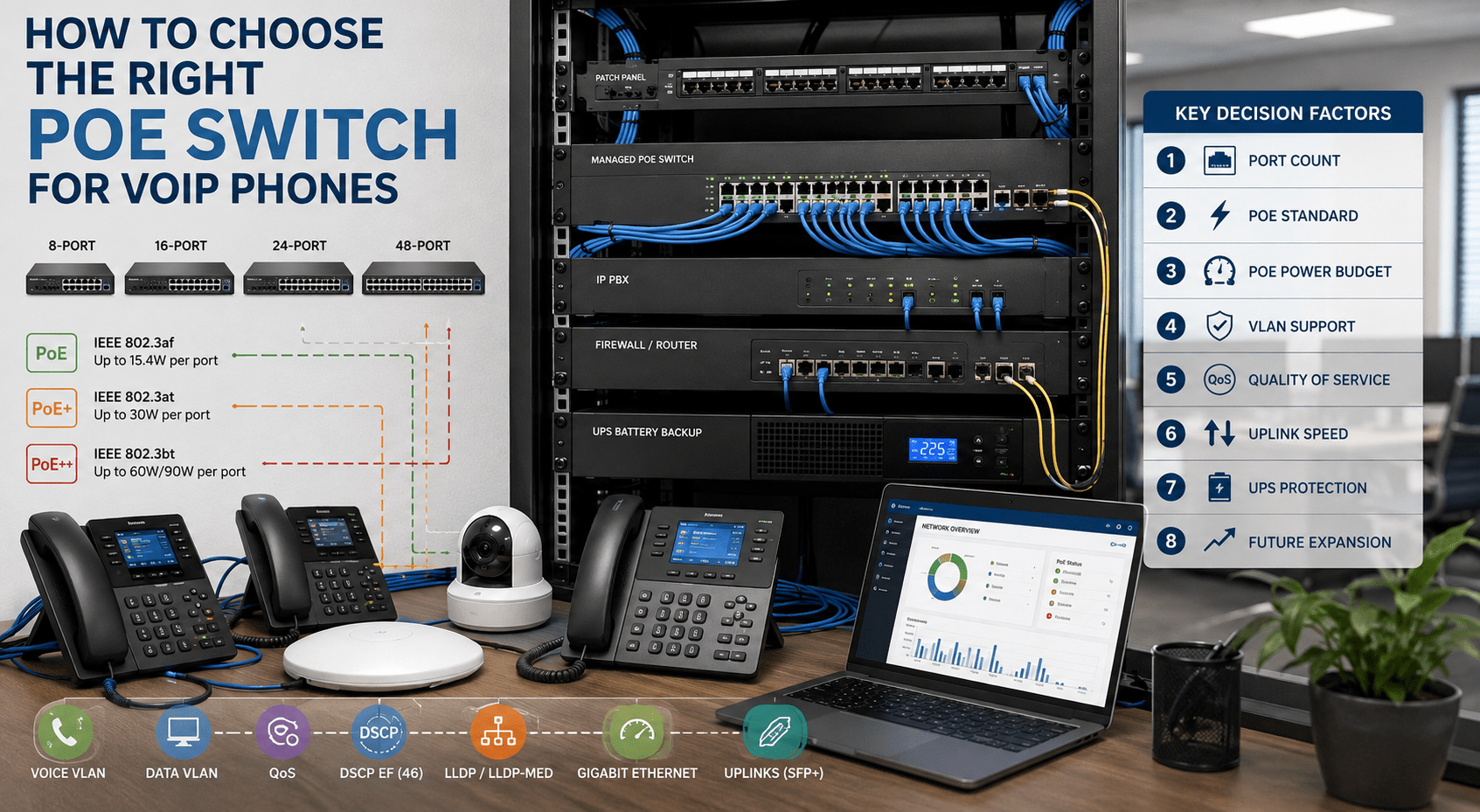
This guide explains how to choose the right PoE switch for VoIP phones, including PoE standards, power budgets, port requirements, VLAN support, Quality of Service, uplinks, redundancy, and scalability.
What Is a PoE Switch?
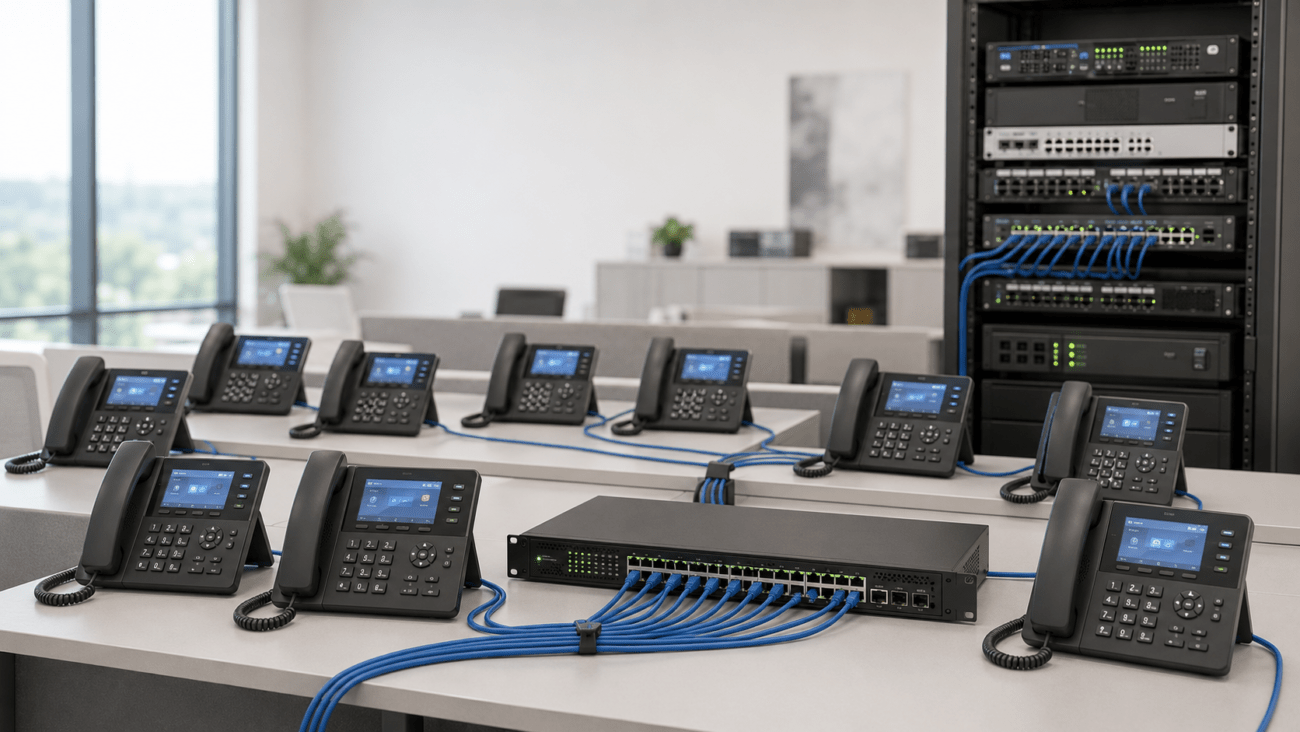
A Power over Ethernet switch combines normal Ethernet switching with the ability to supply DC power over compatible twisted-pair Ethernet cabling. A PoE-capable IP phone can therefore receive its network connection and electrical power through the same cable.
This eliminates the need for an AC power adapter at every desk and can make centralized power protection easier. If the PoE switch and other critical network equipment are connected to a UPS or suitable backup power system, phones may continue operating during short electrical outages, assuming the PBX, router, firewall, Internet connection, and other required infrastructure also remain available.
Why PoE Matters for Business VoIP
PoE simplifies VoIP deployment because administrators can power phones centrally instead of installing individual power adapters throughout the building. It also allows IT staff to monitor and, on many managed switches, remotely cycle power to individual PoE ports.
For a business phone deployment, PoE can provide several practical advantages:
One Ethernet cable can provide both power and data to an IP phone.
Phones do not require individual AC adapters when using compatible PoE.
Power can be protected centrally with a UPS.
Managed switches can provide remote PoE monitoring and control.
Voice and data networks can be separated using VLANs.
Quality of Service policies can prioritize latency-sensitive voice traffic.
Moves, additions, and changes can be easier to manage.
However, these advantages depend on selecting a switch with the appropriate capabilities.
1. Determine How Many PoE Ports You Need
Start by counting every device that requires PoE, not merely the number of current desk phones.
Possible powered devices include:
VoIP desk phones
IP conference phones
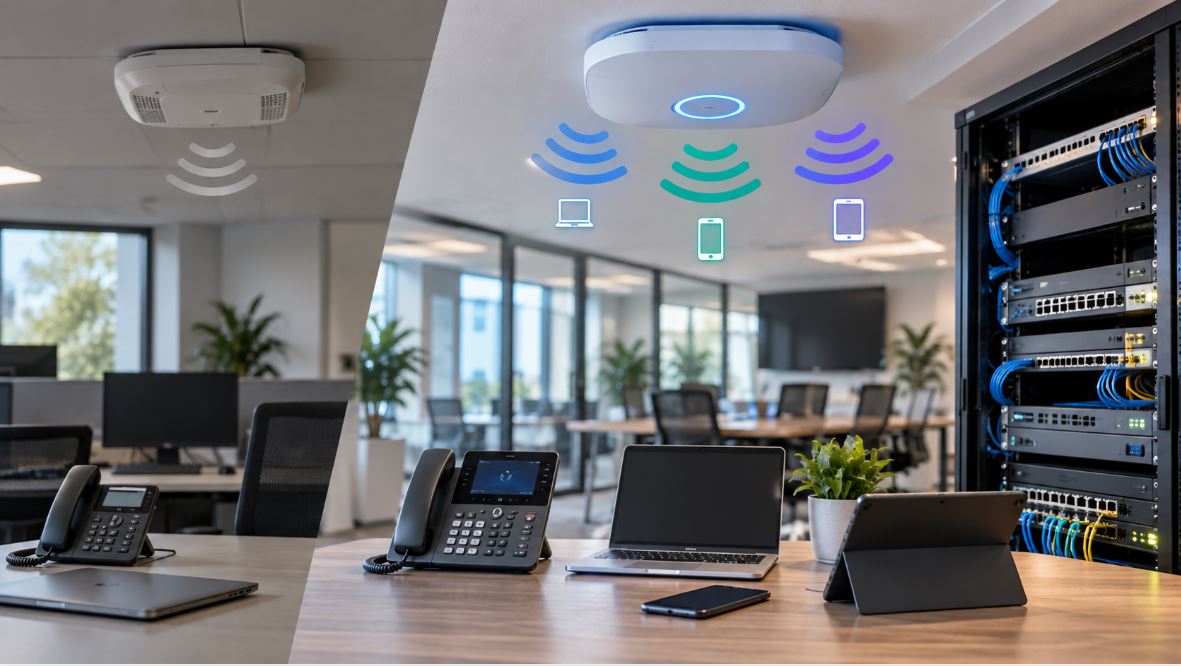
Wireless access points
IP security cameras
SIP intercoms
IP paging devices
Door controllers
Other PoE-powered network endpoints
If a business currently has 18 IP phones, buying a 24-port switch may appear sufficient. However, after reserving ports for access points, uplinks, conference phones, and expansion, the switch may quickly become full.
Allow Room for Expansion
A practical design generally includes spare switch capacity. For example, a company deploying 20 PoE devices might choose a 24-port switch if expansion is unlikely, while a 48-port switch may make more sense when additional phones, cameras, access points, or workstations are expected.
Also determine whether every Ethernet port on the proposed switch supports PoE. Some switches contain a mixture of powered and non-powered ports.
2. Understand PoE, PoE+, and PoE++
Ethernet switches can support different IEEE Power over Ethernet standards. The three commonly encountered families are IEEE 802.3af, 802.3at, and 802.3bt.
PoE Type
IEEE Standard
Maximum PSE Power
Typical Applications
PoE
802.3af
15.4 watts per port
Many basic IP phones and low-power devices
PoE+
802.3at
30 watts per port
Advanced phones, access points, cameras and other higher-power devices
PoE++
802.3bt
Up to 60 or 90 watts at the PSE depending on type
High-power access points, displays, cameras and specialized equipment
Many conventional desk phones operate comfortably within standard PoE power levels. However, phones with large displays, expansion modules, USB accessories, video capabilities, or other peripherals may require additional power.
Always compare the phone manufacturer’s power specification with the switch manufacturer’s supported PoE standard and available output.
3. Calculate the Total PoE Power Budget
One of the most frequently overlooked switch specifications is the total PoE power budget.
A switch may support 30 watts on an individual PoE+ port without having enough internal power capacity to provide 30 watts simultaneously to every port.
Example PoE Budget Calculation
Suppose a company plans to connect:
20 IP phones consuming up to 7 watts each
3 wireless access points consuming up to 18 watts each
2 IP cameras consuming up to 12 watts each
The estimated maximum requirement would be:
Phones: 20 × 7 W = 140 W
Access points: 3 × 18 W = 54 W
Cameras: 2 × 12 W = 24 W
Estimated total: 218 watts
A switch with only a 180-watt PoE budget would therefore be undersized for this theoretical maximum load even if it had enough physical Ethernet ports.
Include Power Headroom
Avoid designing the system so that normal operation places the switch permanently at its maximum PoE budget. Leaving capacity available can accommodate startup behavior, device replacement, expansion, and higher-power endpoints added later.
4. Choose a Managed Switch for Business VoIP
An unmanaged PoE switch can power phones and move Ethernet frames, but it usually provides little control over how voice traffic is handled.
For business VoIP, a managed PoE switch is generally preferable because it can support features such as:
802.1Q VLANs
Voice VLANs
Quality of Service
Spanning Tree protocols
Link aggregation
Port monitoring
PoE status and power management
LLDP and potentially LLDP-MED
SNMP or other monitoring capabilities
Port security and access controls
These features become increasingly important as a VoIP network grows.
A voice VLAN separates IP phone traffic logically from ordinary workstation and general data traffic.
For example:
Network
Example VLAN
Devices
Data
VLAN 10
Computers and printers
Voice
VLAN 20
VoIP phones
Guest
VLAN 30
Guest devices
Management
VLAN 40
Network infrastructure
VLAN separation can improve network organization, security policy enforcement, troubleshooting, and QoS implementation.
This is especially useful when a computer is connected through the Ethernet pass-through port on an IP phone. The switch and phone can be configured so that voice traffic uses the voice VLAN while the attached computer remains on the data VLAN.
6. Make Quality of Service a Requirement
VoIP traffic is sensitive to delay, jitter, and packet loss. A large file transfer can tolerate packets arriving slightly later; an interactive telephone conversation cannot tolerate excessive delay as gracefully.
A managed switch intended for VoIP should therefore provide configurable Quality of Service capabilities.
Useful QoS capabilities include:
DSCP classification
802.1p Class of Service
Traffic prioritization
Priority queues
Bandwidth management
Trust or remarking policies where appropriate
RTP voice media is commonly associated with the Expedited Forwarding DSCP value 46, although the exact QoS design should follow the PBX, phone system, service provider, and network architecture.
QoS should also be implemented consistently across the network. Configuring one access switch correctly will not solve congestion occurring at a firewall, router, WAN circuit, wireless link, or Internet connection elsewhere in the path.
7. Consider LLDP and LLDP-MED
Link Layer Discovery Protocol can help network devices exchange information about their identity and capabilities.
LLDP-MED extends LLDP for media endpoints and can be useful in VoIP environments for functions such as advertising network policies to compatible IP phones.
When supported by both the switch and phone, LLDP-MED may simplify deployment of settings such as a voice VLAN. Compatibility and configuration requirements vary by manufacturer, so administrators should verify support on both sides.
8. Check Ethernet Port Speed
Most modern business networks should use Gigabit Ethernet switching even though an individual VoIP call requires only a small fraction of a gigabit.
The reason is that the phone may contain a second Ethernet port used to connect a computer. If the phone and switch port support Gigabit Ethernet, the attached workstation can maintain Gigabit connectivity through the phone where the network design supports it.
A switch with 10/100 Mbps access ports may still operate with many IP phones, but it can become a bottleneck for computers connected through those phones.
9. Evaluate Uplink Capacity
Access-port count is only part of switch sizing. Traffic from those ports eventually has to travel through one or more uplinks toward other switches, servers, the PBX, firewall, router, or Internet gateway.
Depending on the size of the network, useful uplink options may include:
1 Gigabit Ethernet
2.5 Gigabit Ethernet
10 Gigabit SFP+
Fiber uplinks
Link aggregation
A small office containing ten phones may have modest uplink requirements. A 48-port access switch carrying voice, workstation, camera, wireless, and server traffic may benefit substantially from higher-speed uplinks.
10. Consider Switch Redundancy and UPS Protection
One disadvantage of centralized PoE is that a failed switch or loss of power to that switch can disable every phone connected to it.
For this reason, business-critical deployments should consider the effect of switch failure and electrical outages.
Depending on operational requirements, a design might include:
UPS backup for PoE switches
UPS backup for the PBX
Backup power for the firewall and router
Redundant switching infrastructure
Multiple access switches instead of one large failure domain
Redundant Internet or SIP connectivity where required
Remember that keeping the phones powered does not by itself keep telephone service working. Every required component in the voice path must remain operational.
11. Select the Appropriate Switch Size
The following table provides a general starting point rather than a universal rule.
Deployment
Typical Switch Size
Important Considerations
Very small office
8 ports
Enough spare ports and adequate PoE budget
Small office
16 ports
Expansion, access points and uplinks
Small to midsize office
24 ports
Voice VLANs, QoS and PoE budget
Larger access layer
48 ports
High PoE budget, uplink capacity and redundancy
Examples of Managed PoE Switch Options
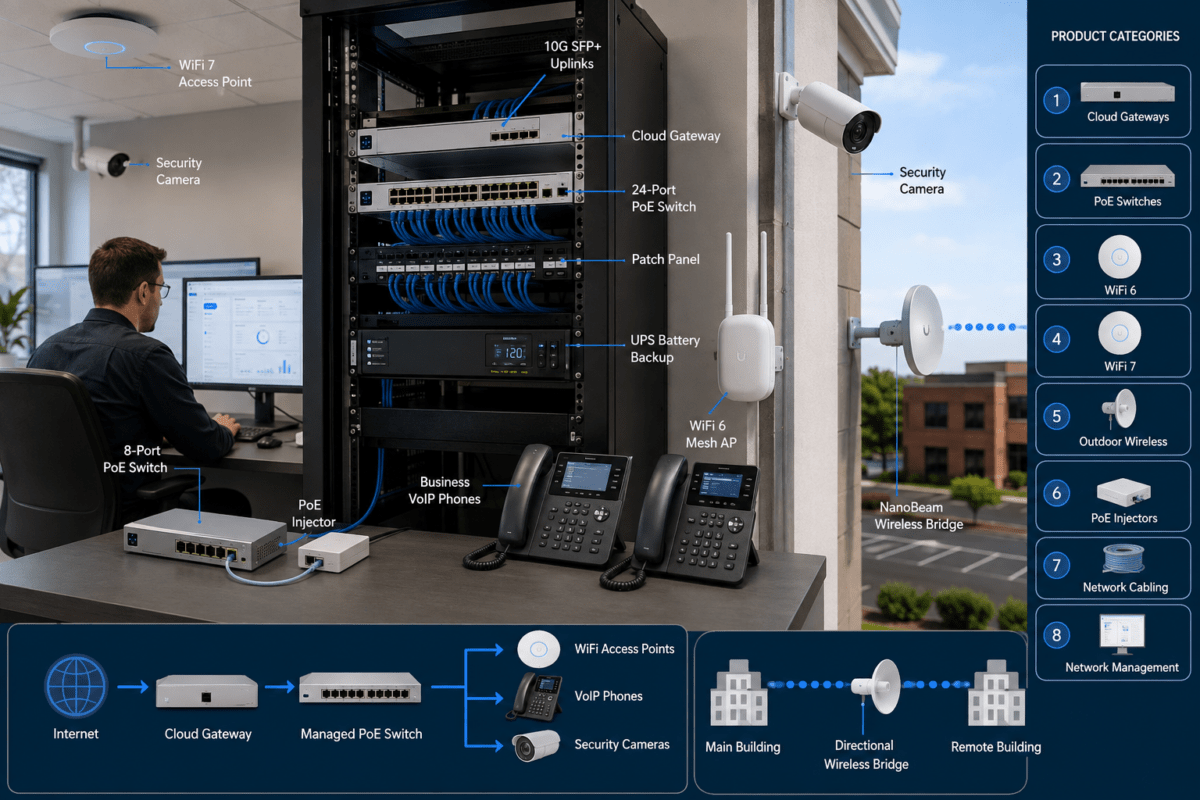
Grandstream’s GWN7800-series managed PoE switches illustrate several port-density choices that can be considered when designing a business VoIP network.
Port count alone should not determine which model to purchase. Confirm each switch’s current specifications, PoE budget, uplink interfaces, management capabilities, and availability against the requirements of the proposed network.
PoE Switch Selection Checklist
Before purchasing a switch for a VoIP deployment, verify the following:
How many IP phones will be connected?
What other PoE devices will use the switch?
How many spare ports are required?
Which IEEE PoE standard does each device require?
What is the maximum expected PoE load?
Does the switch have sufficient total PoE budget?
Does it support 802.1Q VLANs?
Does it provide appropriate QoS controls?
Does it support LLDP or LLDP-MED if required?
Are the access ports Gigabit Ethernet or faster where needed?
Are uplink speeds sufficient?
Are fiber or SFP/SFP+ interfaces required?
Will the switch be connected to a UPS?
How will the network handle a switch failure?
How much expansion is expected over the next several years?
Common PoE Switch Mistakes in VoIP Deployments
Buying Based Only on Port Count
A 48-port PoE switch is not automatically suitable for 48 powered devices. The total PoE budget still has to support the connected load.
Ignoring Future Expansion
Using every available port on the first day leaves no convenient capacity for another phone, wireless access point, camera, or conference-room device.
Using an Unmanaged Switch
An unmanaged switch may work in a very small installation, but it generally lacks the VLAN, monitoring, and QoS functionality desirable for a structured business voice network.
Assuming PoE+ Means Full Power on Every Port
The per-port maximum and total switch PoE budget are different specifications. Both must be checked.
Ignoring the Uplink
A high-density access switch can connect dozens of endpoints, but all of that traffic eventually has to leave the switch. Uplink capacity should match the broader network design.
Expecting QoS to Fix an Undersized Internet Connection
QoS can determine which traffic receives priority during congestion, but it does not create additional bandwidth. Persistent capacity problems still require appropriate network or WAN sizing.
Frequently Asked Questions
Do VoIP phones require a PoE switch?
No. Many IP phones can operate from a compatible external power adapter. However, a PoE switch is usually more practical for business deployments because it centralizes power and network connectivity.
Is PoE+ better than PoE for VoIP phones?
Not necessarily. If a phone requires less power than standard IEEE 802.3af PoE can provide, PoE+ does not inherently improve its voice quality. PoE+ is useful because it supports devices with higher power requirements and can provide greater flexibility for mixed-device networks.
Can I connect a non-PoE device to a PoE switch?
Generally, yes, when the switch and installation use standards-compliant active PoE. The switch detects compatible powered devices before applying power. Nevertheless, administrators should verify device and switch specifications, especially when dealing with passive or non-standard PoE equipment.
How many VoIP phones can a PoE switch support?
The answer depends on both available PoE ports and the switch’s total PoE power budget. A switch may have enough physical ports but insufficient power capacity for the maximum load of every connected device.
Should VoIP phones be placed on a separate VLAN?
In most managed business networks, a separate voice VLAN is beneficial because it simplifies traffic separation, QoS policy, network management, and troubleshooting.
Does a PoE switch improve call quality?
PoE itself does not improve audio quality. However, a properly configured managed PoE switch can support VLANs, QoS, monitoring, and stable network connectivity that contribute to a well-designed VoIP environment.
Final Considerations
The right PoE switch for VoIP phones should be selected as part of the overall network architecture rather than as a simple power source. Port count, PoE standard, total power budget, VLAN support, QoS, uplinks, management capabilities, redundancy, and expansion all matter.
For a small deployment, an 8- or 16-port managed PoE switch may provide sufficient capacity. Growing businesses may benefit from 24-port equipment, while higher-density installations may require 48-port switches, multiple access switches, or a more redundant switching architecture.
Before purchasing equipment, inventory every powered device, calculate the expected PoE demand, allow capacity for growth, and verify that the proposed switch supports the network features required by the phone system.
Browse Telecom-Store.com for business VoIP phones, managed switches, PoE networking equipment, IP PBX systems, and related telecom infrastructure.
To provide the best experiences, we use technologies like cookies to store and/or access device information. Consenting to these technologies will allow us to process data such as browsing behavior or unique IDs on this site. Not consenting or withdrawing consent, may adversely affect certain features and functions.
Functional
Always active
The technical storage or access is strictly necessary for the legitimate purpose of enabling the use of a specific service explicitly requested by the subscriber or user, or for the sole purpose of carrying out the transmission of a communication over an electronic communications network.
Preferences
The technical storage or access is necessary for the legitimate purpose of storing preferences that are not requested by the subscriber or user.
Statistics
The technical storage or access that is used exclusively for statistical purposes.The technical storage or access that is used exclusively for anonymous statistical purposes. Without a subpoena, voluntary compliance on the part of your Internet Service Provider, or additional records from a third party, information stored or retrieved for this purpose alone cannot usually be used to identify you.
Marketing
The technical storage or access is required to create user profiles to send advertising, or to track the user on a website or across several websites for similar marketing purposes.