How Many VoIP Phones Can Your Business Network Support?
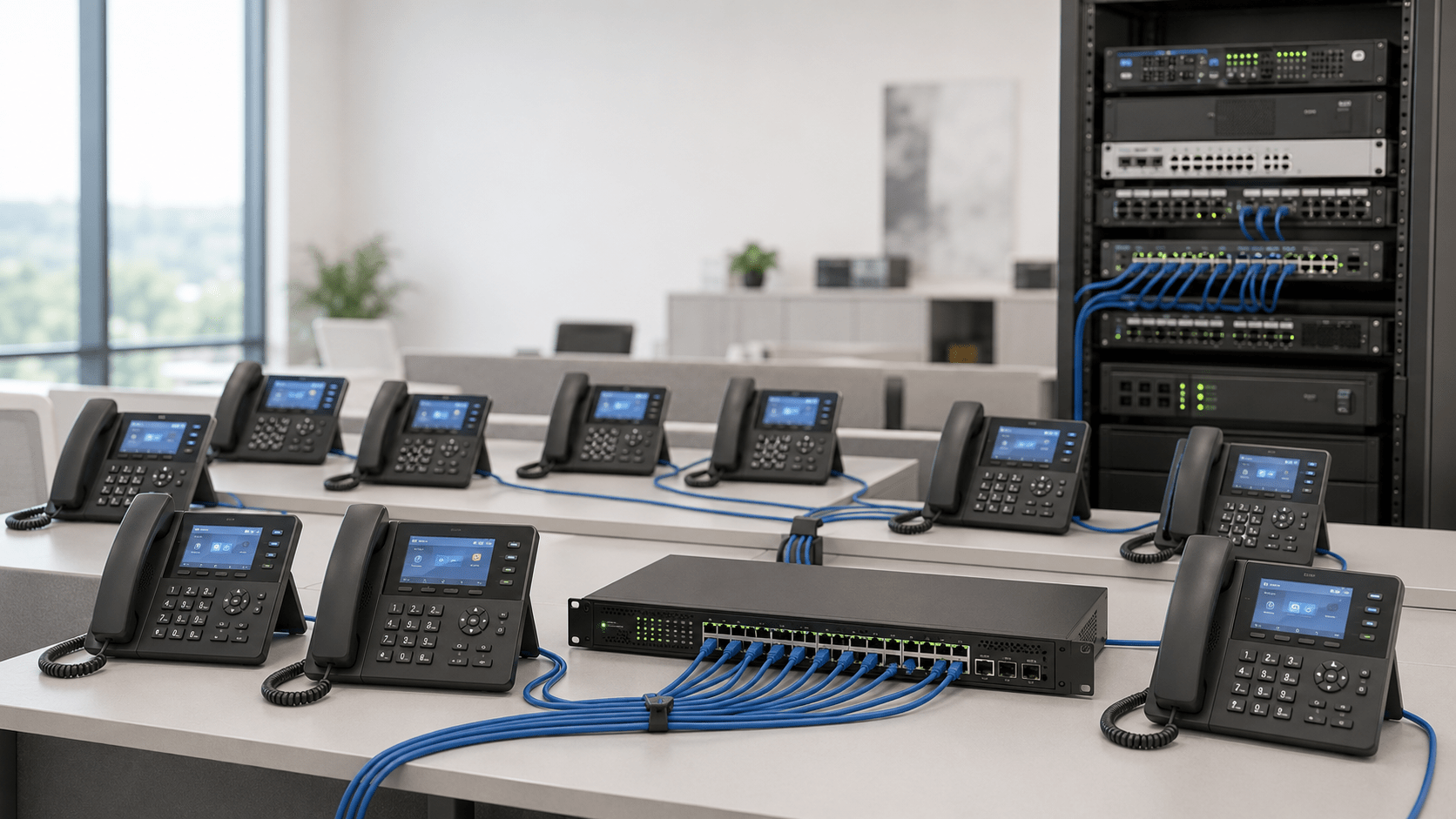
How many VoIP phones can your business network support? In many cases, the answer is far more than the number of employees in the office. A properly designed modern Ethernet network can support dozens or even hundreds of IP phones without running out of raw network bandwidth.
However, bandwidth is only one part of the calculation. The actual limit may be determined by your Ethernet switch ports, Power over Ethernet capacity, internet upload speed, number of simultaneous calls, router performance, PBX capacity, DHCP configuration, or network design.
For most businesses, the number of active calls matters more than the total number of phones. Fifty VoIP phones sitting idle do not consume the same voice bandwidth as 50 employees speaking at the same time.
This guide explains how to calculate realistic VoIP network capacity and identify the infrastructure that may need to be upgraded before adding more phones.
Quick Answer: How Many VoIP Phones Can a Network Handle?
A typical properly configured business network can support many more VoIP phones than most small and midsize organizations require. Instead of using a fixed number, calculate capacity using five primary factors:
Available Ethernet switch ports
PoE power budget
Maximum simultaneous calls
Available internet bandwidth
Router, firewall, PBX and network configuration
For example, an office may have 50 desk phones but only 10 to 15 concurrent external calls during its busiest period. Bandwidth planning should therefore be based primarily on those concurrent calls rather than simply multiplying bandwidth by all 50 phones.
At the access layer, however, every wired phone still requires network connectivity and, when powered by PoE, sufficient power from the switch.
VoIP Phone Capacity Is Not Determined by One Number
There is no universal rule such as “one network supports 50 phones” or “a gigabit switch supports 100 phones.” Several independent resources can become bottlenecks.
Network Resource
What It Limits
What to Check
Switch ports
Number of wired endpoints
Available Ethernet access ports
PoE budget
Number of phones the switch can power
Total available watts and per-port PoE class
Internet bandwidth
Concurrent cloud or SIP trunk calls
Usable upload and download capacity
Router/firewall
Traffic throughput and call handling
WAN throughput, QoS and concurrent-session capacity
PBX or hosted service
Registered endpoints and simultaneous calls
Licensing, extensions, trunks and call paths
LAN configuration
Voice reliability
VLANs, QoS, DHCP and switching design
The practical phone limit is whichever of these resources reaches capacity first.
1. Calculate Your Maximum Simultaneous Calls
Start with the number of calls happening at the same time rather than the total number of phones.
Consider a company with 40 VoIP phones. It is unlikely that all 40 users will be on external calls simultaneously. During the busiest hour, perhaps 12 employees are on calls.
For bandwidth planning, those 12 concurrent calls are considerably more important than the 28 idle phones.
How to Estimate Concurrent Calls
If historical PBX or hosted VoIP statistics are available, use actual peak-call data. Otherwise, estimate based on business activity.
Business Type
Typical Planning Consideration
Professional office
Moderate percentage of users simultaneously calling
Retail location
Usually fewer concurrent calls relative to total phones
Sales department
Potentially high call concurrency
Call center
Concurrency may approach the total number of active agents
Warehouse
Often relatively few concurrent calls
Hotel or hospitality
Large endpoint count but variable concurrent external calling
Do not rely solely on these general patterns. Actual usage should determine final capacity planning.
2. Calculate VoIP Bandwidth Requirements
A VoIP codec converts speech into digital packets. The codec bitrate is only part of the bandwidth required because each voice packet also includes networking overhead.
For example, G.711 carries a 64 Kbps audio payload. Once IP, UDP, RTP and Ethernet overhead are included, an ordinary G.711 call with common packetization can require approximately 87 Kbps on Ethernet.
For simple business planning, allowing approximately 100 Kbps per concurrent G.711 call in each direction provides a convenient baseline. Additional capacity should then be reserved for operational headroom and other network traffic.
Approximate Bandwidth Planning Table
Concurrent Calls
Approximate G.711 Voice Traffic
Practical Minimum Reservation With Headroom
5
About 0.5 Mbps
0.75 Mbps or more
10
About 1 Mbps
1.5 Mbps or more
25
About 2.5 Mbps
3.5 Mbps or more
50
About 5 Mbps
7 Mbps or more
100
About 10 Mbps
15 Mbps or more
These figures are planning estimates, not guarantees. Codec choice, packetization interval, VLAN encapsulation, VPN tunnels, SRTP, provider configuration and other protocol overhead can change actual bandwidth consumption.
Businesses should also evaluate upload and download bandwidth separately. A 500 Mbps download connection with only 10 Mbps of upload capacity should not be treated as a 500 Mbps connection when calculating outbound VoIP capacity.
3. Count Available Ethernet Switch Ports
A wired VoIP phone requires a network connection, so physical switch capacity is one of the simplest limitations to identify.
An eight-port switch cannot directly connect 20 IP phones. Likewise, a 24-port switch does not necessarily leave 24 ports available for phones because computers, wireless access points, printers, cameras, uplinks and other infrastructure may already consume ports.
Example: 24-Port Office Switch
Suppose a business has a 24-port switch configured as follows:
16 VoIP phones
2 wireless access points
2 IP cameras
1 network printer
1 uplink
That leaves only two unused ports, even though voice traffic may consume only a small fraction of the switch’s total forwarding capacity.
When expansion is expected, avoid designing a switch with every port occupied on installation day.
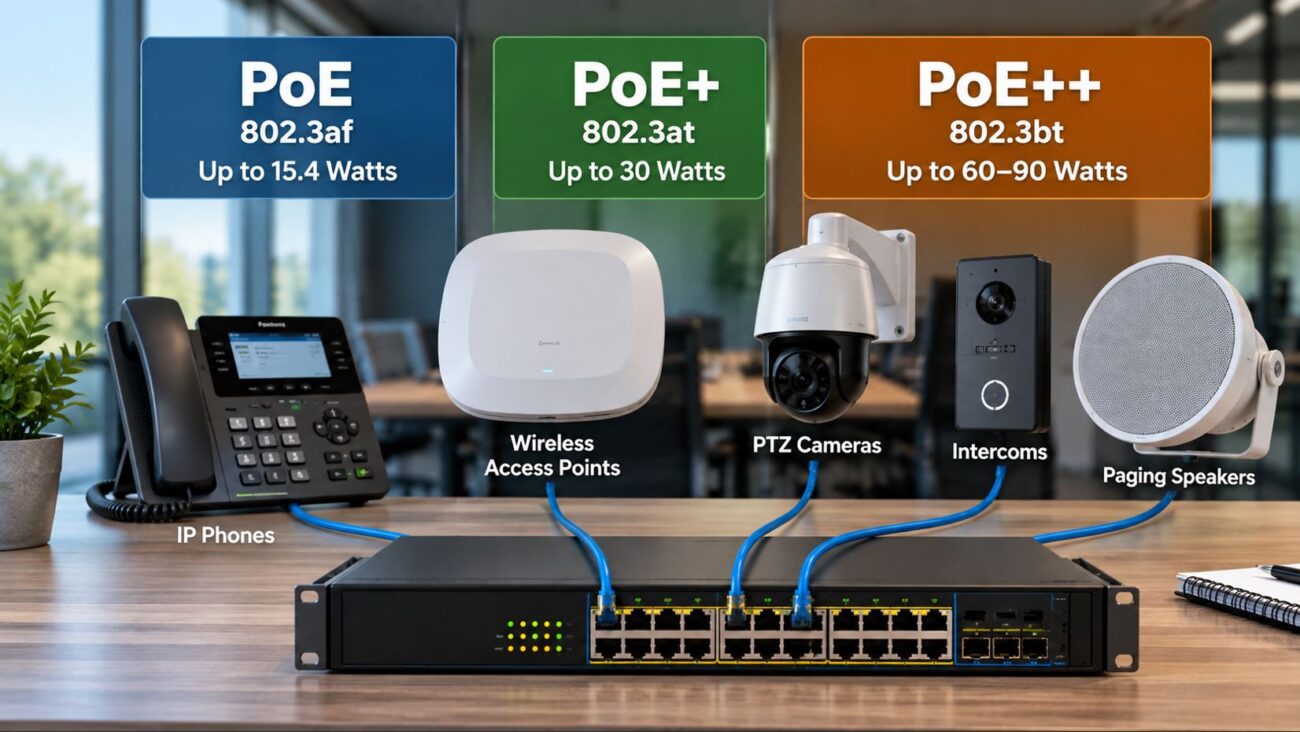
4. Check the PoE Power Budget
Port count and PoE capacity are different specifications.
A switch may have 24 PoE-capable ports but still lack enough total wattage to power 24 high-demand devices simultaneously. Therefore, businesses must evaluate both:
The maximum power supported on each individual port
The switch’s total PoE power budget
Modern phones commonly use IEEE 802.3af PoE, while some advanced endpoints, video devices, expansion configurations and other network equipment may require greater power.
Always use the manufacturer’s specified maximum PoE consumption when designing the power budget rather than assuming that every phone consumes the same amount of power.
Example PoE Calculation
Assume an installation contains 20 phones and the selected phone is rated for a maximum PoE draw of 7 watts for the intended configuration.
The endpoint requirement would be:
20 phones × 7 watts = 140 watts
A 120-watt PoE switch would therefore be undersized even if it had 24 physical PoE ports. A switch with sufficient port count and a power budget comfortably above the calculated requirement would be necessary.
This example is illustrative. Substitute the actual maximum power specification for the phone and accessories being installed.
5. Determine Whether Your Router and Firewall Can Keep Up
A gigabit switch does not guarantee that the WAN edge can properly handle voice traffic.
The router or firewall must handle:
Internet routing
NAT
Firewall inspection
VPN traffic when applicable
QoS policies
SIP signaling
RTP or SRTP voice traffic
Other business applications
Small consumer routers may work adequately for a handful of phones but become less predictable as the network grows or heavy data traffic competes with voice.
A business-class router or firewall should provide enough real-world throughput for the internet circuit while supporting the QoS, VLAN and security features required by the deployment.
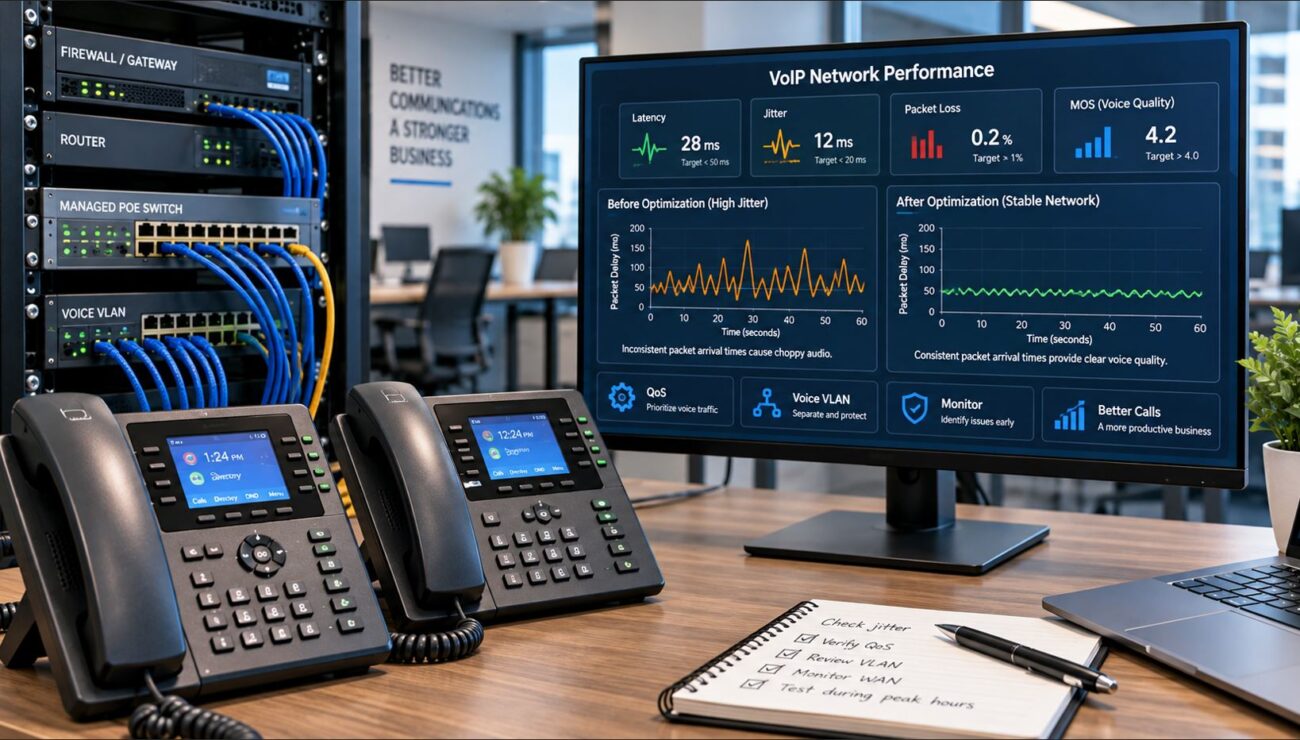
Having enough average bandwidth does not guarantee good calls.
Imagine an office with a 100 Mbps internet connection. Ten G.711 calls require only around 1 Mbps using a simple planning allowance. On paper, there is more than enough bandwidth.
However, if a cloud backup or large file transfer fills the upload link, voice packets may still experience delay or loss.
Quality of Service can identify voice traffic and give it preferential treatment during periods of congestion.
A voice VLAN does not create bandwidth, but it can make a growing VoIP deployment easier to manage.
Separating phones from ordinary workstation traffic can improve:
Traffic classification
QoS policy enforcement
Network security
DHCP management
Troubleshooting
Phone provisioning
Broadcast-domain organization
Managed switches are generally preferable for larger VoIP installations because they provide VLAN and QoS capabilities that unmanaged switches do not.
8. Make Sure DHCP Can Support the Additional Phones
Each IP phone needs an IP address unless it is configured manually, and most business deployments use DHCP.
A common problem occurs when a business adds phones but the existing DHCP subnet does not contain enough available addresses.
For example, phones, PCs, printers, cameras, access points and other devices may all compete for addresses on the same subnet.
A properly planned voice VLAN can use its own subnet and DHCP scope, giving administrators more control over phone addressing and provisioning.
9. Check PBX, SIP Trunk and Hosted VoIP Limits
Your LAN may support 100 phones while the telephone platform supports fewer.
Possible limitations include:
Number of licensed extensions
Maximum registered SIP endpoints
Maximum simultaneous calls
SIP trunk channel capacity
PBX processing capacity
Hosted-provider plan limitations
These limits are separate from network bandwidth.
For example, a company could have 75 registered phones but a SIP trunk sized for only 15 simultaneous external calls. Internal extension-to-extension calls may also behave differently depending on the PBX architecture and media path.
10. Remember That Internal Calls May Stay on the LAN
Not every VoIP call necessarily uses the internet connection.
With an on-premises PBX, calls between two internal extensions may keep media entirely within the local network, depending on system configuration.
With a cloud-hosted platform, internal calls may still traverse the WAN because the service provider controls signaling and potentially the media path.
Therefore, determine how your actual phone system handles media before estimating WAN requirements.
Example: 10-Phone Small Office
Consider a company installing 10 PoE desk phones.
Requirement
Example Planning Target
Phones
10
Peak simultaneous calls
5
Approximate G.711 allowance
0.5 Mbps each direction
Voice bandwidth with headroom
At least 0.75 Mbps each direction
Switch ports
At least 10 phone ports plus infrastructure and expansion
PoE
Budget calculated from each phone’s maximum requirement
Recommended network management
Managed switch with VLAN and QoS capability
Bandwidth would rarely be the limiting factor in this scenario. Port availability, PoE capacity and correct configuration would be more likely constraints.
Example: 50-Phone Business
Now consider a 50-phone organization with approximately 20 concurrent calls at peak.
Using 100 Kbps per G.711 call as a simple planning allowance:
20 × 100 Kbps = approximately 2 Mbps in each direction
After adding reasonable headroom, the voice portion of the WAN requirement remains relatively modest compared with modern business internet connections.
The bigger design questions become:
Are enough switch ports available?
Can the switches supply sufficient PoE?
Are voice VLANs properly configured?
Does QoS operate through the WAN edge?
Does the PBX support 50 endpoints?
Does the SIP service allow the required number of concurrent calls?
Is network equipment protected by UPS backup?
Example: 100-Phone Business
At 100 endpoints, infrastructure design becomes increasingly important even though voice itself still consumes relatively little bandwidth.
If 40 users are expected to be on G.711 calls simultaneously, a simple 100 Kbps planning value results in approximately:
40 × 100 Kbps = 4 Mbps in each direction
With additional headroom, 6 Mbps or more reserved for voice would provide a more conservative target.
However, a 100-phone environment also requires careful planning for:
Multiple managed switches
Switch uplinks
PoE power budgets
Redundant infrastructure where required
DHCP and IP addressing
Voice VLANs
QoS
Network monitoring
UPS runtime
PBX and SIP trunk capacity
At this scale, treating VoIP as part of the overall network architecture rather than simply adding phones is important.
How to Size a PoE Switch for VoIP Phones
A managed PoE switch is usually the most practical access-layer device for a multi-phone business deployment.
Use this process:
Count the number of wired phones.
Add ports required for access points, cameras and other devices.
Reserve ports for uplinks.
Leave capacity for reasonable growth.
Find the maximum PoE requirement of every powered device.
For higher port density, Telecom-Store also offers options such as the Intellinet 16-port Gigabit PoE+ switch. Select the switch according to required management features, port count, PoE budget and expected growth rather than brand alone.
Does a Gigabit Network Help VoIP?
Yes, although a single voice call does not come close to requiring Gigabit Ethernet.
The advantage of Gigabit networking is that phones share the infrastructure with computers, access points, servers, cameras and other devices. Higher-speed switching and uplinks provide more capacity for the total network.
Many business IP phones also include a secondary Ethernet port so a computer can connect through the phone. When using this configuration, verify that both the phone and switch support the required Ethernet speed and VLAN design.
Can You Run VoIP Phones Over Wi-Fi?
Some modern IP phones support Wi-Fi, but wired Ethernet remains preferable for fixed office phones when practical.
Ethernet generally provides:
More predictable latency
Less radio interference
Simpler QoS behavior
PoE capability
More consistent troubleshooting
Wi-Fi can still be useful for temporary locations, flexible offices and areas where network cabling is impractical.
For wireless VoIP, capacity planning must also consider access-point density, channel utilization, roaming behavior, signal quality and wireless QoS.
What Happens During a Power Outage?
Traditional analog telephones were sometimes powered directly from the telephone network. VoIP phones depend on local network equipment and electrical power.
PoE provides an advantage because phones can be powered centrally by switches. If those switches, the router, firewall, PBX and other required equipment are connected to an appropriately sized UPS, multiple phones can remain powered during a short electrical outage.
However, the internet service itself must also remain available for cloud-based calling or SIP trunks to continue operating.
Signs Your Network Is Reaching Its VoIP Capacity
Watch for symptoms such as:
Choppy or robotic audio during busy periods
Calls dropping when uploads occur
One-way audio
High jitter
Packet loss
Phones losing power when additional PoE devices are connected
No available switch ports
Phones failing to obtain IP addresses
Call failures after reaching a specific number of concurrent calls
These symptoms do not all indicate insufficient bandwidth. For example, one-way audio is often associated with NAT, firewall or SIP configuration rather than raw capacity.
How Many VoIP Phones Can Your Network Support? Final Answer
There is no fixed maximum number of VoIP phones that applies to every business network.
On a properly designed modern LAN, raw voice bandwidth is rarely the first limitation. A business can often support dozens or hundreds of phones while using only a small portion of available Ethernet capacity.
For example, a business with 50 desk phones and 20 simultaneous G.711 calls might need only a few megabits per second specifically for the voice streams. Yet the same installation could fail if the PoE switch is undersized, the SIP trunk supports too few concurrent calls, the DHCP pool is exhausted, or large data transfers congest the internet uplink without QoS.
Therefore, size the entire communications path rather than focusing only on internet speed. Properly selected managed switches, sufficient PoE capacity, QoS, VLAN planning and adequate WAN headroom provide a scalable foundation for reliable business VoIP.
Frequently Asked Questions
How much bandwidth does one VoIP phone use?
Bandwidth depends primarily on whether the phone is actively on a call and which codec is being used. A G.711 call commonly requires roughly 87 Kbps over Ethernet with typical packetization. Using approximately 100 Kbps per concurrent call in each direction is a convenient planning allowance before adding additional headroom.
Can 50 VoIP phones run on one internet connection?
Yes, provided the connection, network equipment and phone system are sized correctly. Bandwidth should be calculated from the expected number of simultaneous calls rather than assuming all 50 phones will be active at once.
Can a 24-port switch support 24 VoIP phones?
Potentially, but not automatically. You must reserve any ports needed for uplinks or other devices and confirm that a PoE model has enough total wattage to power all connected phones.
Do VoIP phones use bandwidth when they are not on a call?
Yes, but normally far less than during an active voice session. Idle phones still exchange registration, keepalive, provisioning and other management traffic. The primary voice-bandwidth calculation should focus on concurrent active calls.
Do I need a separate internet connection for VoIP phones?
Usually not. Business VoIP can share an internet connection with computers and other applications when sufficient capacity and appropriate QoS policies are available. Some organizations choose dedicated or redundant connectivity when uptime requirements justify it.
Does each VoIP phone need a switch port?
A wired phone needs an Ethernet connection to the network. Some phones include a secondary Ethernet port that allows a computer to connect through the phone, which can reduce the number of desk-area cable runs, but the phone itself still requires connection to the network infrastructure.
How many VoIP calls can a 100 Mbps connection handle?
Raw arithmetic would suggest a very large number of calls, but planning a production system by dividing 100 Mbps by codec bandwidth is not recommended. Other applications share the circuit, usable throughput varies, QoS requires headroom, and router, firewall, SIP trunk and provider limits must also be considered.
Is upload speed important for VoIP?
Yes. Voice traffic is bidirectional. An internet service with high download speed but limited upload capacity can experience outbound audio problems if the upload path becomes congested.
Should VoIP phones be placed on their own VLAN?
For managed business networks, a dedicated voice VLAN is often beneficial because it improves traffic separation, QoS policy application, security, DHCP organization and troubleshooting. It is not mandatory for every very small installation.
What usually limits the number of VoIP phones first?
In smaller networks, available PoE switch ports or PoE power capacity may become limiting before bandwidth. In larger deployments, PBX licensing, SIP trunk concurrency, switching architecture, IP addressing and WAN design also become increasingly important.
To provide the best experiences, we use technologies like cookies to store and/or access device information. Consenting to these technologies will allow us to process data such as browsing behavior or unique IDs on this site. Not consenting or withdrawing consent, may adversely affect certain features and functions.
Functional
Always active
The technical storage or access is strictly necessary for the legitimate purpose of enabling the use of a specific service explicitly requested by the subscriber or user, or for the sole purpose of carrying out the transmission of a communication over an electronic communications network.
Preferences
The technical storage or access is necessary for the legitimate purpose of storing preferences that are not requested by the subscriber or user.
Statistics
The technical storage or access that is used exclusively for statistical purposes.The technical storage or access that is used exclusively for anonymous statistical purposes. Without a subpoena, voluntary compliance on the part of your Internet Service Provider, or additional records from a third party, information stored or retrieved for this purpose alone cannot usually be used to identify you.
Marketing
The technical storage or access is required to create user profiles to send advertising, or to track the user on a website or across several websites for similar marketing purposes.