How to Choose Business Phones and VoIP Equipment for Your Office
Need to equip your office with reliable phones, VoIP hardware, or conferencing devices? This updated Telecom Store guide explains—in clear terms—how different types of business communication gear work together, what to compare, and the common mistakes to avoid when building a future-ready workspace or upgrading your current system.
Why the Right Office Communication Equipment Matters
Modern business phones and VoIP devices aren’t standalone—they connect with your PCs, cloud apps, video conferencing, and Wi-Fi access points. If phones or network switches aren’t correctly chosen, you could wind up chasing dropped calls, slow file transfers, or unreliable meetings that affect productivity and create support headaches.
Saving a little on hardware rarely justifies the hidden long-term costs of having to replace incompatible products, troubleshoot poor performance, or lose features due to lack of updates or standards support. Evaluate whether each product supports SIP, has current firmware/security updates, and matches your office size and growth plans.
Business Phones: Still at the Center of Communication
VoIP Phones and IP Phones: What Should You Buy?
VoIP phones (also called IP phones) connect over Ethernet or Wi-Fi and communicate via an on-site PBX, a hosted VoIP provider, or unified communications platform such as Teams or Zoom. Key features vary: some offer simple two-line displays, others provide color touchscreens, Bluetooth, built-in Wi-Fi, and add-on expansion modules for reception or high-traffic stations.
Check out the latest VoIP phones and compare models by use: do you need just a few lines for a standard office, or a sidecar with 20+ busy-lamp fields for a busy desk? If you’re planning a new installation or expansion, keep firmware versions and provider compatibility at the top of your criteria list.
Major Brands: Yealink, Poly, Cisco, Grandstream
Telecom equipment brands are more than just name recognition—each has preferred providers and support ecosystems. Yealink, Poly, Cisco, and Grandstream provide options across budgets and use cases, but compatibility is vital. Some Cisco phones, for instance, require enterprise firmware or special provisioning for SIP service—never assume any VoIP phone works with any provider out-of-the-box.
Compare display size, number of programmable buttons, network connectivity (Ethernet, integrated Wi-Fi/Bluetooth), and power requirements for your short list. Consider room for expansion: reception and call-handling stations may need sidecars or wireless headset options.
IP PBX Systems: Local Control or Cloud Simplicity?
An IP PBX controls in-office calling, extension management, auto-attendants, and routing rules. Some buyers prefer an on-premises PBX for integrating with local door controls or CRMs, while smaller teams may prefer the ease of a managed, cloud-hosted VoIP service. Review user capacity, room for new extensions or locations, and your organization’s ability to do upgrades and troubleshooting.
Cloud/hosted VoIP plans are popular for offices without dedicated IT teams and support most features needed by growing businesses, but double-check if your preferred phone models and headsets are fully supported—some platforms certify specific hardware models only.
Networking Equipment: Foundation for VoIP and Unified Communications
Your office phones, computers, video systems, and printing all rely on a high-quality network. Choppy voice calls, one-way audio, or dropped conferencing can often be traced to an overloaded switch, poor-quality wiring, or insufficient PoE for connected devices.
Managed Switches: When to Invest?
Managed network switches allow for segmentation (VLANs), Quality of Service (QoS), and remote monitoring. These features matter in offices with 10+ devices, hybrid work arrangements, or security requirements. Managed switches help IT separate voice from business data, troubleshoot faster, and prioritize voice/video traffic. Buy more ports than you need today; paying extra up front prevents early replacements as your business grows.
Unmanaged Switches: Set and Forget
For micro-offices or temporary workspaces, unmanaged switches provide plug-and-play installation. There’s no web GUI or port management; setup is immediate. However, unmanaged switches offer little support for troubleshooting, QoS, or security segmentation. If you expect to grow or need network visibility, managed is safer.
Power over Ethernet (PoE) Switches
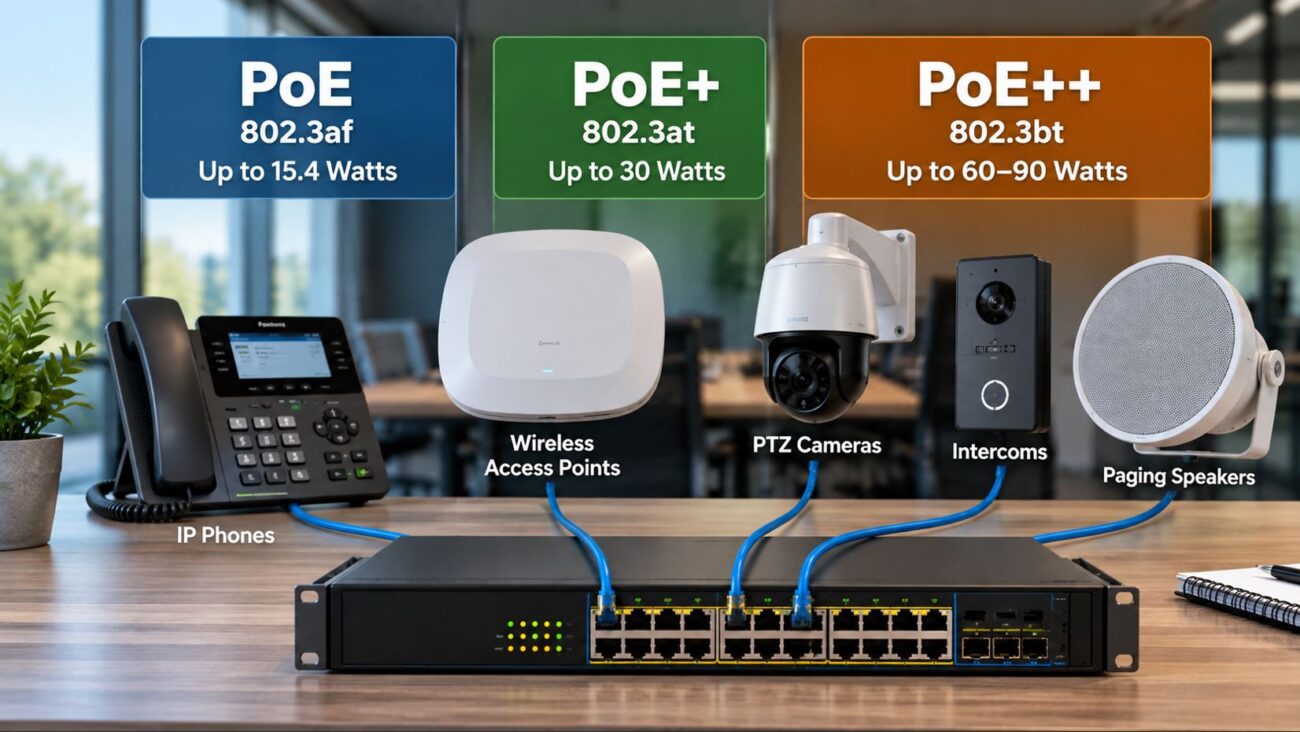
PoE switches deliver both network connectivity and power to phones, access points, and conference gear over a single cable—reducing clutter and simplifying moves and changes. But always total the maximum wattage for every device on a PoE switch, including new conference phones or video bars that may require up to 25-30W each. Do not judge only by port count—inadequate power leads to device resets or failures.
Key Network Features for VoIP Success
- QoS (Quality of Service): Ensures voice remains clear during data-heavy usage. Set QoS policies network-wide for best results.
- Voice VLANs: Use VLANs to segment phones from standard data devices for better call reliability and simpler troubleshooting.
- Port Count and Uplinks: Tally every device—phones, workstations, cameras, and future plans. Leave at least 20–30% headroom. Consider at least one multi-gig uplink in busy or rapidly growing sites.
Business Headsets: Improved Call Management & Productivity
Headsets are a must for reception desks, customer service, or any user fielding frequent or long calls—saving neck strain and enabling hand-free note taking. Office buyers can browse the latest by connection type (wired USB, Bluetooth, DECT wireless) and compatibility. Some phones and softphone applications require manufacturer-specific adapters or EHS cables for full remote control—check for compatibility with your phone or UC platform before buying.
Conference & Meeting Room Solutions: Matching Room Tech to Platforms
Formal meeting and “huddle” rooms need reliable, easy-to-use equipment. Options range from simple conference phones for audio-only calls to advanced video conferencing kits certified for Teams or Zoom Rooms. Main selection factors:
- Room size and seating arrangement (microphone and speaker reach)
- Platform certification (Teams, Zoom, SIP, or multi-platform)
- Display connectivity, mounting, and cabling options
- Network & PoE requirements—many room devices draw 20–30W each
- Integration needs (wireless sharing, scheduling panels)
Certified meeting room equipment generally provides better management and feature integration. Buying “just any” conference speaker or webcam can limit your integration options or complicate scheduling and call join, especially for hybrid users.
Compatibility, Setup, and Buyer Mistakes to Avoid
Confirming Platforms and Firmware
Before buying phones or conferencing endpoints, verify your intended platform or VoIP service supports those models and required firmware. Some platforms support only a short list of certified hardware or may require licensing. Mixing phones from different brands can limit advanced features like one-touch transfers, directory imports, or remote provisioning—test mixed environments before wide deployment.
Power, Cabling & Network Checks
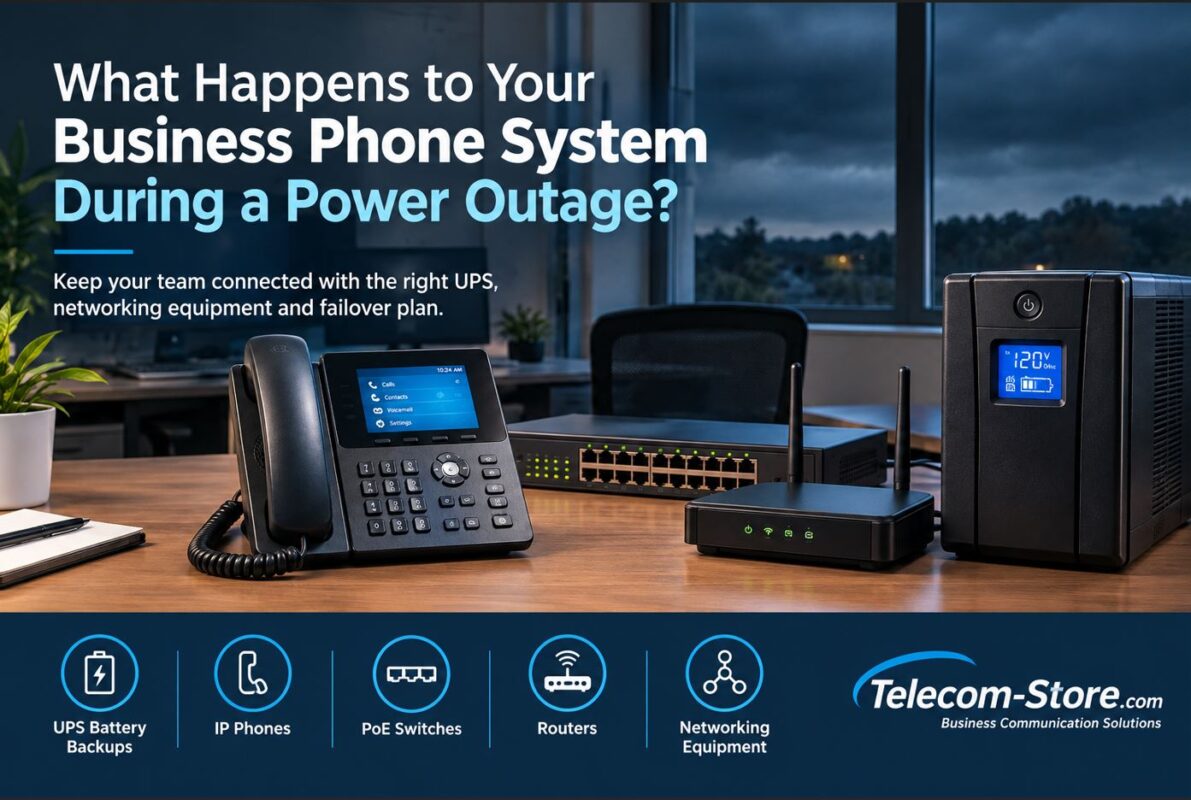
Each device may require PoE, AC, or sometimes both. Inspect your cabling for serviceability and make sure it’s up to standard (Category 5e minimum for Gigabit, Category 6 or 6A for future readiness). Avoid phone or Wi-Fi outages due to underpowered switches. Centralizing critical networking and switching gear on a battery backup/UPS minimizes downtime during power issues.
Administration and Ongoing Maintenance
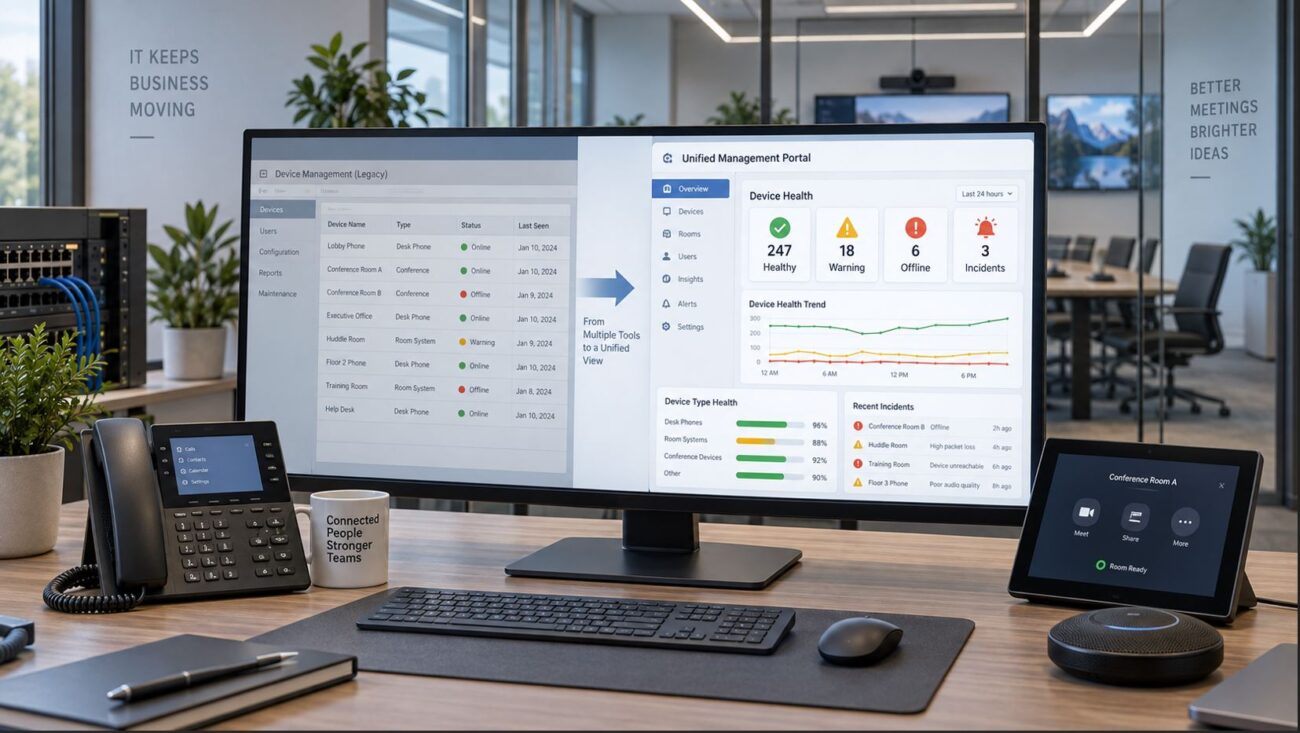
Managed switches, PBXs, and conference room devices often require scheduled firmware updates, security changes, and troubleshooting. Make sure you have trusted IT resources, a support contract, or strong in-house staff to handle provisioning, updates, and ongoing management. Factor in learning curves for advanced managed switches if you previously used only unmanaged gear.
Common Limitations & Pitfalls
- Buying based only on brand: Even top-name products can be incompatible with your provider or need extra licensing.
- Underestimating PoE power: Devices with video, wireless APs, or high-quality speakerphones require far more power.
- Assuming unmanaged switches fit future needs: You’ll lose out on VLANs, QoS, and diagnostics for larger or hybrid offices.
- Ignoring cable health: Old patch cords or wall runs are a leading cause of hidden VoIP issues. Replace aged cables during upgrades.
- Skipping platform certification: Non-certified room equipment may not support advanced join, control, or scheduling features.
- Failing to plan for expansion: Buy switches and PBX capacity with at least 20% headroom for growth or technology refreshes.
Buyer Tips: Picking the Right Equipment for Your Needs
Small Offices
Most will do well with basic desk or cordless phones from the approved provider list, paired with a compact PoE switch and trusted broadband. Unmanaged switches are fine for stable, low-growth situations, but plan to upgrade if you add staff or migrate to more advanced communications.
Expanding or Multi-Site Businesses
If you expect to grow or deploy across different locations, start with managed PoE switches and a scalable PBX or hosted UC platform. Focus on headsets compatible across phone and softphone, and consider room for wireless APs and security upgrades. Factor in internet connection redundancy and central IT management for smooth onboarding of new staff or offices.
Reception & High-Volume Call Environments
Phones with large color screens, programmable keys, and add-on expansion modules make it much easier for receptionists or call teams to park, transfer, and monitor high call volumes. Make sure both phones and PBX/provider software properly support queue management, BLF (busy lamp field), and call park features—these are frequent sources of missing functionality when mixing brands.
Hybrid & Meeting Room Setups
Bring together desk phones, wireless headsets, video bars, and Teams/Zoom certified conference systems for office and remote staff. Plan for remote troubleshooting: management features and cloud-configurable hardware are vital for hybrid work. Don’t forget sufficient PoE power and reliable Wi-Fi/ethernet for room devices and “hot desk” setups.
Don’t Forget Related Products and Accessories
Completing a successful telecom setup means thinking beyond just the core phone or switch. You’ll likely need Ethernet patch cables, power adapters, headset cables and hooks, sidecars, wall mounts, rack kits, network switches, IP PBX appliances, and battery backup/UPS for critical gear. Planning for accessories and spare parts up front avoids downtime and rush orders later.
Conclusion: Practical Steps for Business Phone and VoIP Selection
This guide is designed to help business IT buyers review, compare, and select the right phones, PBX systems, switches, power solutions, headsets, and room devices for their unique workplace environment. Always start by confirming provider/platform compatibility. Consider how many people use each device type now—and over the next 2–4 years—and evaluate whether you have IT resources to manage advanced features (or want to offload that with a hosted service).
Don’t focus only on specs or price. The best solution works reliably with your daily workflows, fits your support resources, and leaves space for new users or devices. Review your provider’s device compatibility list, use certified products as recommended, and request quotes or help from vendors experienced with your specific phone and UC environment. That way, you’ll minimize costly returns, configuration surprises, and support calls down the road.
Frequently Asked Questions
What is the difference between a VoIP phone and an IP phone?
VoIP phone and IP phone both describe phones that connect to a network and use internet-based calling rather than traditional analog lines. They work on IP PBX or hosted VoIP services. Double-check that the model and firmware are compatible with your provider before buying.
Does every VoIP phone need PoE?
Not all VoIP phones require PoE. Many can use either Power over Ethernet or a separate AC power adapter. If you want the convenience of powering phones with one cable, make sure your switch supports PoE with enough total wattage for all devices.
Should a business buy a managed or unmanaged switch?
Small/simple offices can use unmanaged switches, but if you want to segment voice and data, ensure call reliability, or grow in the future, managed switches offer QoS and VLAN configuration for better performance and security.
How do I size a network switch for business use?
Count all current devices – phones, computers, access points, printers, cameras – and always add extra ports for future users or tech upgrades. Avoid buying a switch with only as many ports as you use today.
How can I check if my new phones and conferencing gear will work with my service?
Consult your provider’s compatibility list. Not all features are supported by every platform (auto-provisioning, BLF, advanced call features, etc.)—check firmware versions, supported features, and required licensing before you buy.
What mistakes should buyers avoid with VoIP equipment?
The most common mistakes are buying switches without enough PoE power, mismatching phone model and provider, not planning for bandwidth, and overlooking cable quality. Always confirm compatibility, and plan for growth.