Grandstream FXS Devices: What They Solve and Who Needs Them
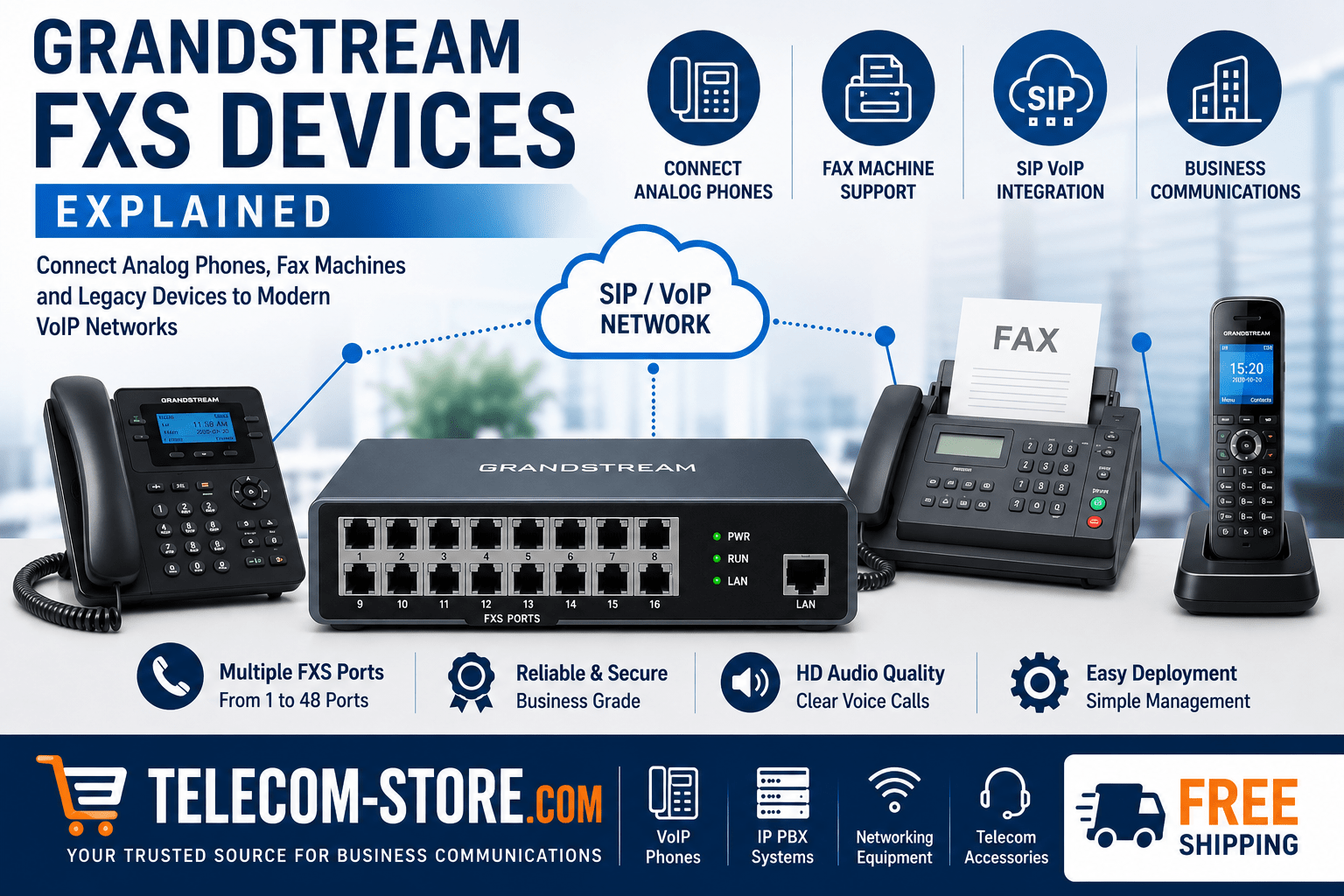
If you have analog desk phones or fax machines but want the features and cost savings of VoIP, Grandstream FXS devices help bridge the gap. You don’t have to replace your entire analog fleet at once. These gateways convert SIP VoIP signals into analog phone signals, letting your current equipment work with new VoIP or IP PBX platforms. This is essential for offices, hotels, hospitals, schools, and other locations with investments in legacy phone or fax gear.
FXS vs. FXO: Key Differences
| Port Type |
Connects To |
Typical Usage |
| FXS (Foreign Exchange Station) |
Analog device (phones, faxes, paging systems) |
Converts VoIP/SIP to analog, supplies dial tone and voltage |
| FXO (Foreign Exchange Office) |
PSTN line, analog PBX trunk |
Connects a VoIP system to outside analog phone line or PBX |
Short answer for buyers: FXS ports connect directly to your analog endpoints—if you want a fax, analog phone, or paging system to keep working on a VoIP system, you need an FXS port or gateway. FXO ports are only needed if you’re bringing a legacy phone company line into your new VoIP or PBX system.
How Grandstream FXS Devices Work for Business Buyers
Grandstream FXS gateways convert SIP calls—such as those from your cloud-hosted VoIP, onsite IP PBX, or unified communications system—into analog phone signals. Connect the FXS device to your network using Ethernet, and plug your analog equipment into the FXS ports. The gateway handles SIP registration and signaling between devices. For businesses that need both VoIP desk phones and legacy analog endpoints, this hybrid model is cost effective and minimizes disruption during upgrades.
Choosing a Grandstream FXS Gateway: What to Check
- How many analog endpoints? Count your fax machines, phones, paging zones, door stations, and so on. Devices are available in 2, 4, 8, 16, 24, 32, and 48 port models.
- SIP provider compatibility: Ensure the model supports your hosted VoIP or SIP trunk provider. Grandstream devices work with most major platforms.
- Fax support: For fax, check for T.38 support and G.711 passthrough. Always test your most common fax scenarios before rolling out site-wide.
- Network readiness: Make sure your switches (for example, PoE switches) and cabling are ready for VoIP workflows. FXS gateways usually require a stable LAN connection.
- Growth plans: Consider extra ports for future analog equipment you might keep or add over the next 2-5 years.
Models for Small, Medium, and Large Rollouts
Small Office: Grandstream HT814 or Similar
Perfect if you need up to 4 analog lines (phones, faxes, alarms). Easy to set up—just assign IP, enter SIP credentials, and connect devices. See more options under IP PBX Systems.
Large Deployments: 24–48 Port Grandstream Gateways
Common in hotels, healthcare, and campus environments with dozens of analog endpoints. These can centralize old analog cabling to one location and ease the switch to VoIP step by step. Explore business-grade VoIP phone options in VoIP Phones.
Configuration: Don’t Skip the Basics
- Set network addresses (IP, DNS, VLAN if needed)
- Enter SIP server address, extension IDs, and credentials
- Select audio codecs—often G.711 for analog voice, T.38 for fax
- Test inbound and outbound calls plus faxes before going live
In larger networks, plan for centralized management tools—especially if deploying many gateways.
Limitations and What Not to Miss
- Legacy analog endpoints won’t match modern VoIP phone features—don’t expect full unified communications on a ten-year-old fax.
- Fax reliability depends on provider support and rigorous configuration—some issues only surface in live use.
- Power backup may be needed. Analog lines used to work during power outages; VoIP gear and gateways do not unless protected by UPS.
Typical Buyer Errors to Avoid
- Undercounting analog endpoints or wiring runs, leading to more purchases later.
- Assuming all SIP providers are the same—always confirm compatibility, especially for fax.
- Skipping test calls or leaving firmware/software unpatched on gateways.
- Leaving analog devices dispersed across a building when centralization can save on cabling and ongoing admin.
Integrating Grandstream FXS Gateways with Modern IP Phones
Most businesses run a mix of analog and digital devices during transition periods. Grandstream FXS gateways make it straightforward—connect your old endpoints to the gateway, and onboard IP phones like those from Yealink or other brands for new staff and spaces.
For the best results in coverage and future-proofing, pair FXS gateways with supported network switches, and consider deploying VoIP desk phones in areas where unified communications features are a must.
FAQ: Grandstream FXS Devices and Analog Integration
What are Grandstream FXS devices used for?
Grandstream FXS devices connect analog phones, fax machines, and other analog equipment to VoIP systems by converting digital SIP communications into analog signals.
How do Grandstream FXS devices work?
Grandstream FXS devices receive SIP calls from a VoIP platform and convert them into analog telephone signals that traditional devices can use.
Can Grandstream FXS gateways support fax machines?
Yes. Many Grandstream FXS gateways support fax machines through T.38 faxing or G.711 passthrough, depending on provider compatibility.
What is the difference between FXS and FXO?
FXS ports connect to analog devices such as phones and fax machines, while FXO ports connect to telephone company lines or analog PBX connections.
Can I connect analog phones to a hosted VoIP service?
Yes. Grandstream FXS devices allow analog phones to register through a hosted VoIP platform using SIP technology.
Are Grandstream FXS gateways suitable for large businesses?
Yes. High-density gateways supporting 24, 32, and 48 FXS ports are commonly deployed in hotels, hospitals, schools, and large office environments.
Summary: Is a Grandstream FXS Solution Right for You?
If your organization relies on analog phones, faxes, or paging for daily operations but wants to upgrade to VoIP, Grandstream FXS gateways offer flexible migration paths. Determine your scale, verify network and SIP compatibility, and test before wide rollout. When ready to expand into all-IP, you’ll already have the infrastructure in place.