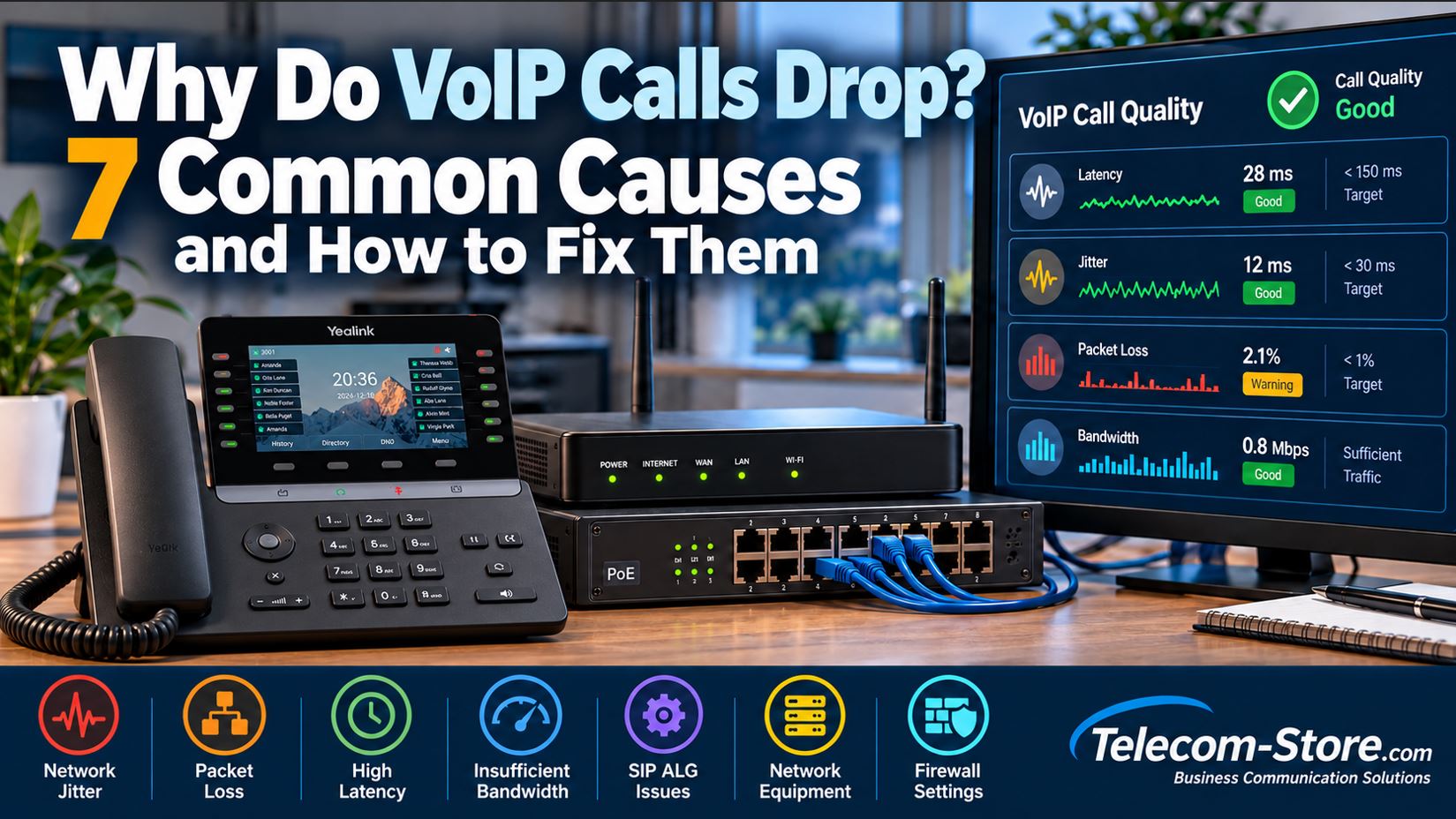
Why Do VoIP Calls Drop? 7 Common Causes and How to Fix Them
Few things are more frustrating than a business phone call that disconnects in the middle of a conversation. Whether you are speaking with a customer, coordinating with employees, or handling an important sales opportunity, dropped VoIP calls can disrupt operations and damage customer confidence.
Voice over Internet Protocol (VoIP) systems use IP networks to transmit voice communications. While modern VoIP technology can deliver excellent call quality, problems with network performance, configuration, power delivery, or service connectivity can interrupt calls.
This guide explains seven common causes of dropped VoIP calls, how to identify them, and practical steps to improve the reliability of your business phone system.
Quick Answer: Why Do VoIP Calls Keep Dropping?
VoIP calls commonly drop because of unstable network connectivity, excessive packet loss, network congestion, SIP signaling problems, firewall or NAT configuration, or interruptions involving phones and network equipment. Jitter and latency primarily affect audio quality, although severe network instability can also contribute to call failures.
The most effective troubleshooting approach is to determine whether the problem involves the phone, local network, internet connection, or VoIP service provider before replacing equipment.
1. Network Jitter Causes Choppy and Unstable Audio
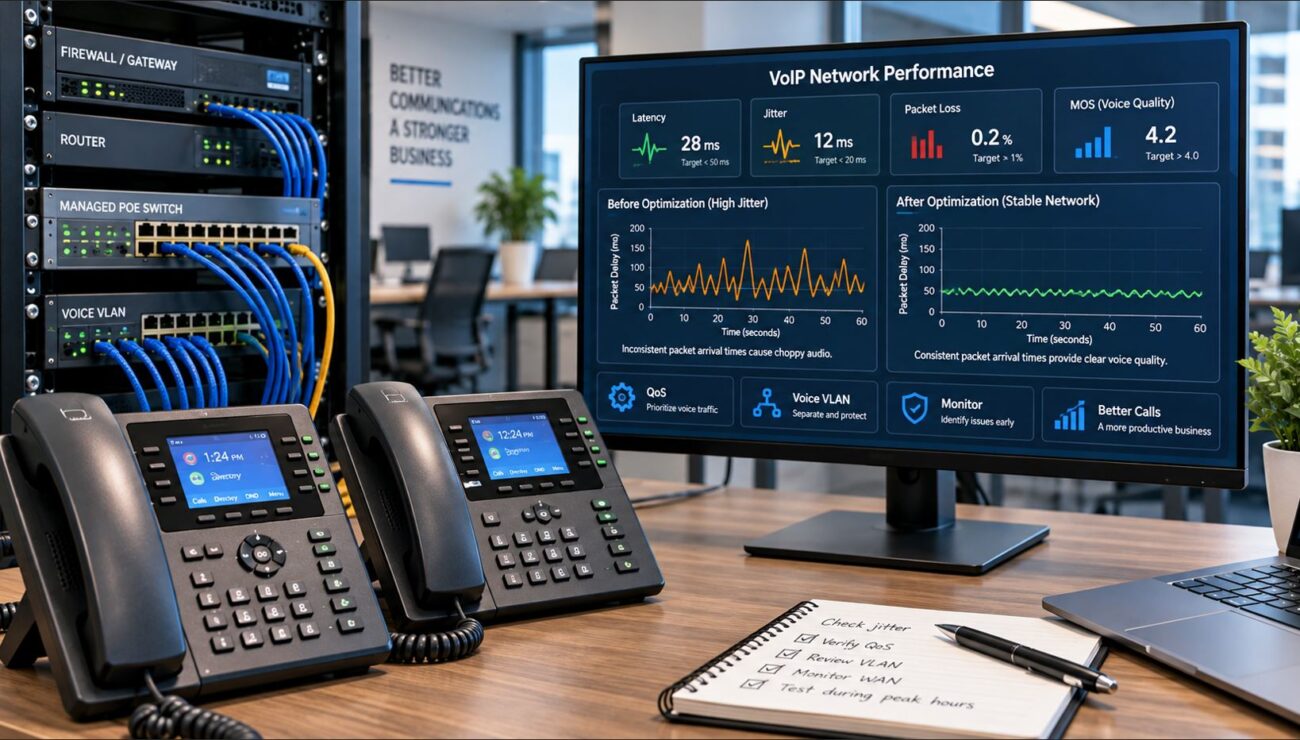
Jitter refers to variation in the arrival time of network packets. VoIP systems transmit audio in small packets that must arrive consistently enough for the receiving device to reconstruct a smooth conversation.
When packet arrival times fluctuate, users may hear broken words, robotic audio, or intermittent silence.
Excessive jitter does not automatically disconnect a call. However, severe instability may occur alongside packet loss and other conditions that affect call continuity.
Common Causes of VoIP Jitter
Congested network connections
Overloaded routers or switches
Unstable wireless connections
Competing video conferencing and file-transfer traffic
Variable internet routing or upstream congestion
How to Fix VoIP Jitter
Connect desk phones using wired Ethernet whenever practical.
Check jitter measurements from the phone system or provider.
Configure Quality of Service (QoS) to prioritize voice traffic where supported.
Investigate congestion at WAN links and network uplinks.
Replace defective cables or malfunctioning equipment when testing identifies a hardware fault.
Many networks use a jitter target below approximately 30 milliseconds for interactive voice, although acceptable values depend on the codec, jitter buffer, and overall network conditions. A lower, more consistent measurement is preferable.
2. Packet Loss Interrupts Voice Conversations
Packet loss occurs when network packets fail to reach their destination. Since VoIP communications operate in real time, lost voice packets generally cannot be recovered through retransmission without introducing unacceptable delays.
Voice codecs and packet-loss concealment techniques can compensate for some missing information, but sustained or bursty packet loss can produce noticeable audio problems.
Symptoms of Packet Loss
Missing words or syllables
Robotic or distorted audio
One-way or intermittent audio
Call quality that deteriorates during busy periods
How to Fix Packet Loss
Begin by checking physical connections, Ethernet error counters, switch-port statistics, and WAN performance.
Use continuous monitoring or provider-supported RTP statistics to determine whether loss occurs inside the office or across the internet connection.
For planning purposes, keeping packet loss below 1% is a commonly used operational goal. Some codecs tolerate more, but even smaller amounts of burst loss may be audible.
If packet loss appears only when the office is busy, investigate network congestion and apply traffic prioritization or bandwidth management.
3. High Latency Creates Delays and Talk-Over
Latency is the time required for information to travel between endpoints. Excessive latency makes conversations feel unnatural because speakers hear responses later than expected.
Users may accidentally interrupt one another or experience noticeable pauses.
High latency alone does not necessarily cause a call to disconnect. Nevertheless, it can indicate an overloaded or poorly performing network.
How Much Latency Is Acceptable?
For conversational voice, a commonly referenced engineering objective is approximately 150 milliseconds or less of one-way mouth-to-ear delay. Higher delays can still support communication but may noticeably affect conversational quality.
Remember that a standard ping test measures round-trip time, not the complete one-way mouth-to-ear delay experienced during a VoIP call.
How to Reduce VoIP Latency
Check WAN utilization and router processing load.
Prioritize voice packets on congested links.
Use wired connections for critical desk phones.
Investigate inefficient VPN paths or unnecessary traffic inspection.
Ask the VoIP provider to review media routing when local tests are normal.
4. Insufficient Bandwidth and Network Congestion Affect Calls
Business VoIP systems do not necessarily require enormous amounts of bandwidth, but they do need consistent access to the bandwidth required for each active call.
Actual consumption depends on the codec, packetization interval, encryption, and network overhead.
For example, a G.711 call with typical packetization can consume roughly 80 to 100 Kbps per direction over an IP network, depending on encapsulation. Other codecs may use less bandwidth.
Example: Ten Simultaneous Calls
If a deployment budgets 100 Kbps per direction for each call, ten simultaneous calls require approximately 1 Mbps of voice capacity in each direction, before additional engineering headroom and other network traffic.
The bigger problem is often not the total internet speed advertised by the provider but congestion on the actual upload or download path.
How to Prevent Bandwidth-Related VoIP Problems
Measure peak bandwidth usage during business hours.
Account for the maximum number of simultaneous calls.
Enable appropriate QoS and traffic shaping on the WAN router.
Limit competing uploads or large transfers during critical calling periods.
Verify that upstream and downstream bandwidth are both sufficient.
QoS is most effective when configured at actual congestion points. It cannot independently fix packet loss or congestion occurring inside an internet provider’s network.
5. SIP ALG Can Interfere With Call Signaling
Session Initiation Protocol (SIP) is commonly used to establish, modify, and terminate VoIP calls. Many routers include a feature called SIP Application Layer Gateway, or SIP ALG, intended to help SIP traffic traverse network address translation (NAT).
Unfortunately, some SIP ALG implementations modify SIP messages in ways that conflict with a VoIP provider’s signaling and NAT traversal design.
This can contribute to registration problems, failed transfers, missing audio, or calls that disconnect after a repeatable interval.
How to Troubleshoot SIP ALG
Identify the router and firewall model.
Confirm whether SIP ALG or SIP inspection is enabled.
Check the VoIP provider’s recommended router configuration.
If the provider recommends disabling SIP ALG, document the original setting and test with it disabled.
Place several test calls and verify transfers, hold, inbound calls, and outbound calls.
Disabling SIP ALG is not a universal requirement. Some environments use supported SIP-aware gateways or session border controllers that intentionally inspect and manage signaling. Follow the design recommended by the service provider.
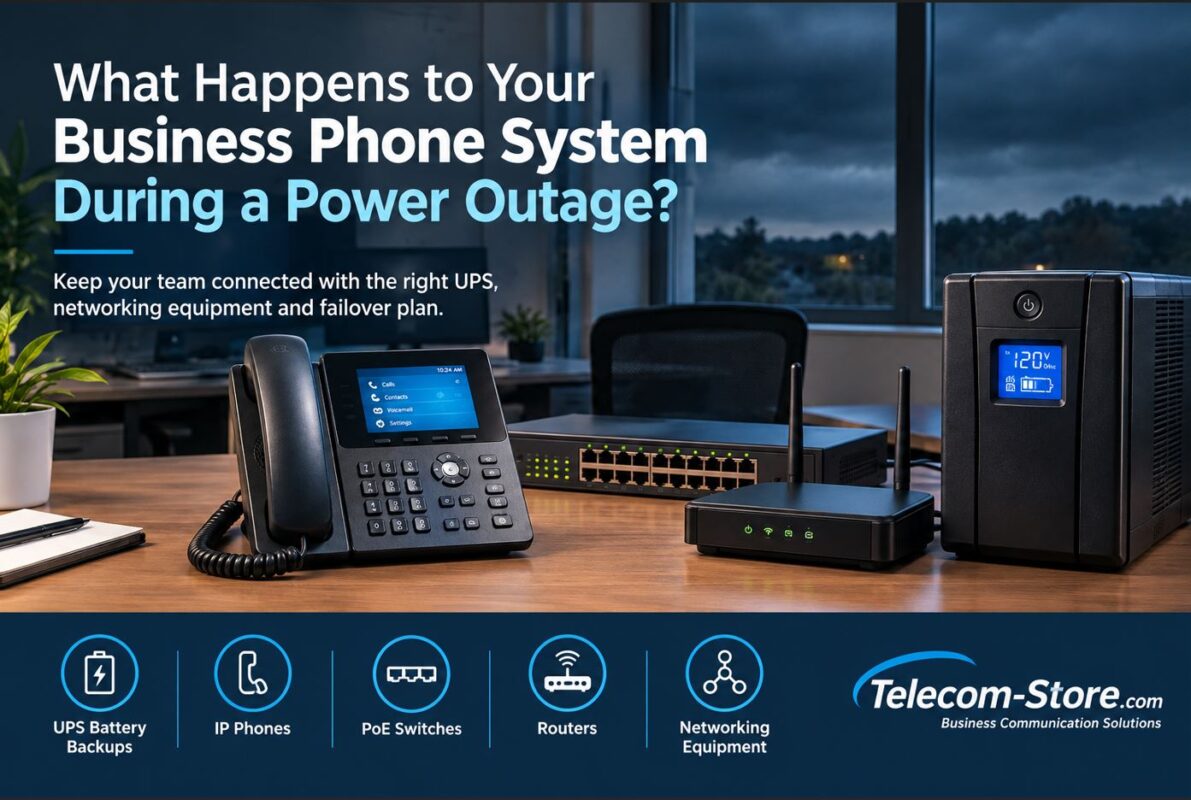
6. Faulty IP Phones, PoE Switches, or Network Equipment Cause Interruptions
Sometimes the problem is not the internet connection. A failing Ethernet cable, unstable PoE port, overloaded switch, defective power adapter, or restarting router can interrupt active calls.
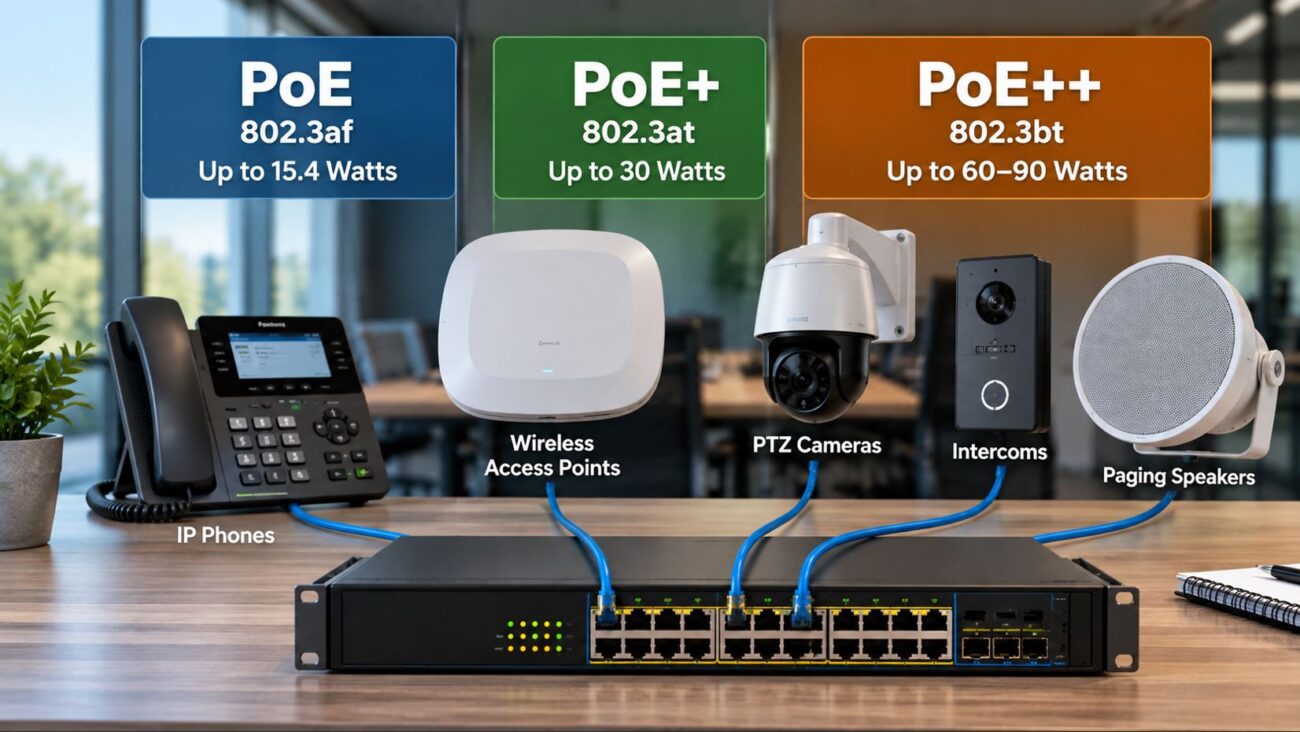
Power over Ethernet allows compatible switches to deliver both network data and electrical power through Ethernet cabling.
However, a switch must have enough total PoE capacity to support all connected devices. Exceeding the available power budget may cause ports to deny power or disconnect devices, depending on switch behavior and configuration.
What to Check
Switch logs for link-down and link-up events
PoE allocation and power-budget warnings
Phone reboot history and uptime
Damaged or poorly terminated Ethernet cabling
Network loops and spanning-tree events
Outdated firmware or known device-specific defects
When a Managed PoE Switch Helps
A managed PoE switch can provide visibility into individual port status, traffic errors, and power allocation. Depending on the model, it may also support VLANs, QoS, and network monitoring.
Check the required PoE standards, total power budget, port count, and uplink capacity before choosing a switch.
When to Replace an IP Phone
Replace a phone only after confirming that the fault follows the device rather than the network port, cable, provisioning configuration, or service.
For a basic desk-phone deployment, the Yealink SIP-T31P IP Phone supports PoE and business SIP calling. Confirm compatibility with the intended VoIP provider and provisioning platform before purchasing.
7. Firewall, NAT, and SIP Session Settings Can Disconnect Calls
Firewalls and NAT devices control how communications travel between private business networks and external services. Incorrect settings can interrupt SIP signaling or RTP media streams.
One recognizable symptom is a call that disconnects after a consistent interval, such as approximately 30 seconds. Depending on the environment, this may indicate SIP acknowledgment, NAT, or session-handling problems.
Other symptoms include failed incoming calls, intermittent registration, and one-way audio.
How to Troubleshoot Firewall and NAT Problems
Review the provider’s supported SIP transport and RTP port requirements.
Verify outbound connectivity to required service destinations.
Check firewall session logs for dropped signaling or media traffic.
Confirm SIP registration and session timer behavior.
Review NAT traversal settings and any session border controller configuration.
Use packet captures when necessary to identify the exact failure.
Avoid broadly exposing SIP ports to the public internet or disabling firewall protections as a troubleshooting shortcut. Apply narrowly scoped, provider-supported rules and appropriate security controls.
For businesses that need assistance with hosted VoIP configuration, service selection, or ongoing phone-system support, visit Axion Communications.
VoIP Troubleshooting: Symptoms, Causes, and Solutions
Symptom
Possible Cause
Recommended First Check
Choppy or robotic audio
Jitter or packet loss
Review RTP statistics and network congestion
Long conversational delays
High latency
Measure WAN latency and router load
Calls fail during large uploads
WAN congestion
Inspect bandwidth utilization and QoS
Calls drop after a consistent interval
SIP signaling, NAT, or session handling
Review SIP messages and firewall logs
Phone unexpectedly reboots
Power, PoE, firmware, or hardware issue
Check PoE logs, power budget, and device uptime
One-way audio
RTP routing, NAT, or firewall problem
Verify bidirectional media connectivity
All phones disconnect simultaneously
Shared router, switch, WAN, or provider failure
Check common infrastructure and service status
VoIP Call Quality Metrics: What Should You Monitor?
Metric
Practical Target
What It Indicates
One-way voice delay
Approximately 150 ms or less
Conversational responsiveness
Jitter
Preferably below 30 ms
Consistency of packet arrival
Packet loss
Preferably below 1%
Missing voice packets
WAN utilization
Enough headroom to avoid sustained congestion
Available network capacity
PoE budget
Within switch limits with suitable headroom
Power availability for connected devices
These values are useful troubleshooting guidelines, not universal pass-or-fail standards. Actual call quality depends on the codec, packetization, jitter-buffer behavior, loss patterns, and end-to-end network conditions.
Inspect firewall and SIP settings: Look for NAT, SIP ALG, session timer, and RTP connectivity problems.
Review logs and captures: Correlate phone, switch, router, and provider records for the same call.
Test one change at a time: Confirm whether each adjustment resolves the original symptom.
Escalate with evidence: Provide the VoIP provider with timestamps, call identifiers, affected numbers, and relevant diagnostics.
Example: Troubleshooting Dropped Calls in a 20-Person Office
Consider an office with 20 employees, 15 wired IP phones, one managed PoE switch, a business router, and a hosted VoIP service.
Employees report that calls become distorted during afternoon file uploads. Occasionally, calls disconnect.
The administrator checks the phones and confirms they remain powered and registered. Switch logs show no link failures, but WAN monitoring reveals high upload utilization and increased packet loss during the affected periods.
The administrator configures appropriate WAN traffic shaping and voice prioritization, then repeats the same upload and calling tests.
If the measured packet loss decreases and calls stabilize, the evidence supports congestion as the likely cause. If calls still disconnect, the next step is to inspect SIP signaling and provider-side call records.
This example demonstrates why diagnosing the actual network condition is more effective than automatically replacing every phone.
Recommended Networking Equipment for Reliable VoIP
Well-designed infrastructure helps prevent avoidable call interruptions. However, equipment upgrades should address a documented problem or capacity requirement.
Grandstream GWN7801P Managed PoE Switch
The Grandstream GWN7801P is an option for small offices that need managed Ethernet connectivity and PoE power delivery. It is appropriate to evaluate when replacing an unmanaged or unreliable switch, or when additional monitoring and control are needed.
Grandstream GWN7802P Managed PoE Switch
The Grandstream GWN7802P offers more ports for growing business networks. Verify the PoE budget and network topology before deployment.
Yealink SIP-T31P Business IP Phone
The Yealink SIP-T31P is a PoE-capable entry-level SIP phone. It may be suitable for replacing an aging endpoint when the service provider supports its firmware and provisioning requirements.
Business Router and Firewall
When choosing a router, prioritize reliable WAN connectivity, suitable throughput, QoS or traffic-shaping support, secure firewall management, and provider-compatible SIP handling. Consider dual-WAN capability when internet availability is critical.
A router should be selected according to actual traffic volume and required security features rather than advertised port speed alone.
Frequently Asked Questions About Dropped VoIP Calls
Why do my VoIP calls drop after 30 seconds?
A call that repeatedly disconnects after approximately 30 seconds may indicate a SIP signaling or acknowledgment problem, potentially involving NAT, firewall inspection, or SIP message handling. Packet captures and provider logs can help identify the cause.
Can a bad router cause VoIP calls to drop?
Yes. An overloaded, malfunctioning, or incorrectly configured router can disrupt SIP signaling or RTP media traffic. Check utilization, logs, NAT behavior, and firmware before replacing it.
Does SIP ALG cause dropped calls?
Some SIP ALG implementations can interfere with VoIP signaling. Whether it should be disabled depends on the router, provider, and network design.
Can a PoE switch cause phone calls to disconnect?
Yes. A switch reboot, link failure, unstable PoE power, or other switching problem can interrupt a phone’s network connection and terminate an active call.
How much bandwidth does a VoIP call need?
Bandwidth depends on the codec and network overhead. A G.711 call commonly requires roughly 80 to 100 Kbps in each direction under typical packetization and encapsulation assumptions.
Does faster internet automatically fix dropped calls?
No. More bandwidth can help when congestion is the cause, but it will not necessarily resolve packet loss, poor routing, SIP configuration errors, or faulty equipment.
Should I replace my IP phones if calls keep dropping?
Not until you determine whether the issue follows a particular phone. Test the cable, switch port, network, and provider configuration first.
To provide the best experiences, we use technologies like cookies to store and/or access device information. Consenting to these technologies will allow us to process data such as browsing behavior or unique IDs on this site. Not consenting or withdrawing consent, may adversely affect certain features and functions.
Functional
Always active
The technical storage or access is strictly necessary for the legitimate purpose of enabling the use of a specific service explicitly requested by the subscriber or user, or for the sole purpose of carrying out the transmission of a communication over an electronic communications network.
Preferences
The technical storage or access is necessary for the legitimate purpose of storing preferences that are not requested by the subscriber or user.
Statistics
The technical storage or access that is used exclusively for statistical purposes.The technical storage or access that is used exclusively for anonymous statistical purposes. Without a subpoena, voluntary compliance on the part of your Internet Service Provider, or additional records from a third party, information stored or retrieved for this purpose alone cannot usually be used to identify you.
Marketing
The technical storage or access is required to create user profiles to send advertising, or to track the user on a website or across several websites for similar marketing purposes.