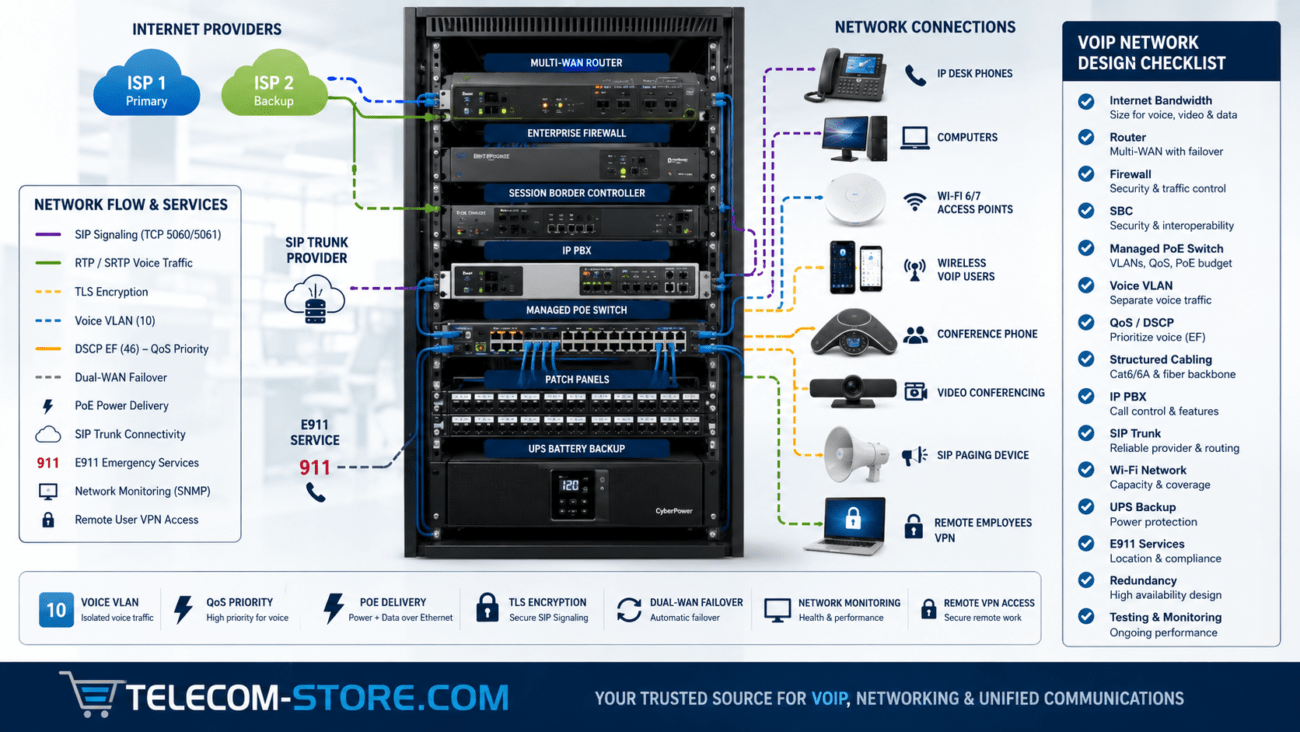
SIP ALG is one of the most frequently blamed settings when business VoIP phones experience one-way audio, failed registration, dropped calls or calls that connect without audio.
In many environments, disabling SIP ALG does solve the problem. However, the technically correct answer is more nuanced: SIP ALG is not inherently bad, and it should not automatically be disabled on every router or firewall.
SIP ALG, or Session Initiation Protocol Application Layer Gateway, is designed to inspect SIP signaling as it passes through a router performing Network Address Translation. The router may modify IP addresses, ports or SIP headers so devices on a private network can communicate with an external SIP provider.
The problem occurs when the ALG incorrectly modifies signaling that the phone, PBX or VoIP provider is already handling properly. Instead of helping NAT traversal, the router can create conflicting information that prevents SIP signaling or RTP media from reaching the correct device.
Quick answer: If your VoIP provider or PBX vendor recommends disabling SIP ALG, or testing shows that calls work correctly with it disabled, turn it off. If SIP ALG is intentionally part of a supported and tested voice architecture, there may be no reason to disable it.
What Is SIP ALG?
SIP ALG is a function found in many routers and firewalls that recognizes Session Initiation Protocol traffic and attempts to assist it as the traffic crosses a NAT boundary.
SIP is commonly used to establish, modify and terminate VoIP calls. SIP signaling may contain information about:
Calling and called parties
IP addresses
Port numbers
Media capabilities
Codecs
Session parameters
Where RTP media should be sent
The challenge is that devices inside a business network normally use private IP addresses such as 192.168.x.x, 10.x.x.x or 172.16-31.x.x. Those private addresses cannot be routed directly across the public Internet.
Network Address Translation solves this for ordinary Internet traffic by translating private addresses and ports into publicly reachable mappings.
VoIP can be more complicated because SIP messages themselves may contain addressing information inside the protocol payload. An ALG attempts to understand that signaling and modify it when necessary.
The Internet Engineering Task Force has long documented that NAT can create problems for applications such as SIP that carry addressing information within their payloads. Modern VoIP systems therefore use several NAT-traversal techniques rather than relying solely on an application-layer gateway.
Implementation varies by router and firewall, but SIP ALG commonly attempts to:
Identify SIP signaling sessions
Inspect SIP headers
Rewrite private IP addresses
Modify SIP port information
Track related RTP media sessions
Create temporary firewall or NAT mappings
Assist inbound responses in reaching the correct internal device
Conceptually, this sounds useful.
For example, a phone at 192.168.20.50 may tell a remote SIP server to send media to that private address. An ALG could theoretically recognize the problem and substitute an appropriate public NAT mapping.
Unfortunately, VoIP endpoints and hosted providers often already have mechanisms designed to solve the same problem. When two different systems attempt to manipulate the same session, unexpected results can occur.
Why Can SIP ALG Cause VoIP Problems?
The core issue is that the ALG modifies signaling between the VoIP endpoint and the SIP server.
If the router’s interpretation of the SIP session differs from what the phone, PBX or service provider expects, it can rewrite information incorrectly or interfere with NAT traversal mechanisms already in use.
Common problem scenarios include:
The phone sends correct NAT-aware information, but the ALG changes it.
The PBX already performs NAT handling, and the firewall performs additional SIP rewriting.
The hosted provider expects signaling from a particular source port, but the ALG modifies it.
The ALG recognizes unencrypted SIP but behaves unpredictably with unusual signaling.
Multiple phones behind one public IP create mappings the ALG handles incorrectly.
Session timers or UDP NAT mappings expire at the wrong time.
The result can be a phone that looks perfectly normal while registration, call signaling or audio behaves inconsistently.
None of these symptoms proves that SIP ALG is responsible. They simply justify including it in a structured troubleshooting process.
SIP ALG and One-Way Audio
One-way audio is one of the classic symptoms associated with NAT problems.
SIP signaling establishes the call, while RTP typically carries the actual audio stream. A call can therefore connect successfully even when one direction of the media path is wrong.
For example:
The phone registers successfully.
The caller dials a number.
SIP signaling establishes the call.
The router or firewall modifies the media addressing information incorrectly.
RTP travels successfully in one direction but not the other.
The call appears connected, but only one participant can hear audio.
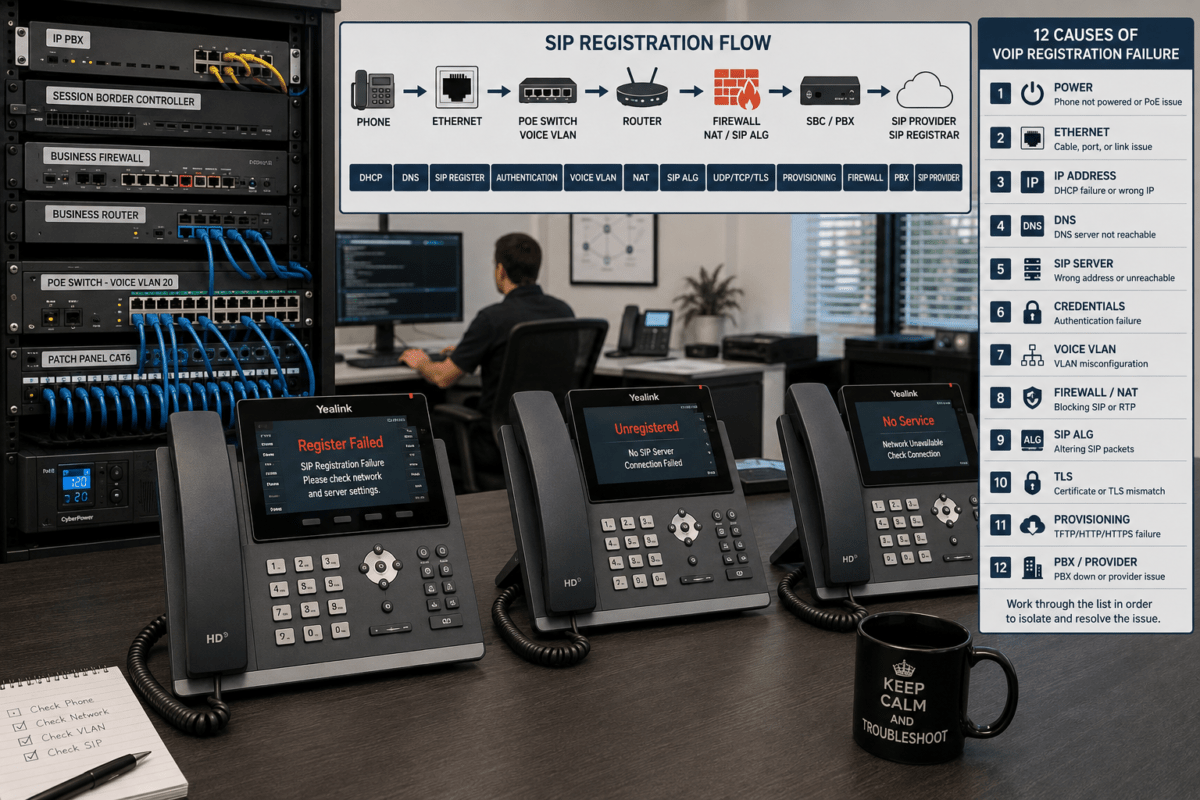
SIP registration tells the phone system or hosted provider where an endpoint can currently be reached. If signaling is modified incorrectly between the phone and registrar, registration can fail or become unstable.
Possible symptoms include:
Registration Failed
No Service
Account Unregistered
Intermittent registration
Phones registering only after reboot
Registration disappearing after several minutes
However, registration failures have many other causes, including incorrect usernames or passwords, DNS failures, TLS certificate problems, wrong server addresses and provider outages.
In many hosted VoIP environments, the provider recommends disabling SIP ALG because the provider’s phones and infrastructure already perform NAT traversal.
In that situation, disabling the ALG prevents the router from unnecessarily modifying SIP signaling.
However, there is no universal rule stating that SIP ALG must always be disabled.
Leave it enabled when:
Your PBX or provider explicitly requires it.
Your firewall vendor has a tested SIP inspection implementation for the environment.
The voice architecture was intentionally designed around SIP inspection.
Testing confirms that enabling it produces the correct behavior.
Consider disabling it when:
Your VoIP provider specifically recommends doing so.
Phones fail to register while it is enabled.
You experience one-way or no-way audio.
Calls drop consistently.
Your PBX already performs NAT traversal.
A packet capture shows SIP headers being rewritten incorrectly.
Disabling the ALG resolves the problem during controlled testing.
How to Test Whether SIP ALG Is the Problem
Do not change several network settings simultaneously. If you disable SIP ALG, change firewall rules, alter registration timers and modify the PBX all at once, you will not know which change solved the problem.
Use a controlled troubleshooting process instead.
Step 1: Document the Current Problem
Record exactly what is happening.
Which phones are affected?
Are inbound or outbound calls affected?
Does the problem affect all calls?
Is the problem intermittent?
Do calls drop after a consistent period?
Does one-way audio affect the same direction every time?
Step 2: Check the Provider’s Recommendation
Hosted VoIP providers frequently publish router and firewall requirements.
Follow the provider’s documented recommendation for the exact environment rather than assuming settings from another service will apply.
Step 3: Locate SIP ALG on the Router or Firewall
Depending on the manufacturer, it may appear under:
NAT
Firewall
Security
Application Layer Gateway
Session Helpers
VoIP
Protocol Inspection
SIP Transformations
Enterprise firewalls may provide significantly more granular SIP inspection policies than consumer routers.
Step 4: Change Only the SIP ALG Setting
If testing the feature, document the original state, change the setting and apply the configuration.
Some routers may require a reboot before the change completely takes effect.
Step 5: Restart the Affected VoIP Endpoints if Appropriate
Existing NAT mappings may remain active for some time. Restarting the affected phone or PBX connection can force new registration and session establishment.
Step 6: Test Multiple Call Scenarios
Test more than one outbound call.
Inbound external call
Outbound external call
Long-duration call
Call transfer
Hold and resume
Multiple simultaneous calls
If the symptoms disappear only when SIP ALG is disabled, you have much stronger evidence that the ALG was involved.
How Do You Disable SIP ALG?
The exact procedure depends on the router or firewall.
There is no universal menu location or command.
Typical consumer and SMB interfaces may offer a simple toggle labeled:
SIP ALG
SIP Helper
SIP Passthrough
VoIP ALG
Enterprise systems may use CLI commands, protocol-inspection policies or application-specific firewall profiles.
Do not confuse disabling SIP inspection with disabling the firewall itself. A business should not expose its network simply to make VoIP function.
Does SIP ALG Affect SIP Over TLS?
Encrypted SIP signaling changes the situation substantially.
Traditional SIP ALG relies on inspecting the SIP message contents. When signaling is protected by TLS end-to-end through the firewall, an ordinary ALG generally cannot read and rewrite the encrypted SIP payload in the same way it can with unencrypted SIP.
This is one reason modern secure VoIP architectures increasingly rely on endpoint-, PBX- and provider-controlled NAT traversal instead of basic consumer-router SIP rewriting.
Do not assume TLS automatically solves every NAT issue, however. RTP or SRTP media, firewall state, DNS, certificates and session timers can still create problems.
SIP ALG vs NAT: What Is the Difference?
NAT and SIP ALG are related but are not the same thing.
Technology
Purpose
NAT
Translates private and public IP addresses and ports
SIP ALG
Inspects SIP signaling and may modify SIP-specific addressing information
A business can therefore disable SIP ALG while continuing to use NAT normally.
Removing SIP ALG does not mean disabling Network Address Translation.
SIP ALG vs STUN, TURN and ICE
Modern real-time communications platforms may use several technologies to deal with NAT.
STUN
STUN helps an endpoint determine how it appears from outside the local network.
TURN
TURN provides a relay when direct media connectivity cannot be established.
ICE
ICE evaluates available connection candidates and attempts to determine an effective path between endpoints.
These technologies are commonly associated with modern real-time communications and can reduce dependence on simplistic application-layer rewriting at the router.
Do You Need Port Forwarding When SIP ALG Is Disabled?
Not necessarily.
This is another area where generic VoIP advice frequently causes problems.
Some on-premise PBXs require specific inbound firewall rules or NAT configuration. Many hosted VoIP phones establish outbound connections and do not require administrators to blindly forward SIP ports directly to individual phones.
Opening unnecessary inbound ports can create a security risk.
Always use the requirements provided by the PBX manufacturer or VoIP provider.
When selecting network hardware for VoIP, SIP ALG should be controllable.
IT administrators should ideally be able to:
Enable or disable SIP inspection
Configure NAT behavior
Review connection states
Adjust UDP session timers when required
Create appropriate firewall rules
Configure QoS
Use VLANs
Review logs
Monitor WAN performance
A router that forces an undocumented SIP ALG implementation with no way to disable or diagnose it can make VoIP troubleshooting unnecessarily difficult.
Our business router for VoIP guide explains what to look for when evaluating routing and firewall hardware for a professional phone deployment.
Where Managed Switches Fit Into SIP ALG Troubleshooting
A managed Ethernet switch does not normally perform SIP ALG. SIP ALG generally operates on the router or firewall where NAT occurs.
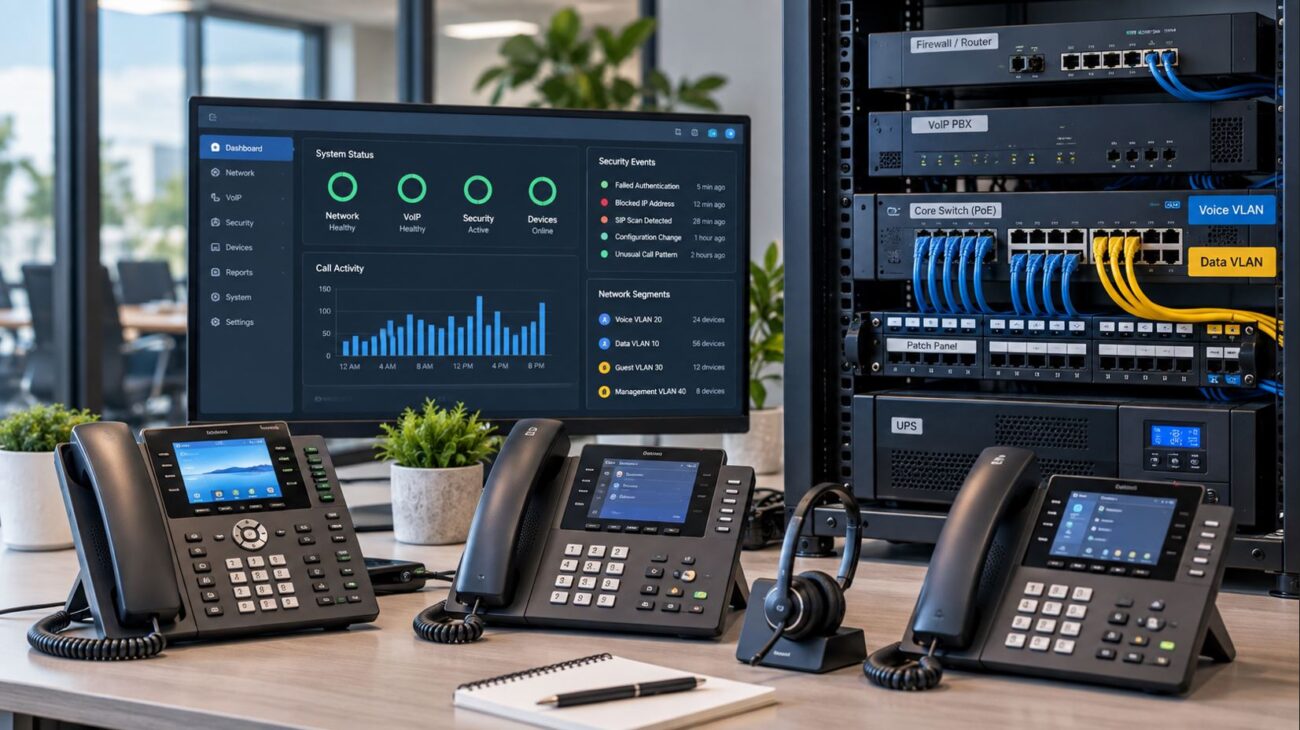
However, managed switches are still important to the overall VoIP network because they provide tools for:
Voice VLANs
QoS
Port monitoring
PoE management
Traffic statistics
Port mirroring
Network segmentation
Port mirroring is especially useful during difficult SIP troubleshooting because administrators can capture traffic from an affected phone or PBX and determine whether signaling is being modified.
Grandstream GWN7811P Managed PoE Switch
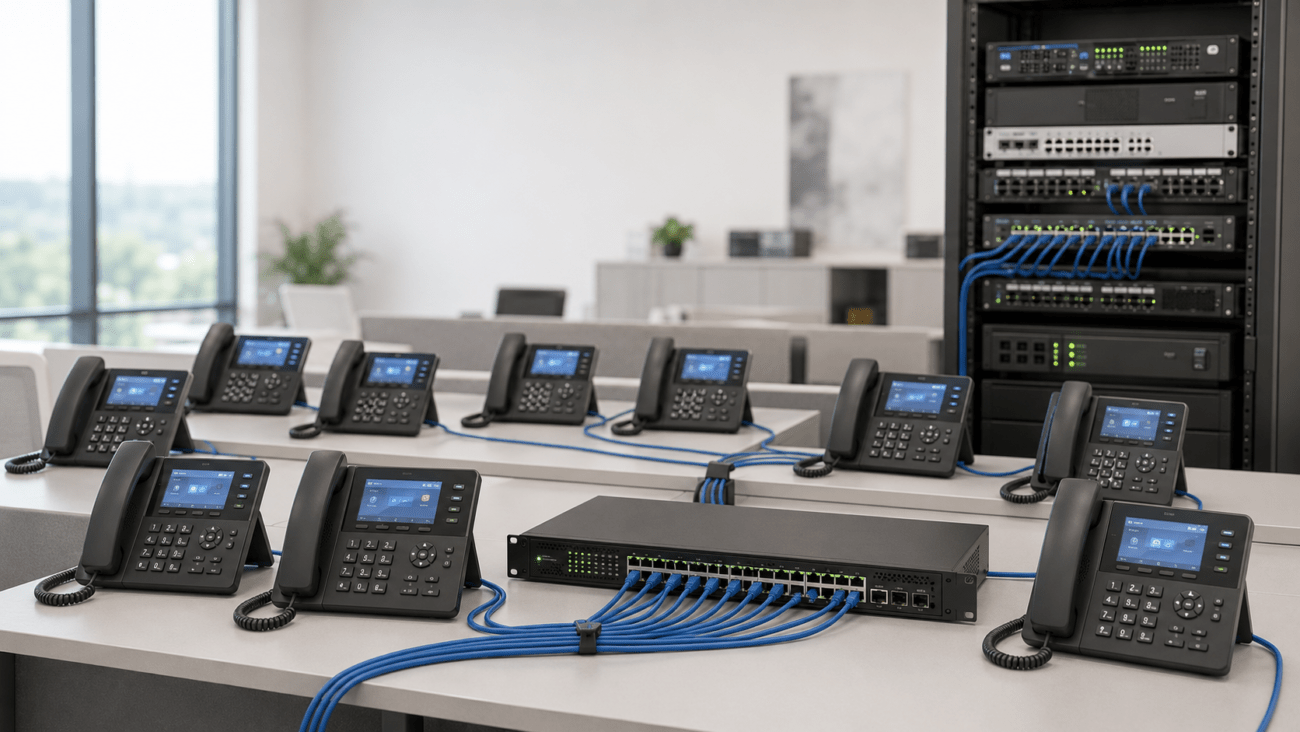
For smaller managed deployments, the Grandstream GWN7811P managed PoE switch provides eight Gigabit PoE ports, high-speed SFP+ uplinks, built-in QoS and centralized management.
It does not replace the router or firewall responsible for NAT, but it can provide the managed access layer needed for VoIP phones, VLAN segmentation and traffic prioritization.
EnGenius ECS1528T Cloud Managed Switch
For installations requiring more access ports, the EnGenius ECS1528T 24-port managed switch provides Layer 2+ management, remote monitoring and four 10-Gigabit SFP+ uplinks.
It is appropriate where administrators need greater visibility into the LAN while troubleshooting voice and other business traffic.
How an IP PBX Changes the SIP ALG Discussion
When a business operates an on-premise IP PBX, the PBX itself may perform NAT-related functions and maintain the SIP trunk connection to the provider.
This architecture differs from an office where dozens of individual hosted VoIP phones register directly through the firewall.
For example, the Grandstream UCM6302A IP PBX provides centralized SIP call control and NAT traversal capabilities for business communications.
When an IP PBX is involved, configure the firewall, NAT policies, PBX and SIP provider as a coordinated system. Avoid allowing multiple devices to independently rewrite the same signaling without understanding the effect.
Example 1: Hosted VoIP Phones Behind a Small-Business Router
Consider an office with 15 SIP phones registered directly to a hosted VoIP provider.
The router has SIP ALG enabled by default.
Symptoms include:
Several phones randomly becoming unregistered
Occasional one-way audio
Inbound calls failing after periods of inactivity
The provider’s documentation specifically recommends disabling SIP ALG.
In this case, a reasonable troubleshooting process is to disable the ALG, restart the affected endpoints, establish new NAT mappings and test inbound and outbound calling.
If the problems disappear and remain resolved, the ALG was likely interfering with the provider’s own NAT traversal.
Example 2: On-Premise IP PBX
A business has 50 phones registering to an internal PBX. Only the PBX communicates with the external SIP trunk provider.
The firewall has SIP inspection enabled.
Calls connect, but the business experiences intermittent audio failures.
Instead of immediately blaming all 50 phones, the IT administrator should examine the signaling between:
PBX → Firewall/NAT → SIP Provider
A packet capture on both sides of the firewall may reveal whether SIP or SDP information is being altered unexpectedly.
Example 3: SIP ALG Is Not the Problem
A phone displays Registration Failed.
The administrator disables SIP ALG, but the phone still cannot register.
Further investigation shows the SIP server hostname cannot be resolved because the phone has an incorrect DNS server.
This illustrates why SIP ALG should be treated as one troubleshooting variable rather than a universal explanation for every VoIP problem.
Common SIP ALG Troubleshooting Mistakes
Automatically Blaming SIP ALG
SIP ALG is frequently blamed because it is well known in VoIP circles. Verify the symptoms instead of assuming.
Changing Several Settings at Once
Change one variable at a time whenever possible.
Opening SIP Ports to Every Phone
Blind port forwarding is not a substitute for understanding the provider’s NAT architecture and can unnecessarily expose services to the Internet.
Disabling Firewall Security
Turning off an entire firewall because calls do not work is not an appropriate solution.
Ignoring Double NAT
A business may have an ISP gateway performing NAT in front of another router. Disabling SIP ALG on only one device may leave another ALG or NAT layer affecting traffic.
Ignoring UDP Session Timers
Some apparent ALG problems are actually NAT-state expiration problems. Registration intervals, keepalives and UDP timers may need to be evaluated.
Assuming the Switch Performs SIP ALG
SIP ALG generally occurs at the routing/firewall layer, not an ordinary Layer 2 access switch.
How to Determine Whether You Have Double NAT
Double NAT occurs when traffic passes through two separate devices performing Network Address Translation.
A common example is:
VoIP Phone → Business Router → ISP Gateway → Internet
If both the business router and ISP gateway perform NAT, SIP troubleshooting becomes more complicated.
Possible solutions include:
Placing the ISP gateway into bridge or passthrough mode when supported
Using a single appropriate firewall/router as the network edge
Following the VoIP provider’s NAT recommendations
Reviewing whether either device performs SIP inspection
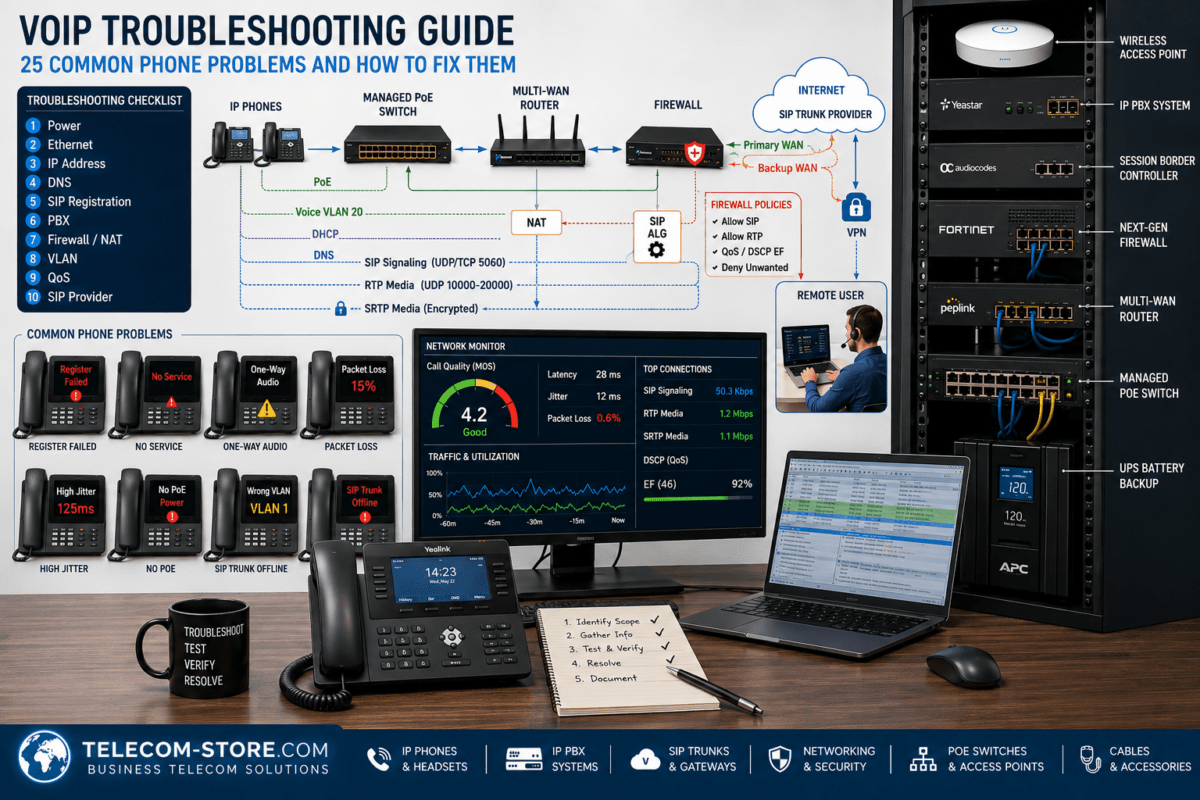
SIP ALG Troubleshooting Checklist
Identify the exact VoIP symptom.
Determine whether all phones or only certain endpoints are affected.
Verify SIP credentials and server information.
Check DNS resolution.
Confirm Internet connectivity.
Identify every NAT device between the phone/PBX and Internet.
Check whether SIP ALG or SIP inspection is enabled.
Review the VoIP provider’s recommended router settings.
Document the original configuration.
Test disabling SIP ALG when appropriate.
Restart or re-register affected endpoints if required.
Test inbound and outbound calls.
Test long-duration calls.
Check RTP audio in both directions.
Review firewall logs.
Inspect NAT session timers when necessary.
Check for double NAT.
Capture SIP/RTP traffic when advanced troubleshooting is necessary.
SIP ALG exists for a legitimate reason: SIP and NAT can be difficult to combine because SIP signaling may contain IP addresses and port information inside the application data.
However, modern VoIP endpoints, PBXs and providers increasingly manage NAT traversal themselves. An ALG that rewrites signaling without understanding the complete voice architecture can therefore create more problems than it solves.
For most businesses, the right approach is not “always disable SIP ALG.” The right approach is to use network equipment that gives administrators control over SIP inspection and then follow the tested requirements of the PBX or VoIP provider.
If phones experience one-way audio, registration failures, dropped calls or inconsistent inbound calling, SIP ALG should be one of the settings investigated. Change it in a controlled test, document the results and avoid making unrelated firewall changes at the same time.
Businesses building or upgrading their network should also use managed infrastructure that provides visibility into VLANs, QoS, PoE and traffic behavior. The Grandstream GWN7811P and EnGenius ECS1528T are examples of managed network switches that can improve access-layer visibility, while an IP PBX such as the Grandstream UCM6302A provides centralized call control for an on-premise SIP deployment.
Frequently Asked Questions
What does SIP ALG stand for?
SIP ALG stands for Session Initiation Protocol Application Layer Gateway. It is a router or firewall function designed to inspect and potentially modify SIP signaling as it passes through NAT.
Should SIP ALG be enabled or disabled?
It depends on the router, firewall, PBX and VoIP provider. Many hosted VoIP services recommend disabling SIP ALG, but some managed voice environments intentionally use supported SIP inspection. Follow the requirements for the specific deployment.
Can SIP ALG cause one-way audio?
Yes. If an ALG incorrectly rewrites SIP or media addressing information, RTP audio may be sent to the wrong address or port. NAT and firewall problems can cause the same symptom, so SIP ALG should be tested rather than automatically blamed.
Can SIP ALG cause dropped calls?
It can. Incorrect session handling, signaling modification or NAT state can contribute to calls dropping. However, SIP timers, provider settings, Internet instability and firewall timeouts should also be investigated.
Can SIP ALG prevent a VoIP phone from registering?
Yes, an incompatible ALG can interfere with registration signaling. Incorrect credentials, DNS, TLS certificates, provisioning and service outages are also common causes of registration failure.
Does disabling SIP ALG disable NAT?
No. SIP ALG and NAT are separate functions. A router can continue performing normal Network Address Translation while SIP-specific application-layer inspection is disabled.
Do managed switches have SIP ALG?
Ordinary Layer 2 managed switches generally do not perform SIP ALG because they are not the device performing NAT. SIP ALG is normally found on routers, firewalls and security gateways.
Do I need to forward port 5060 after disabling SIP ALG?
Not automatically. Port requirements depend on the PBX or hosted VoIP provider. Many hosted endpoints do not require administrators to expose SIP ports directly to the Internet. Follow the provider’s documented firewall requirements.
How do I know whether my router has SIP ALG?
Look in the router’s NAT, firewall, security, protocol-inspection, VoIP or application-gateway settings. The feature may also be called SIP Helper, SIP Passthrough or SIP Inspection.
What should I buy if my current router causes SIP problems?
Choose a business router or firewall that provides documented NAT behavior, configurable SIP inspection, appropriate QoS, logging and sufficient performance for the Internet connection. Do not replace hardware until configuration and provider requirements have been verified.
To provide the best experiences, we use technologies like cookies to store and/or access device information. Consenting to these technologies will allow us to process data such as browsing behavior or unique IDs on this site. Not consenting or withdrawing consent, may adversely affect certain features and functions.
Functional
Always active
The technical storage or access is strictly necessary for the legitimate purpose of enabling the use of a specific service explicitly requested by the subscriber or user, or for the sole purpose of carrying out the transmission of a communication over an electronic communications network.
Preferences
The technical storage or access is necessary for the legitimate purpose of storing preferences that are not requested by the subscriber or user.
Statistics
The technical storage or access that is used exclusively for statistical purposes.The technical storage or access that is used exclusively for anonymous statistical purposes. Without a subpoena, voluntary compliance on the part of your Internet Service Provider, or additional records from a third party, information stored or retrieved for this purpose alone cannot usually be used to identify you.
Marketing
The technical storage or access is required to create user profiles to send advertising, or to track the user on a website or across several websites for similar marketing purposes.