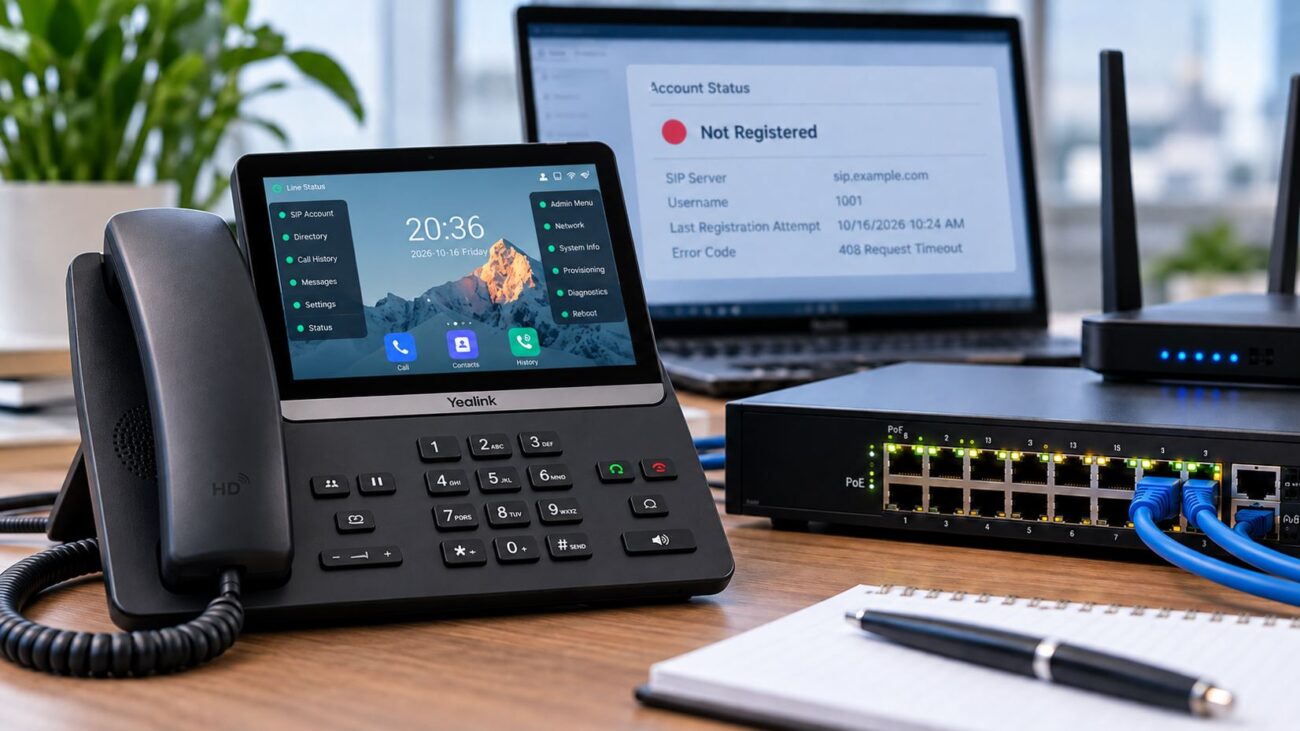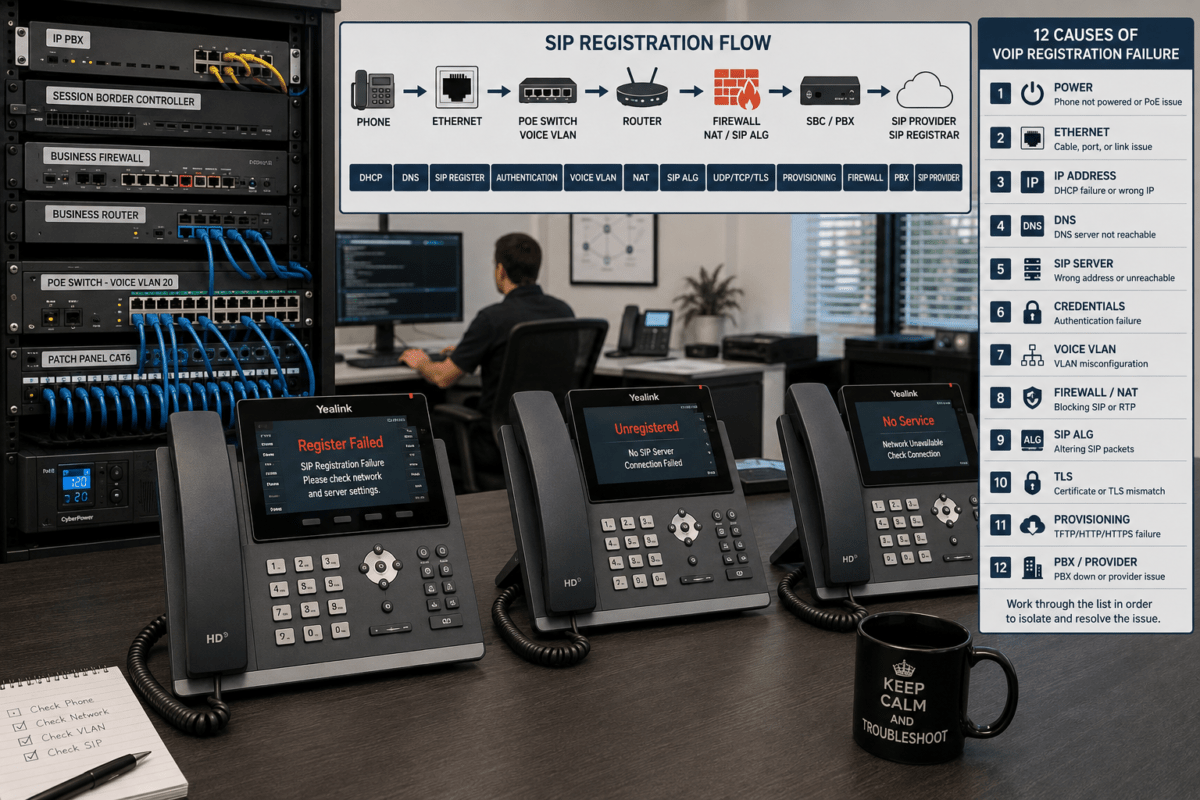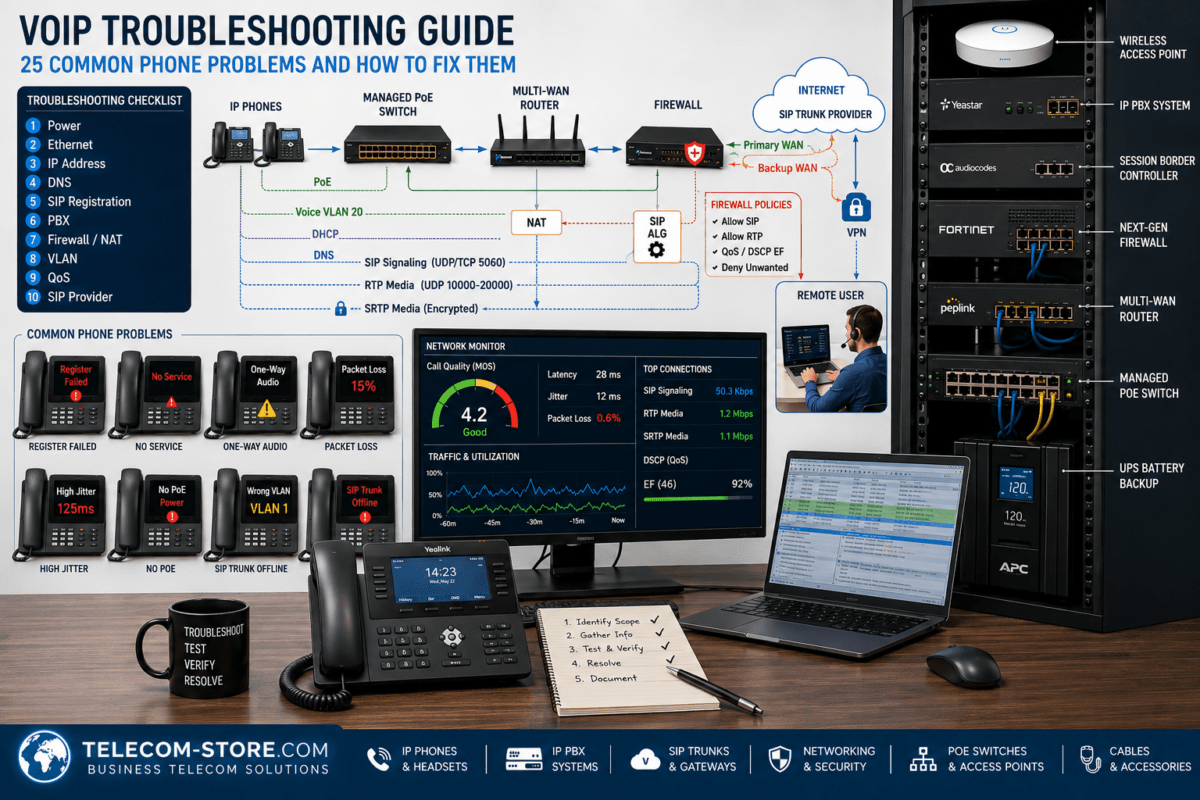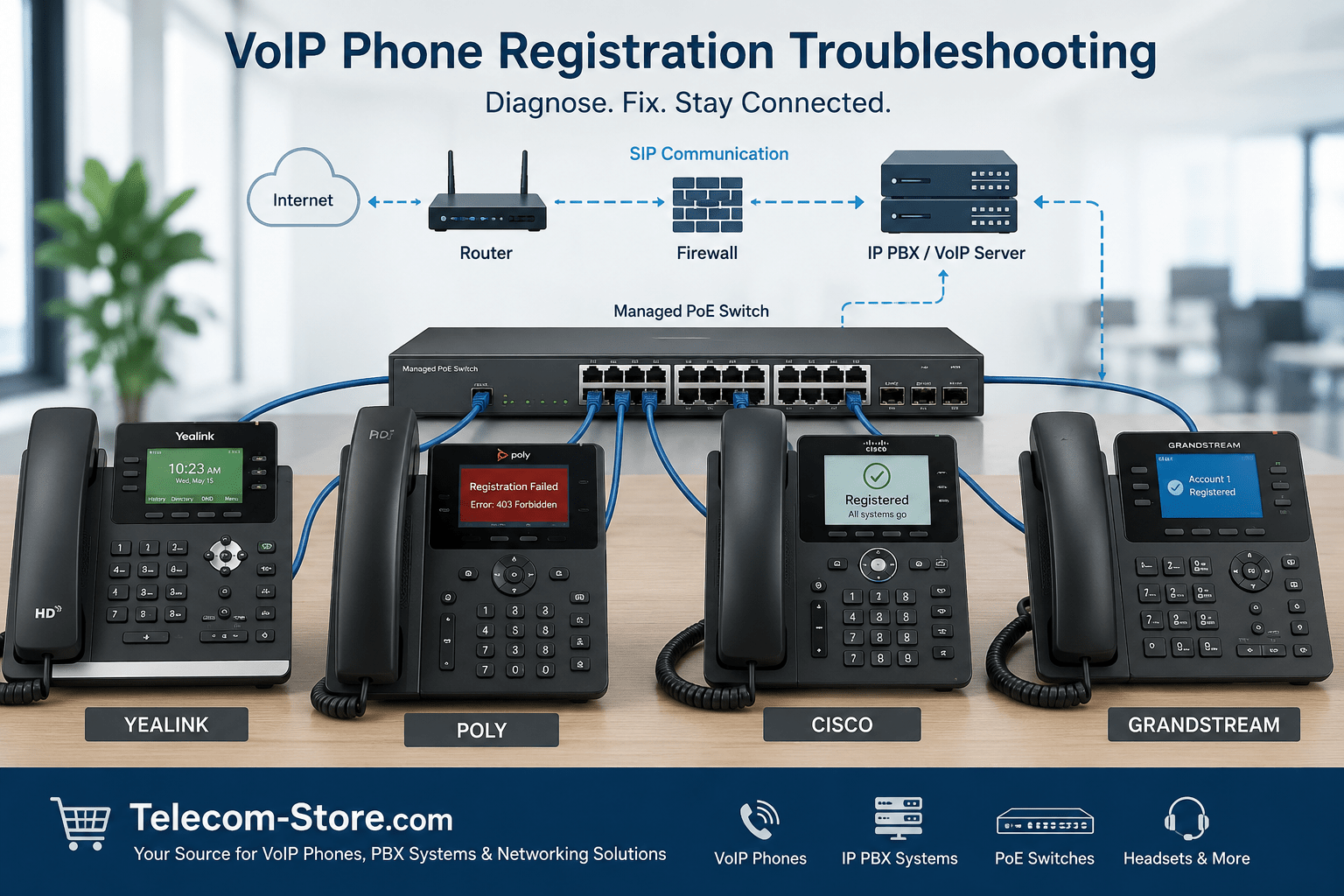
When a VoIP phone will not register, the phone cannot successfully connect its SIP account to a hosted VoIP service, IP PBX, or unified communications platform. The display may show messages such as “Register Failed,” “Authentication Failed,” “No Service,” or “Registering.” Although the phone itself may be defective, most VoIP phone registration problems are caused by account settings, network configuration, firewall rules, firmware, or provisioning errors.
Quick answer: If a VoIP phone won’t register, first verify that it has a valid IP address, confirm the SIP server, extension, authentication username, and password, and then check DNS, VLAN, firewall, NAT, and SIP ALG settings. Restarting the phone may restore service temporarily, but repeated registration failures usually require correcting the underlying configuration or network problem.
What Does VoIP Phone Registration Mean?
VoIP registration is the process a SIP phone uses to tell a phone system where it is located and that it is ready to receive calls. The phone sends its account information to a SIP server, which may be part of an on-premises IP PBX or a cloud-based business phone service.
The server compares the phone’s extension, authentication name, password, transport protocol, and other settings with the account stored on the platform. If the information matches and the network allows the traffic, the server accepts the registration. If the request is blocked, misdirected, or rejected, the phone remains unregistered.
Common Registration Symptoms and Likely Causes
| Phone Display or Symptom | Likely Cause |
|---|---|
| Register Failed | Incorrect SIP credentials or server address |
| Authentication Failed | Wrong authentication username or password |
| No IP Address | DHCP, cabling, switch, or VLAN problem |
| Registering | SIP server cannot be reached |
| Network Down | Ethernet, PoE, or switch-port problem |
| 403 Forbidden | Unauthorized account, blocked device, or disabled extension |
| 408 Request Timeout | Firewall, NAT, DNS, routing, or SIP ALG issue |
| Registration Expired | Keep-alive failure or network interruption |
| Repeated Registration Drops | Unstable Internet, DNS, firmware, NAT, or firewall issue |
Common Reasons a VoIP Phone Won’t Register
A registration failure should be diagnosed in a logical order. Start with the physical network and phone account, and then move to more advanced router, firewall, and provisioning settings.
Incorrect SIP Username or Password
The most common cause of SIP registration failure is incorrect account information. A SIP account may use an extension number as the display name but require a different authentication username. The password may also be case-sensitive and different from the voicemail or web portal password.
Re-enter the authentication username and SIP password exactly as provided by the phone system administrator. Watch for spaces added during copying, similar-looking characters, and automatic password changes applied by the provider.
Incorrect SIP Server or Registrar Address
The phone must register to the correct SIP registrar, domain, or IP address. A hosted provider may use a fully qualified domain name, while an on-premises PBX may use a private IP address. Some systems also require an outbound proxy.
Confirm whether the account requires a domain name, server IP address, port number, outbound proxy, or separate registration server. Do not assume that the provisioning server and SIP registration server are the same.
The Phone Cannot Obtain an IP Address
A SIP phone cannot register until it joins the network. Check the phone’s status menu and verify that it has an IP address, subnet mask, default gateway, and DNS server. An address beginning with 169.254 usually means the phone did not receive a valid DHCP assignment.
Inspect the Ethernet cable, wall jack, switch port, and power source. When using Power over Ethernet, confirm that the switch supports PoE and has enough available power for the connected phones. Relevant options can be explored under PoE switches and other networking equipment.
DNS Resolution Problems
If the phone uses a domain name for its SIP server, it depends on DNS to translate that name into an IP address. A phone may have Internet access but still fail to register if its DNS server is unavailable or returning the wrong address.
Confirm the DNS entries shown on the phone. Temporarily testing with a known working DNS server or the SIP server’s IP address may help identify the problem. However, avoid leaving a hard-coded IP address in place if the provider requires a domain name for redundancy or certificate validation.
Firewall Blocking SIP Traffic
A router or firewall can block the signaling traffic used for registration. SIP commonly uses UDP or TCP port 5060 and TLS port 5061, but providers may use different ports. RTP voice traffic normally uses a separate port range.
Do not open every port unnecessarily. Instead, follow the provider’s documented requirements and restrict traffic where possible. Business firewalls may also require session timers, connection tracking, or outbound access rules to support reliable SIP registration.
SIP ALG Interference
SIP Application Layer Gateway, commonly called SIP ALG, attempts to inspect and modify SIP packets as they pass through a router. Although it is intended to help VoIP traffic cross NAT, it often changes headers incorrectly or breaks registration and audio.
Symptoms can include repeated registration failures, phones that unregister every few minutes, one-way audio, or calls that disconnect unexpectedly. Many hosted VoIP providers recommend disabling SIP ALG, but the correct choice depends on the router and phone platform.
NAT Traversal and Keep-Alive Problems
Phones behind a router use Network Address Translation to communicate with an external SIP server. If the router closes the connection too quickly or the phone advertises the wrong address, the server may lose contact with the device.
NAT keep-alive packets, shorter registration intervals, STUN, outbound proxies, or session border controllers may be used to maintain connectivity. These settings should follow the provider’s instructions rather than being changed randomly.
Incorrect VLAN Configuration
Many businesses separate voice and computer traffic by placing phones on a voice VLAN. If the phone receives the wrong VLAN ID, cannot reach the voice gateway, or is connected to an improperly configured switch port, registration will fail.
Check the phone’s VLAN setting, DHCP options, switch port profile, tagged and untagged VLAN assignments, and voice-network gateway. A managed switch is normally required when the business needs VLAN control, traffic monitoring, or detailed port configuration.
Provisioning Errors
Automatic provisioning can configure hundreds of phone settings, including the SIP server, extension, password, VLAN, firmware, and feature keys. A wrong configuration file can repeatedly overwrite correct manual settings every time the phone restarts.
Confirm that the phone is downloading the correct file for its model and MAC address. Check whether DHCP Option 66, a redirect service, an HTTPS provisioning URL, or a provider-specific device-management platform is directing the phone to an old configuration.
Outdated or Incorrect Firmware
Firmware affects network security, SIP behavior, certificates, provisioning, codecs, and compatibility. An older phone may fail to register after a provider upgrades its platform or disables outdated TLS versions.
Install firmware approved for the exact phone model and phone system. Avoid loading firmware intended for a different carrier, hardware revision, or branded phone unless the manufacturer or provider confirms compatibility.
Duplicate SIP Registrations
Some providers allow multiple devices to share one extension, while others allow only one active registration. A second phone, softphone, or adapter using the same credentials may cause the first device to be removed or rejected.
Disconnect other devices temporarily and test again. If multiple phones must ring for the same user, use a shared-line feature, ring group, simultaneous ring setting, or separate device credentials supported by the PBX.
PBX or Hosted Provider Outage
If several phones fail at the same time, the problem may be with the PBX, Internet connection, DNS service, firewall, or hosted provider rather than the individual phones. Check the phone system’s status page, server health, licensing, trunk status, and recent configuration changes.
When only one phone is affected, compare its configuration and network connection with a working phone. When every phone is affected, investigate shared infrastructure first.
VoIP Phone Registration Troubleshooting Checklist
Check Physical Connections and Power
- Confirm the Ethernet cable is connected securely.
- Test the wall jack or switch port with a known working device.
- Verify that the PoE switch supplies the required power.
- Try a compatible AC adapter when available.
- Restart the phone and network switch.
Verify Network Settings
- Confirm that the phone has a valid IP address.
- Check the subnet mask, gateway, and DNS server.
- Verify Internet access for hosted VoIP service.
- Confirm the correct VLAN ID and switch-port configuration.
- Check for duplicate IP addresses.
Verify SIP Account Settings
- Confirm the SIP registrar or server address.
- Verify the extension or user ID.
- Confirm the authentication username.
- Re-enter the SIP password.
- Verify the outbound proxy if required.
- Confirm the registration port and transport protocol.
Check the Router and Firewall
- Determine whether SIP ALG should be disabled.
- Confirm that required outbound SIP traffic is permitted.
- Check firewall logs for blocked connections.
- Verify NAT timers and keep-alive behavior.
- Confirm that the provider’s server addresses are not blocked.
Check Firmware and Provisioning
- Confirm the phone model is supported by the platform.
- Install approved firmware for the exact model.
- Verify the provisioning URL.
- Confirm that the correct configuration file is assigned.
- Check whether provisioning is overwriting manual changes.
Check the Account and Phone System
- Confirm that the extension is enabled.
- Verify that the account license is active.
- Check whether another device uses the same credentials.
- Review recent PBX or provider changes.
- Check whether other phones are affected.
Which Fix Fits Your Situation?
| Situation | Recommended First Action |
|---|---|
| Phone stopped registering after a password change | Re-enter the SIP authentication username and password |
| New phone has no IP address | Check DHCP, cabling, PoE, and VLAN settings |
| Only one phone is offline | Compare it with a working phone and reprovision it |
| Every phone is offline | Check the PBX, Internet, DNS, firewall, and provider status |
| Phone unregisters repeatedly | Investigate SIP ALG, NAT timers, DNS, firmware, and connectivity |
| Phone shows 403 Forbidden | Confirm authorization, account status, and device restrictions |
| Old phone cannot support current security requirements | Confirm firmware support or consider replacement |
Compatibility and Setup Requirements
SIP Phone Compatibility
This guide applies primarily to standards-based SIP phones from manufacturers such as Yealink, Poly, Cisco, Grandstream, Fanvil, and Snom. However, not every phone supports every hosted provider or IP PBX feature. Some platforms require certified firmware, specific provisioning templates, or provider-approved models.
Buyers can compare VoIP phones, including Yealink phones, Poly phones, and Cisco phones. Before purchasing, verify compatibility with the intended cloud platform or PBX.
IP PBX and Hosted Platform Requirements
An on-premises IP PBX system requires correct extension configuration, network routing, security policies, and licensing. A hosted VoIP service may require a specific provisioning server, outbound proxy, certificate, or approved phone model.
Some carrier-branded phones contain customized firmware and may not provide full access to SIP credentials. Others can be converted to standard SIP use only with approved firmware. Confirm administrative access before buying used or previously provisioned equipment.
PoE and Network Switch Requirements
Most business IP phones support PoE, but the power class varies. Basic desk phones generally require less power than video phones, touch-screen phones, expansion modules, and meeting room devices. A switch may have enough Ethernet ports but an insufficient total PoE budget.
Calculate the combined power requirements of every connected device and leave reasonable capacity for expansion. Managed switches are preferable when the network requires voice VLANs, QoS, port monitoring, remote management, or security controls.
Network Cabling and Internet Requirements
Damaged cabling, poor terminations, loops, packet loss, and unstable Internet service can prevent registration or cause phones to disconnect. Use properly terminated network cabling and confirm that each switch link negotiates at the expected speed.
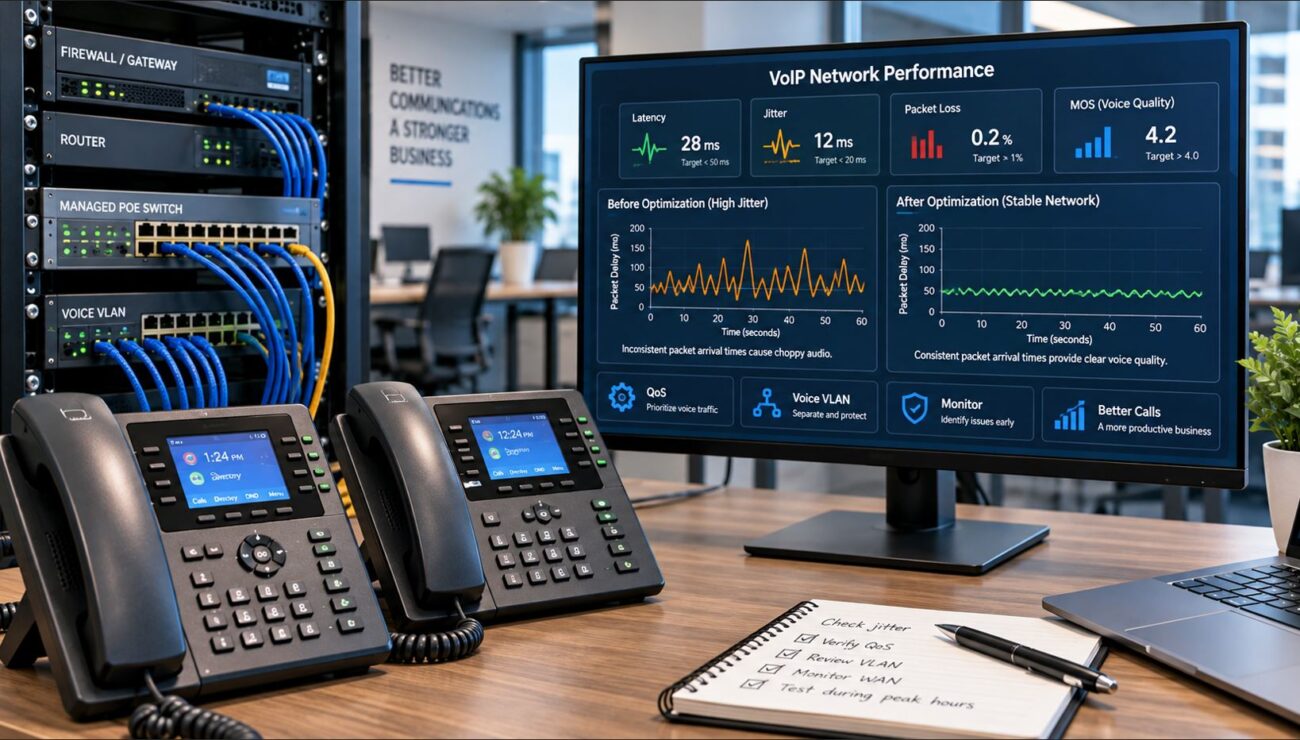
Registration uses relatively little bandwidth, but call quality depends on latency, jitter, packet loss, and available upload capacity. A phone may register successfully while calls still suffer from poor audio.
Key VoIP Terms Explained
- SIP: The signaling protocol commonly used to register phones and establish calls.
- RTP: The protocol that carries the actual voice audio after a call connects.
- PBX: The phone system that manages extensions, routes calls, and provides business calling features.
- PoE: Power over Ethernet, which supplies network access and electrical power through one cable.
- DHCP: The service that automatically assigns IP addresses and other network settings.
- DNS: The service that converts a server name into an IP address.
- NAT: The router function that allows private network devices to communicate over the Internet.
- VLAN: A logical network segment that can separate voice traffic from other data.
- QoS: Quality of Service settings that prioritize voice traffic during network congestion.
- SIP ALG: A router feature that modifies SIP packets and can sometimes disrupt VoIP service.
Common Limitations Buyers Should Know
Not every registration problem can be solved from the phone’s screen. Hosted providers may hide credentials, restrict approved devices, or require remote provisioning. Carrier-branded phones may also contain locked firmware.
Unmanaged switches are simple to install, but they do not provide the VLAN, QoS, monitoring, and port controls needed for more complex VoIP networks. Managed switches offer more control but require proper configuration knowledge.
Not all switches provide PoE, and not all PoE switches have enough total power for video phones, expansion modules, wireless access points, and meeting room equipment. In addition, factory-resetting a phone can erase settings that are difficult to recover without provider access.
When Should You Replace the VoIP Phone?
Replacement may be reasonable when the manufacturer no longer supplies security updates, the phone cannot support required TLS versions, the platform no longer supports the model, or the hardware has a failed Ethernet port, display, power circuit, or memory component.
Before replacing it, test the phone on a known working cable and switch port. Also try registering a known working phone with the affected account. This separates hardware failure from account or network failure.
Businesses replacing older equipment can review general VoIP phone options. Meeting spaces may also require dedicated conference phones, meeting room devices, or video conferencing equipment.
Information to Gather Before Contacting Support
- Phone manufacturer and model number
- Firmware version
- MAC address
- Current IP address
- SIP registration error message
- Extension number
- SIP server or provider name
- Router and firewall model
- Network switch model
- Whether the phone uses PoE or an AC adapter
- Whether other phones are affected
- Any recent password, network, firmware, or PBX changes
Do not send passwords in an unsecured email or support ticket. A provider may need the account name or extension, but it should not ask you to publish sensitive credentials in plain text.
How to Choose the Right Replacement or Network Upgrade
For a Small Office
A small office with a basic hosted VoIP service may only need compatible SIP phones, a reliable Internet connection, and a small PoE switch. An unmanaged PoE switch may be acceptable when no voice VLAN or advanced traffic control is required.
For a Growing Business
A growing organization should consider managed PoE switches, documented VLANs, QoS policies, centralized provisioning, and phones that are certified for the chosen platform. The network should also have enough switch ports and PoE capacity for expansion.
For Meeting Rooms and Hybrid Teams
Meeting spaces may combine conference phones, touch controllers, cameras, room computers, and wireless presentation devices. These systems often need stronger PoE capacity, reliable multicast or discovery behavior, adequate bandwidth, and coordinated firmware management.
For Businesses Without Dedicated IT Staff
Choose phones and network equipment supported by the provider or installer. Automatic provisioning, cloud management, and remote diagnostics can reduce configuration mistakes. Avoid buying locked or carrier-specific phones unless compatibility is confirmed in writing.
Common Troubleshooting Mistakes to Avoid
- Changing several settings at once without documenting the original values
- Assuming the extension number is always the authentication username
- Factory-resetting the phone before saving the configuration
- Opening unnecessary firewall ports
- Ignoring voice VLAN and DHCP settings
- Using firmware intended for another model or provider
- Replacing the phone before testing the network and account
- Leaving duplicate devices registered with the same credentials
Key Takeaways
- Most VoIP registration failures are caused by configuration or network problems rather than failed hardware.
- Verify the phone’s IP address and SIP credentials before changing advanced settings.
- Check DNS, VLAN, firewall, NAT, SIP ALG, firmware, and provisioning when basic settings are correct.
- Compare the affected phone with a working device whenever possible.
- Confirm platform compatibility before purchasing replacement phones.
- Document error messages and network details before contacting support.
Conclusion
When a VoIP phone won’t register, begin with the simplest checks: power, cabling, IP address, SIP server, authentication username, and password. Next, review DNS, VLAN, firewall, NAT, SIP ALG, firmware, and provisioning. A systematic process prevents unnecessary factory resets and equipment replacements.
When replacement is necessary, choose a standards-based phone that is compatible with the intended IP PBX or hosted service. Also confirm PoE requirements, administrative access, firmware support, and network features before purchasing. A properly designed network and documented configuration make future VoIP phone registration problems much easier to resolve.
FAQ Section
Why does my VoIP phone say “Register Failed”?
A “Register Failed” message means the SIP server did not accept or receive the phone’s registration request. Common causes include an incorrect SIP server, authentication username, password, port, transport protocol, or outbound proxy. The phone may also lack a valid IP address or be blocked by a firewall, VLAN configuration, DNS problem, or SIP ALG. Verify the account settings first, and then confirm that the phone can reach the SIP server.
Why is my Yealink phone not registering?
A Yealink phone may fail to register because the account credentials are incorrect, the SIP server cannot be reached, or automatic provisioning is loading the wrong configuration. Check the phone’s status page for its IP address and registration result. Then verify the register name, username, password, server host, port, and transport type. Also confirm that the phone’s firmware is approved for the provider and that SIP ALG or firewall policies are not interfering.
Can a firewall prevent a SIP phone from registering?
Yes. A firewall can block the outbound SIP connection, reject return traffic, close NAT sessions too quickly, or filter the provider’s server addresses. SIP commonly uses ports 5060 or 5061, but providers may use different ports. Do not expose the phone directly to the Internet or open broad port ranges without a reason. Follow the phone provider’s firewall requirements and review firewall logs for blocked registration attempts.
Does SIP ALG cause VoIP registration problems?
SIP ALG can cause registration failures by rewriting SIP headers or changing address information incorrectly. It may also cause one-way audio, short calls, or phones that repeatedly unregister. Many hosted VoIP providers recommend disabling SIP ALG, but behavior varies by router and platform. Check the provider’s documentation before changing it. After disabling SIP ALG, restart the router and phone so old sessions do not remain active.
How do I know whether my VoIP phone is getting an IP address?
Open the phone’s status or network menu and look for an IPv4 address, subnet mask, default gateway, and DNS server. A normal business network address often begins with 10, 172.16 through 172.31, or 192.168. An address beginning with 169.254 usually indicates that DHCP failed. If no valid address appears, check the Ethernet cable, switch port, PoE power, DHCP server, and voice VLAN configuration.
Can outdated firmware stop a VoIP phone from registering?
Yes. Outdated firmware may lack current security certificates, TLS support, provisioning features, or compatibility with an updated PBX. However, installing the newest public firmware is not always correct because some hosted providers require a certified version. Verify the exact phone model, hardware revision, and provider requirements before updating. Never load firmware intended for a different phone model or carrier-branded device.
Why does my VoIP phone register and unregister repeatedly?
Repeated registration drops commonly indicate unstable Internet service, DNS failures, short NAT timeouts, SIP ALG interference, incorrect keep-alive settings, duplicate credentials, or outdated firmware. Check whether other phones disconnect at the same time. If they do, investigate the shared Internet connection, firewall, PBX, and provider. If only one phone is affected, compare its network settings, firmware, and provisioning file with a working phone.
Can two VoIP phones use the same SIP extension?
It depends on the phone system. Some IP PBXs allow multiple devices to register to one extension, while other platforms allow only one active device. Using the same credentials on two unsupported devices can cause one phone to disconnect whenever the other registers. For multiple phones to ring for the same user, use separate device credentials, shared-call appearance, simultaneous ring, or a ring group supported by the platform.
Should I factory-reset a VoIP phone that will not register?
A factory reset should not be the first troubleshooting step. It removes the existing account, network, provisioning, and feature settings. Before resetting, document the configuration and confirm that you have the correct SIP credentials and provisioning information. A reset is useful when the phone contains an unknown configuration, provisioning is corrupted, or support specifically recommends it. After resetting, verify that the phone is not automatically downloading the same incorrect configuration again.
What should I check before buying a replacement VoIP phone?
Confirm that the replacement supports the intended hosted provider or IP PBX, including required SIP features, firmware, security protocols, and provisioning methods. Check whether the phone is unlocked, provides administrator access, and supports the needed number of lines, expansion modules, headsets, Bluetooth, Wi-Fi, or video features. Also verify PoE requirements and whether the network switch has enough available power. Platform certification is often more important than brand alone.