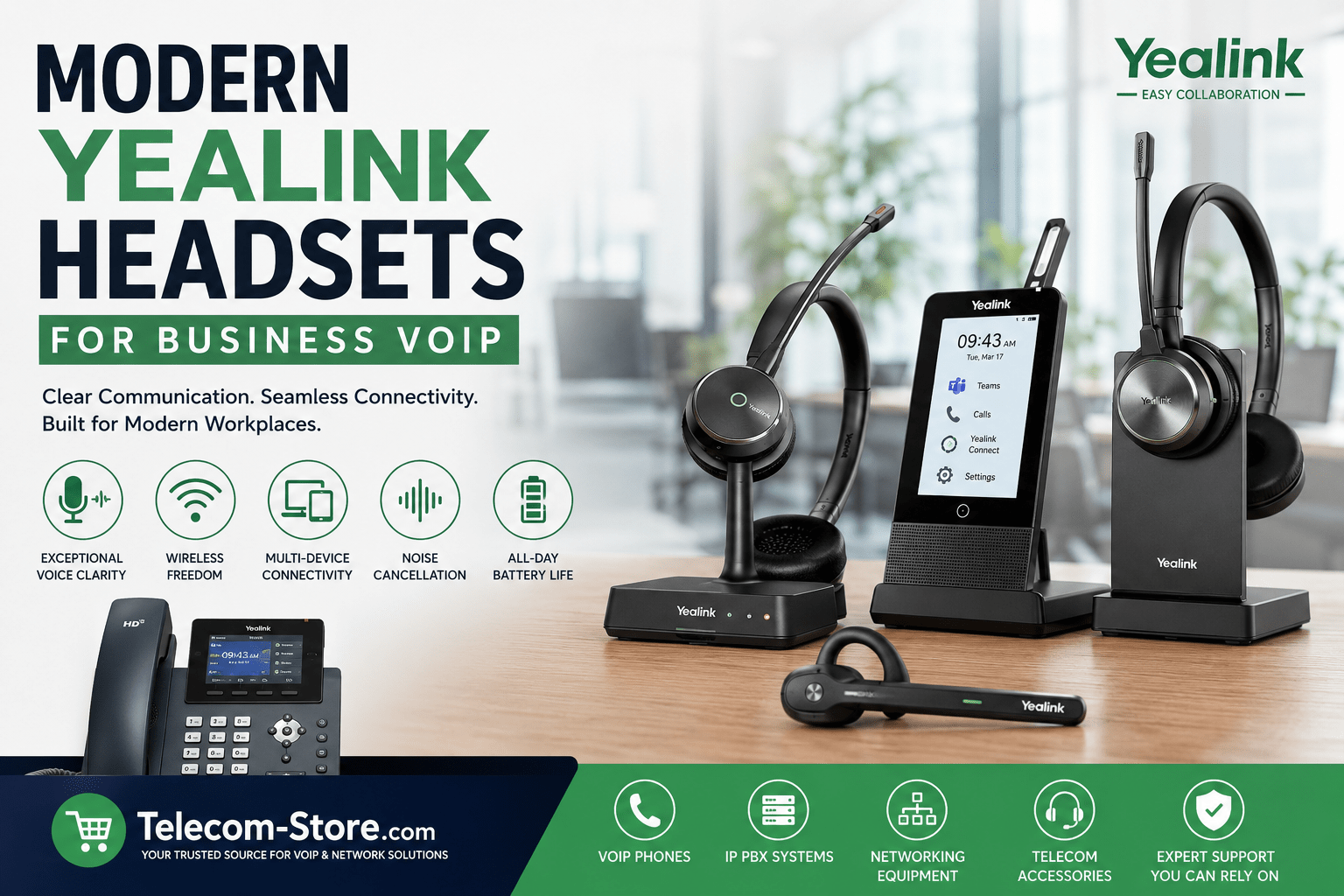
Choosing a Yealink Headset for Modern Business VoIP
Looking for a simple VoIP headset or a reliable option for hybrid teams? Here’s what business buyers need to know right away:
- Use DECT headsets for office-wide roaming and stable wireless calls.
- Pick Bluetooth if you need to switch between laptop, phone, and hot desks.
- USB headsets work well if you spend the day at a single workstation or call center.
Before buying, verify compatibility with your VoIP phone model, Teams/Zoom setup, and network environment. Always check if you need extras like EHS adapters or charging stands for DECT systems.
| Headset Type | Best For | Connection | Key Benefits | Things to Check |
|---|---|---|---|---|
| DECT Wireless (e.g., WH62, WH66) | Office users, high call volume | Base station (USB/phone) | Long range, strong call quality | Base placement, phone compatibility, battery charging |
| Bluetooth (e.g., BH71) | Hybrid/remote, travel | Bluetooth USB dongle, direct | Device portability, mobile support | Range, wireless density, multipoint pairing |
| USB Wired (e.g., UH35) | Fixed desk, call center | USB-A/-C | Plug-and-play, no charging needed | Port type, cable length, software updates |
Why Modern Headsets Matter for Business VoIP
VoIP phones and softphone platforms deliver crisp call quality—when paired with the right headset. Outdated or poor-fitting headsets can cause muffled audio, dropped calls, or user fatigue. Modern Yealink headsets are designed for:
- Clear speech pickup and AI noise filtering
- Wireless freed for mobile teams
- Direct integration with platforms like Teams and Zoom
- User comfort for all-day wear
Understanding Yealink Headset Types
Yealink covers three main headset lines for business:
DECT Wireless Headsets
Models like the WH62 and WH66 connect via included base stations and offer the best roaming range (often several office rooms or floors). They’re ideal when staff need to move around without losing call quality. These headsets typically work with Yealink phones and many third-party SIP models—just verify if an EHS adapter is needed for remote call answering.
Bluetooth Wireless Headsets
Headsets like the BH71 or BH70 are slimmer, lighter, and made for mobile use. Expect shorter range than DECT, but easy toggling between your laptop, softphone, and mobile. Great for remote staff, executives, or workers on the go. Note: Bluetooth is best paired via the included USB dongle for maximum compatibility and call control.
Wired USB Headsets
Wired USB models (for example, the UH35) remain a workhorse for fixed locations or call centers. They’re reliable, always ready, and require no battery management. Just check if you need USB-A or USB-C to fit your hardware.
What to Consider Before Buying
- Work environment: Open offices or noisy spaces benefit from dual-ear and noise-cancelling options.
- Call duration and volume: Heavy phone users should prioritize comfort and DECT stability; occasional callers may prefer lightweight Bluetooth models.
- Platform integration: For Teams or Zoom Rooms, select a certified headset for single-button call management.
- Device compatibility: Match headset interfaces (USB, Bluetooth, DECT) with your existing VoIP phones, laptops, and softphones. For multi-device setups, look for quick toggling features.
To see a complete selection or check compatibility details for business VoIP, browse our VoIP Phones and Headsets categories.
Setup and Deployment: Common Tips
- For DECT: Place the base station in a central, open spot to maximize coverage.
- For Bluetooth: Update firmware and pair over the recommended USB dongle for Teams or Zoom controls.
- Check if you need a PoE switch for powering desk VoIP phones—see our PoE Switches range.
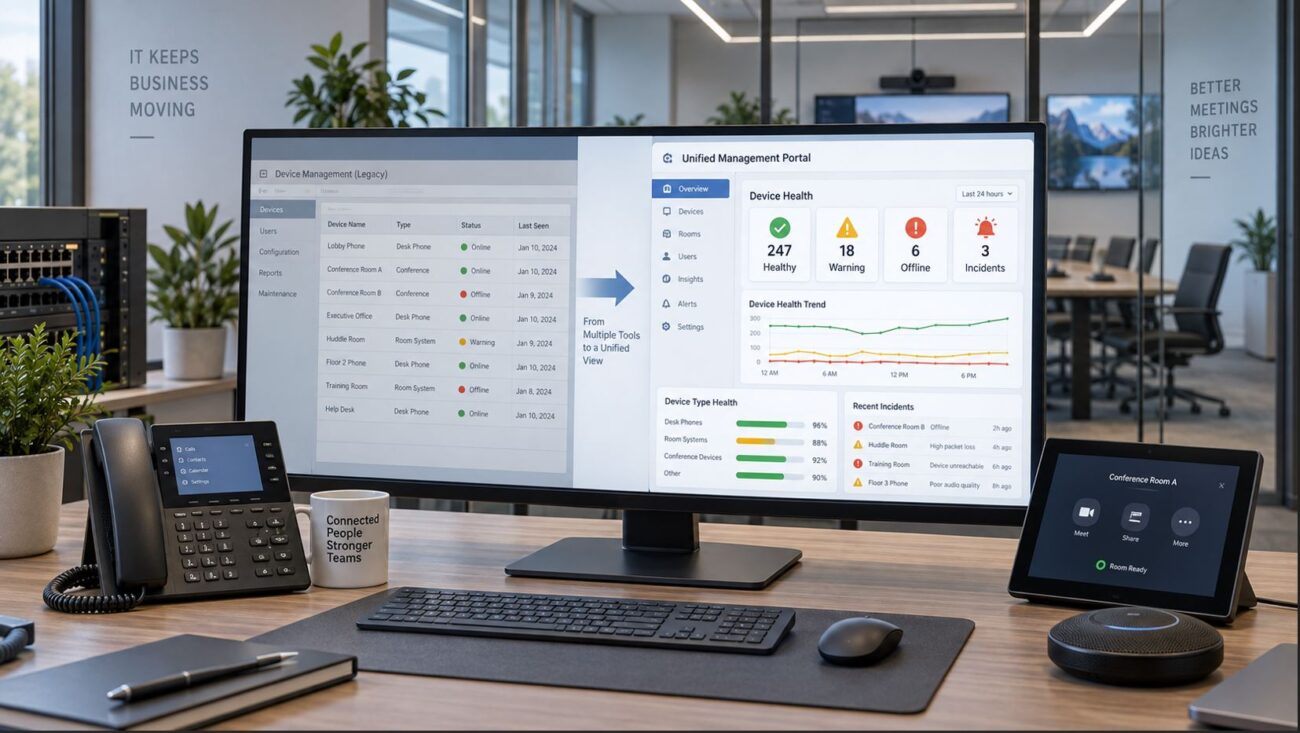
- Consider centralized headset management software for larger offices or IT teams.
Common Mistakes to Avoid
- Forgetting to check headset compatibility with your phone model or UC platform.
- Not planning for battery charging routines in high-call environments.
- Underestimating noise levels—choose a noise-cancelling or dual-ear design when needed.
- Buying headsets with the wrong USB connector (A vs. C).
Mono vs Dual Ear: Which to Choose?
- Mono: Lets users stay aware of their surroundings. Good for reception, admin, or retail.
- Dual: Offers better noise isolation and focus. Top choice for support teams and busy open-plan offices.
Future Trends to Watch
- Look for AI-powered noise filtering and improved battery efficiency.
- USB-C is quickly replacing USB-A—know your devices.
- Deep Teams, Zoom, and softphone integration is routine in new models.
- Centralized management eases deployment for IT.
FAQ: Yealink Headsets for Business VoIP
- What are the key differences between DECT and Bluetooth Yealink headsets?
- DECT headsets offer wider wireless range and stability in office setups, while Bluetooth is more portable and flexible for hybrid or mobile workers.
- Are Yealink headsets compatible with all VoIP phones?
- Most recent Yealink headsets work with Yealink VoIP phones and many SIP desk phones, but always check if your specific model needs extra adapters (like EHS) or firmware updates.
- Do Yealink headsets work with Microsoft Teams or Zoom?
- Certified Teams and UC models integrate fully with Teams and Zoom, offering easy controls and setup. Check for platform certification for best results.
- Who should choose a wired USB Yealink headset?
- Wired USB is best for fixed-desk, call center, or reception staff who don’t need wireless mobility but require plug-and-play reliability.
- What should I check before buying business headsets?
- Ensure compatibility with your phones and platforms, confirm wireless coverage needs, and factor in office noise levels and user comfort preferences.
- Do Yealink headsets require special software to set up?
- Most work plug-and-play, but some advanced features—especially Teams integration—may require companion software or firmware updates for full functionality.
Still unsure which Yealink headset is right for your business? Contact our team or review full product specs in the Headsets section.