AI Tech Support vs. Human Tech Support: Which Is Better for Business?

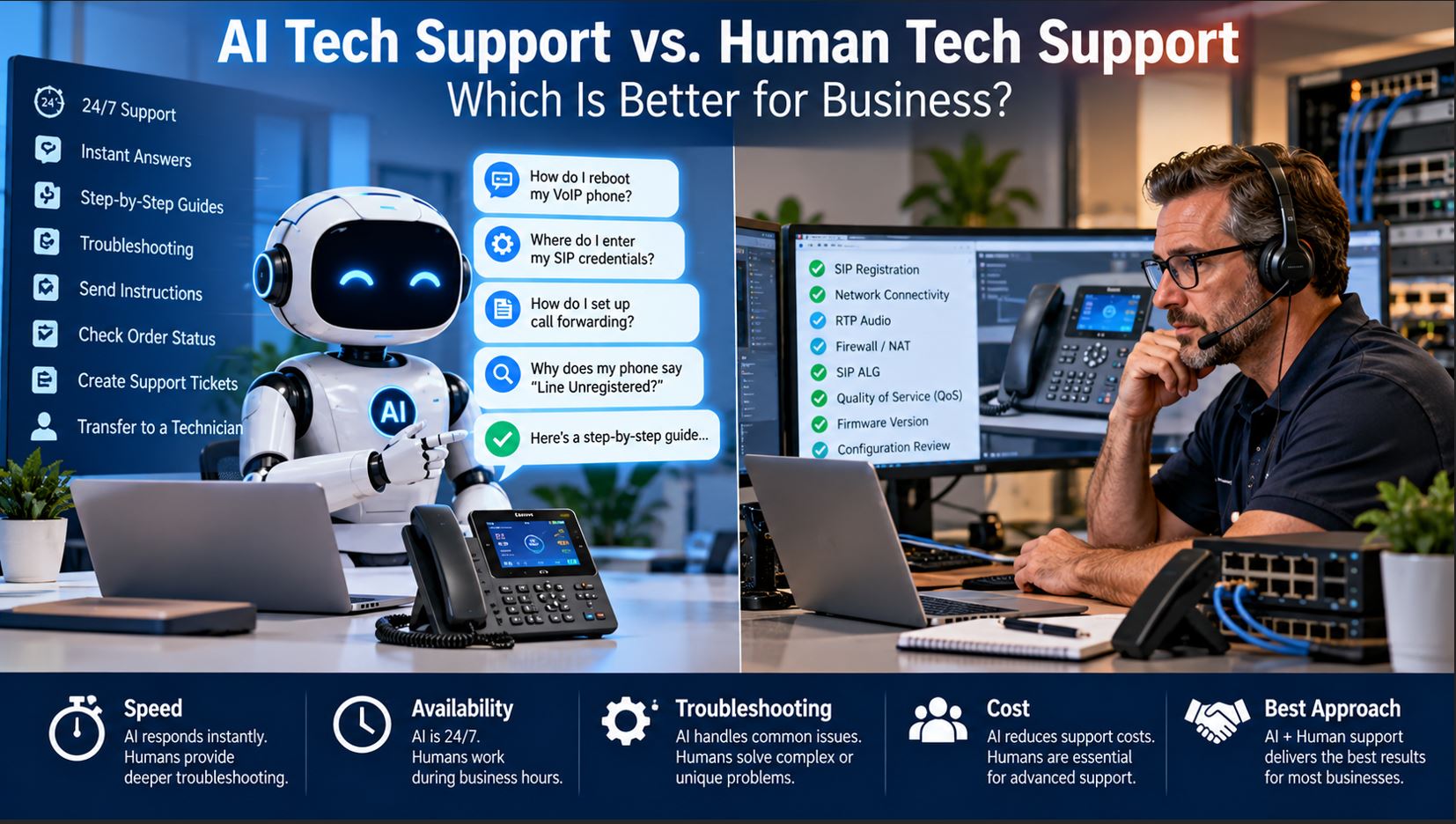
AI vs Human Tech Support: What Modern Businesses Need to Know
Choosing the best support approach for your business IT—especially when you’re managing complex deployments of VoIP phones, network switches, and IP PBX systems—isn’t a simple decision between AI tech support and human technical support. Instead, it’s about selecting the right mix for reliability, scale, and cost-effectiveness. IT managers and decision makers are asking: Where does AI thrive, where are humans irreplaceable, and how should you build a support process to meet business goals in 2026?
What business buyers should know: AI support delivers fast, automated help for common, repeatable issues and gives you 24/7 reach without additional staff. But when you face nuanced, urgent, or high-impact problems—like a critical PBX problem across sites or a new network switch integration—skilled human technicians come to the rescue. The strongest support models combine both: automated AI front-lines, with escalation and deep troubleshooting by real experts. The guidance below will help you plan, select, and manage a hybrid tech support model that makes sense for today’s IT environments.
AI vs Human Tech Support: Side-by-Side Comparison
| Support Need | AI Tech Support | Human Tech Support |
|---|---|---|
| 24/7 coverage for standard requests | Excellent; AI is always available, ideal for global teams and after-hours needs | Depends on staff schedules, on-call policies, or outsourcing |
| Immediate first response to routine issues | Instant. AI can answer or guide users within seconds | Response times vary depending on staffing, queue, and time of day |
| Handling repetitive VoIP/PBX/network requests | AI can scale to thousands of tickets per week with consistency | Human staff can burn out or miss steps on frequent requests |
| Guided, step-by-step troubleshooting | AI is effective where workflows are clear and documented | Humans adjust troubleshooting paths as needed for non-standard issues |
| Gathering diagnostic data and ticket logging | Data collected automatically and structured for easier review | Humans can add more context or ask probing questions |
| Device status and API-based integration | Dependent on good integration and up-to-date device APIs | Humans investigate in-person or via remote desktop when needed |
| Complex or non-standard outages | AI usually escalates; may get stuck if workflow is missing | Best handled by experienced staff, especially in multi-vendor or high-impact scenarios |
| Physical site visits or hardware checks | Outside AI’s current ability | Technicians handle directly, often onsite |
| Scaling volume during spikes | Handles any spike—AI does not fatigue, making it suitable for company events or system rollouts | Staffing limits may impact coverage during high volume |
| Adapting to exceptions or unwritten rules | AI limited to what has been coded or documented | Humans use institutional knowledge and improvise based on prior experience |
Understanding AI Tech Support in 2026
AI tech support now means more than a chatbot. When linked to your phones, network switches, or PBX, AI can:
- Search your ticketing system and knowledge base to answer technical questions with device-specific instructions
- Guide users through troubleshooting checklists, then tag and organize attempts automatically
- Collect account and hardware data (e.g., MAC address, firmware version, error logs) as part of first contact
- Initiate device status checks or integration queries (for example, pulling live port info from a managed network switch)
- Open, update, and escalate helpdesk tickets, attaching logs/screenshots
- Send step-by-step setup or resolution instructions by chat, email, or SMS
- Seamlessly collect and forward history for hand-off to a technician, so no time is lost repeating steps
Buyers should confirm that whatever AI system you’re considering is compatible with your deployed hardware and updated as your device fleet evolves. AI accuracy and user satisfaction rely on up-to-date knowledge bases—schedule regular reviews with your IT team to keep documentation in sync.
Where AI Tech Support Excels for Business IT
1. High-Volume, Standardized Support Needs
Resetting passwords, sending voicemail setup links, unlocking SIP credentials, checking for “Line Unregistered” on VoIP handsets, and restarting POE-port devices are ideal AI tasks. If your organization handles hundreds of similar requests per month, automating these requests lets your staff tackle systems improvement and major upgrades.
2. User-Guided Troubleshooting Sequences
AI can walk users through diagnostic questions custom to your environment. For example, ‘Is the phone drawing power from the switch?’, ‘Is the correct SIP server assigned?’, or ‘Has the DHCP assigned an IP?’. Each answer is documented, and if the issue remains, the handoff to a human includes all prior responses. This minimizes rework and frustration.
3. Instant, Round-the-Clock Helpdesk Coverage
AI ensures employees, regardless of time zone or shift, get first-level help immediately. If a distributed office triggers an error at midnight, AI logs all events and, if needed, wakes or notifies the designated engineer with a full ticket—including attempted fixes and device state.
4. Enforcing and Auditing Standard Operating Procedures
Every case runs the proper test sequence—network cable checks, port reboots, firmware revision checks, supported device resets—eliminating inconsistencies. For compliance-driven businesses, AI-generated reports also give a clear trail for audits and SLA reviews.
5. Clean, Escalation-Ready Case Prep
AI collects all context (user/device ID, logs, attempted fixes, comments, screenshots, even audio clips if available) and bundles it for the incoming human engineer. This means rapid diagnosis, higher quality hand-offs, and less backtracking on every support escalation.
The Limits of AI Tech Support: What to Watch Out For
- No physical visibility or sensory evaluation: AI can’t see if a network switch’s port LED is dark, hear a call echo, or check for unplugged cables. Plan for onsite staff or a local partner for hardware and cabling checks.
- Requires current documentation and workflows: Fall behind on updates, and AI may give wrong or outdated info. Assign a team member to update the knowledge base after any hardware upgrade or topology change.
- Unscripted, novel problems may break the automation: When a firmware bug or multi-vendor integration error isn’t in the playbook, the AI may cycle users through known steps repeatedly. These need human review and escalation paths.
- Escalation bottlenecks: If rules are too rigid or escalation to a human is hidden, critical issues can get stuck at the AI tier. Monitor escalation routes and give easy “talk to technician” options for users—no buried menu items.
Buyer advice: Review unresolved/looping AI tickets weekly, and let user feedback inform workflow updates. Well-maintained automation should help, not frustrate.
Core Situations Where Human Tech Support is Essential
Despite rapid AI progress, businesses still need expert technicians for:
- Advanced VoIP troubleshooting (packet loss, call jitter, and analyzing intermittent failures across VLANs)
- Deciphering outlier error messages post-upgrade or in multi-vendor PBX environments
- Hardware inspection—finding overheating switches, damaged jacks, or power supply failures
- Security incidents, compliance cases, and regulatory matters requiring credentialed staff and incident reporting
When outages won’t replicate on test cases or new phone models fail unexpectedly, only experienced technicians—familiar with cross-platform quirks and site-specific idiosyncrasies—can drive a full root cause analysis and lasting solution.
The Modern Hybrid Approach: AI and Human Support in Tandem
The most resilient support stack uses both AI and expert staff. AI covers high-frequency, low-risk, and well-documented scenarios. Anything outside playbooks gets seamlessly escalated. The best solutions log each automated step and every human intervention, supporting both real-time and historical troubleshooting for future improvement.
- AI fields the request, initiates checklists, and logs device data
- Defined problems (reset, status, walk-throughs) can resolve at the AI layer
- Incidents with signs of complexity, urgency, or missing information are routed to human support, with a clear, single click
- Human engineers receive all relevant details from the outset—no restarting tickets or duplicating tests
Best practice: If you serve regulated or audited sectors, choose platforms that log all escalation attempts, technical actions, and ticket changes for compliance and traceability.
Checklist: Building a Smart Escalation Workflow
- Let users escalate easily (visible options; not a buried menu)
- Program escalation for repeated failed troubleshooting, outages, or by user request
- Ensure every incident is tracked from AI reception through to technician closure—no handoff gaps
- Allow users to add notes, screenshots, or device logs even after escalation
These steps will protect user confidence and help busy IT teams maintain control as environments grow in complexity.
Buyer Mistakes and Pitfalls to Avoid with AI Tech Support
- Stale documentation: Update your knowledge base for each new VoIP phone, switch, or PBX firmware change. Assign responsibility so this doesn’t lapse.
- Poor AI training and integration: Go beyond vendor default settings. Feed anonymized real ticket history into your AI, and choose a solution with API integrations that allow live tasks (for example, resetting a port or pulling device health stats).
- Hiding escalation options: Don’t frustrate users by making human contact difficult. A prominent “escalate for help” improves satisfaction, especially during business-impacting incidents.
- Excessive automation of risky actions: Factory resets, major firmware updates, or account deletions should all require human sign-off and change tracking—never grant AI these rights blindly.
- Ignoring repeated or unresolved tickets: Review these monthly to find workflow gaps or training needs. Unresolved issues repeated over time are the strongest signals for process updates or escalation pathway improvements.
How to Choose Your Support Model: Practical Steps for IT Buyers
- Analyze your previous support tickets. Which requests repeat and follow a script (password resets, status checks, device pairing)? Those are AI candidates. Anything involving physical checks or custom integration problems belongs to human staff.
- Organize by support level: Routine/configurable tickets route to AI; advanced, hardware, or multi-vendor issues are for humans. Create guidelines and review edge case tickets quarterly.
- Assess compatibility: Ensure your helpdesk system and any AI bot vendor support your current (and future) phones, network switches, and IP PBX systems. Look for strong API support and updates on the vendor roadmap.
- Simulate escalation: Test your full workflow from initial AI dialog through to technician handoff. Ensure no information is lost and service-level expectations are met.
- Define permissions carefully: Use automation for low-risk, frequent tasks only. Sensitive changes (user account deletion, PBX dial-plan edits, firmware flashes) always require human approval.
- Monitor, report, and iterate: Quantify time-to-first-response, average time to resolution, escalation rates, and user satisfaction. Use hard numbers to improve and rebalance your support model over time.
Advanced Buyer Guidance: AI That Supports Your IT Staff
Modern “agent-assist” AI goes beyond basic automation. Instead of replacing staff, it boosts their efficiency by:
- Drafting AI-generated replies or documentation so techs can review and send with minimal editing
- Spotting patterns in ticket logs (recurring failures on certain phones, repeat network blips, or possible firmware bugs by model and version)
- Automatically gathering and attaching logs, screenshots, or port statuses to live tickets
- Surface similar cases or solution histories, reducing diagnostic time
Your team’s real-world knowledge is still essential—AI saves their time, highlights root causes faster, and eliminates repeated “grunt work.” When evaluating platforms, seek out tools designed not just to automate, but to empower your best technicians with richer context and curated data.
Explore business-ready VoIP phones, network switches, and IP PBX systems with the features and remote diagnostic support needed for modern hybrid helpdesks.
Summary: Building the Right IT Support Model for 2026
AI tech support and human support aren’t competitors—they’re teammates. The best outcome for business is matching the right resource to each problem: let AI handle high-volume and predictable requests, while experts address outages, onboarding, upgrades, or complex diagnostics. Hybrid support is the new standard, improving uptime, first-call resolution, and user confidence. For your IT team, this means less manual repetition and more time devoted to improvement, planning, and strategic troubleshooting.
Frequently Asked Questions
Can AI completely replace human tech support for complex IT systems?
No, AI can automate and accelerate many simple support tasks, but complex IT challenges, on-site troubleshooting, and security incidents still require skilled human technicians. Using a hybrid approach ensures both efficiency and comprehensive coverage.
Which business IT support tasks are best suited to AI automation?
Routine tasks like password resets, VoIP phone configuration, account lookups, ticket creation, and device status checks are ideal for automation with AI, especially when processes and documentation are reliable.
How do I know when to escalate a support ticket from AI to a human technician?
Escalate a ticket whenever the issue exceeds AI’s documented troubleshooting path, for hardware or security issues, outages, or when a user specifically asks. Always review AI log data for cases where escalation was delayed or missed.
Does a hybrid AI/human support model reduce downtime for business IT?
Yes, hybrid models allow AI to resolve basic and repetitive tickets quickly, letting human specialists focus on complex problems. This mix typically improves resolution speed and reduces critical downtime.
Are modern AI support systems compatible with all VoIP and PBX devices?
Many modern AI support platforms can connect with popular VoIP phones and IP PBX systems for diagnostics and common issues, but always confirm integration support and compatibility for your exact device models before purchasing.
What are the most common mistakes to avoid when deploying AI tech support?
Typical errors include letting documentation become outdated, skipping integration with real infrastructure, making escalation too difficult, and letting AI perform high-risk actions without human review. Always test your workflow and schedule regular reviews for unresolved or repeated tickets.
Ready to future-proof your IT support stack? Compare VoIP phones, business-grade network switches, and IP PBX solutions with the right support and integration features for fast rollout and easy management.