Which Jabra Headset Is Right for Your Business?
Choosing the right Jabra headset can help your employees communicate clearly—whether they’re at their desk, supporting customers, or working remotely. The checklist below highlights which models fit common work scenarios.
| Use Case |
Recommended Jabra Model |
Key Features |
| Office & Call Center (Stereo) |
Jabra Engage 65 Stereo |
Noise cancelling, wireless DECT, dual-ear, long battery |
| Reception/Admin (Mono) |
Jabra Engage 65 Mono |
Single-ear, easy awareness, reliable wireless |
| Mobile/Hybrid Work |
Jabra Evolve 65 (Mono/Stereo) |
Bluetooth + USB, dual device, Teams/Zoom ready |
| Call Center (Wired Mono) |
Jabra BIZ 2300 Mono NC |
Wired, lightweight, all-day comfort, noise cancelling mic |
Short Answer for IT Buyers
Jabra headsets work with Microsoft Teams, Zoom, VoIP and most UC platforms. Compare models for open offices, remote setups, and call centers. Choose mono for awareness, stereo for focus. Check compatibility and comfort before rolling out at scale.
Why Jabra Headsets Are a Popular Choice in Business
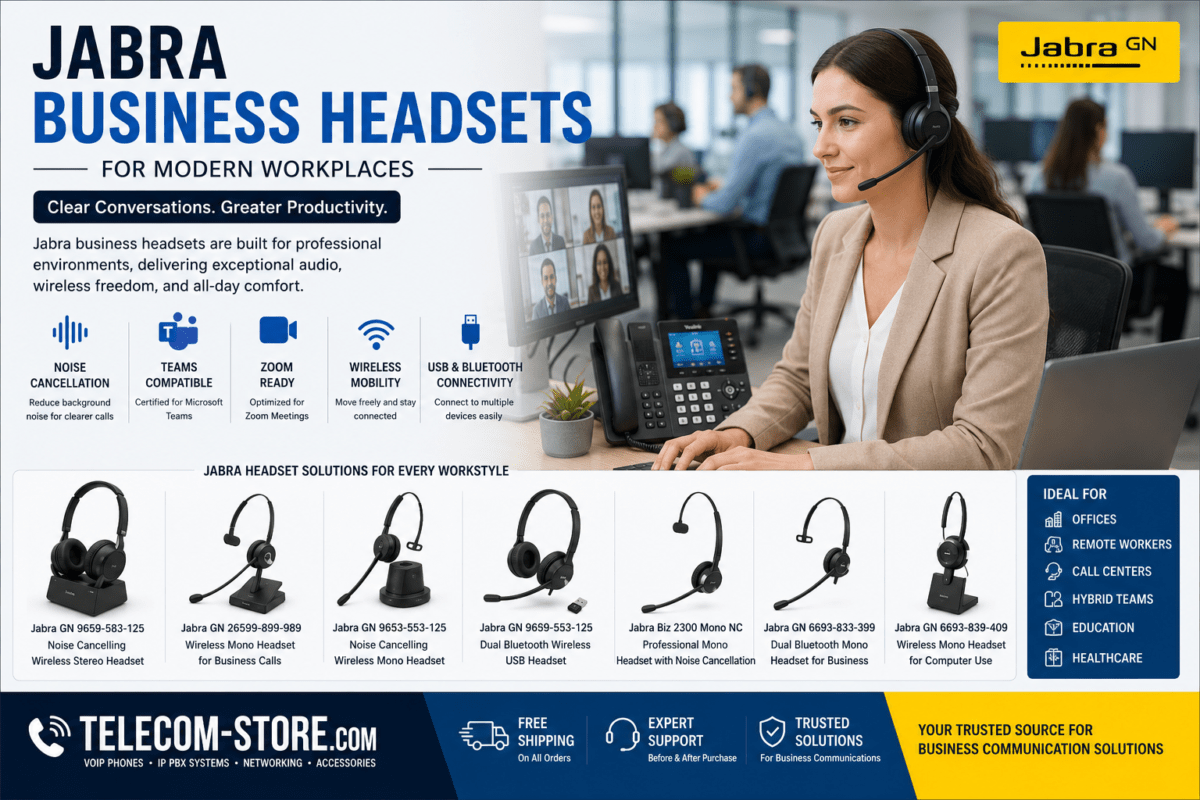
Jabra business headsets cover a broad range—wireless DECT for mobility, Bluetooth for device flexibility, and wired options for cost and reliability. Models with active noise cancellation help users focus in open and hybrid workspaces. Jabra’s headsets are found in offices, call centers, education, healthcare, and hybrid environments.
- Certified for Teams, Zoom, and modern VoIP
- Options for desk phones, computers, and mobile devices
- Designed for all-day wear and varied call volume
See all business headsets
Jabra Headset Types and Workplace Scenarios
Stereo vs Mono Headsets: What to Know
- Stereo (dual ear): Reduces distraction, best for open offices, customer support, focused work
- Mono (single ear): Allows awareness, good for reception, healthcare, general office use
Wireless vs Wired: Pros and Cons
- Wireless (DECT/Bluetooth): Supports hybrid movement, collaboration zones, and mobile users, but requires battery management
- Wired: No charging needed, works well for high-density call centers and dedicated desk users
Model Highlights
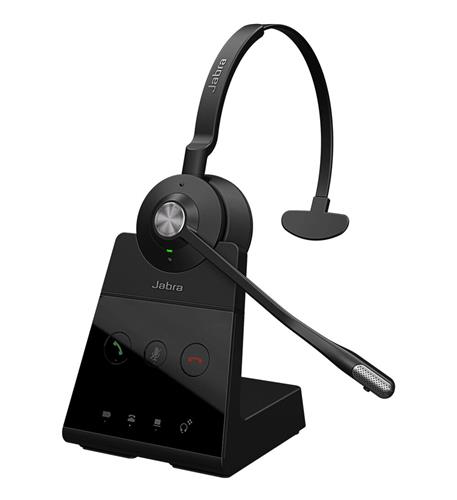
Jabra Engage 65 Stereo: For users needing clear sound and movement—ideal for managers and support teams who need to move during calls.
Jabra Engage 65 Mono: Useful for roles that need to stay aware of office activity, like reception and administrators.
Jabra Evolve 65 Bluetooth (Mono/Stereo): Great for remote and hybrid users who switch between computers, smartphones, Teams or Zoom.
Jabra BIZ 2300 Mono NC: Reliable for call centers that need wired connection and comfort in long shifts.
Pair with VoIP phones for unified desk setups
Buyer Mistakes to Avoid
- Ignoring platform compatibility: Not all headsets are certified for Teams, Zoom, or softphones. Always check before purchase.
- Overlooking user preferences: Stereo may be best for focus, but some staff need mono for awareness.
- Mixing wired and wireless in one workflow: Consider user movement and battery expectations before deploying wireless headsets everywhere.
Practical Buying Advice
- Audit user needs: desk-only, hybrid, mobile, or call center?
- Check device mix: desktop, VoIP phone, laptop, smartphone
- Test comfort and weight if deploying at scale for all-day use
- Plan for replacements and accessories, like ear cushions and charging stands
Jabra Headset Compatibility and Integration
- Teams and Zoom certified versions provide easy call controls
- Widely compatible with Yealink, Poly, and similar VoIP phones (check with your model)
- Bluetooth models support laptops and most smartphones for hybrid work
FAQ: Jabra Business Headsets
Are Jabra headsets compatible with Microsoft Teams?Most current Jabra headsets have Teams-certified versions available; check for Teams logo in product specs. Certified models work seamlessly with platform features.
Do Jabra headsets work with VoIP phones and IP PBX systems?
Yes, many are designed to integrate with VoIP desk phones and IP PBX systems—confirm compatibility for your specific phone brand.
How do I choose between mono and stereo headsets?
Mono models are best if users need to stay aware of their environment, while stereo models help block out office noise and boost focus.
Can Jabra wireless headsets connect to multiple devices?
Many Bluetooth headsets support connections to both computer and mobile. Always check for multi-device pairing in the product specifications.
What should businesses consider before buying Jabra headsets?
Consider platform and device compatibility, user comfort, mono vs stereo style, battery needs if wireless, and call volume requirements for your team.
Where to Get Help
Need more guidance on headsets, VoIP phones, or unified communications solutions? Talk to our team at Telecom-Store.com or browse our headset range for more details.