Multicast paging has become a practical solution for businesses that need fast, reliable communication across multiple devices. Unlike traditional paging systems, multicast paging allows audio to be transmitted to multiple endpoints simultaneously without placing individual calls.
This guide explains multicast paging setup with Yealink phones (step-by-step), along with network considerations, integration with paging hardware, and how to maintain consistent sound quality in small business environments.
What Is Multicast Paging?
Multicast paging is a method of sending audio from one device to multiple devices using a shared multicast IP address and port. Instead of dialing each phone individually, a single transmission reaches all subscribed devices at once.
Key advantages:
- Efficient network usage
- Near-instant audio delivery
- Scalable across multiple devices
- Minimal configuration once deployed
This makes multicast paging particularly useful in small business networks, warehouses, offices, and retail environments.
How Yealink Phones Support Multicast Paging
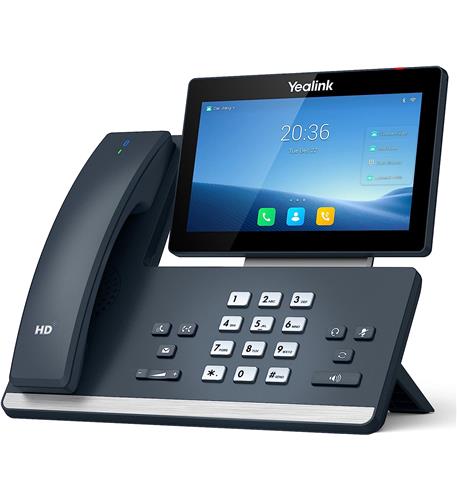
Yealink IP phones are widely used in VoIP deployments and include built-in multicast functionality. Devices like the
Yealink SIP T57W Prime Business Phone
and
Yealink SIP T46U
can both send and receive multicast audio.
These phones allow administrators to:
- Configure multicast listening addresses
- Assign paging keys
- Control volume and priority
This flexibility makes them suitable for both simple and multi-zone paging environments.
Step-by-Step: Multicast Paging Setup
Step 1: Define Multicast Address and Port
Choose a multicast IP address in the range:
Example:
- IP:
239.1.1.10
- Port:
5000
All devices must use the same settings.
Step 2: Configure Yealink Phones to Receive
Access the phone’s web interface.
Navigate to:
- Directory → Multicast Paging
Add:
- Multicast IP:
239.1.1.10
- Port:
5000
- Label: “Paging”
Save settings.
Step 3: Configure a Paging Key (Transmit)
On the same Yealink phone:
- Assign a DSS key for paging
- Set type to Multicast Paging
- Enter the same IP and port
Pressing this key will transmit audio to all listening devices.
Step 4: Test the System
- Press the paging key
- Confirm audio plays across all devices
If there is no audio, verify:
- Network settings
- Codec compatibility
- Multicast configuration
Integrating Paging Hardware
Multicast paging often integrates with external devices to expand coverage.
VoIP Paging Adapter
This device converts multicast or SIP audio into analog output for amplifiers and speakers.
Amplifiers
Amplifiers distribute audio to multiple speakers in a wired environment.
Speakers
IP-Based Speakers
These connect directly to the network and receive multicast audio without additional hardware.
Analog Speakers
Used with amplifiers for traditional paging systems.
Network Considerations
Multicast paging relies heavily on proper network configuration.
Key requirements:
- Devices on the same VLAN
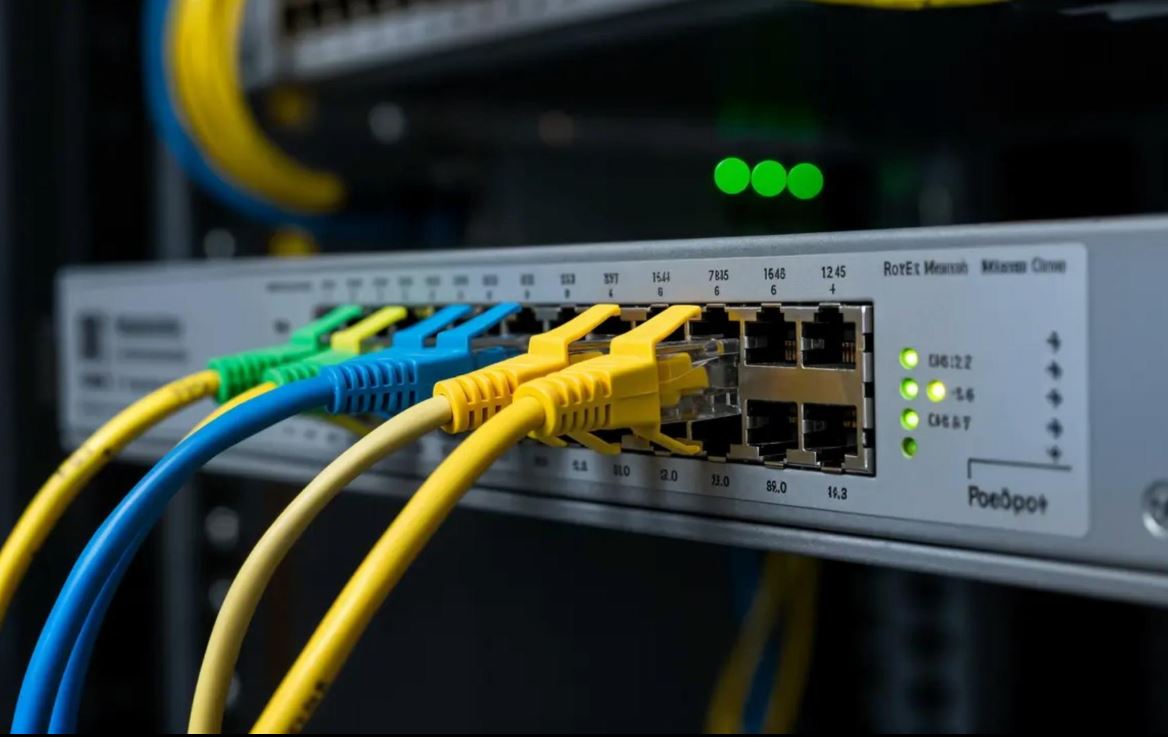
- Multicast traffic allowed on switches
- IGMP snooping enabled (recommended)
Without these settings, multicast packets may not reach all devices.
Sound Quality Optimization
Sound quality is influenced by both network and hardware factors.
Improve clarity by:
- Using appropriate codecs (G.711 u-law is standard)
- Avoiding network congestion
- Matching speaker types to environment
Speaker placement tips:
- Ceiling speakers for even indoor coverage
- Horn speakers for high-noise areas
- Avoid placing speakers too close together
Proper planning ensures consistent sound quality across all zones.
Buyer Considerations
Compatibility
Ensure all devices support:
- Multicast paging
- Same codec
- Same IP/port configuration
Setup Requirements
You may need:
- Managed switches
- PoE infrastructure
- Paging adapters or amplifiers
Scalability
Multicast paging is highly scalable:
- Add more phones or speakers without significant configuration changes
Limitations
- Not all networks support multicast efficiently
- Requires proper network setup
- Limited control compared to SIP-based paging groups
Common Issues and Troubleshooting
No audio on receiving devices
- Check multicast IP/port
- Verify devices are on same network
Audio delay or dropouts
- Check network congestion
- Confirm QoS settings
Devices not receiving pages
- Verify multicast is enabled on switch
- Check firewall settings
Use Cases for Small Businesses
Offices
- Announcements across departments
Warehouses
- Employee coordination and safety alerts
Retail
- Customer notifications and staff communication
Multicast paging provides a flexible way to manage communication without complex infrastructure.
Practical Conclusion
Multicast paging with Yealink phones offers a straightforward way to deliver announcements across multiple devices in real time. By combining VoIP phones, paging adapters, and properly selected speakers, businesses can create a reliable communication system that scales with their needs.
Careful attention to network configuration, device compatibility, and sound distribution ensures consistent performance. For small business networks, multicast paging remains a practical and efficient solution for day-to-day communication.
For assistance setting this up for your small business, you can contact Axion Communications.
FAQ Section
What is multicast paging with Yealink phones?
Multicast paging allows a Yealink phone to send audio to multiple devices simultaneously using a shared IP address and port. It eliminates the need for individual calls and improves efficiency.
How do I set up multicast paging on Yealink phones step-by-step?
You configure a multicast IP and port, set receiving devices to listen on that address, and assign a paging key to transmit audio. All devices must match the same settings.
Do I need a paging adapter for multicast paging?
Not always. IP speakers can receive multicast directly. However, adapters like the Algo 8301 are needed when integrating with analog amplifiers and speakers.
What network settings are required for multicast paging?
Devices must be on the same VLAN, and switches should allow multicast traffic. IGMP snooping is recommended to manage network efficiency.
What codec should I use for multicast paging?
G.711 u-law is commonly used because it provides consistent compatibility across Yealink phones and paging devices.
Can multicast paging be used in noisy environments?
Yes, but speaker selection matters. Horn speakers and higher wattage systems improve clarity in high-noise areas.
How many devices can receive a multicast page?
There is no fixed limit, but network capacity and configuration determine how many devices can receive audio reliably.
What causes multicast paging to fail?
Common causes include incorrect IP/port settings, network blocking multicast traffic, and codec mismatches.