Does Your Hunting Property Need Outdoor WiFi?
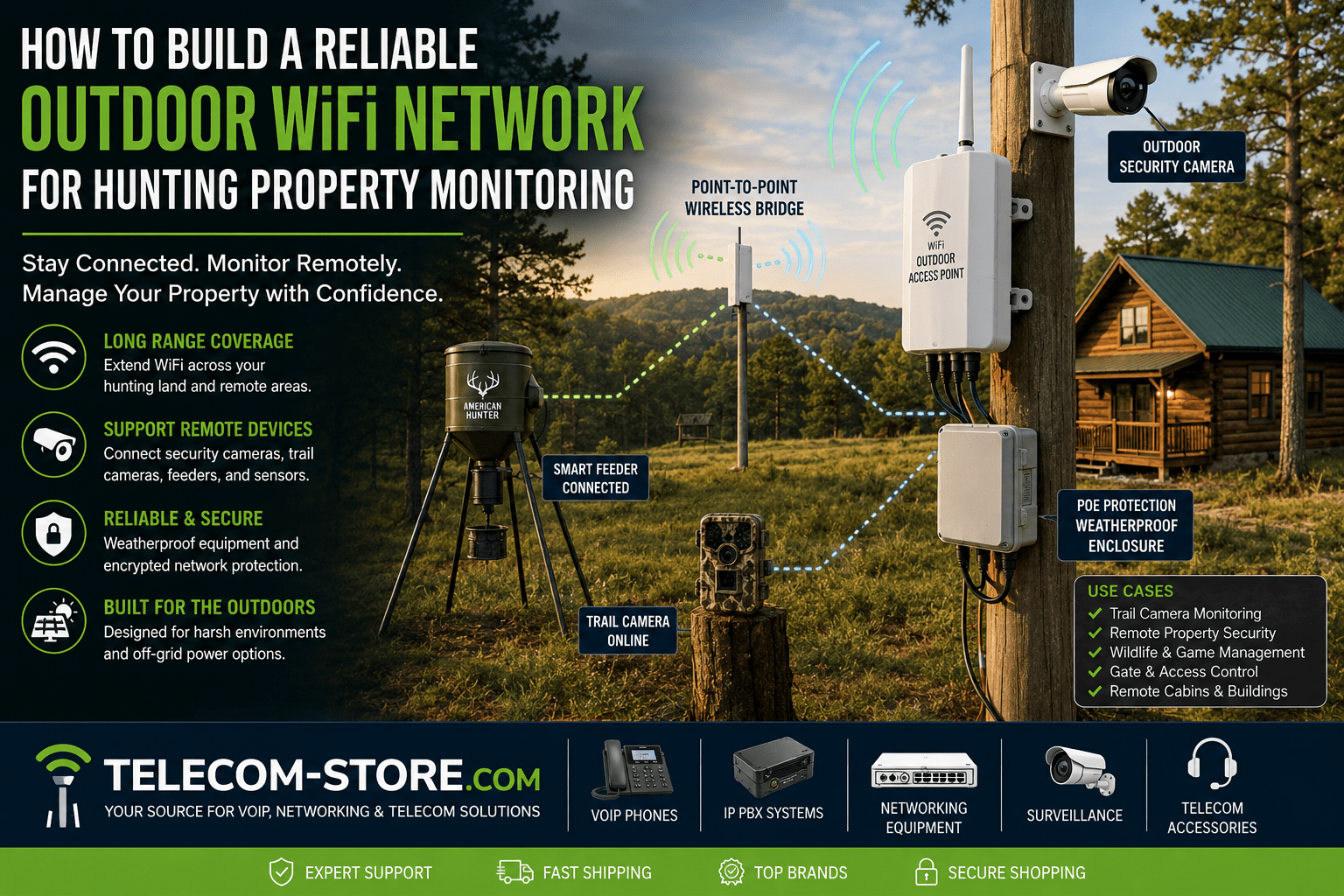
If you want to monitor, secure, or automate activity across hunting land, a reliable outdoor WiFi network is one of the most practical upgrades. With the right hardware, you can connect trail cameras, smart security systems, gates, and remote cabins with real-time visibility—without spending every weekend inspecting equipment in person.
Outdoor WiFi Solutions at a Glance
| Solution |
Best For |
Benefits |
Example Product |
| Outdoor Access Point (Weatherproof) |
Office/cabin, main gathering areas, camera nodes |
Wide outdoor WiFi, harsh weather resistance, PoE powered |
TP-Link EAP772 WiFi 7 |
| Wireless Point-to-Point Bridge |
Connecting distant buildings: barns, gates, feeder locations |
Long-range Ethernet-style link with no trenching |
WiFi 6 Bridge 2×2 |
| Outdoor Security Camera |
Entry gates, feeders, store areas, trails |
Remote monitoring & motion alerts |
ALC AWF61 Camera |
| Weatherproof PoE Switch |
Multiple access points, powered cameras |
Simplifies outdoor install & power delivery |
PoE Network Switches |
Why Modern Hunting Properties Use Outdoor WiFi
Connected outdoor WiFi goes far beyond basic internet. It helps property managers and landowners:
- Remotely view trail/game cameras and security feeds
- Control smart game feeders, water systems, or gates
- Provide internet and VoIP phone at cabins or outbuildings
- Save fuel and time by cutting unnecessary site visits
- Detect trespassers or wildlife activity quickly
If you want an efficient, future-ready property, stable WiFi is the backbone for any connected outdoor equipment.
To see the latest outdoor networking gear and professional advice, visit Telecom-Store.com.
Key Components of an Outdoor WiFi Network
Your design will be based on your land and monitoring requirements:
- Internet source: Fiber, wireless, LTE/cellular, or satellite as available
- Outdoor access points: Broadcast WiFi across targeted areas
- Point-to-point wireless bridges: Link buildings that are too far apart for a single WiFi signal
- PoE switches: Power multiple devices and access points from a central location (shop PoE switches)
- Outdoor-rated cable/hardware: Critical for weather resistance and longevity
- Camera systems and sensors: Supported by the network
Every property is different. Check the size, shape, and obstacles—like woods, hills, and buildings—before laying out your network plan.
Outdoor Access Points: Reliable Rural Coverage
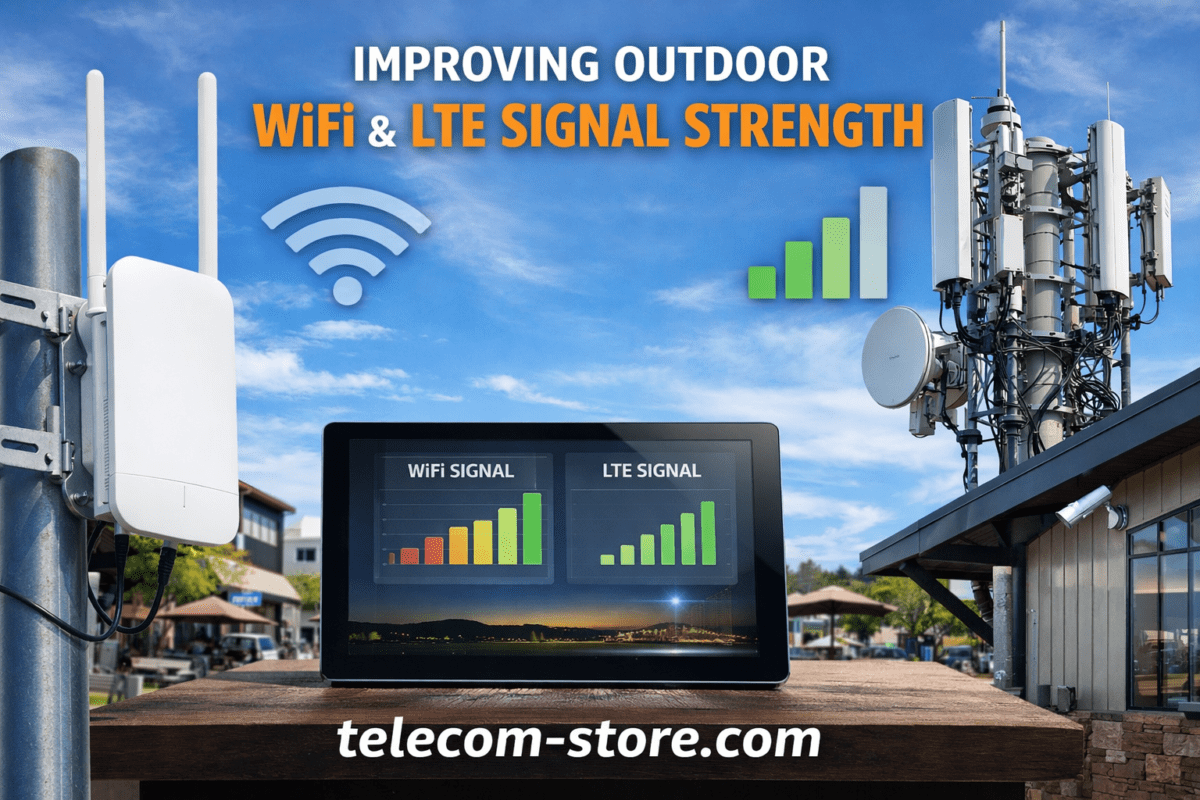
Most network issues on rural land come from using consumer-grade, indoor WiFi routers where they’re not designed to work. Outdoor-rated access points such as the TP-Link EAP772 or the EAP610 WiFi 6 deliver:
- Much longer range versus indoor routers
- Weatherproof casing for rain, heat, and cold
- Mounting options for poles, walls, or towers
- PoE support—use a single cable for both data and power
If you expect heavy camera use, streaming, or multiple users, WiFi 7 access points bring extra bandwidth and efficiency. For lower-traffic applications or smaller plots, a WiFi 6-class access point is often enough.
Wireless Bridges for Long-Distance Connectivity
If your network needs to reach a barn, gate, feeder, or cabin on the far edge of your property, a point-to-point wireless bridge can provide a strong, cable-free connection. Example systems include:
Wireless bridges are ideal when trenching cable is impractical (wet ground, rock, or long distances). But you must maintain a mostly clear line-of-sight—dense trees, hills, or metal structures between endpoints will degrade the signal. Survey ahead, and adjust mounting height if needed for best stability.
Connecting and Monitoring Security Cameras Outdoors
Modern hunting properties frequently deploy WiFi security systems for entry gates, feeders, or storage. A great example camera is the ALC AWF61 HD Wi-Fi Security Camera. Monitoring works best with strong wireless coverage and adequate upload data.
Typical camera monitoring locations include:
- Gate approaches and entrances
- Overlooking feeders and water stations
- Cabin driveways and parking
- Equipment sheds and workshops
For reliable camera operation: ensure strong WiFi coverage, weather-resistant setup, and uninterrupted power—with solar, generator, or battery backup where line power is absent.
Product Spotlight: Weatherproof Outdoor WiFi
Weatherproof outdoor access points are engineered to handle harsh environmental conditions, keep out moisture, and resist sun or animal damage. The Grandstream GWN7630LR stands out for durable build and excellent range.
- Rugged enclosure against rain, snow, and sun
- Outdoor-rated antennas and industrial temperature tolerance
- Supports PoE—even installs at remote outbuildings where AC outlets are not practical
For best network reliability, always use outdoor-rated cables and weatherproof your network entry points and junctions. Browse outdoor-ready switches to complete your install.
Outdoor WiFi Placement: What to Check Before You Buy
1. Elevation & Line of Sight
Mount access points high—above trunks or fences—to improve coverage and work around ground-level obstacles. For bridges, align both antennas with direct visibility.
2. Vegetation and Woods
Young woods or scattered trees only weaken WiFi slightly. Dense, mature forests can absorb much of the signal—plan for more, smaller access points, or selective tree trimming along your desired paths.
3. Distance Between Sites
Standard access points may cover up to several hundred feet in open land but can be limited by trees or buildings. Bridges cover longer distances—up to several miles if nothing blocks the signal—but require precise setup. For more coverage, add additional access points or repeaters.
4. Weather and Environment
Buy only hardware rated for outdoor use, seal all connections, and regularly check for cable and enclosure damage due to wind, animals, or ice.
Common Mistakes and How to Avoid Them
- Using indoor hardware or cables outdoors— These fail fast in sun and rain
- Underpowering remote points— Without reliable power (line, battery, or solar), WiFi drops or cameras disconnect unpredictably
- Ignoring the impact of thick trees or metal structures— Find the clearest path possible, and consider directional antennas for challenging layouts
- Not validating device compatibility— Some access points don’t support mesh or camera bandwidth needs; check firmware and features
Powering Outdoor Networking: PoE and Solar Tips
Most outdoor APs and bridges rely on PoE (Power over Ethernet) for easy, weatherproof installs—even on distant poles or barns. Always use outdoor-rated Ethernet wiring. Install surge protectors at both network switches and access point endpoints to avoid lightning and electrical issues.
Solar and battery power can keep remote links running when grid power isn’t available. Estimate your power draw (camera + AP), size your solar and battery capacity conservatively, and consider generator backup for absolute critical connectivity.
Best WiFi/Internet Source for Rural Properties
You can only build a great network if your internet source is reliable. Most hunting properties use one of:
- LTE/Cellular Modem (most common): Flexible and portable for seasonal sites. Choose business-grade hardware for stability.
- Fixed wireless: Line-of-sight from rural internet tower providers.
- Satellite: Widely available, but watch for high latency and weather variability.
- Fiber or cable: Best, but rare on rural land. If available, use it as the main hub for all bridging and access points.
Businesses often work with partners such as Axion Communications for complex infrastructure, rural LTE rollouts, or remote power systems.
Troubleshooting: Common Outdoor WiFi Challenges
- Tree Interference: Trees—especially wet leaves and evergreens—absorb and scatter radio signals. Consider extra APs or bridges, and trim foliage where possible.
- Weather Instability: Severe storms, snow, and temperature extremes can disrupt wireless networks. Protect equipment and use ruggedized devices.
- Unstable Power: Remote rural locations routinely lose grid power. Always plan for battery or solar backup, and inspect equipment seasonally.
- Wildlife/Environmental Hazards: Rodents chew cables, birds nest on poles—use armored cabling and check hardware after high winds or animal activity.
Using Outdoor WiFi for VoIP Phones and Communication
A reliable outdoor WiFi infrastructure means you can deploy VoIP phones, outdoor paging, or wireless intercom at any point on your property. This is increasingly popular for outbuilding offices, caretaker cabins, or remote reception kiosks.
If you run security and voice traffic together, set Quality of Service (QoS) at your switches and access points to prioritize call stability over camera video. Plan bandwidth so that busy periods (camera alerts + voice calls) don’t swamp your connection.
Before You Buy: Key Planning and Compatibility Checks
- Device compatibility— Confirm all cameras, access points, and bridges are compatible with your network (mesh, PoE support, data rates)
- Site terrain— Map hills, hollows, woods, and check line-of-sight before deciding bridge locations
- Powering— Plan for PoE, solar, or generator supply depending on remoteness
- Bandwidth needs— Calculate for potential peak loads (multiple camera streams, remote viewing, voice calls)
- Growth— Leave capacity for more cameras or feeders to be added in the future
Conclusion
Outdoor WiFi for hunting property monitoring opens up streamlined remote management, live security, and better control of your land assets. The right weatherproof access points, wireless bridge kits, PoE network switches, and reliable internet can turn even the largest rural plot into a smart, connected environment.
For best results: plan your network layout, choose equipment that matches your property’s challenges, and prioritize rugged, outdoor-rated hardware. You’ll spend less time troubleshooting and more time enjoying the benefits of a fully monitored property.
Ready to get started? Find trusted outdoor WiFi hardware, security cameras, and network accessories at Telecom-Store.com.
FAQ: Outdoor WiFi for Hunting, Surveillance & Remote Monitoring
- How do you build an outdoor WiFi network for hunting property monitoring?
- Use weatherproof outdoor access points, point-to-point wireless bridges for long distances, Power over Ethernet (PoE) for simplified installation, and select an internet source suitable for your location. Always plan based on your property size, terrain, and intended device locations.
- What is the best outdoor wireless access point for large rural land?
- Look for a weatherproof access point with long-range and PoE support—like the TP-Link EAP772 Tri-Band WiFi 7 for high throughput, or the Grandstream GWN7630LR for durable coverage. Match your choice to your expected coverage area and environmental conditions.
- How do wireless bridges help remote building connectivity?
- Wireless bridges use dedicated antennas to link distant buildings—such as barns, gates, or cabins—without running underground cable, providing stable network access even across wooded or rugged ground (as long as line-of-sight is clear).
- Can I run security cameras and VoIP phones on the same outdoor WiFi network?
- Yes, but for best results, ensure enough bandwidth and set up Quality of Service (QoS) on your network to prioritize voice or video traffic. Use business-grade PoE switches and access points to maximize reliability.
- What are the biggest mistakes in planning rural property WiFi?
- Common mistakes include ignoring tree cover, forgetting weatherproofing, mismatching hardware compatibility, or underestimating power needs. Always plan your network map and check device compatibility before purchasing.
- Are solar power systems reliable for outdoor WiFi hardware?
- Yes, if sized correctly for load and sun exposure. Many rural installs use solar with battery backup to support low-power wireless bridges and cameras, but always check total wattage and provide surge protection.