Choosing the Right Jabra Headset for Your Business Needs
Jabra business headsets offer reliable, professional-grade audio for the way offices and support teams really work—on Teams, Zoom, VoIP phones, and in hybrid environments. Picking the right headset isn’t just about wireless or wired. It’s about matching the features, comfort, and compatibility your environment demands.
Below, you’ll find a quick product comparison and practical advice for real-world deployment.
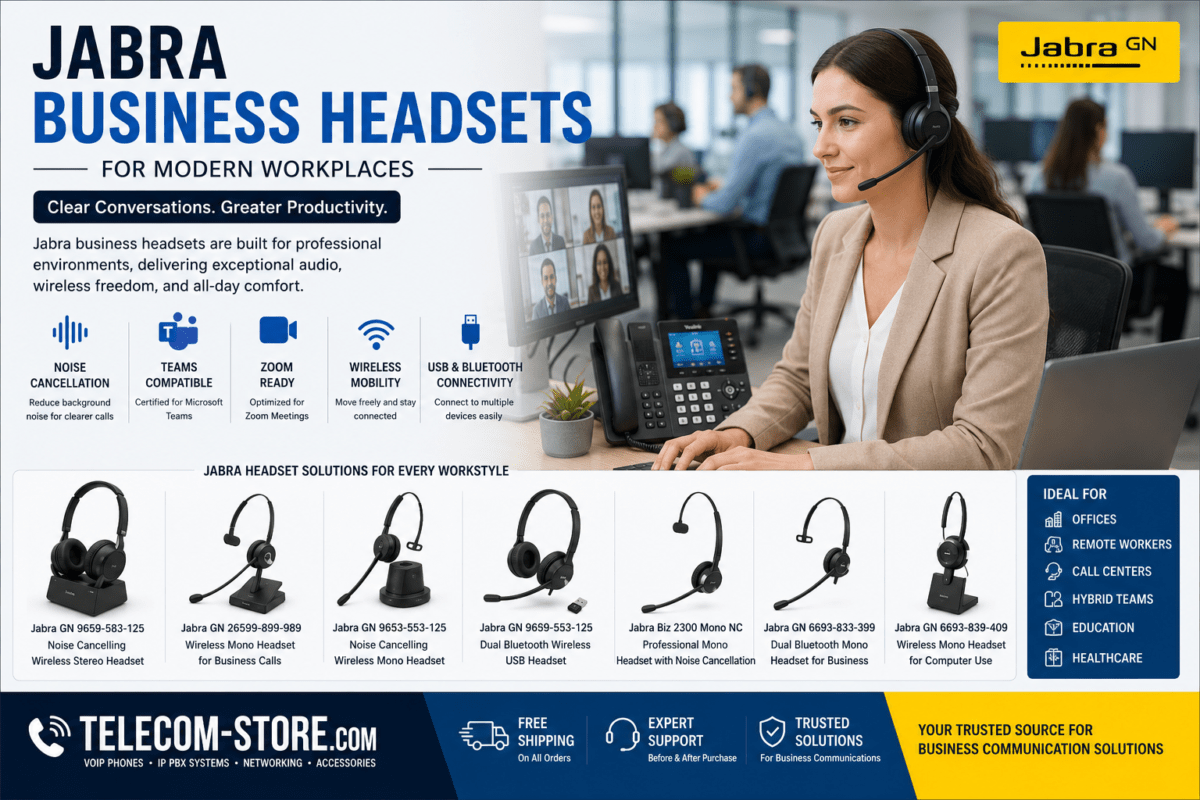
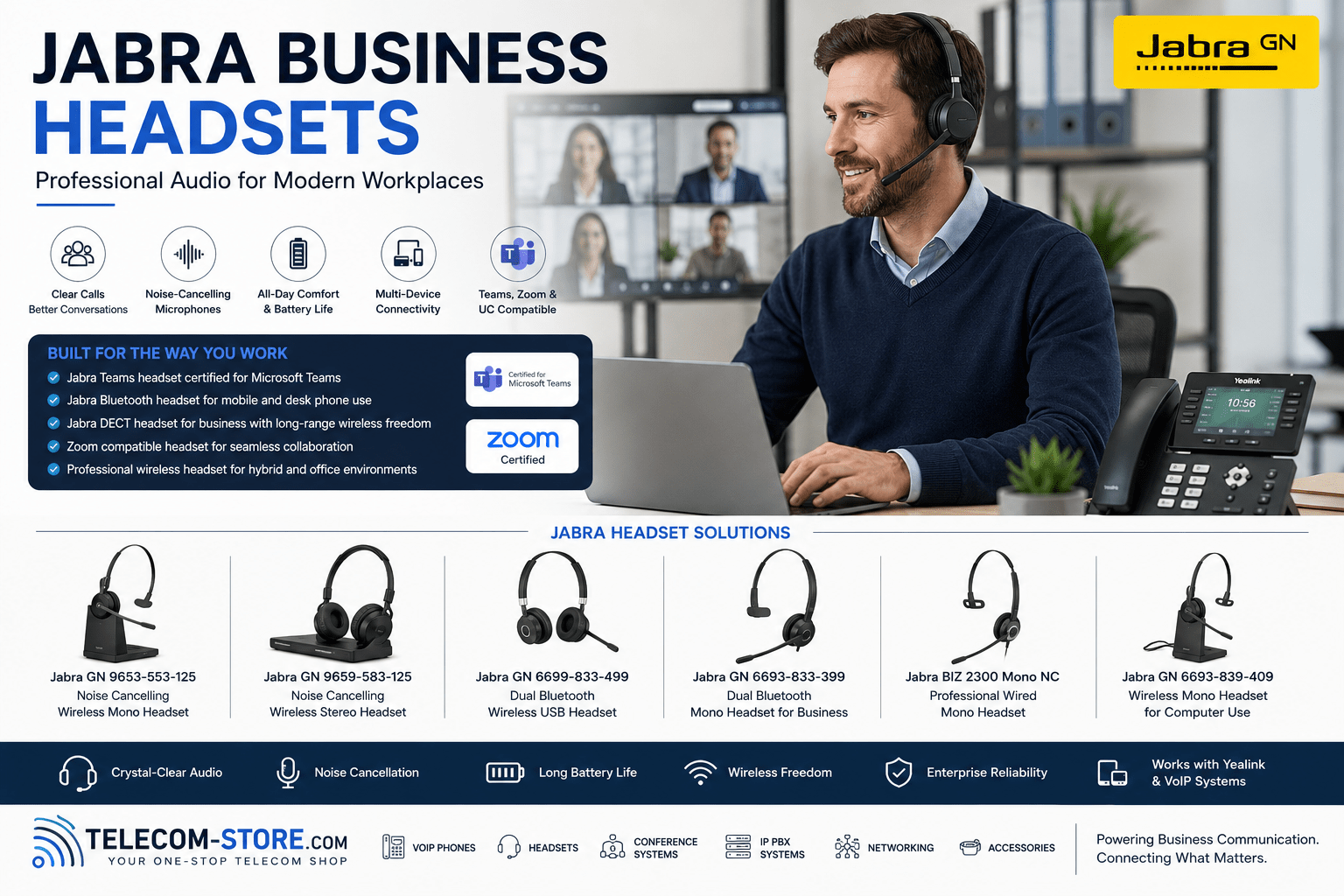
| Model / Type | Wireless Tech | Mono/Stereo | Best For | Platform Support |
|---|---|---|---|---|
| Jabra GN-6699-833-499 | Bluetooth | Stereo | Hybrid/Office Mobility | Teams, Zoom, VoIP, Softphone |
| Jabra GN-6693-833-399 | Bluetooth | Mono | Mobile Users, Support Desks | Teams, Softphone, Mobile |
| Jabra GN-9653-553-125 | DECT | Mono | Call Centers, Heavy Phone Use | VoIP, Desk Phone, Teams |
| Jabra GN-9659-583-125 | DECT | Stereo | Conferencing, Focus | Teams, Zoom, VoIP |
| Jabra Biz 2300 Mono NC | Wired | Mono | Call Centers, Office Desks | VoIP, Desk Phone |
| Jabra GN-6693-839-409 | Bluetooth/USB | Mono | Remote Computer Users | Softphone, Teams |
What Makes Jabra Business Headsets a Smart Choice?
Organizations choose Jabra headsets for their plug-and-play integration with today’s most-used UC platforms, dependable call clarity, and the flexibility to outfit a variety of team roles. Many Jabra models support:
- Microsoft Teams and Zoom Rooms (certified or optimized)
- VoIP and SIP desk phones—as a direct replacement for wired handsets
- Flexible pairing with laptops, desktops, mobile phones, and USB dongles
- Easy switching between computer and mobile calls with in-line or on-ear controls
If you’re deploying headsets across teams, standardized hardware can cut down on support tickets and simplify user adoption—especially when paired with unified device management tools.
Wireless Mobility: Bluetooth vs DECT for Offices
Modern Bluetooth headsets like the Jabra GN-6699-833-499 offer versatility for mobile-first and hybrid users. Bluetooth is ideal for users who want to roam away from their desk, join video calls on laptops, or connect to mobile phones on the go. Evaluate Bluetooth range carefully: while adequate for small offices (typically 30 feet/10m for Class 2 or up to 100 feet/30m for Class 1), it’s not ideal in densely wireless environments.
For call centers and heavy phone environments, DECT wireless models (e.g., Jabra GN-9653-553-125, GN-9659-583-125) typically deliver longer, more stable wireless connections (100-300 feet/30–100 m), allowing greater mobility with less interference—key in offices with many simultaneous wireless setups.
Mono vs Stereo: Picking the Right Headset Style
- Mono headsets (single ear): Maintain awareness of ambient conversations or safety alarms. Best for front desks, dispatch, and collaborative offices.
- Stereo headsets (both ears): Block distractions and keep focus during video meetings or training. Preferred in busy call centers, shared spaces, and when audio immersion is valuable.
Get direct staff feedback before standardizing style—user comfort often determines long-term adoption. Comfort tips: look for adjustable bands and padded ear cushions for all-day wear, especially for longer call sessions.
Teams & Zoom Integration: Key Things to Know
Most business buyers prioritize Teams and Zoom compatibility. Teams-certified headsets (like many Jabra models) ensure reliable mute syncing, call controls, and meeting alerts. For Zoom, seek headsets with noise-cancelling microphones and echo reduction, as these reduce background distractions and improve the remote meeting experience.
If integrating with desk phones, confirm your headset supports SIP or VoIP phone connections—many Jabra models are built for direct desk phone or USB/softphone use. Unsure? Explore other certified headset options on Telecom-Store.com.
USB and Computer Compatibility for Softphones
Deploying softphones (e.g., Teams, Zoom, Cisco, 3CX)? Wired USB and some Bluetooth models support true plug-and-play on Windows/Mac. Check for driverless setup or downloadable Jabra software if your environment uses device management tools or advanced call controls. Example: Jabra GN-6693-839-409 connects seamlessly via USB for hybrid and remote workstations.
Wired Headsets: When Reliability Is the Priority
Not every office or call center needs wireless. Wired models like the Jabra Biz 2300 Mono NC offer simplicity and eliminate battery management. Opt for these in environments where headsets are shared across shifts, run 24/7, or must connect directly to analog desk phones or PC sound cards. Wired options reduce troubleshooting calls and setup errors—an advantage if you have frequent new staff onboarding.
Infrastructure and Network Considerations
Wireless headsets depend on solid networking equipment. If rolling out dozens or hundreds of units, check your network switch capacity and wireless spectrum: overlapping Bluetooth and DECT systems can cause drops in extremely dense environments. Managed switches may help segregate traffic or power charging stations via PoE. Regular firmware updates (using Jabra Direct or Xpress) reduce support requests and security risks.
For large offices, prepare a headset management plan—track assignments, plan for spares, and document compatibility across desk phones, softphones, and video conferencing platforms.
Buyer Checklist: Avoiding Common Mistakes
- Test actual wireless range in your specific office space before large orders.
- Verify Teams/Zoom certification and test in your application suite, as user permissions can affect features.
- Balance battery runtime with user habits. Heavy call users may need DECT or backup wired sets for all-day runtime.
- Check headset integration with VoIP phones, especially older SIP desk phones or custom IP PBX systems.
- Order 1–2 extra headsets as spares to keep your helpdesk happy—headset downtime is expensive in support environments.
- Ask about bulk management or deployment software if rolling out more than 25 headsets. It saves time on updates and troubleshooting.
Where to Find More Headset and Business Voice Hardware
You’ll find additional Jabra headset options, VoIP phones, and networking hardware on Telecom-Store.com. If you need advanced planning, integration, or want tailored solutions for Teams Rooms, Zoom Rooms, or IP PBX systems, partner with Axion Communications for full deployment support.
FAQ: Jabra Business Headsets for Modern Workplaces
What are Jabra business headsets used for?
Jabra business headsets are commonly used for VoIP communication, Microsoft Teams meetings, Zoom conferencing, hybrid workspaces, and call center environments.
What is the difference between Bluetooth and DECT headsets?
Bluetooth supports mobile, multipoint connections across devices (phones, PCs), while DECT delivers longer wireless range and less interference in office environments. Choose based on your mobility and density needs.
How do I choose between mono and stereo headsets?
Mono headsets provide one open ear for situational awareness—ideal in collaborative or dynamic workspaces. Stereo headsets block distractions and help focus on calls, best for noisy offices or deep work.
Are Jabra headsets compatible with Teams and Zoom?
Yes. Many models are certified for Teams and work seamlessly with Zoom as well. Look for integrated mute, call alerts, and easy switching.
Can I use Jabra headsets with VoIP phones or IP PBX?
Most Jabra wireless and USB models integrate with compatible VoIP phones, SIP desk phones, and popular IP PBX systems. Always check individual model specs for your environment.
What network gear do I need to support wireless business headsets?
Stable Wi-Fi or Ethernet, low wireless interference, and adequate USB or PoE switch port capacity help avoid dropped calls and charging issues. Consider managed switches for large rollouts.
What should I confirm before deploying headsets at scale?
Ensure all hardware and platforms are compatible, check staff preferences for headset style, test wireless range, battery runtime, device management options, and plan for spare headsets to cover downtime.
Conclusion: Standardize for Reliability
Jabra headsets continue to support evolving business requirements—from hybrid work to Teams Rooms, Zoom, and beyond. By investing time in evaluating compatibility, wireless needs, and user comfort, your teams can experience clear, dependable communication—no matter where they work. Standardizing your headset hardware saves time and helps future-proof business voice infrastructure for years to come.