Yealink Video Conferencing PLUS 11.6 Inch Touch Console for Video
- Customer support
-
Free Shipping
- Secure payment method
$ 1,459.00
1 in stock
1 in stock
Description
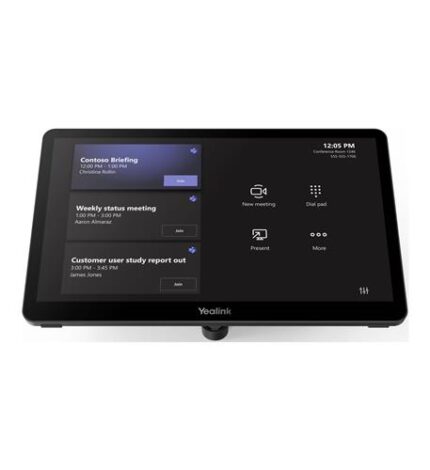
– 11.6-inch Anti-fingerprint & Anti-glare IPS Screen
– 1920 × 1080 Resolution
– Multiple Panels to Control
– Third-party Screen Sharing
– Wireless BYOD
– Supports Power Supply for PC (Content Sharing)
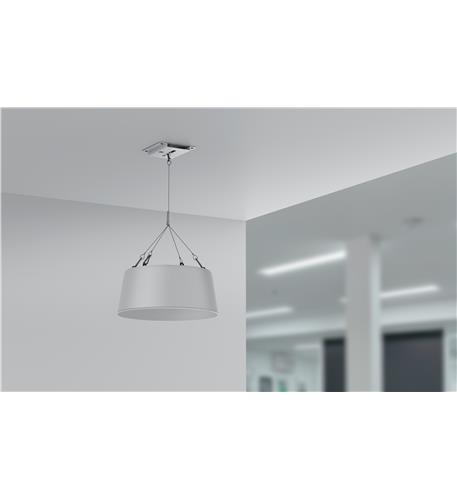
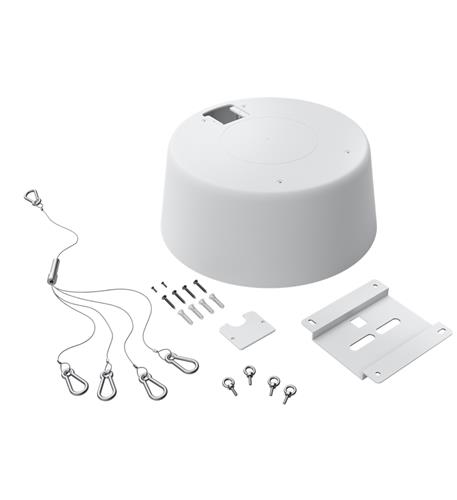
– Three Deployment Methods
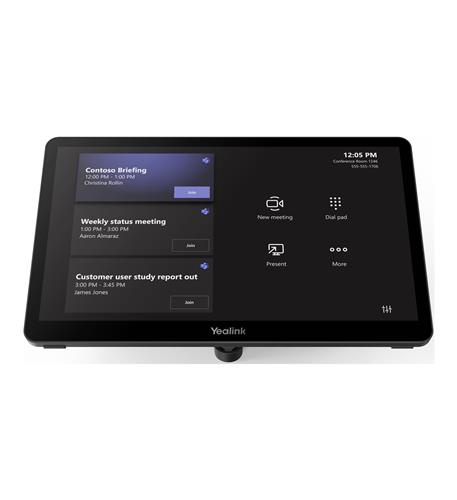
Elevate Your Video Conferencing Experience with the Yealink 11.6″ Touch Console
Transform your meeting rooms into collaborative powerhouses with the Yealink 11.6″ Touch Console for MVC/ZVC video conferencing. Designed to enhance productivity and streamline communication, this innovative console features cutting-edge technology that caters to all your conferencing needs.
Benefits of the Yealink Touch Console
- Seamless Collaboration: Effortlessly connect and share content with multiple panels and third-party screen sharing capabilities.
- User-Friendly Interface: The 11.6-inch anti-fingerprint and anti-glare IPS screen ensures a clear view, while the intuitive touch controls make navigation a breeze.
- Flexible Deployment: Choose from three different deployment methods to suit your specific conferencing environment.
Key Features to Enhance Your Meetings
- High Definition Display: Experience crystal-clear visuals with a stunning 1920 × 1080 resolution.
- Wireless BYOD Support: Connect your devices effortlessly with built-in wireless support for Bring Your Own Device (BYOD) functionality.
- Power Supply Support: Easily share content from your PC with the integrated power supply feature.
Ideal Use Cases for Your Yealink Console
This versatile touch console is perfect for:
- Corporate Meetings: Host productive meetings with colleagues no matter where they are located.
- Remote Learning: Facilitate interactive online classes and workshops with ease.
- Team Collaboration: Foster teamwork and creativity by allowing multiple users to share their ideas in real-time.
Ready to Transform Your Video Conferencing?
Don’t miss out on the opportunity to enhance your video conferencing experience with the Yealink 11.6″ Touch Console. With only 3 units available, act now to secure your console and take your meetings to the next level!
Specification
Overview
| Weight | 0.18125 kg |
|---|---|
| Dimensions | 11 × 8 × 6 in |
| color | Black |
| country of origin | China |
| type of packaging | Retail Box |
| warranty | 2 year |
| website link | www.yealink.com |
| upc | 841885113832 |
| brand | Yealink Video Conferencing |
| part_number | YEA-MTOUCH-PLUS |
Frequently Asked Questions
What are the key specifications of the Yealink 11.6" Touch Console?
The Yealink 11.6" Touch Console features a high-definition display with a resolution of 1920 × 1080, an anti-fingerprint and anti-glare IPS screen, and built-in wireless support for BYOD functionality. It also offers flexible deployment options to suit various conferencing environments.
How do I set up the Yealink Touch Console for video conferencing?
Setting up the Yealink Touch Console is straightforward; simply connect it to your desired video conferencing platform using the wireless BYOD capabilities or through a wired connection. The intuitive touch interface allows for easy navigation and content sharing among participants.
Is the Yealink 11.6" Touch Console compatible with other video conferencing systems?
Yes, the Yealink Touch Console is designed to seamlessly integrate with various video conferencing systems, making it compatible with both Yealink's MVC/ZVC and third-party platforms. This flexibility enhances its usability across different meeting setups.
What shipping options are available for the Yealink Touch Console?
We offer free shipping on the Yealink 11.6" Touch Console, ensuring your product arrives at your doorstep without additional costs. Orders are typically processed within 1-2 business days for prompt delivery.
What is the return policy for the Yealink Touch Console?
The return policy allows you to return the Yealink 11.6" Touch Console within 30 days of purchase if you are not satisfied. The product must be in its original condition, and a return authorization must be obtained beforehand.
Can the Yealink Touch Console be used for remote learning?
Absolutely! The Yealink 11.6" Touch Console is ideal for remote learning, allowing educators to facilitate interactive online classes and workshops with multiple participants. Its user-friendly interface makes it easy for both instructors and students to engage effectively.
How does the power supply feature work for content sharing?
The integrated power supply feature of the Yealink Touch Console allows users to easily share content from their PCs without needing additional cables or adapters. This simplifies the setup and enhances the collaborative experience during meetings.

Reviews
There are no reviews yet.