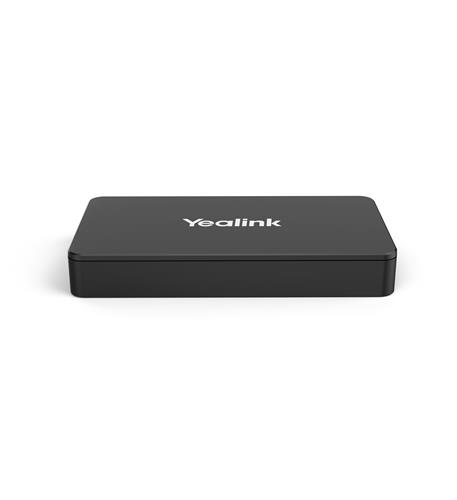
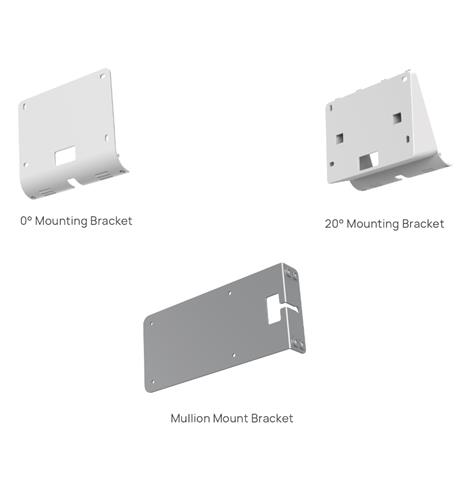
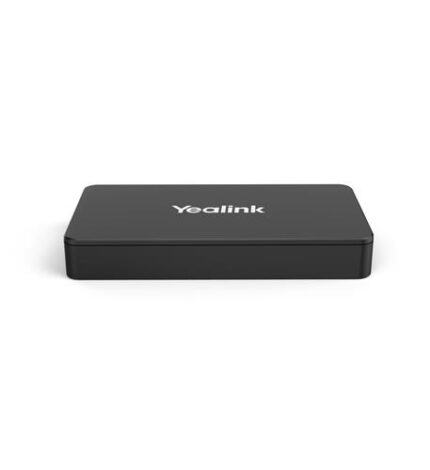
Yealink Video Conferencing E2 Wireless Content Sharing Device

SKU: YEA-MSHARE-E2
  • Customer support
  • Free Shipping
  • Secure payment method

$ 339.00

100 in stock

100 in stock

Order on WhatsApp

Description

– Flexible Deployment – Separate design from the Touch Console offers unparalleled flexibility in deployment, catering to various scenarios effortlessly.
– Seamless Integration – Easily integrates into conference setups, ensuring smooth operation even when the MTouch Console casting cable is insufficient.
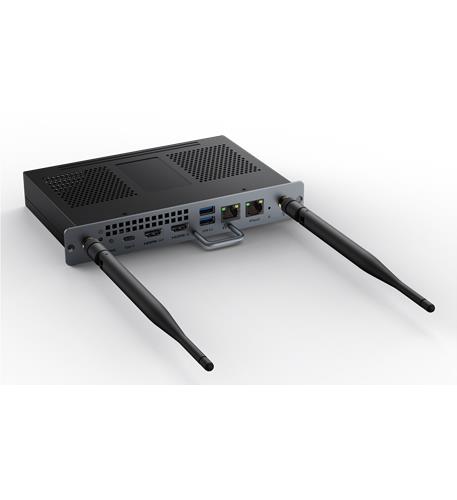
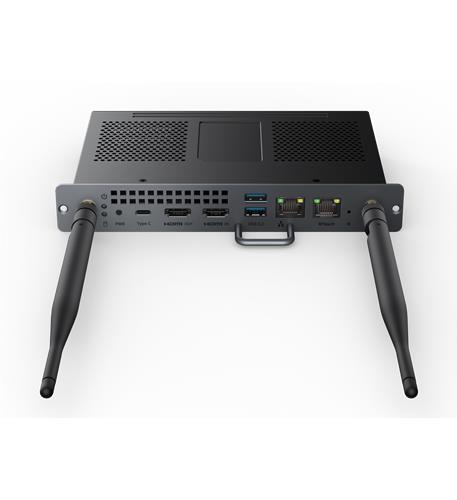
– Versatile Connectivity – Equipped with three ports – 1x USB-Type B, 1x HDMI In, and 1x USB-C, enabling compatibility with a wide range of devices.
– Intuitive Status Indicator – LED bi-color light indicates the casting status of the wired auxiliary stream, providing clear visual cues for effortless monitoring.
– Compact and Concealable – Its compact and flexible design allows for convenient deployment in proximity spaces, including integration into conference desks for a cleaner setup.
– Enhanced Aesthetics – Concealment within the conference desk ensures better integration with HDMI matrix setups, enhancing overall aesthetics and functionality.

Transform Your Video Conferencing Experience with Yealink MShare E2 Wireless Content Sharing

Are you ready to elevate your conference calls to the next level? The Yealink MShare E2 Wireless Content Sharing is designed to enhance collaboration and streamline content sharing during video conferencing. With its unique features and flexible deployment options, this device is the ultimate tool for modern workplaces.

Benefits of Yealink MShare E2

  • Flexible Deployment: The separate design from the Touch Console allows for unparalleled flexibility, adapting to various conference room setups with ease.
  • Seamless Integration: Effortlessly integrates into existing conference setups, ensuring smooth operation, even when traditional casting cables fall short.
  • Versatile Connectivity: Equipped with three ports—1x USB-Type B, 1x HDMI In, and 1x USB-C—this device supports a wide range of devices, making it the perfect choice for diverse tech environments.

Key Features

  • Intuitive Status Indicator: The LED bi-color light provides clear visual cues regarding the casting status of the wired auxiliary stream, allowing for effortless monitoring during meetings.
  • Compact and Concealable Design: Its sleek and compact form factor allows for easy deployment in proximity spaces, including integration into conference desks for a cleaner, more organized setup.
  • Enhanced Aesthetics: The ability to conceal the device within conference desks enhances the overall aesthetics of your meeting space, contributing to a more professional environment.

Use Cases for Yealink MShare E2

The Yealink MShare E2 is perfect for:

  • Corporate Meeting Rooms: Create a distraction-free environment where participants can share content effortlessly.
  • Educational Institutions: Facilitate interactive learning experiences by allowing teachers and students to share materials wirelessly.
  • Remote Workspaces: Enable seamless collaboration for teams working from different locations, ensuring everyone stays connected.

Get Started Today!

Don’t let outdated technology hold your meetings back. Enhance your video conferencing experience with the Yealink MShare E2 Wireless Content Sharing today! With 100 units available, now is the perfect time to transform your collaborative efforts into a seamless experience.

Specification

Overview

Weight0.0875 kg
Dimensions7.5 × 2.5 × 7.5 in
accessoriesYes
colorBlack
country of originChina
type of packagingRetail Box
warranty2 year
upc841885122926
brandYealink Video Conferencing
part_numberYEA-MSHARE-E2

Frequently Asked Questions

What are the key specifications of the Yealink MShare E2?

The Yealink MShare E2 features a separate design from the Touch Console, allowing flexible deployment in various conference room setups. It includes three connectivity ports: 1x USB-Type B, 1x HDMI In, and 1x USB-C, making it compatible with a wide range of devices.

How do I use the Yealink MShare E2 for video conferencing?

Using the Yealink MShare E2 is straightforward; simply connect your device via one of the available ports and follow the intuitive LED indicators for casting status. This allows for seamless sharing of content during meetings.

Is the Yealink MShare E2 compatible with my existing video conferencing system?

Yes, the Yealink MShare E2 is designed to integrate effortlessly into existing conference setups, enhancing operation even when traditional casting cables might not work. It supports multiple device types, ensuring broad compatibility.

What is the shipping policy for the Yealink MShare E2?

We offer free shipping on all orders of the Yealink MShare E2, making it easy and cost-effective to elevate your video conferencing experience. Your order will be processed promptly to ensure quick delivery.

What is the return policy if I am not satisfied with the Yealink MShare E2?

If you are not satisfied with your purchase of the Yealink MShare E2, you can return it within 30 days for a full refund. Please ensure the product is in its original condition and packaging.

Can the Yealink MShare E2 be used in educational institutions?

Absolutely! The Yealink MShare E2 is ideal for educational institutions, as it facilitates interactive learning experiences by allowing teachers and students to share materials wirelessly during classes.

How does the compact design of the Yealink MShare E2 benefit my meeting space?

The compact design of the Yealink MShare E2 allows for easy integration into conference desks, which helps maintain a cleaner, more organized meeting space. This enhances the overall aesthetics and professionalism of your environment.

Customer Reviews

Reviews

There are no reviews yet.

Be the first to review “Yealink Video Conferencing E2 Wireless Content Sharing Device”

Your email address will not be published. Required fields are marked *