Yealink CP935W Wi-Fi DECT Conference Phone for Small Rooms
- Customer support
-
Free Shipping
- Secure payment method
$ 899.00
100 in stock
100 in stock
Description
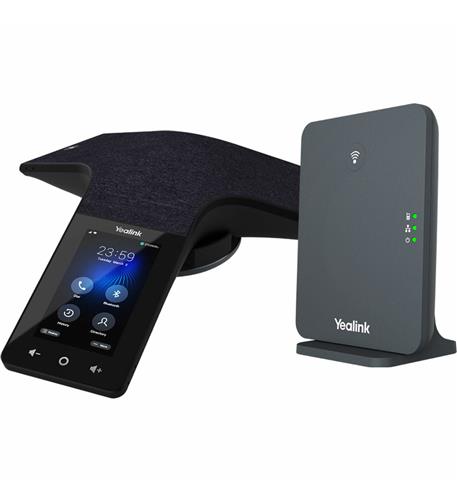
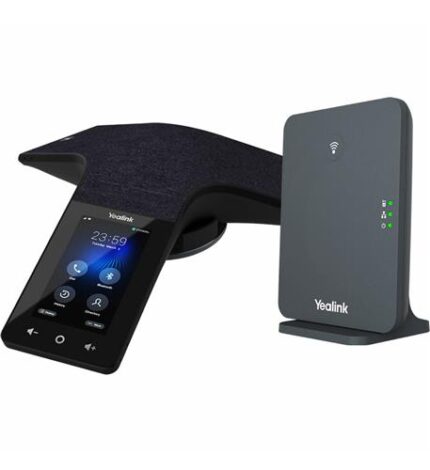
– CP935W is a Wi-Fi or DECT conference phone designed for small to medium rooms
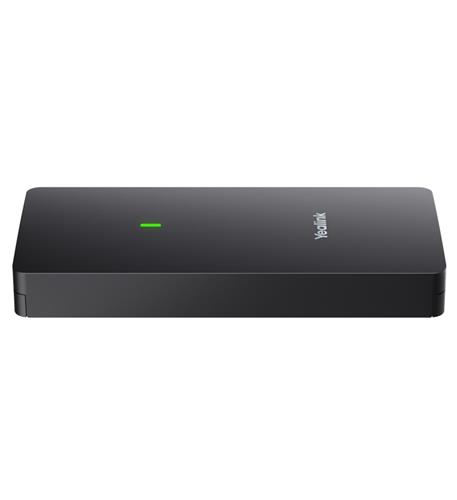
– Base station connects the conference phone to your IP phone system when using the phone in DECT Mode
Transform Your Meetings with the Yealink CP935W DECT Wi-Fi Conference Phone
Upgrade your conference room experience with the Yealink CP935W DECT Wi-Fi Conference Phone, the perfect solution for small to medium spaces. Designed to enhance collaboration and productivity, this innovative phone seamlessly connects to your IP phone system, ensuring crystal-clear audio quality and effortless communication.
Benefits of the Yealink CP935W Conference Phone
- Exceptional Audio Quality: Enjoy immersive sound with high-definition audio technology, making every call feel like everyone is in the same room.
- Flexible Connectivity: Use it in DECT mode with the W70B base station or connect via Wi-Fi for versatile placement options.
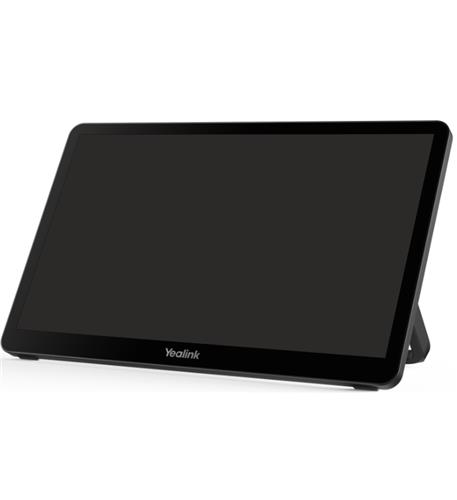
- Intuitive Touchscreen Interface: Navigate your calls with ease using the vibrant LCD touchscreen display.
- Enhanced Collaboration: Facilitate 3-way calling, enabling multiple participants to join the conversation without hassle.
Key Features of the Yealink CP935W
- Bluetooth Connectivity: Pair with your mobile devices for effortless calls and conferencing on the go.
- Mute Functionality: Easily mute calls with a single touch, ensuring privacy when needed.
- Call Hold Feature: Keep your conversations organized with the ability to put calls on hold seamlessly.
- Country of Origin: Manufactured with quality craftsmanship, ensuring reliability and durability.
Use Cases for the Yealink CP935W Conference Phone
The Yealink CP935W is ideal for:
- Business Meetings: Perfect for team meetings, brainstorming sessions, and client calls, delivering a professional touch.
- Remote Work: Enhance your home office setup with a superior conference phone that keeps you connected with your team.
- Training Sessions: Facilitate effective training and presentations, ensuring clear communication between trainers and participants.
Ready to Elevate Your Conference Calls?
Don’t miss out on the opportunity to revolutionize your meeting experience. The Yealink CP935W DECT Wi-Fi Conference Phone is a must-have for any modern workplace. With only 57 units in stock, act now and transform the way you communicate!
Specification
Overview
| Weight | 0.253125 kg |
|---|---|
| Dimensions | 15 × 5 × 14 in |
| 3-way calling | Yes |
| bluetooth | Yes |
| call hold | Yes |
| lcd display | Yes |
| mute | Yes |
| touchscreen | Yes |
| color | Black |
| country of origin | China |
| type of packaging | Retail Box |
| warranty | 1 Year |
| website link | www.yealink.com |
| upc | 841885108333 |
| brand | Yealink |
| part_number | YEA-CP935W-BASE |
Frequently Asked Questions
What are the key specifications of the Yealink CP935W Conference Phone?
The Yealink CP935W features exceptional audio quality with high-definition audio technology, Bluetooth connectivity for pairing with mobile devices, and a vibrant LCD touchscreen interface for easy navigation. It can connect via DECT mode with the W70B base station or through Wi-Fi, making it versatile for various meeting environments.
Is the Yealink CP935W compatible with my existing phone system?
Yes, the Yealink CP935W is designed to seamlessly connect to your IP phone system, ensuring compatibility with most major platforms. It allows for flexible integration whether you are using it in DECT mode or through Wi-Fi.
What is your shipping policy for the Yealink CP935W?
We offer free shipping on the Yealink CP935W Conference Phone within the contiguous United States. Orders are typically processed within 1-2 business days, and you will receive tracking information once your order has shipped.
What is the return policy for the Yealink CP935W?
You can return the Yealink CP935W Conference Phone within 30 days of purchase for a full refund, provided it is in its original condition and packaging. To initiate a return, please contact our customer service team for further instructions.
How do I use the mute function on the Yealink CP935W?
Using the mute function on the Yealink CP935W is simple; just press the dedicated mute button on the device. This allows you to ensure privacy during calls with a single touch, making it easy to manage your conversations.
Can I use the Yealink CP935W for remote work?
Absolutely! The Yealink CP935W is perfect for remote work, enhancing your home office setup with superior audio quality and connectivity options. It facilitates clear communication for team meetings, allowing you to stay connected with colleagues effortlessly.
What kind of meetings is the Yealink CP935W suitable for?
The Yealink CP935W is ideal for various types of meetings, including business meetings, training sessions, and brainstorming activities. Its enhanced collaboration features, like 3-way calling, ensure that multiple participants can join the conversation smoothly.

Reviews
There are no reviews yet.