

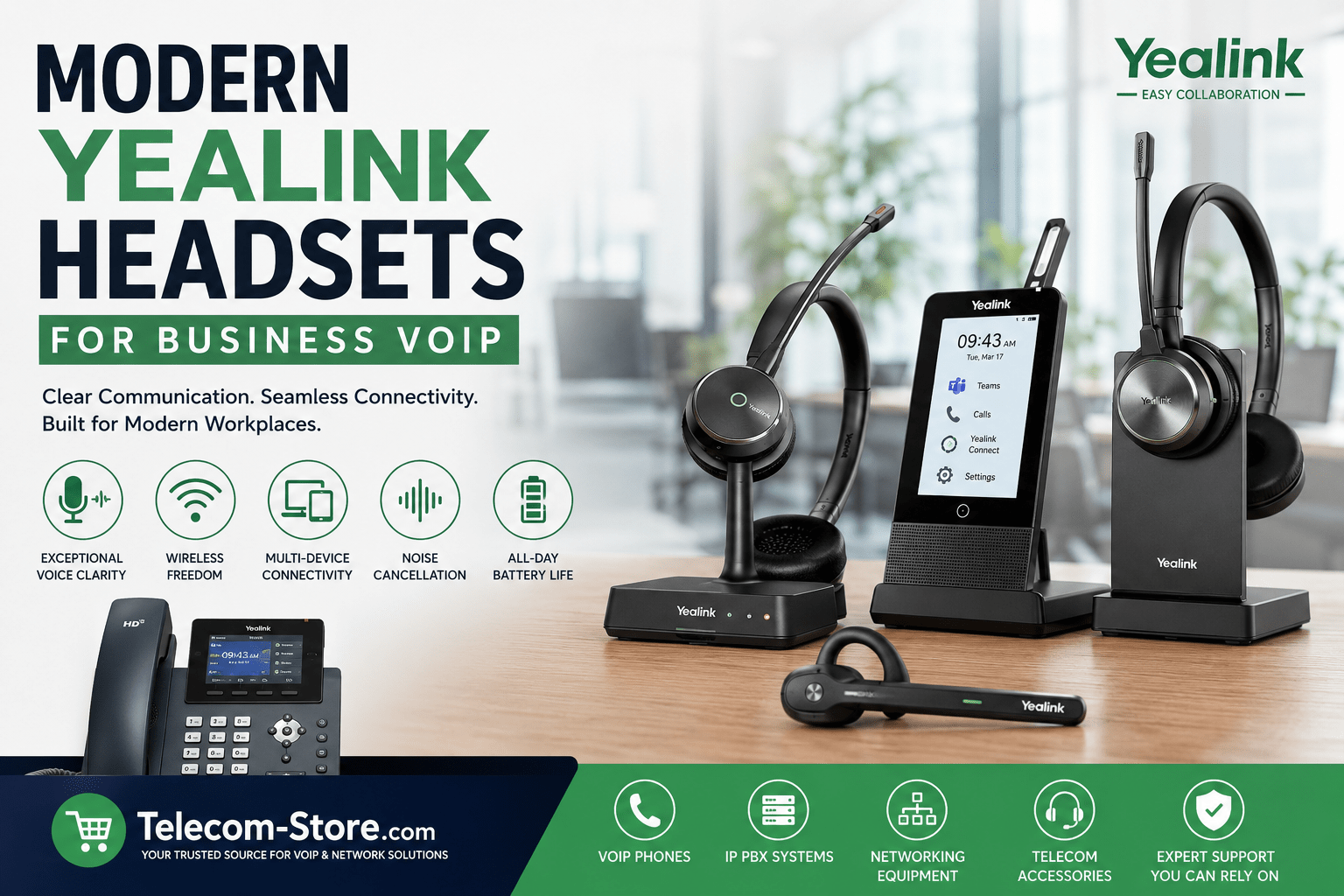
Modern Yealink Headsets for Business VoIP
Modern business communication increasingly depends on reliable audio quality, mobility, and compatibility across multiple platforms. As more organizations rely on VoIP phone systems, Microsoft Teams, Zoom, and softphone applications, headsets have become an important part of daily communication workflows.
Modern Yealink headsets are designed to support desk phones, computers, and mobile devices while helping businesses manage call clarity in both office and hybrid work environments. Whether a company is upgrading from traditional wired devices or deploying headsets for remote teams, understanding the available headset technologies can help simplify purchasing decisions.
Businesses using VoIP systems often compare DECT, Bluetooth, and USB headset options depending on their office layout, mobility requirements, and integration needs.
For organizations already using VoIP hardware, browsing compatible phones and communication equipment at Telecom-Store.com can help narrow down headset compatibility requirements before deployment.
Why Modern Headsets Matter for VoIP Communication
VoIP calls depend heavily on network stability and audio hardware quality. Even with a properly configured network, outdated headsets can introduce poor microphone pickup, inconsistent wireless connectivity, or user discomfort during long calls.
Modern Yealink headsets for business VoIP are designed with several considerations in mind:
- Noise reduction for busy office environments
- Wireless mobility for hybrid work
- Integration with collaboration platforms
- Improved battery life
- USB and desk phone compatibility
- Simplified call controls
For customer service teams, sales departments, and remote employees, a reliable headset can reduce communication fatigue during extended call sessions.
Understanding Yealink Headset Types
Choosing the right headset often starts with understanding the differences between DECT, Bluetooth, and wired USB models.
Yealink DECT Headsets
A Yealink WH62 or WH66 series headset uses DECT wireless technology rather than standard Bluetooth.
DECT headsets are commonly used in offices because they offer:
- Longer wireless range
- Stable connections in dense office environments
- Reduced wireless interference
- Better performance for all-day voice communication
For example, the Yealink WH62 Wireless Mono Headset for Teams is frequently deployed in office environments where users remain connected to desk phones or PCs throughout the day.
Another option for multi-platform office deployments is the Yealink WH62 Wireless DECT Headset for Teams Calls, which supports business users who require consistent wireless call handling across unified communication systems.
A Yealink DECT headset may be preferable for users who spend most of their workday on calls and require stable roaming coverage throughout an office building.
Bluetooth Headsets for Hybrid Work
Bluetooth headsets are increasingly common among hybrid workers who transition between laptops, smartphones, and office workstations.
A Yealink BH71 is designed for mobile flexibility and lightweight portability.
The Yealink BH71 Wireless Mono Headset for Hybrid Work supports workers who frequently move between locations or participate in calls from multiple devices.
Advantages of Yealink Bluetooth headsets include:
- Mobile device pairing
- Compact design
- USB dongle support
- Flexible remote work integration
- Easier travel portability
However, Bluetooth headsets typically have shorter wireless range compared to DECT models and may encounter more interference in crowded wireless environments.
Wired USB Headsets for Fixed Workstations
Not every office requires wireless mobility. Some users prefer wired USB headsets because they eliminate charging requirements and simplify device management.
The Yealink UH35 Noise Canceling Mono Headset for Work is a practical option for fixed workstation environments.
Wired USB headsets can provide:
- Consistent audio quality
- Lower overall deployment cost
- Reduced wireless troubleshooting
- Simple plug-and-play installation
These headsets are often used in call centers, reception desks, and shared office workstations.
Choosing the Right Yealink Headset for Office Use
The best Yealink headset for office deployment depends on several operational factors.
Office Environment
Large offices with frequent movement may benefit from DECT headsets, while smaller workspaces can often operate effectively with Bluetooth or wired USB models.
Call Duration
Employees handling continuous customer interactions may prefer dual-ear designs that reduce background distractions.
The Yealink WH66 Dual DECT Wireless Headset for Teams is designed for users who spend significant time on calls and need additional focus in busy environments.
Platform Compatibility
Many businesses use Microsoft Teams, Zoom, or softphone platforms alongside physical VoIP phones.
A headset should support:
- USB connectivity
- UC platform certification
- Desk phone integration
- Mobile pairing if required
The Yealink WH66 Wireless DECT Mono Headset for Teams supports integration across several modern communication platforms.
Yealink Headset Compatibility Considerations
Yealink headset compatibility is an important factor before deployment.
Businesses should verify compatibility with:
- Existing VoIP desk phones
- Softphone applications
- USB connection standards
- Microsoft Teams certification
- EHS adapter requirements
Many organizations pair Yealink headsets with Yealink desk phones for simplified integration.
For example, businesses using phones like the Yealink T54W or T57W often deploy compatible DECT headsets for streamlined call management.
You can review compatible business communication hardware through Telecom Store Yealink Products.
The Role of Noise Cancellation in Modern Offices
Modern offices frequently contain open workspaces, shared desks, and hybrid meeting areas. Background noise can negatively affect customer conversations and internal collaboration.
Many newer Yealink wireless headsets include:
- Passive noise isolation
- AI-assisted microphone filtering
- Acoustic shielding technology
- Beamforming microphone arrays
The Yealink BH70 Noise Cancelling Mono USB-C Headset is one example of a headset designed for users working in variable acoustic environments.
Noise cancellation does not completely eliminate environmental noise, but it can significantly improve voice clarity during VoIP calls.
Touchscreen Workstations and Advanced Features
Some modern headset systems integrate additional management features beyond standard audio functionality.
The Yealink WH67 Wireless Touchscreen Headset for Business includes an integrated touchscreen workstation that helps manage calls, connectivity, and device charging.
Features found in advanced headset workstations may include:
- Multi-device connectivity
- Built-in charging stands
- USB hub functionality
- Touchscreen call management
- Speakerphone integration
These systems are commonly deployed in executive offices or environments where users regularly switch between devices.
Setup Requirements for Yealink Headsets
Most modern Yealink headsets are relatively straightforward to install, but setup requirements vary depending on the environment.
Typical Requirements Include:
- USB connection to PC or VoIP phone
- Firmware updates
- Compatible softphone software
- EHS cable support for some desk phones
- Bluetooth pairing configuration
For DECT systems, proper base station placement can help maximize wireless coverage and reduce interference.
Businesses deploying large numbers of headsets may also benefit from centralized device management platforms.
Limitations Businesses Should Consider
Although modern wireless headsets provide flexibility, there are practical limitations businesses should evaluate before deployment.
Battery Management
Wireless headsets require charging schedules. In high-volume call environments, spare batteries or charging stations may become necessary.
Wireless Density
Large office environments with many wireless devices can occasionally introduce interference.
Cost Differences
DECT headset systems generally cost more than wired USB headsets due to added wireless infrastructure and charging hardware.
Learning Curve
Users transitioning from traditional handsets may need time to adjust to:
- Wireless call controls
- Charging procedures
- Multi-device switching
- Software integration tools
Careful onboarding can reduce user frustration during deployment.
Integration With Business VoIP Systems
Modern Yealink headsets are frequently used alongside SIP phones, hosted PBX systems, and cloud collaboration tools.
Businesses working with Axion Communications often deploy integrated voice solutions that combine:
- VoIP phones
- Hosted PBX systems
- Conference hardware
- Wireless headsets
- Collaboration software
Proper headset selection can improve both user comfort and call consistency across these systems.
Comparing Mono vs Dual Headsets
Another important consideration is whether users should choose mono or dual-ear models.
Mono Headsets
Mono headsets leave one ear open to surrounding conversations.
They are often preferred for:
- Reception desks
- Retail environments
- Administrative offices
- Light call workloads
Dual Headsets
Dual-ear headsets provide more isolation and focus.
They are commonly used for:
- Customer support
- Technical support teams
- Remote work
- High-call-volume environments
The choice largely depends on user workflow and office noise levels.
Future Trends in Business Headsets
Business communication hardware continues evolving alongside hybrid work models.
Several trends are shaping modern headset development:
- AI-assisted voice filtering
- USB-C standardization
- Improved Teams and Zoom integration
- Better battery efficiency
- Multi-device pairing
- Centralized device management
As businesses continue balancing office and remote operations, headset flexibility has become increasingly important.
Conclusion
Modern Yealink headsets for business VoIP provide a range of connectivity and deployment options for organizations using desk phones, softphones, and collaboration platforms.
DECT models can offer stable wireless coverage for office environments, while Bluetooth options support mobility and hybrid work. Wired USB headsets remain practical for fixed workstations and high-volume call environments.
Before selecting a headset, businesses should evaluate:
- Office layout
- Device compatibility
- Call volume
- Wireless requirements
- User comfort preferences
- Collaboration platform integration
Careful planning can help organizations choose communication hardware that aligns with both technical requirements and employee workflows.
FAQ Section
What is the difference between a Yealink DECT headset and a Bluetooth headset?
A Yealink DECT headset uses dedicated DECT wireless technology, which typically provides longer range and more stable connectivity in office environments. A Yealink Bluetooth headset is designed more for mobility and compatibility with mobile devices, laptops, and hybrid work setups. DECT models are often preferred for full-time office communication, while Bluetooth models are commonly used by remote or traveling employees.
Are Yealink headsets compatible with VoIP phones?
Many Yealink headsets are designed specifically for VoIP phone systems and softphone platforms. Compatibility depends on the phone model, USB support, and whether an EHS adapter is required. Businesses should confirm Yealink headset compatibility before deployment, especially when integrating with older SIP phones or third-party PBX systems.
Which Yealink wireless headset is best for office use?
The best Yealink headset for office use depends on call volume, office layout, and mobility requirements. DECT headsets such as the WH62 and WH66 are commonly used in office environments because they provide stable wireless coverage and all-day communication support.
Can Yealink headsets work with Microsoft Teams?
Many Yealink headset models include Microsoft Teams certification and dedicated Teams call controls. Teams-certified headsets are designed to integrate directly with Microsoft collaboration tools and simplify call management for office and remote workers.
Do Yealink Bluetooth headsets support mobile phones?
Yes. Many Yealink Bluetooth headsets support smartphones, tablets, and laptops. Models designed for hybrid work often allow simultaneous pairing with multiple devices for flexible communication workflows.
Are wired USB headsets still good for VoIP offices?
Wired USB headsets remain common in customer service centers and fixed workstation environments. They eliminate charging requirements and often provide reliable plug-and-play operation with VoIP softphones and business communication platforms.
What should businesses consider before buying Yealink headsets?
Businesses should evaluate:
- Compatibility with VoIP phones
- Wireless coverage requirements
- Office noise levels
- Battery life expectations
- User comfort
- Teams or Zoom integration
- Mono versus dual-ear design preferences
These factors can affect both user adoption and long-term deployment success.
Do Yealink headsets require software installation?
Some advanced features may require software or firmware updates, especially for Teams integration or centralized device management. However, many Yealink USB headsets function immediately with standard plug-and-play connectivity.