

Business Network Infrastructure for VoIP Systems

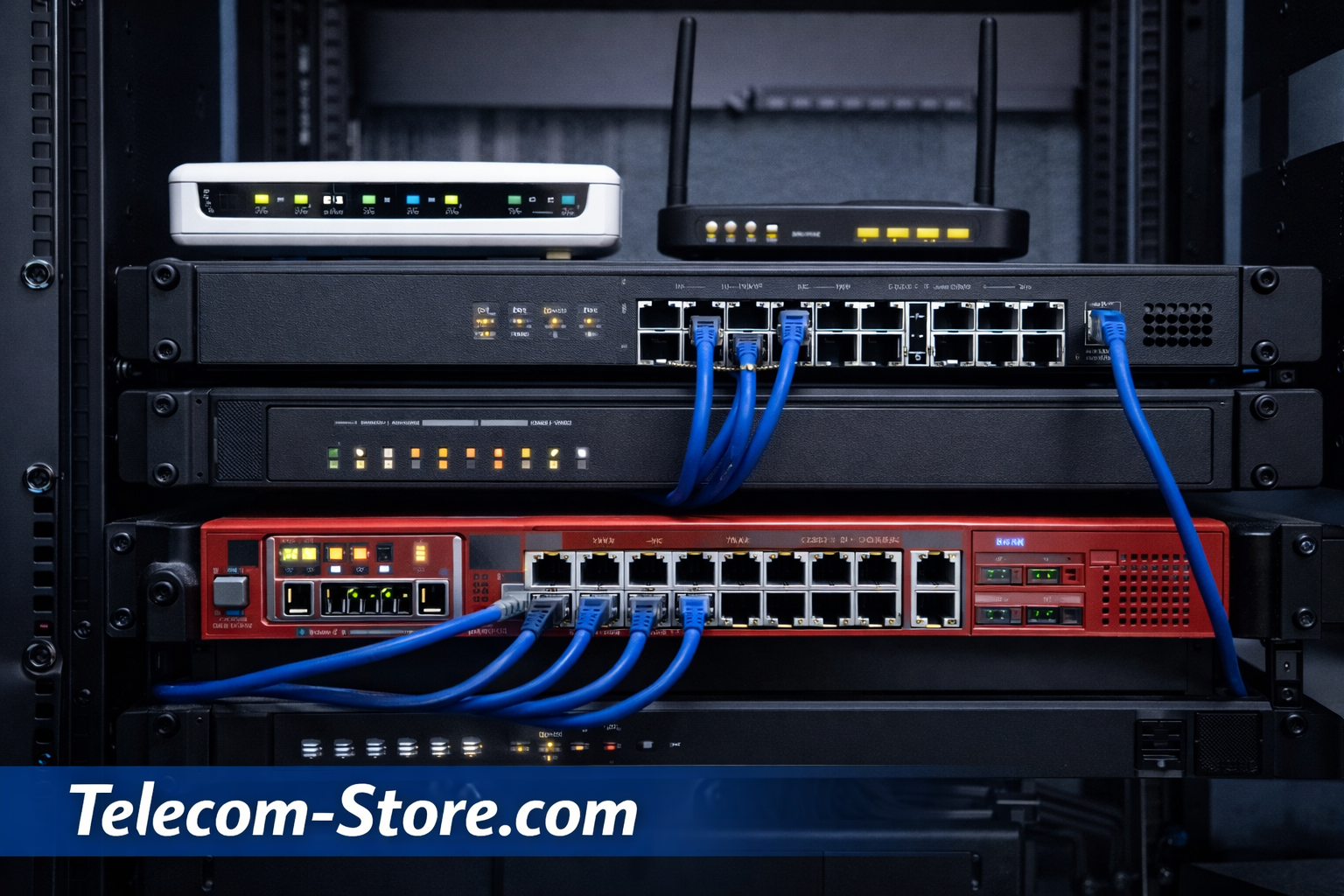
Network Infrastructure for Modern Business Communication
Reliable communication systems depend on a stable and well-designed network infrastructure. Businesses that use VoIP phones, IP PBX systems, cloud applications, and collaboration tools require networking hardware that supports consistent connectivity and secure data transmission.
A typical business network includes several key components such as a router, switch, modem, and firewall. Each device performs a different role in managing data traffic, connecting devices, and protecting the organization’s communication systems.
Understanding how these components work together helps businesses choose networking equipment that supports voice communication, data traffic, and long-term scalability.
Organizations deploying VoIP phones and telecom systems can explore compatible devices at:
https://telecom-store.com/product-category/voip-phones/
For additional technical background on networking and internet protocols, organizations can reference documentation from the Internet Engineering Task Force:
https://www.ietf.org/
Understanding Business Network Infrastructure
A network connects computers, phones, servers, and other devices so they can communicate with each other and access external resources such as the internet.
In business environments, networks support a wide range of services including:
- Voice over IP communication
- Email and collaboration tools
- File sharing and cloud applications
- Customer service platforms
- Video conferencing systems
A well-designed network ensures that these services operate reliably while maintaining security and performance.
Several hardware devices form the foundation of most business networks.
Key Components of a Business Network
A typical office network includes a combination of hardware devices that manage connectivity and traffic.
Router
A router connects a local network to external networks such as the internet. It directs data packets between networks and determines the most efficient path for traffic.
Routers also perform functions such as:
- Network address translation (NAT)
- Traffic management
- Quality of Service (QoS) configuration
- Internet connectivity management
In VoIP environments, routers are often configured to prioritize voice traffic so phone calls remain clear even when other network activity is high.
Network Switch
A switch connects multiple devices within a local network. Unlike routers, which connect networks together, switches manage communication between devices inside the same network.
Devices commonly connected through switches include:
- VoIP desk phones
- Desktop computers and workstations
- Wireless access points
- Network printers
- IP cameras
Many organizations deploy Power over Ethernet (PoE) switches, which provide both electrical power and network connectivity through a single Ethernet cable. This feature simplifies installation for devices such as VoIP phones.
Businesses can explore telecom equipment and networking accessories designed for communication environments at:
https://telecom-store.com
Modem
A modem connects a business network to an internet service provider. It converts signals from the provider’s infrastructure into a format usable by the local network.
Depending on the internet service available, businesses may use:
- Cable modems
- DSL modems
- Fiber network terminals
The modem acts as the gateway between the internal network and the public internet.
Firewall
A firewall protects a network by monitoring and controlling incoming and outgoing traffic. Firewalls enforce security rules that prevent unauthorized access to network resources.
Typical firewall features include:
- Traffic filtering
- Intrusion prevention
- VPN connectivity
- Application-level monitoring
Firewalls are particularly important in environments that support VoIP communication systems or remote access.
How Network Devices Work Together
Each network device performs a specific role. When combined, these components create a complete communication infrastructure.
A simplified business network structure may look like this:
Internet connection → Modem → Router → Firewall → Network Switch → Devices
Devices connected to the switch may include:
- VoIP desk phones
- Computers
- Servers
- Wireless access points
This layered structure allows businesses to manage connectivity, performance, and security effectively.
Network Requirements for VoIP Phone Systems
VoIP communication systems rely heavily on network performance. Poor network configuration can result in dropped calls, latency, or reduced audio quality.
Several network factors affect VoIP performance.
Bandwidth
Voice communication requires consistent bandwidth. While each individual call uses relatively little data, multiple simultaneous calls increase bandwidth requirements.
Businesses should evaluate their internet connection capacity when deploying VoIP phone systems.
Quality of Service (QoS)
Quality of Service allows network administrators to prioritize certain types of traffic.
QoS settings ensure that voice packets receive higher priority than other types of network traffic, helping maintain clear communication even during heavy network usage.
Latency and Packet Loss
Latency refers to delays in data transmission. Packet loss occurs when voice data packets fail to reach their destination.
Both issues can affect voice quality, causing echo, audio gaps, or delayed conversation.
A properly designed network helps minimize these problems.
Comparing Router, Switch, Modem, and Firewall Roles
The following table summarizes the role of each networking component.
| Device | Primary Function | Typical Location |
|---|---|---|
| Modem | Connects network to internet provider | Entry point to network |
| Router | Directs traffic between networks | After modem |
| Firewall | Protects network from threats | Between router and internal network |
| Switch | Connects internal devices | Internal network infrastructure |
Understanding the role of each device helps organizations design networks that support both communication and security.
Compatibility Considerations When Buying Network Equipment
Selecting networking hardware requires evaluating compatibility with existing systems.
VoIP Compatibility
Businesses deploying VoIP phone systems should ensure networking equipment supports:
- SIP traffic handling
- Quality of Service prioritization
- Power over Ethernet (PoE)
These features help maintain reliable voice communication.
Device Capacity
Network switches must provide enough ports for all connected devices.
Organizations should consider future expansion when selecting networking equipment.
Security Integration
Firewalls and routers should include security features that protect communication systems from external threats.
These features may include:
- VPN support
- Intrusion detection
- Traffic monitoring
Proper network security protects business communication systems from unauthorized access.
Network Setup Considerations
Implementing a business network involves planning several aspects of infrastructure.
Network Layout
Businesses often separate voice traffic from general data traffic using VLAN segmentation. This approach helps manage network performance and improves security.
Cabling Infrastructure
Structured cabling supports reliable connectivity. Ethernet cables such as Cat5e and Cat6 are commonly used in business environments.
Redundancy Planning
Some organizations implement backup internet connections or redundant networking equipment to maintain communication services during outages.
Limitations and Challenges of Network Infrastructure
While networking equipment supports reliable communication, organizations should consider potential challenges.
Hardware Costs
Network devices such as switches, routers, and firewalls require upfront investment.
Maintenance Requirements
Networking infrastructure requires periodic firmware updates, monitoring, and occasional hardware replacement.
Security Risks
Improperly configured networks may expose communication systems to security threats.
Implementing security policies and monitoring tools helps mitigate these risks.
The Role of Networks in Business Communication
A reliable network infrastructure forms the foundation of modern business communication systems. VoIP phones, IP PBX platforms, video conferencing tools, and collaboration software all rely on stable network connectivity.
Organizations that invest in well-designed networking infrastructure can support efficient communication across offices, remote employees, and customer support teams.
Businesses exploring communication devices and telecom equipment can review compatible products at:
https://telecom-store.com
Conclusion
Network infrastructure plays a central role in supporting modern business communication systems. Devices such as routers, switches, modems, and firewalls work together to connect employees, customers, and digital services.
A properly designed network helps ensure reliable VoIP communication, secure data transmission, and scalable connectivity for growing organizations.
When evaluating networking equipment, businesses should consider VoIP compatibility, device capacity, security features, and network performance. Understanding these factors helps organizations build communication environments that support long-term operational needs.
FAQ Section
What is the difference between a router and a switch in a network?
A router connects different networks together, such as a business network and the internet. A switch connects devices within the same local network. For example, computers, VoIP phones, and printers connect to a switch so they can communicate internally, while the router manages traffic between the local network and external networks.
What does a modem do in a business network?
A modem connects a business network to an internet service provider. It converts signals from the provider’s network into digital data that devices on the local network can use. Without a modem or gateway device, the network would not be able to access the internet.
Why is a firewall important for business communication systems?
A firewall protects the network by monitoring incoming and outgoing traffic. It blocks unauthorized access attempts and enforces security policies. Firewalls are particularly important for businesses that use VoIP systems or allow remote access to internal communication platforms.
How does network quality affect VoIP phone systems?
VoIP phone systems rely on stable network performance. High latency, packet loss, or insufficient bandwidth can result in poor audio quality, dropped calls, or delayed communication. Proper network configuration and Quality of Service settings help maintain reliable voice communication.
Do VoIP phones require special network switches?
Many VoIP phones operate best with Power over Ethernet (PoE) switches. PoE switches supply both electrical power and network connectivity through a single Ethernet cable. This reduces the need for separate power adapters and simplifies installation.
What network speed is recommended for VoIP communication?
VoIP calls require relatively small amounts of bandwidth, but consistent network performance is important. Businesses should ensure enough bandwidth for the number of simultaneous calls and other network activity.
Can small businesses build their own network infrastructure?
Yes. Many small businesses deploy routers, switches, and firewalls to build reliable communication networks. Modern networking equipment often includes simplified management tools that make installation and monitoring easier.